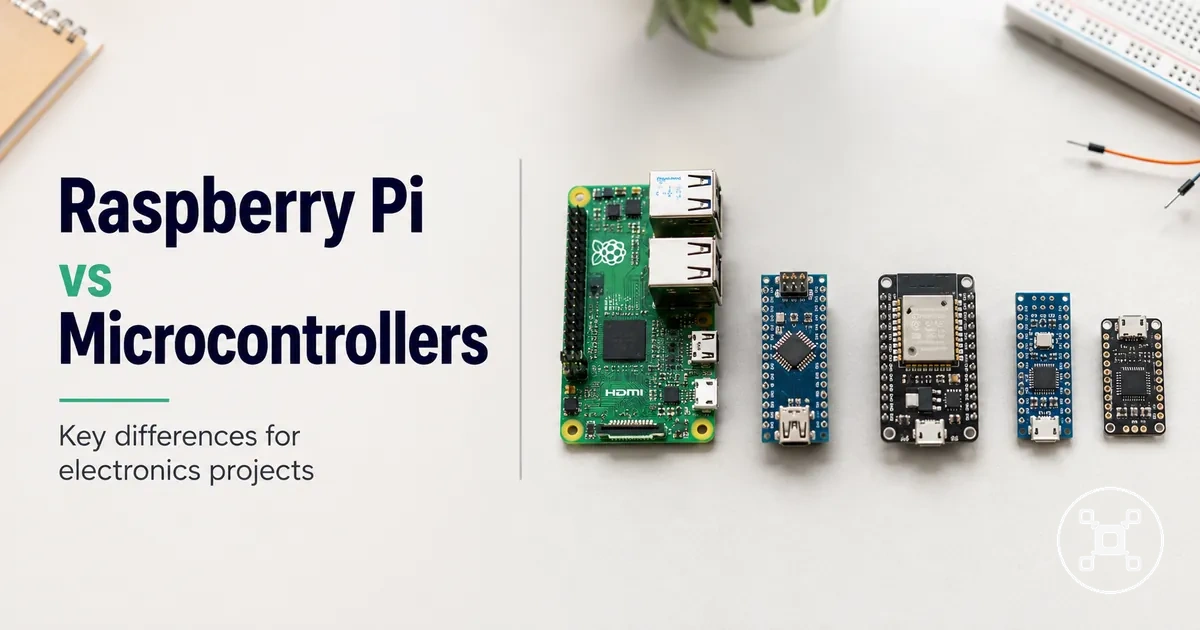
Raspberry Pi and Microcontroller Boards Compared for Electronics Projects
Raspberry Pi and microcontroller boards are different electronics project platforms: Raspberry Pi is designed for computer-like tasks that use an operating system, while microcontroller boards are designed for direct hardware control through firmware. The better choice depends on whether the project needs software flexibility, direct hardware interaction, lower power behaviour, connectivity, or a control-focused design.

Raspberry Pi and microcontroller boards differ across the attributes that influence project fit. Raspberry Pi supports projects that benefit from an operating environment, software tools, storage, and network capabilities. Microcontroller boards support projects that focus on controlling sensors, outputs, and hardware responses through dedicated firmware.
| Comparison area | Raspberry Pi | Microcontroller board |
|---|---|---|
| Operating model | Runs software through an operating system designed for computer-like applications. | Runs firmware designed for direct control of connected hardware. |
| Hardware interaction | Uses GPIO connections for electronic components while operating through a software environment. | Uses input and output control for sensors, switches, and other electronic components. |
| Timing behaviour | Fits projects where operating-system scheduling is acceptable for the required task. | Fits projects where direct firmware control is needed for predictable hardware responses. |
| Power behaviour | Fits projects where computing capability and connected features are prioritised. | Fits projects where dedicated control and power-conscious operation are priorities. |
| Connectivity | Supports software-based networking, interfaces, and connected applications. | Supports hardware-focused projects through supported communication methods and connected components. |
| Learning focus | Supports learning around programming, operating systems, and software applications. | Supports learning around circuits, firmware, and hardware control. |
The choice between Raspberry Pi and a microcontroller board depends on the project requirements rather than a universal winner. Raspberry Pi is often suitable when a project needs an operating system, software environment, display output, or networked functions. A microcontroller board is often suitable when a project needs direct control of hardware signals, dedicated operation, or simpler embedded behaviour.
For broader Raspberry Pi categories, setup considerations, and related selection information, explore the Raspberry Pi hub .
For broader Raspberry Pi categories, setup considerations, and related selection information, explore the Raspberry Pi hub.
Table of Contents
What Raspberry Pi and Microcontroller Boards Are Designed to Do
Raspberry Pi is a small computer board designed to run an operating system and support software-based tasks, while a microcontroller board is a dedicated control board designed to manage hardware tasks through firmware. This design purpose changes project fit because Raspberry Pi focuses on running computer applications, whereas microcontroller boards focus on direct control of electronic components.

what Raspberry Pi is provides the computer-board context for Raspberry Pi, while microcontroller boards represent a hardware-control approach. The main distinction comes from how each board executes instructions, connects to components, and manages project tasks.
| Board category | Design purpose and operating model |
|---|---|
| Raspberry Pi | Designed as a small computer board that uses an operating system to run applications, manage files, and support software-based projects. |
| Microcontroller board | Designed as a dedicated control board that runs firmware to execute programmed hardware-control tasks. |
Raspberry Pi uses an operating system as its software layer, allowing it to manage applications, interfaces, storage, and connected services. A microcontroller board uses firmware as its control layer, which executes instructions for hardware behaviour through dedicated control loops.
Raspberry Pi and microcontroller boards also differ in their hardware interaction model.
Raspberry Pi and microcontroller boards also differ in their hardware interaction model. Raspberry Pi uses input-output pins, including GPIO connections, to communicate with sensors and components through its computing environment. Microcontroller boards use input-output pins to read signals from sensors and control connected hardware through firmware-driven loops.
Its design places it closer to microcontroller boards for projects focused on firmware-based hardware control.
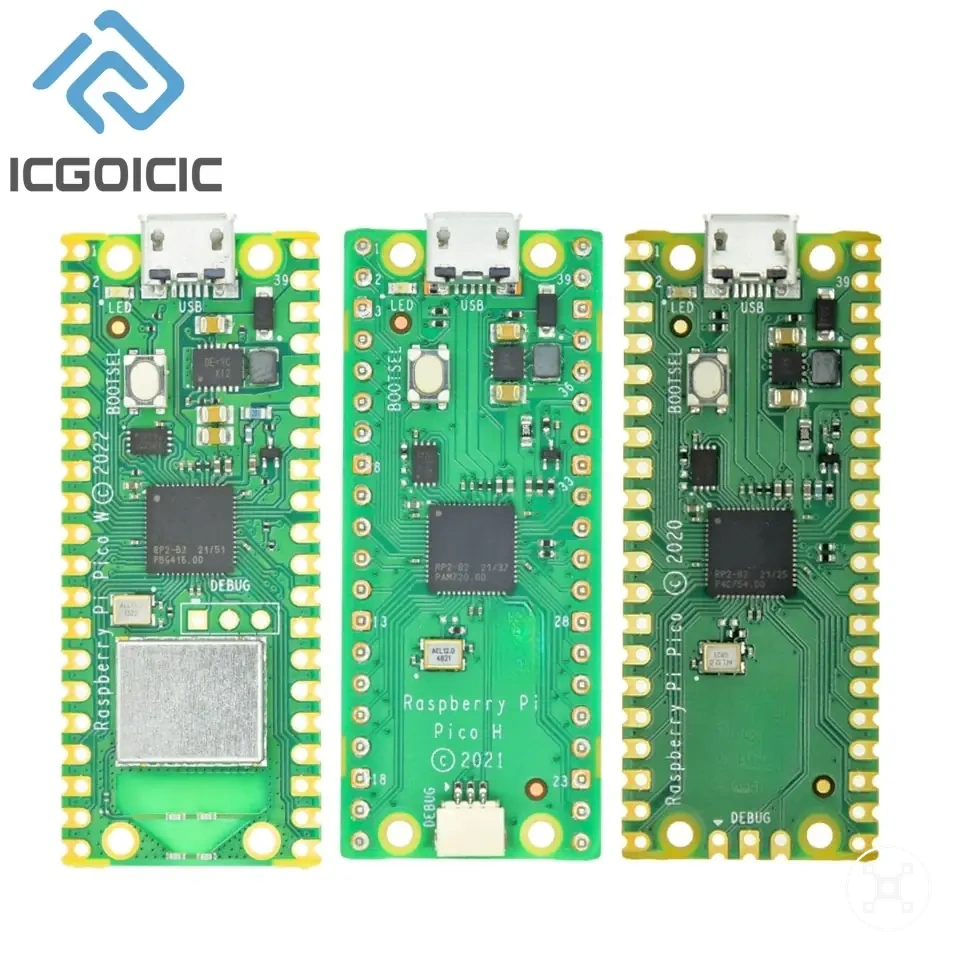
Raspberry Pi Pico is a boundary case because it shares the Raspberry Pi name but follows a microcontroller-style design rather than the operating-system-based design of standard Raspberry Pi computer boards. Its design places it closer to microcontroller boards for projects focused on firmware-based hardware control.
Single-Board Computer Versus Dedicated Controller
A single-board computer and a dedicated controller differ in their architecture and the way they handle project tasks. A single-board computer combines computing resources with an operating environment, while a dedicated controller focuses on direct hardware control through firmware.
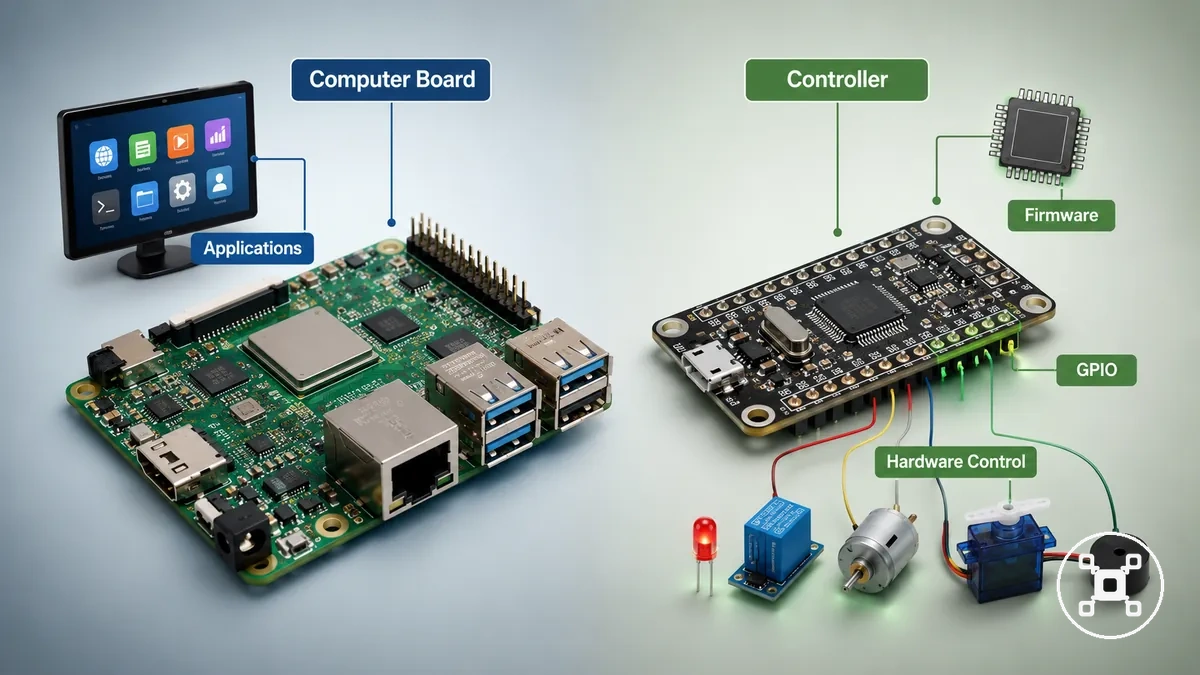
The distinction between a single-board computer and a dedicated controller affects computing model, startup behaviour, hardware access, and task continuity. These differences influence whether a project needs broader software capabilities or focused hardware interaction.
| Comparison area | Single-board computer | Dedicated controller |
|---|---|---|
| Computing model | Uses a general computing environment that supports applications and multiple software tasks. | Uses firmware-based logic designed for specific hardware control tasks. |
| Startup behaviour | Starts its operating environment before software applications or services are available. | Starts firmware execution for its programmed hardware functions. |
| Hardware access | Uses hardware interfaces such as GPIO connections to communicate with electronic components through a computing environment. | Uses direct input and output control for sensors, switches, and actuators. |
| Task continuity | Fits projects where software processing, interfaces, or multiple functions are part of the design. | Fits projects where maintaining a dedicated hardware control loop is the main requirement. |
The difference becomes clear through project examples. A single-board computer can suit a dashboard project that needs software processing and a user interface. A dedicated controller can suit a project where an LED, motor, or sensor requires direct programmed responses through a focused control loop.
Standard Raspberry Pi Boards and Raspberry Pi Pico
Standard Raspberry Pi boards and Raspberry Pi Pico share the Raspberry Pi name but represent different board categories. Standard Raspberry Pi boards are small computer boards designed around an operating system, while Raspberry Pi Pico follows a microcontroller-style design focused on firmware-based hardware control.
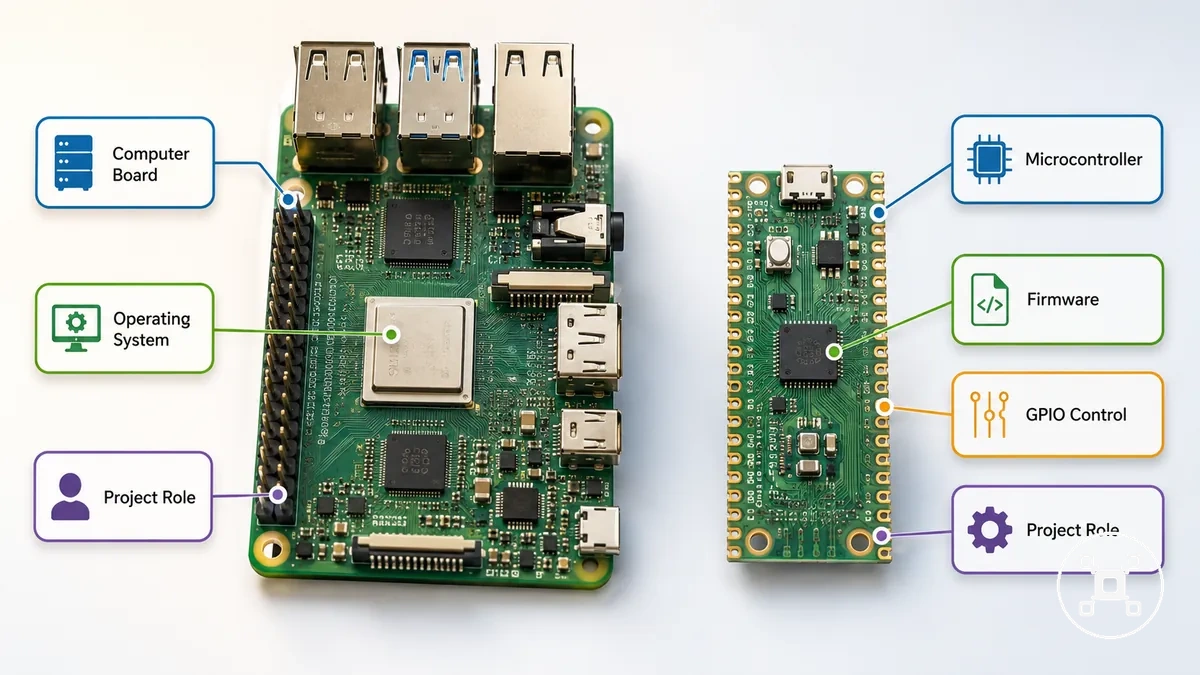
The shared name creates confusion because both boards belong to the Raspberry Pi family. The difference becomes clearer when comparing board type, operating style, GPIO role, and expected project behaviour.
The shared name creates confusion because both boards belong to the Raspberry Pi family.
Standard Raspberry Pi boards: These boards function as small computers, using a processor-based computing environment and operating system to support software applications, connected projects, and hardware interaction through GPIO.
Raspberry Pi Pico: This board follows a microcontroller-style design, using firmware execution and GPIO control for projects that require direct hardware interaction rather than a full operating-system environment.
Raspberry Pi Pico: This board follows a microcontroller-style design, using firmware execution and GPIO control for projects that require direct hardware interaction rather than a full operating-system environment.
Standard Raspberry Pi boards are positioned closer to computer platforms, while Raspberry Pi Pico is positioned closer to microcontroller boards for control-focused electronics projects.
The boundary is the project expectation. Standard Raspberry Pi boards are positioned closer to computer platforms, while Raspberry Pi Pico is positioned closer to microcontroller boards for control-focused electronics projects.
Operating System, Code Execution, and Real-Time Behaviour
Operating systems and execution models affect how Raspberry Pi and microcontroller boards process instructions, respond to events, and handle timing-sensitive electronics projects. Raspberry Pi uses an operating system-based execution model, while microcontroller boards use firmware-based execution, creating different approaches to software flexibility and direct hardware control.
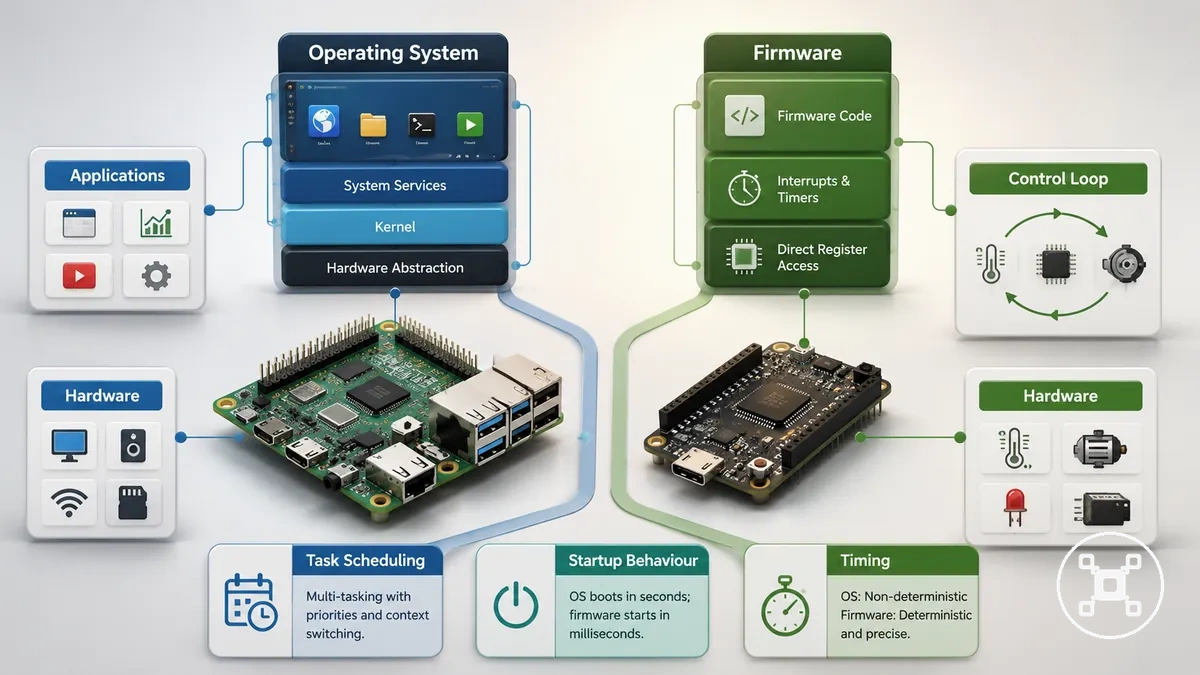
The execution model changes project behaviour through task scheduling, startup processes, hardware access, and timing control. The suitable approach depends on the board architecture, software design, workload, and hardware requirements.
| Execution area | Raspberry Pi | Microcontroller board |
|---|---|---|
| Execution model | Uses an operating system that manages applications, processes, and hardware access through software layers. | Uses firmware that executes programmed instructions focused on direct hardware behaviour. |
| Task scheduling | Uses operating system scheduling to manage applications, background processes, and software services. | Uses a dedicated control loop where programmed instructions focus on specific hardware tasks. |
| Startup process | Starts the operating environment before applications and services become available. | Starts firmware execution for the programmed hardware function. |
| Timing behaviour | Fits projects where software flexibility and broader computing functions are required. | Fits projects where direct firmware control is required for more predictable hardware responses. |
Linux-based operation on Raspberry Pi provides flexibility for projects that need applications, interfaces, networking, or software tools. A microcontroller board provides a direct execution path when a project needs focused hardware control because firmware manages the programmed input, processing, and output cycle.
Raspberry Pi can be suitable when the same project requires broader software functions alongside hardware interaction.
For timing-sensitive tasks, direct firmware control can be a suitable approach when the project requires consistent hardware responses because the control logic runs closer to the hardware. Raspberry Pi can be suitable when the same project requires broader software functions alongside hardware interaction.
Linux Multitasking and Timing Limits
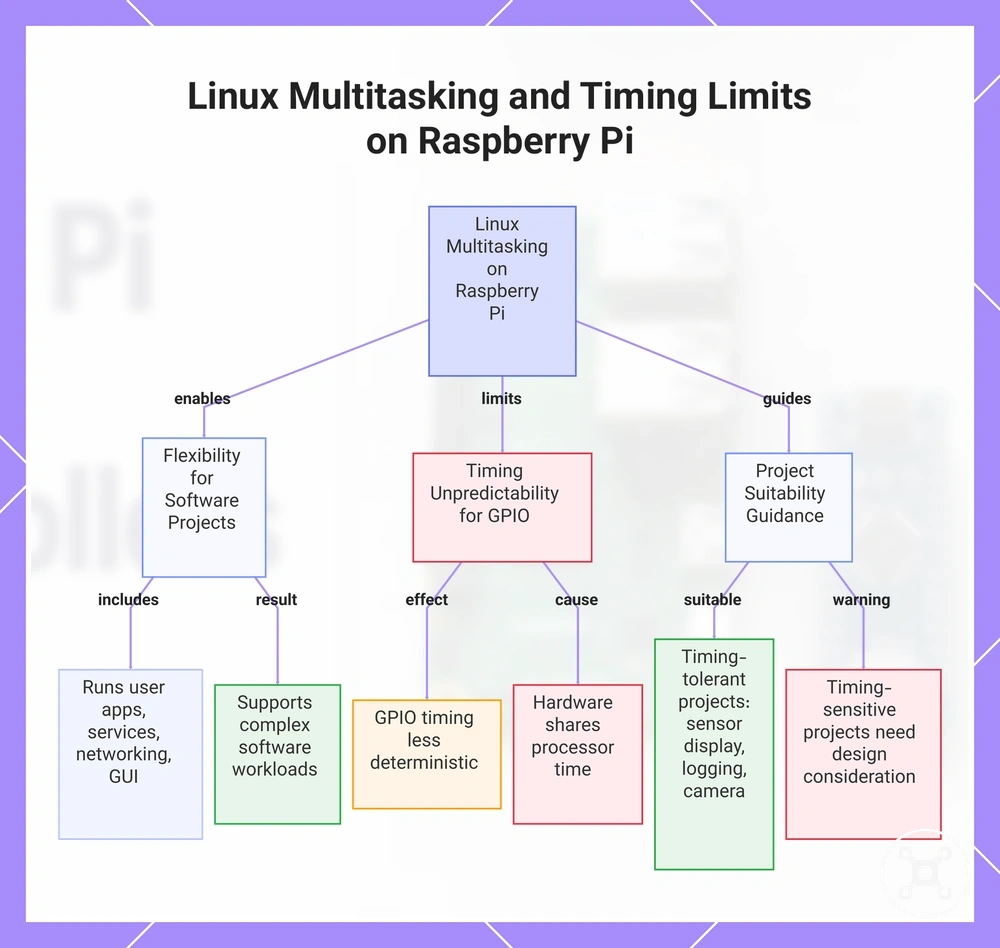
Raspberry Pi running Linux supports multitasking by managing multiple applications and system processes at the same time, making it well suited to software-heavy projects. This operating system approach provides flexibility, but operating system scheduling makes exact GPIO timing less predictable for tasks that require tightly controlled hardware responses.
Linux enables Raspberry Pi to run user applications, background services, networking, storage, and graphical interfaces together.
Linux enables Raspberry Pi to run user applications, background services, networking, storage, and graphical interfaces together. This combination suits projects such as dashboards, data logging, camera systems, and connected applications because software and hardware functions can operate within the same environment.
- Background processes: Linux schedules application and system services concurrently, supporting complex software workloads.
- Task scheduling: The operating system allocates processor time across multiple processes, so GPIO response timing is less deterministic than firmware-driven execution.
- Hardware interaction: Raspberry Pi can read sensors and control connected devices through GPIO, although timing-sensitive control tasks require consideration of operating system scheduling and project design.
For projects where timing tolerance is acceptable, such as displaying sensor information, recording measurements, or processing camera data, Linux multitasking provides practical software flexibility. When a project requires consistently timed control signals, the operating system's scheduling behaviour becomes an important design consideration because hardware access shares processor time with other running processes.
This chart shows how Linux multitasking on Raspberry Pi provides software flexibility but introduces timing unpredictability for GPIO, and guides project suitability.
This chart shows how Linux multitasking on Raspberry Pi provides software flexibility but introduces timing unpredictability for GPIO, and guides project suitability.
Bare-Metal Control and Predictable Responses
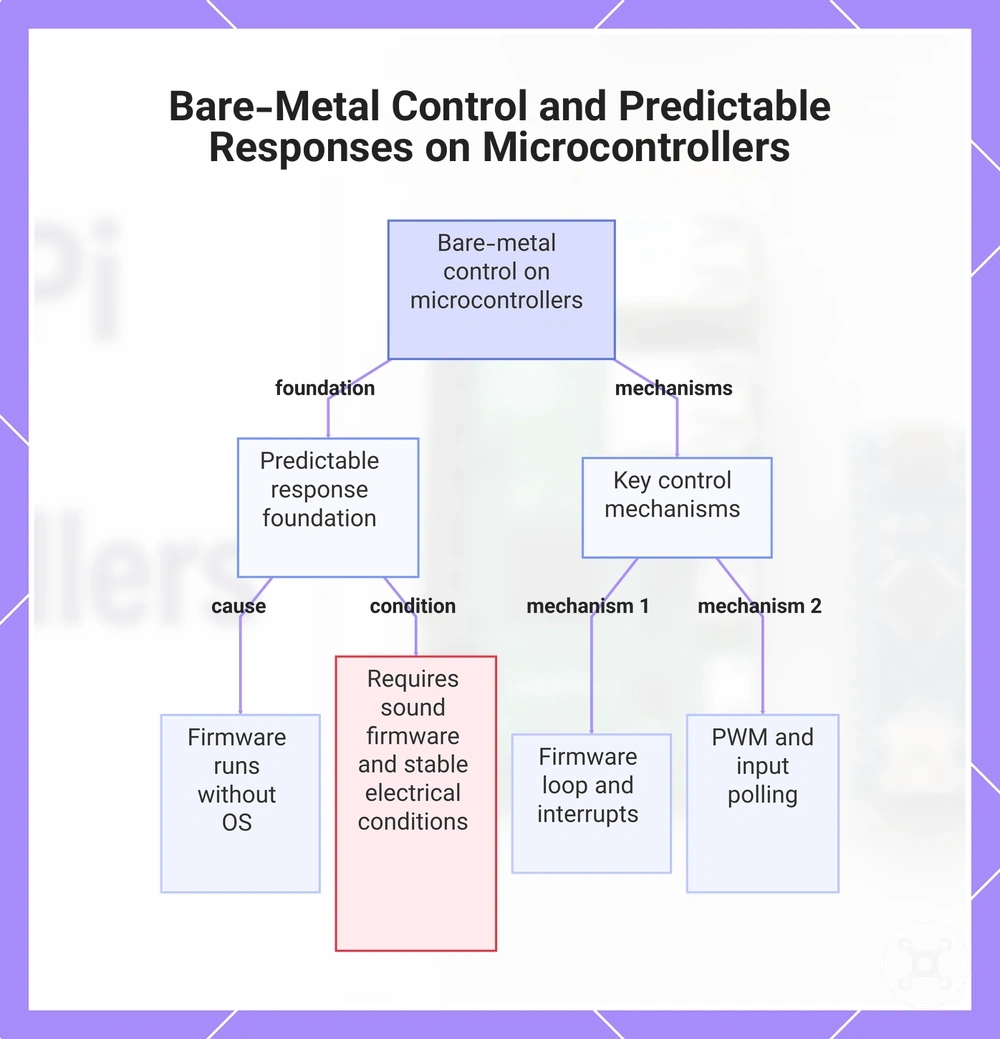
Microcontroller boards provide predictable responses because firmware runs close to the hardware without relying on a general-purpose operating system. This execution model helps timing-sensitive tasks respond more consistently, although the outcome also depends on firmware quality, wiring, voltage stability, and power conditions.
Direct firmware control keeps execution focused on hardware events through a firmware loop, interrupts, input polling, and PWM output.
Direct firmware control keeps execution focused on hardware events through a firmware loop, interrupts, input polling, and PWM output. These mechanisms support responsive control of connected components while reducing software layers between the program and the hardware.
These mechanisms support responsive control of connected components while reducing software layers between the program and the hardware.
For timing-sensitive signals, consider the following:
- Firmware loop: Repeats programmed control logic for continuous monitoring and hardware response.
- Interrupts: Handle important input events as they occur instead of waiting for the next program cycle.
- PWM: Generates controlled output signals for devices such as motors and LEDs.
- Input polling: Regularly checks buttons and sensors when continuous monitoring matches the application design.
- Low-level timing: Supports more predictable signal timing when firmware, wiring, voltage, and power conditions are appropriate for the project.
This control approach suits motors, LEDs, buttons, and sensors that benefit from consistent signal timing, but reliable behaviour still requires sound firmware design and stable electrical conditions. If strict timing is not required, Raspberry Pi can also control hardware effectively while providing additional software capabilities such as networking, graphical interfaces, or data processing.
This chart shows why microcontroller bare-metal control provides predictable responses, the key mechanisms involved, and the conditions required for reliable behavior.
This chart shows why microcontroller bare-metal control provides predictable responses, the key mechanisms involved, and the conditions required for reliable behavior.
Hardware Differences That Affect Project Fit
Board hardware attributes determine project fit by matching electrical, physical, and processing requirements rather than brand preference. The most suitable board depends on how its GPIO capability, voltage logic, sensor compatibility, power requirements, startup behaviour, physical size, memory, processor capability, and connectivity align with the project's operating conditions.
Board hardware attributes determine project fit by matching electrical, physical, and processing requirements rather than brand preference.
Each hardware attribute affects a practical outcome, so evaluating these characteristics together provides a clearer basis for board selection without relying on operating system differences or brand identity alone.
| Hardware attribute | Condition and practical project outcome |
|---|---|
| GPIO pins | The available input and output connections determine how many external devices the board can interface with during a project. |
| Voltage logic | Compatible logic levels allow direct communication with supported components, while incompatible levels may require level-shifting hardware. |
| Sensor compatibility | Supported electrical interfaces and signal requirements determine whether a sensor connects directly or needs additional interface circuitry. |
| Power draw | Lower power requirements are generally better suited to battery-powered applications, while higher power use may be acceptable where continuous power is available. |
| Startup time | Shorter startup behaviour can benefit applications that need hardware functions soon after power is applied. |
| Board size | Smaller boards fit compact enclosures more easily, while larger boards may provide additional expansion features. |
| Memory | Available memory determines how much program logic, runtime data, and buffering the board can support. |
| Processor capability | Higher processing capability supports more computationally demanding workloads, while simpler processors are appropriate for focused control applications. |
| Connectivity | Built-in communication options influence how readily the board integrates with displays, storage devices, networks, and external peripherals. |
Considering these hardware attributes together helps match board capabilities to project requirements because each characteristic influences integration, compatibility, and overall application suitability under different design conditions.
GPIO Pins, Voltage Logic, and Sensor Connections
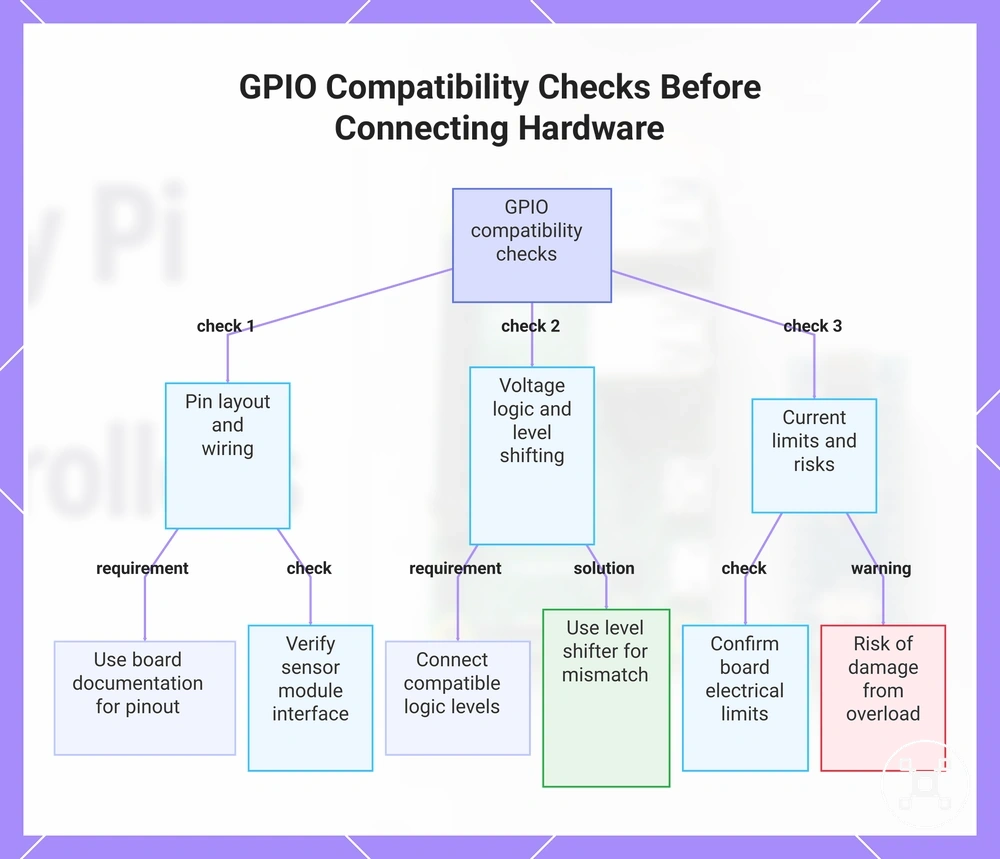
GPIO compatibility depends on matching the board's pin layout, voltage logic, and electrical limits with the connected hardware. Checking these conditions before making connections helps reduce the risk of unreliable operation and lowers the chance of damaging connected components.
GPIO compatibility depends on matching the board's pin layout, voltage logic, and electrical limits with the connected hardware.
GPIO pin layout identifies the correct signal, power, and ground connections, while voltage logic and current limits determine whether a sensor or circuit can connect directly or requires level shifting. Sensor modules, jumper wires, and breadboards support convenient prototyping, but compatibility should still be confirmed for the specific board and connected hardware.
Sensor modules, jumper wires, and breadboards support convenient prototyping, but compatibility should still be confirmed for the specific board and connected hardware.
Understanding Raspberry Pi GPIO pins helps identify compatible signal connections and indicates when level shifting is needed because connected devices use different logic voltages.
Understanding Raspberry Pi GPIO pins helps identify compatible signal connections and indicates when level shifting is needed because connected devices use different logic voltages.
Check the following compatibility points before connecting hardware:
- Pin layout: Match signal, power, and ground connections with the board documentation.
- Voltage logic: Connect only devices with compatible logic levels, or use level shifting when logic voltages differ.
- Current limits: Confirm that connected components remain within the board's supported electrical limits.
- Sensor modules: Verify that the module's interface and operating voltage match the target board.
- Jumper wires and breadboards: Use secure, correctly placed connections to reduce wiring faults during development.
- Level shifting: Include a level shifter whenever devices operate at incompatible logic voltages.
Incorrect voltage selection, wiring, or unsupported electrical loading can damage a board or sensor, so safe connections should always be verified against the specific board model and connected hardware rather than assumed across different platforms.
This chart details the three essential compatibility checks for GPIO connections: verifying pin layout, ensuring voltage logic compatibility, and confirming current limits, along with the risk of damage from overload.
This chart details the three essential compatibility checks for GPIO connections: verifying pin layout, ensuring voltage logic compatibility, and confirming current limits, along with the risk of damage from overload.
Power Use, Startup Time, and Physical Size
Power use, startup behaviour, and physical size determine whether a board suits portable, field-based, or continuously powered installations. Lower energy demand and a smaller footprint favour constrained embedded designs, while higher power use and longer startup behaviour are more acceptable when continuous power and enclosure space are available.
Energy demand is shaped by the board, connected peripherals, battery capacity, running code, and duty cycle.
Energy demand is shaped by the board, connected peripherals, battery capacity, running code, and duty cycle. Sleep modes reduce consumption when the board spends part of its operating cycle inactive, while continuously active processing and connected peripherals increase the power requirement and can shorten battery operation.
- Battery use: Lower active power demand and available sleep modes support longer operation when the board wakes only for scheduled sensing or communication, although actual runtime remains tied to the battery, peripherals, code, and duty cycle.
- Enclosure space: A smaller physical footprint is easier to place inside compact field devices, while a larger board requires more mounting area and may need additional clearance around connectors.
- Startup expectations: Minimal startup behaviour suits devices that must begin a control or sensing task soon after power is applied, while a longer boot process is acceptable when the application can wait before becoming operational.
A battery-powered sensor that wakes periodically benefits from low energy demand, sleep capability, and a compact board. A powered desktop-style electronics project can accept greater energy use, a larger footprint, and a longer startup process when external power and enclosure space are available.
Heat tendency increases when processing load, connected peripherals, and continuous activity raise power use.
Heat tendency increases when processing load, connected peripherals, and continuous activity raise power use. Embedded enclosure design should therefore allow appropriate space and airflow for the selected board and workload rather than assuming identical thermal behaviour across installations.
Processing Power, Memory, and Connectivity
Processing resources and connectivity determine whether a board suits software-heavy workloads, connected devices, and peripheral integration. CPU capability, RAM, storage, and communication options should match the workload, attached hardware, and network requirements rather than being compared as isolated specifications.
Processing resources and connectivity determine whether a board suits software-heavy workloads, connected devices, and peripheral integration.
The following attributes show how computing resources and connectivity affect project fit:
| Attribute | Effect on project fit |
|---|---|
| CPU capability | Greater processing capability supports more complex software and concurrent tasks, while lower capability is more appropriate for focused control workloads. |
| RAM | More available memory supports larger applications, additional runtime data, and more simultaneous processes when the software requires them. |
| Storage | Greater storage capacity supports larger operating environments, application files, and retained project data, while simpler control projects may need only limited local storage. |
| Wi-Fi and Bluetooth | Integrated wireless connectivity supports projects that exchange data with networks or nearby devices, reducing the need for separate communication hardware. |
| USB | USB connectivity expands the range of compatible peripherals, including input devices, storage, and interface adapters, when the project requires them. |
| Display output | A supported display interface enables directly connected visual output, which is useful for graphical interfaces, dashboards, and local configuration screens. |
| Networking | Built-in or supported network connectivity enables communication with remote services and other systems when the application requires continuous or scheduled data exchange. |
For example, adding a graphical interface, local data storage, and wireless communication can shift a project toward a board with more memory and integrated connectivity, while a focused embedded controller may not require those resources.
When Raspberry Pi Is the Better Fit
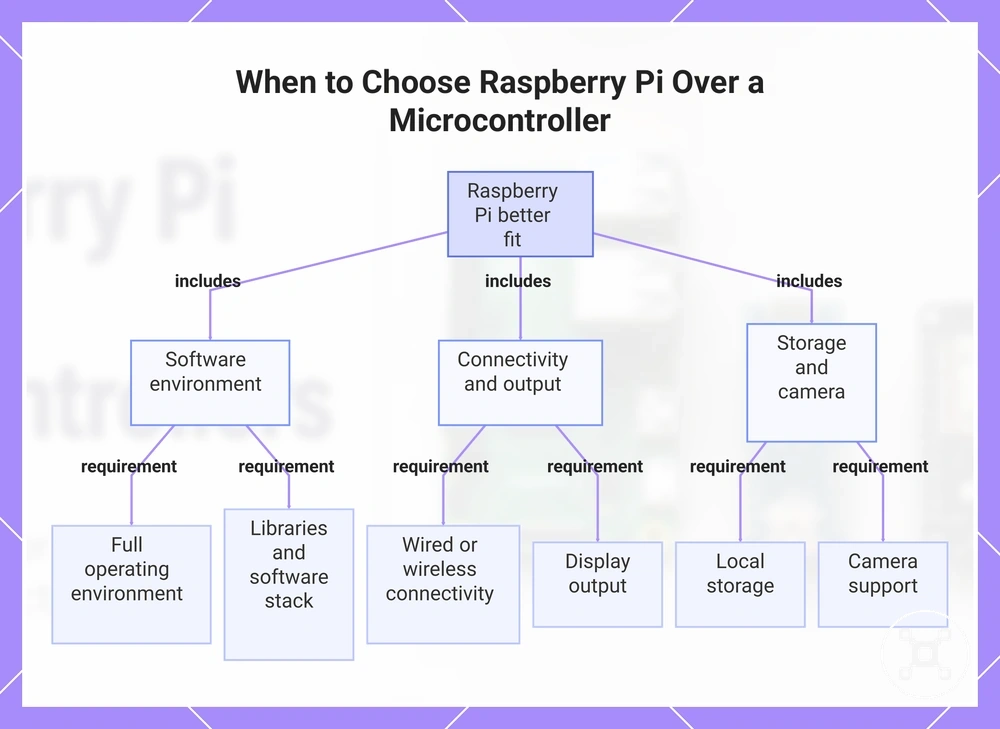
Raspberry Pi is usually the stronger choice when a project requires an operating system, broad software support, networking, display capabilities, and local storage instead of strict real-time hardware control. These features make it better suited to software-heavy workloads that combine multiple services, user interfaces, or connected applications.
These features make it better suited to software-heavy workloads that combine multiple services, user interfaces, or connected applications.
Its software stack supports development libraries, file management, networking, display output, and camera integration within a complete operating environment. This combination is well suited to dashboards, gateways, media applications, and data-processing projects when those capabilities are part of the project requirements.
Its software stack supports development libraries, file management, networking, display output, and camera integration within a complete operating environment.
Consider Raspberry Pi when the workload includes the following needs:
- Operating system: A full operating environment is required for multitasking, application management, or file handling.
- Networking: Wired or wireless connectivity is needed for remote access, gateways, cloud communication, or network services.
- Display output: The project requires a directly connected display for dashboards, configuration, or graphical interfaces.
- Storage: Local storage is needed for applications, media, databases, logs, or other project files.
- Libraries and software stack: Existing software libraries and frameworks reduce development effort for supported workloads.
- Camera support: Image capture or computer-vision functionality forms part of the application.
A project that combines a graphical dashboard, network gateway, camera input, and local data storage is typically a better fit for Raspberry Pi because these software components operate together within the same platform. For additional examples, see Raspberry Pi uses.
For additional examples, see Raspberry Pi uses .
If deterministic timing, minimal software overhead, or strict real-time control is the primary requirement, a dedicated microcontroller board is often the more appropriate choice.
This chart shows the six key requirements that make Raspberry Pi the better fit for software-heavy workloads.
This chart shows the six key requirements that make Raspberry Pi the better fit for software-heavy workloads.
Networked, Visual, and Software-Heavy Projects
Software-heavy projects are a good fit for Raspberry Pi when they require an operating system, graphical output, network communication, or multiple software components working together. These capabilities support applications that combine user interfaces, data processing, and connected services rather than focusing only on direct hardware control.
If the same project also requires image capture, compatible camera modules can extend its functionality within the same software workflow.
A project that displays a dashboard on a screen while collecting sensor data, storing information in a database, and providing a web interface benefits from Raspberry Pi's display output, networking, storage, and software libraries. If the same project also requires image capture, compatible camera modules can extend its functionality within the same software workflow.
A network-connected monitoring system can use Wi-Fi for data exchange, Python libraries for processing, and a web interface for remote access when the workload centres on software integration rather than low-level timing.
The same project may still need a microcontroller for deterministic timing or precise hardware control, while Raspberry Pi handles the operating system, networking, user interface, and higher-level application logic.
The same project may still need a microcontroller for deterministic timing or precise hardware control, while Raspberry Pi handles the operating system, networking, user interface, and higher-level application logic.
Data Logging, Dashboards, and IoT Gateways
Data logging and monitoring workflows are a good fit for Raspberry Pi when the project needs to collect sensor data, store it locally, display it through a dashboard, or forward it to another system. Its operating system, storage, networking, and software stack support higher-level data handling rather than continuous low-power sensing.
This workflow keeps collection, storage, visualisation, and gateway functions within the same data path.
Scenario: A sensor sends readings to Raspberry Pi, which stores the data in a database, presents current values through a web dashboard, and forwards selected information over the network when remote monitoring is required. This workflow keeps collection, storage, visualisation, and gateway functions within the same data path.
In this role, Raspberry Pi acts as a local gateway between connected sensors and monitoring software when the project requires data storage, web-based interfaces, or networked reporting.
In this role, Raspberry Pi acts as a local gateway between connected sensors and monitoring software when the project requires data storage, web-based interfaces, or networked reporting.
A hybrid design can separate responsibilities by allowing a microcontroller to handle low-power sensing and precise hardware interaction, while Raspberry Pi manages data storage, dashboards, networking, and the higher-level interface.
When a Microcontroller Board Is the Better Fit
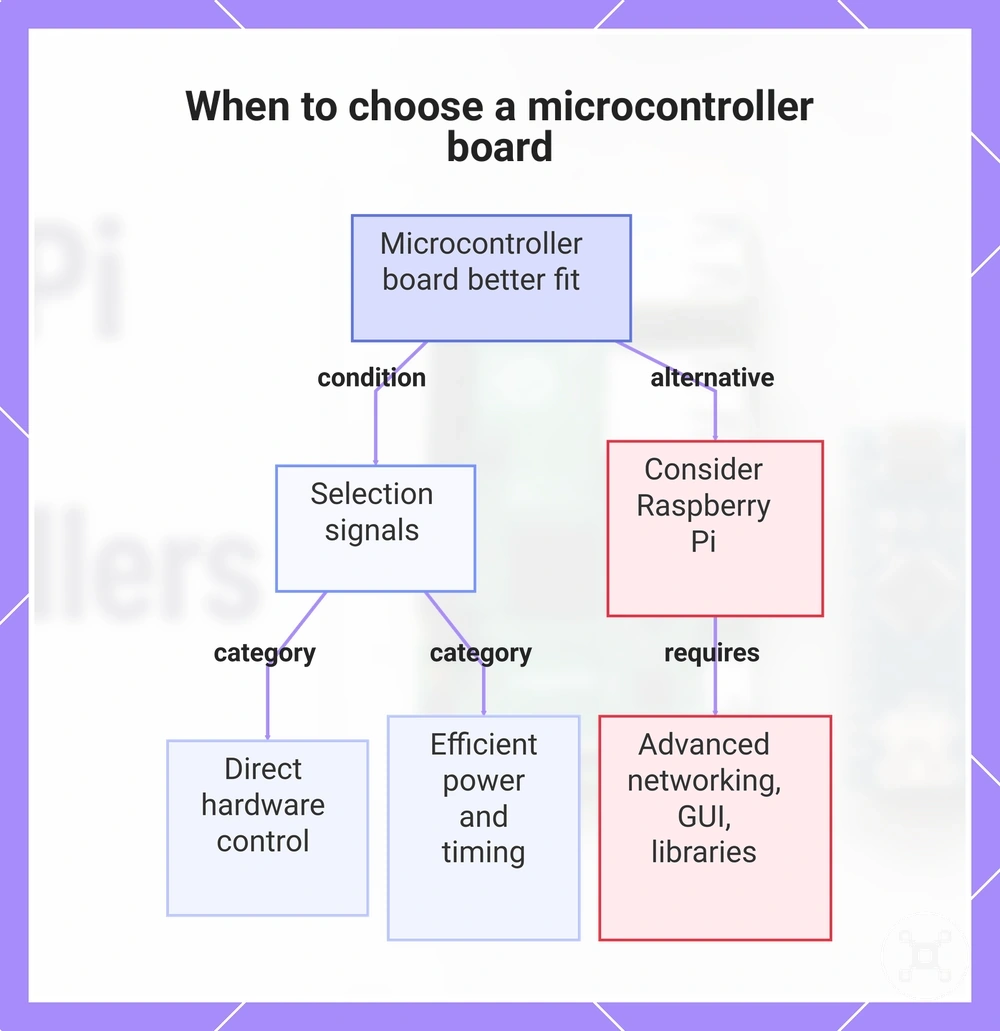
A microcontroller board is usually the stronger choice when direct hardware control, predictable real-time response, low power consumption, or immediate startup is more important than running an operating system. These conditions are common in embedded and battery-powered projects where hardware interaction is the primary workload.
These conditions are common in embedded and battery-powered projects where hardware interaction is the primary workload.
Choose a microcontroller board when the project is driven by control requirements such as:
- Real-time response: External events require predictable timing and immediate firmware execution.
- Low power operation: Battery-powered devices need reduced energy consumption during normal operation.
- Instant startup: Firmware begins running as soon as power is applied.
- Analog input: Analogue sensor signals need direct measurement.
- PWM output: Motors, LEDs, and similar components require pulse-width modulation control.
- Interrupt handling: Hardware events need immediate responses without operating-system scheduling.
- Simple control loops: Continuous sensing and actuator control form the core application logic.
These selection signals point to projects that prioritise embedded control, hardware timing, and efficient power use rather than graphical interfaces or software-heavy workloads.
These selection signals point to projects that prioritise embedded control, hardware timing, and efficient power use rather than graphical interfaces or software-heavy workloads.
If the project also requires advanced networking, extensive software libraries, or a graphical user interface, Raspberry Pi is often better suited to those higher-level functions, while a microcontroller can continue managing direct hardware control.
This chart shows the key selection signals that indicate a microcontroller board is the better fit and when a Raspberry Pi should be considered instead.
This chart shows the key selection signals that indicate a microcontroller board is the better fit and when a Raspberry Pi should be considered instead.
Motors, LEDs, Buttons, and Simple Sensor Loops
Simple input-process-output loops often fit microcontroller boards better because they repeatedly read hardware inputs, apply compact control logic, and update outputs without relying on an operating system. This pattern suits projects where direct hardware interaction and responsive control are the primary requirements.
This pattern suits projects where direct hardware interaction and responsive control are the primary requirements.
A typical loop follows a straightforward sequence:
- Input: Read a button state or an analogue sensor value.
- Process: Evaluate the input and apply the programmed control logic.
- Output: Drive a motor with PWM, switch an LED, or update another hardware output.
These repetitive hardware actions provide a simple control pattern when the code, wiring, sensor type, and control requirements match the project. The emphasis remains on direct device control instead of operating-system services or complex software workloads.
The emphasis remains on direct device control instead of operating-system services or complex software workloads.
Raspberry Pi can still supervise the system by logging data, presenting a user interface, or forwarding information while the microcontroller continues managing the hardware control loop.
Battery-Powered and Always-On Devices
Battery-powered and always-on devices are usually a better match for a microcontroller board when the required power state and duty cycle prioritise low-power operation. Expected runtime depends on battery capacity, current draw, connected peripherals, sensor load, radio use, wake behaviour, and application code rather than the board alone.
Battery-powered and always-on devices are usually a better match for a microcontroller board when the required power state and duty cycle prioritise low-power operation.
Check these conditions before selecting a microcontroller board:
- Sleep mode: The application spends idle periods in a low-power sleep state.
- Current draw: The combined board and peripheral power demand matches the available battery capacity.
- Wake behaviour: The device resumes operation only for scheduled tasks or hardware events.
- Connected peripherals: Displays, sensors, and radios remain within the project's available power budget.
- Duty cycle: Active processing occupies a small portion of the operating cycle, with the remainder spent waiting or sleeping.
When these conditions are verified, a microcontroller board is often compatible with continuous monitoring or battery-powered applications because it can reduce unnecessary power use while remaining responsive to required events. Actual runtime and long-term operation still depend on the board model, battery capacity, sensor load, radio activity, and code behaviour.
Actual runtime and long-term operation still depend on the board model, battery capacity, sensor load, radio activity, and code behaviour.
Raspberry Pi can still be an appropriate choice when mains power or a larger battery system is available, especially if the project also requires an operating system, advanced networking, or higher-level software services.
Raspberry Pi, Arduino, and Beginner Learning Paths
The best beginner starting point depends on the learning goal: Raspberry Pi is a suitable choice when the priority is computing, Linux, or software development, while Arduino-style and Pico-style boards are suitable when the priority is circuits and direct hardware control. First-project success depends on matching the board, starter parts, programming language, and learning resources to that goal rather than assuming one path is easier for everyone.
First-project success depends on matching the board, starter parts, programming language, and learning resources to that goal rather than assuming one path is easier for everyone.
A learner interested in electronics can begin with simple input-and-output circuits, while someone who wants to explore a small computer can begin with operating-system tasks, programming, and software tools before expanding into hardware projects.
| Learning goal | Recommended starting path | Key topics and starter parts | Conditions for first-project success |
|---|---|---|---|
| Computing and Linux | Raspberry Pi | Operating system, files, networking, supported programming language, keyboard, display, and storage | Clear software guidance, reliable power, and projects centred on computing concepts |
| General coding | Raspberry Pi | Programming, automation, and software interacting with connected hardware | Projects that emphasise software alongside basic hardware experiments |
| Circuits and hardware control | Arduino-style board | LEDs, buttons, resistors, sensors, jumper wires, breadboard, and board-supported programming language | Correct wiring, suitable component values, and step-by-step circuit explanations |
| Microcontroller programming | Pico-style board | GPIO, sensor input, output control, circuit basics, and supported microcontroller programming | Starter components that match the project and documentation written for the selected board |
| Safe beginner practice | Either path | Low-voltage starter parts and simple circuits | Review wiring before power is applied, verify pin connections, and follow board-specific safety guidance |
A learner who wants to understand electronics first may progress more naturally with an Arduino-style or Pico-style board by building simple circuits and observing hardware behaviour. A learner who wants to understand a small computer first may benefit more from Raspberry Pi by combining programming, Linux, and connected hardware within the same learning path.
Adjusting Flow to Prevent Dry Soil or Overwatering
Adjust flow before leaving so the watering kit maintains moisture consistency without creating dry soil, runoff, or overwatering. Emitter output, watering duration, soil absorption, pot drainage, plant demand, and reservoir drawdown all influence the result, so adjust the setup only after observing how water is delivered. If soil does not wet evenly or runoff appears, further adjustment is appropriate.
Observe the watering result first, then adjust and retest.
Observe the watering result first, then adjust and retest. The goal is to improve soil response rather than achieve a fixed setting because plant, pot, and growing conditions affect the outcome.
- Observe whether the soil response leaves dry soil or shows signs of runoff after the watering cycle.
- Adjust emitter output if one plant receives noticeably less or more water than required.
- Shorten or lengthen the watering duration only when the observed soil absorption indicates that moisture is insufficient or excess water remains.
- Check pot drainage to confirm excess water can leave the container instead of causing waterlogging.
- Retest after each adjustment and confirm that reservoir drawdown and moisture remain appropriate across the next watering cycle.
Starter Parts for Safe Electronics Experiments
Starter parts support safer Raspberry Pi electronics experiments by reducing wiring mistakes and helping you repeat simple circuits with consistent results. A Raspberry Pi electronics setup should match the board model, sensor module, wiring, voltage requirements, and level of supervision because these conditions influence experiment safety and repeatability.
Starter parts support safer Raspberry Pi electronics experiments by reducing wiring mistakes and helping you repeat simple circuits with consistent results.
Use this checklist to prepare a safe electronics experiment before applying power:
- Use jumper wires and a breadboard to build temporary circuits that are easy to inspect and correct before permanent connections are made.
- Include resistors where the circuit requires them so connected components operate within the intended circuit design.
- Select sensors that are suitable for the Raspberry Pi board model and verify their wiring and voltage requirements before connecting them.
- Keep a GPIO reference available to identify the correct pins and reduce wiring errors during setup.
- Follow power-safe practices by checking all connections before applying power, disconnecting power before changing wiring, and supervising new experiments until the circuit behaves as expected.
Choosing the Right Board for the Project Type
The right board depends on the project's workload, timing requirements, power source, connectivity needs, and learning goal rather than a single feature. Match the board to the primary task first, then consider whether a hybrid design provides a better balance between software capabilities and direct hardware control.
| Project type | Key selection criteria | Recommended approach |
|---|---|---|
| Embedded control | Precise timing, direct hardware control, analogue or digital sensor interaction, and low-power operation | Microcontroller board |
| Software-driven application | Operating system, networking, storage, graphical interface, or multitasking | Raspberry Pi |
| Battery-powered monitoring | Long operating time, sleep capability, and simple sensor processing | Microcontroller board |
| Connected data collection | Dashboards, databases, remote access, and network services | Raspberry Pi |
| Mixed hardware and software workload | Real-time control together with networking or advanced software | Hybrid setup |
Project type should determine the board choice by balancing required control precision, operating system needs, power source, sensor type, interface requirements, and beginner skill level. Projects centred on deterministic hardware behaviour generally suit a microcontroller board, while projects focused on software services or graphical interfaces generally suit Raspberry Pi.
A hybrid architecture is appropriate when software and hardware requirements differ.
A hybrid architecture is appropriate when software and hardware requirements differ. If you need to choose a Raspberry Pi, use Raspberry Pi for software, networking, or interface tasks while a microcontroller manages direct hardware control and time-sensitive inputs.
Select the board that matches the project's primary workload instead of trying to optimise every requirement with a single device.
Select the board that matches the project's primary workload instead of trying to optimise every requirement with a single device. When workload, timing, power, connectivity, sensor, and interface requirements overlap, a hybrid design can provide a practical separation of responsibilities while keeping each board focused on the tasks it performs most effectively.
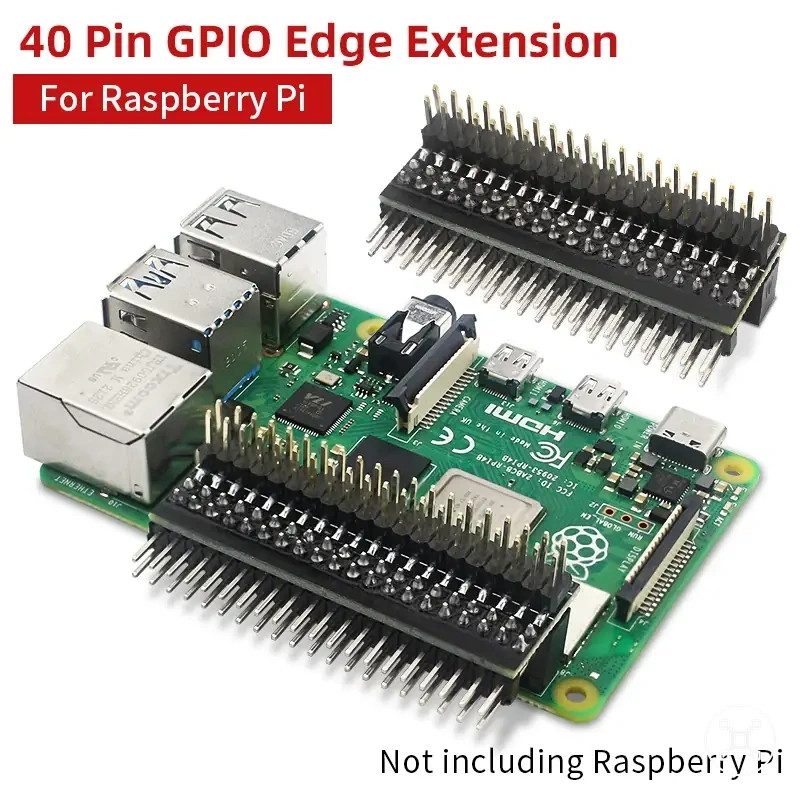
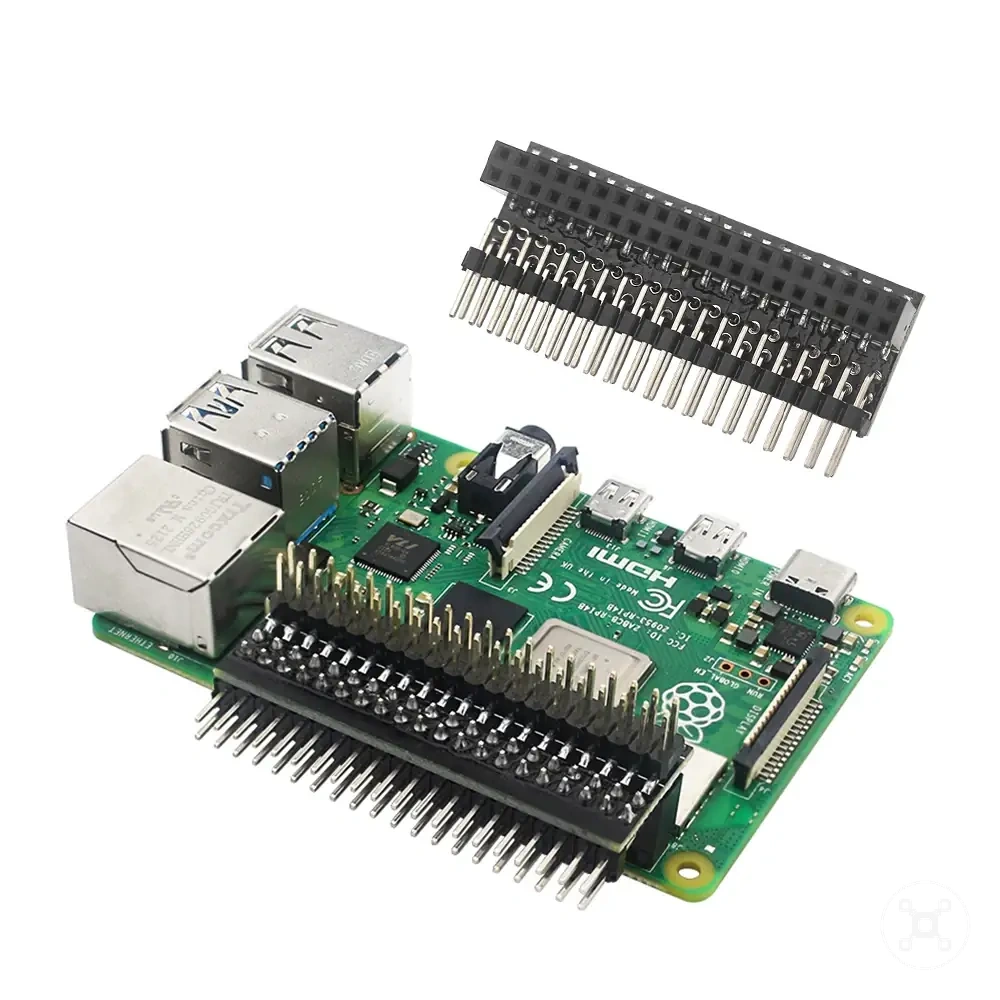
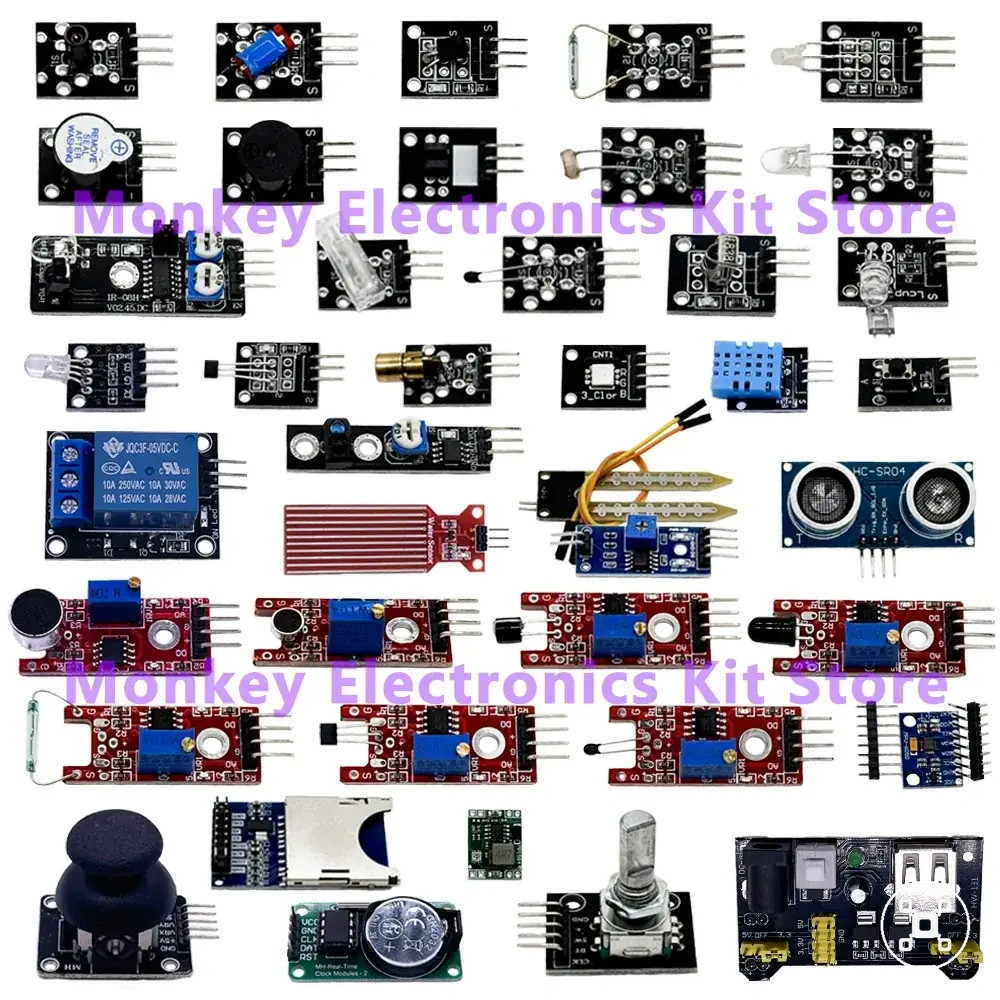
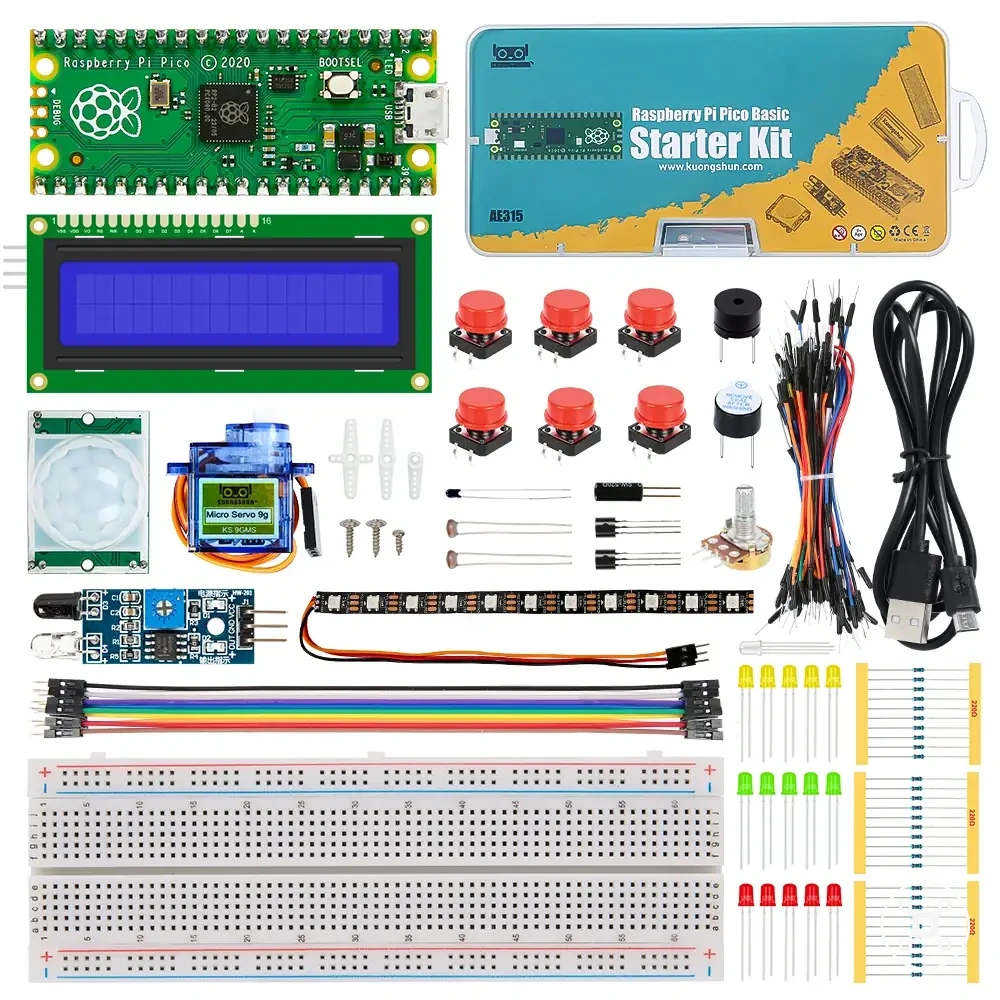
Here are product examples that may make comparison easier.
Here are product examples that may make comparison easier. Before buying, always review the compatibility criteria, essential features, and product details.