
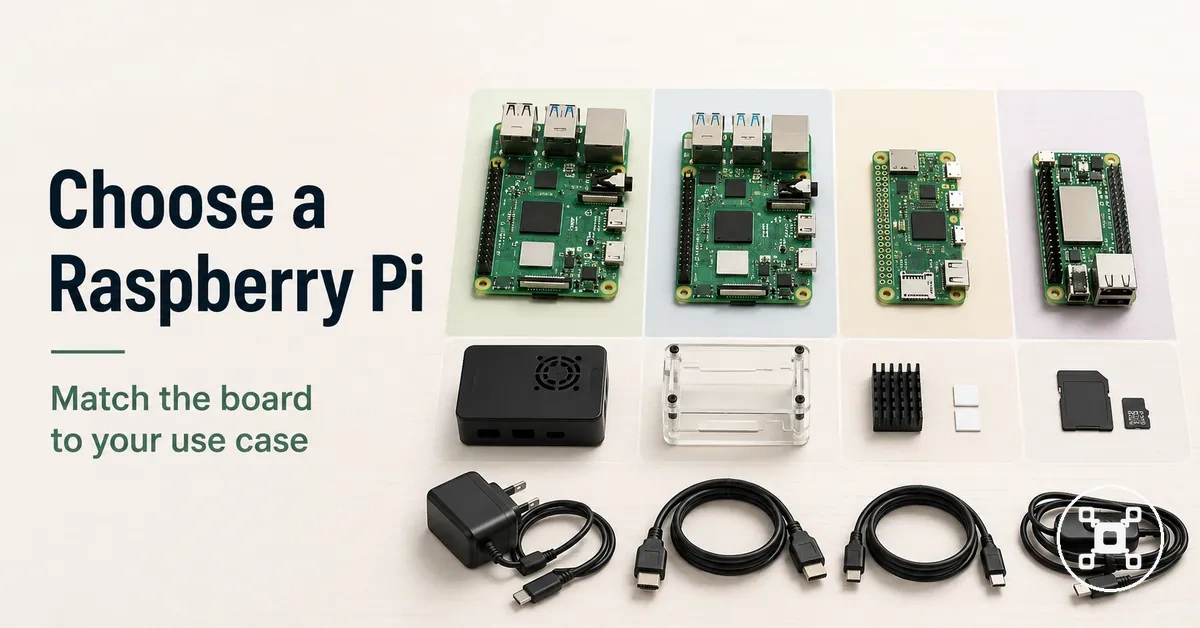
Raspberry Pi selection guide by use case and setup fit
Raspberry Pi selection is a use-case and setup-fit decision that matches a board or kit to the workload, accessories, and compatibility requirements of a project. The right Raspberry Pi choice starts with understanding the project purpose, available setup resources, and expected usage rather than selecting a single universal option.
The broader Raspberry Pi hub provides the wider context for understanding how boards, kits, and accessories fit into the Raspberry Pi ecosystem.
A beginner learning to code, a home server project, and an electronics project create different selection paths because each workload has different setup needs. The broader Raspberry Pi hub provides the wider context for understanding how boards, kits, and accessories fit into the Raspberry Pi ecosystem.
There is no single right Raspberry Pi without use-case context.
There is no single right Raspberry Pi without use-case context. The suitable board or kit depends on the project workload, existing accessories, compatibility requirements, and setup tolerance. Evaluating these factors helps create a selection process based on project fit rather than a generic model preference.
Evaluating these factors helps create a selection process based on project fit rather than a generic model preference.
Raspberry Pi selection becomes clearer when the main decision criteria are separated before evaluating hardware details:
- Workload: The project type, such as beginner learning, home server use, or an electronics project, defines the performance and setup requirements to consider.
- Setup needs: A Raspberry Pi board or kit should be evaluated with its required accessories, storage, power, and cooling considerations in mind.
- Compatibility: Ports, connectivity options, and available accessories should align with the intended project environment.
- Selection goal: The choice should balance project fit, setup confidence, and practical requirements instead of relying on a universal “best” option.
Table of Contents
The right Raspberry Pi depends on the project workload
The right Raspberry Pi depends on the project workload because workload is the first filter for selecting a board or kit for a specific use case. The project workload helps determine the required performance, connectivity, accessories, and setup conditions before comparing hardware options.
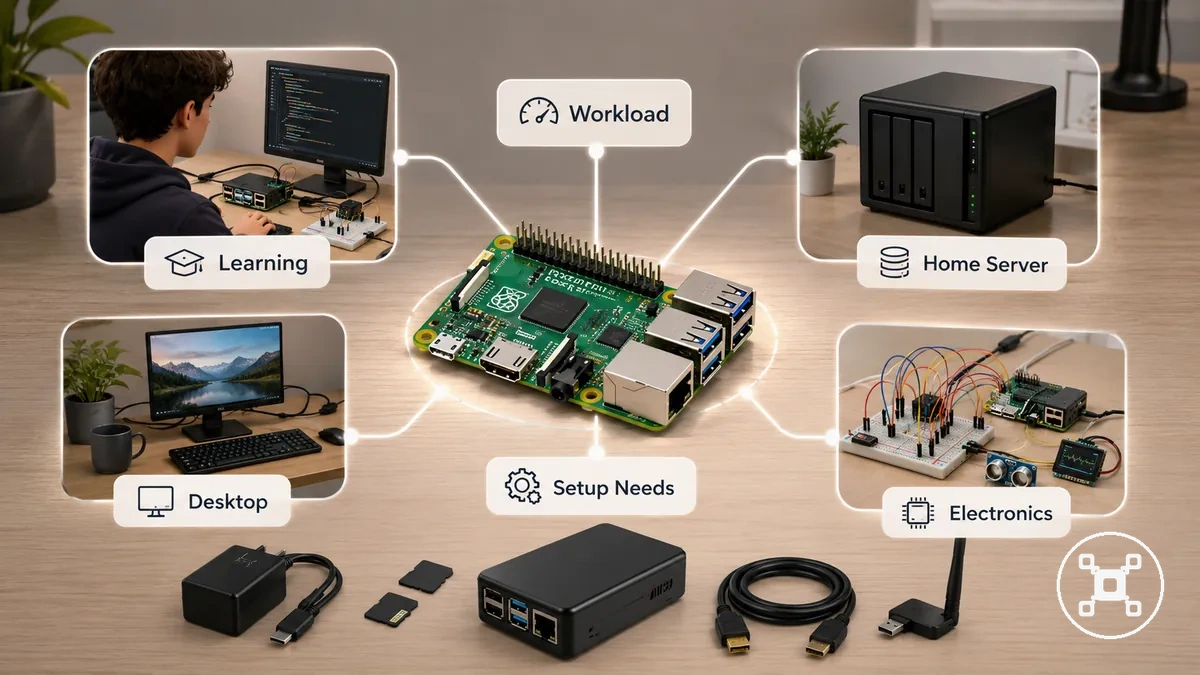
A beginner learning project usually has different setup demands from an always-on home server, desktop-like setup, or electronics project. Coding and learning workloads focus on a suitable learning environment, while server workloads require attention to storage, network connectivity, power, cooling, and reliability conditions. Hardware-control projects focus more on GPIO access, ports, and accessory compatibility.
Workload classification does not create a single Raspberry Pi choice for every project.
Workload classification does not create a single Raspberry Pi choice for every project. The suitable selection depends on the project type, task demand, available accessories, and operating conditions. Exploring Raspberry Pi uses helps connect different project goals with the selection criteria.
Exploring Raspberry Pi uses helps connect different project goals with the selection criteria.
Raspberry Pi selection becomes easier when the main workload signals are separated before evaluating boards or kits:
- Workload intensity: Identify whether the project involves light learning, continuous operation, desktop-style use, or hardware interaction because each workload creates different suitability requirements.
- Performance and RAM needs: Consider the application demand and available headroom required for the intended tasks.
- Connection requirements: Evaluate ports and connectivity based on the devices, networks, and accessories involved in the project.
- Always-on conditions: Check power, cooling, storage, and network requirements when the Raspberry Pi is used for continuous workloads.
- Accessory readiness: Match available accessories with the intended setup to reduce compatibility limitations.
- Setup tolerance: Consider how much configuration effort the project requires before choosing a Raspberry Pi board or kit.
Beginner coding and learning projects
Beginner Raspberry Pi coding and learning projects need a setup that supports a comfortable learning environment with access to a display, keyboard, storage, and suitable software tools. A beginner setup should reduce unnecessary friction while learners explore coding practice, Python, Linux, and basic project work.
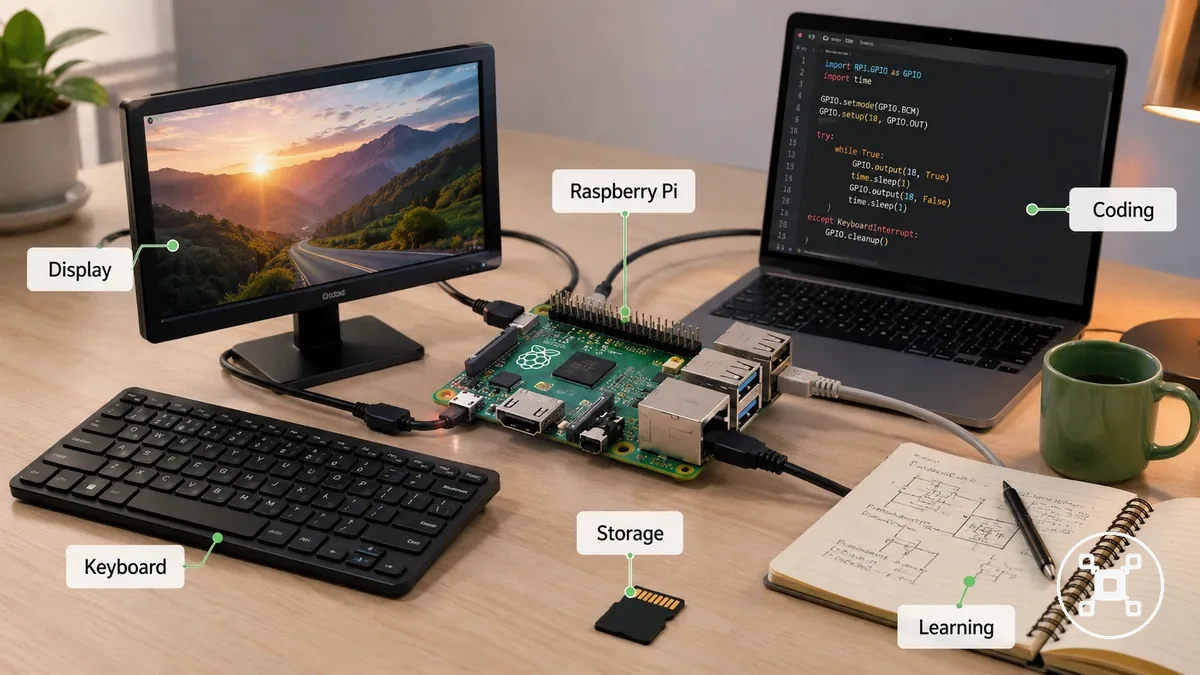
A learner using Raspberry Pi for coding practice may focus on Python exercises, Scratch-style learning, or basic Linux familiarity rather than higher-demand workloads. These learning activities usually require accessible input devices, reliable storage, and enough setup headroom for the intended learning environment.
These learning activities usually require accessible input devices, reliable storage, and enough setup headroom for the intended learning environment.
For beginners who already have compatible accessories, the Raspberry Pi selection process can focus more closely on matching the setup with the learning task. The suitable choice is influenced by the available equipment, project goals, and the level of configuration effort the learner is comfortable managing.
The suitable choice is influenced by the available equipment, project goals, and the level of configuration effort the learner is comfortable managing.
Beginner coding and learning projects depend on simple setup access and enough headroom for the intended learning tasks:
- Learning environment: Coding practice requires a setup that supports experimentation, software access, and project exploration.
- Display access: A display provides a way to interact with the Raspberry Pi operating system and coding environment.
- Keyboard input: A keyboard supports writing code, navigating the system, and completing learning activities.
- Storage readiness: Available storage supports operating system files, coding projects, and saved work.
Home server and always-on workloads
Raspberry Pi can support home server and always-on workloads when the project conditions match the required stability needs. Always-on projects require attention to reliability conditions such as power, cooling, storage, and network connectivity rather than focusing only on raw performance.
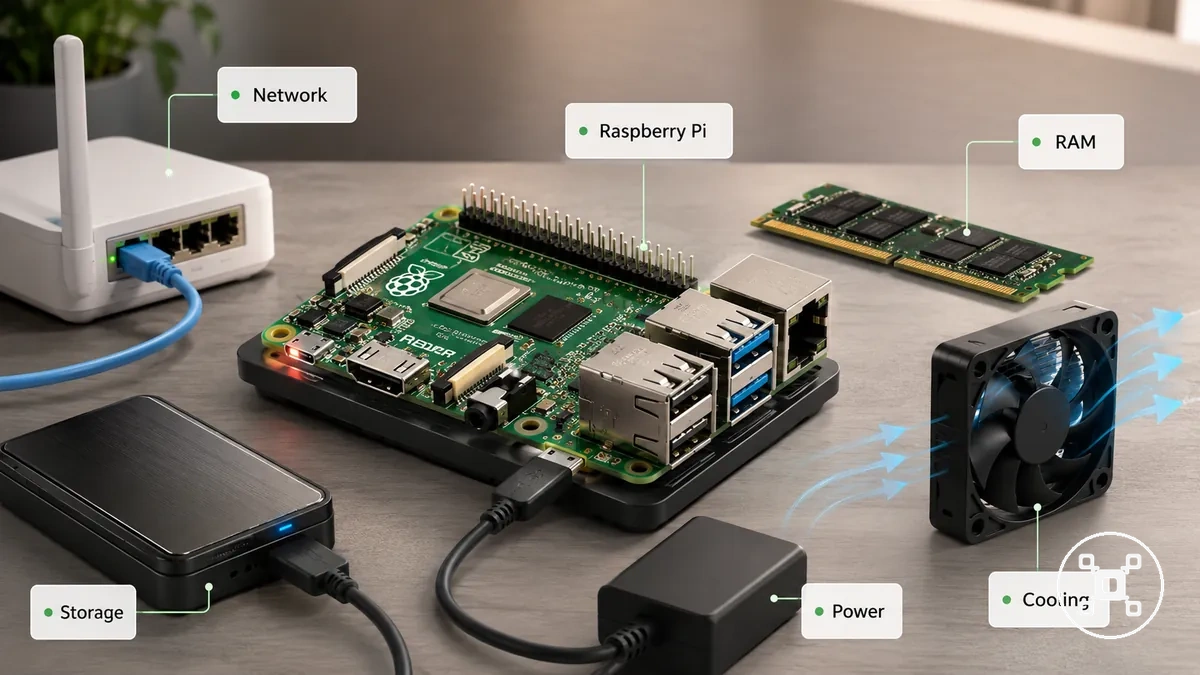
A home server workload may include lightweight services such as media serving, automation tasks, or small network services. These workloads require suitable storage, network access through connections such as Ethernet, enough RAM headroom for the intended services, and a power setup that supports stable operation. Cooling conditions also influence reliability when the Raspberry Pi is used continuously.
Home server selection should remain aligned with workload limits.
Home server selection should remain aligned with workload limits. Heavier services may require different hardware considerations because a lightweight Raspberry Pi setup is designed around specific workloads rather than enterprise server or professional hosting requirements.
Heavier services may require different hardware considerations because a lightweight Raspberry Pi setup is designed around specific workloads rather than enterprise server or professional hosting requirements.
Home server and always-on workloads depend on stability conditions that should be checked before selecting a Raspberry Pi setup:
- Network: Network connectivity and Ethernet access should match the communication needs of the intended service.
- Storage: Storage capacity and reliability should support the files, systems, or services used by the workload.
- RAM: Available RAM should provide suitable headroom for the applications and services being used.
- Power: A consistent power setup supports reliable always-on operation.
- Cooling: Cooling conditions should match the workload intensity and operating environment.
Electronics, sensors, and GPIO projects
Electronics, sensors, and GPIO projects require Raspberry Pi selection based on the interface needs of the hardware components involved. A sensor project or hardware project should first identify the required components, then match the GPIO access, header connections, and accessory conditions needed for the build.
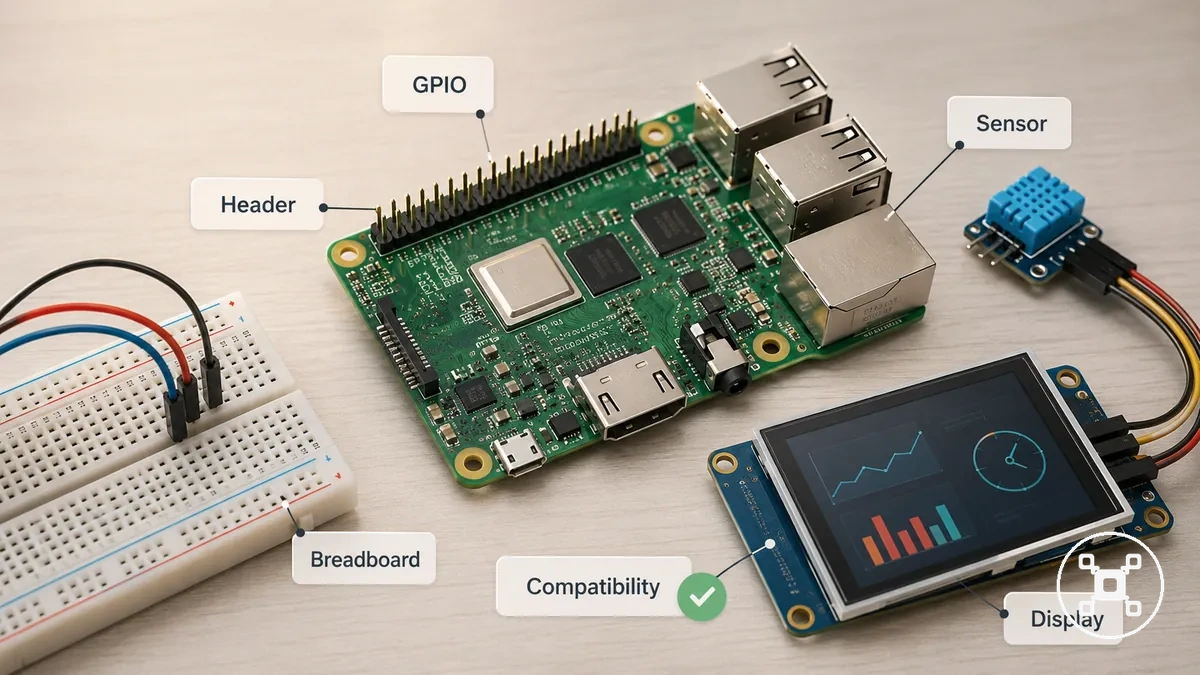
A Raspberry Pi electronics project may include sensors, a breadboard setup, a camera module, or a display connection. These projects depend on matching the component interface with the available Raspberry Pi header, ports, and expansion options. The physical fit of connected accessories influences whether the setup aligns with the intended project outcome.
The selection decision depends on the project requirements rather than the component type alone.
Projects requiring Linux, networking, or camera support may fit Raspberry Pi because of its broader computing environment, while simple real-time control tasks may fit a microcontroller-style option more closely. The selection decision depends on the project requirements rather than the component type alone.
Projects requiring Linux, networking, or camera support may fit Raspberry Pi because of its broader computing environment, while simple real-time control tasks may fit a microcontroller-style option more closely.
Electronics, sensors, and GPIO projects depend on interface and physical compatibility when evaluating a Raspberry Pi setup:
- GPIO access: GPIO availability supports connections between Raspberry Pi and compatible hardware components.
- Sensors: Sensor projects require suitable interface connections and compatible accessory conditions.
- Breadboard projects: Breadboard setups depend on physical connection space and expansion requirements.
- Camera module: Camera-based projects require suitable connector access and project compatibility conditions.
Model family and form factor fit
Raspberry Pi model family matters because form factor changes the trade-offs between size, ports, performance class, power profile, and project suitability. A full-size board, compact board, or desktop-style option can create different setup conditions depending on the type of project being built.
Raspberry Pi board families serve different decision roles rather than representing a simple ranking.
Raspberry Pi board families serve different decision roles rather than representing a simple ranking. A full-size board focuses on flexibility through broader ports and expansion possibilities, while a compact board focuses on smaller builds where space considerations are more important. A desktop-style option focuses on convenience through a more complete setup approach involving elements such as an enclosure, display, and input devices.
For a deeper hardware comparison, see compare Raspberry Pi models to evaluate individual board differences.
This comparison keeps the focus on conceptual form factor differences rather than a full specification breakdown. For a deeper hardware comparison, see compare Raspberry Pi models to evaluate individual board differences.
| Option type | Fit signal | Trade-off | Best-use condition |
|---|---|---|---|
| Full-size board | Projects needing flexibility, ports, and expansion options | Larger board size requires more physical space | Projects where accessory flexibility is a priority |
| Compact board | Projects with space-conscious setup requirements | Smaller form factor may reduce available connections or expansion options | Projects where physical size is an important condition |
| Desktop-style option | Setups focused on convenience and everyday usability | Convenience-focused designs may limit project flexibility | Projects needing a simpler desktop-style setup |
Full-size boards for general-purpose projects
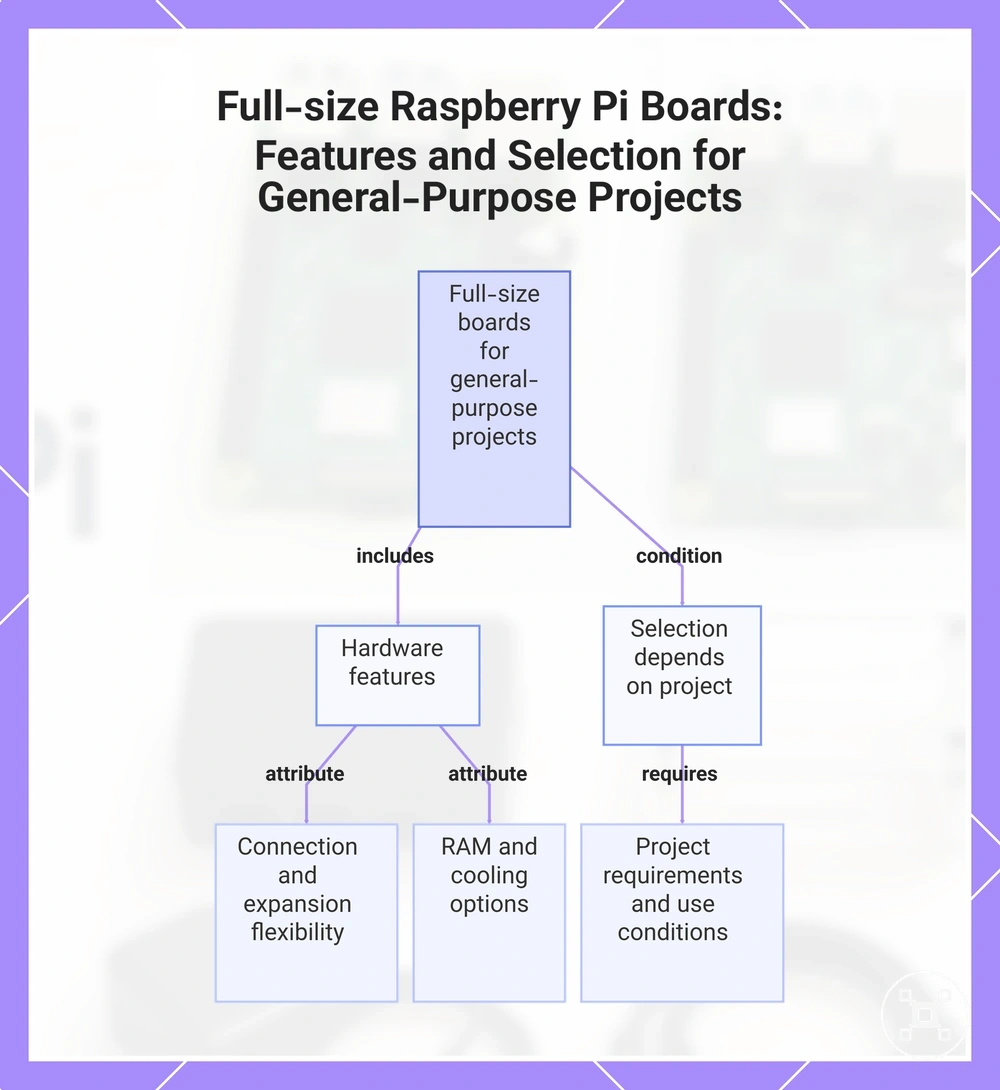
A full-size Raspberry Pi board is a flexible option for a general-purpose project because its larger form factor supports broader physical and connection flexibility. Full-size boards can suit mixed-use projects that combine learning, desktop-style tasks, server workloads, or electronics projects when the required ports, accessories, and workload headroom align with the setup.
Full-size boards provide more physical space for expansion and accessory considerations.
Full-size boards provide more physical space for expansion and accessory considerations. Ports can support different connection needs, while RAM options influence available workload headroom for multitasking and project demands. Cooling space and case compatibility can also affect how comfortably accessories and additional components fit within the setup.
Cooling space and case compatibility can also affect how comfortably accessories and additional components fit within the setup.
Full-size boards are often considered for projects that benefit from flexibility, but the final selection still depends on the project requirements and intended use conditions:
- Ports: Connection options can support projects that require multiple accessories or external components.
- RAM options: Memory choices can influence workload headroom for mixed-use projects and multitasking needs.
- Expansion: Expansion support can provide additional flexibility for hardware additions and project growth.
- Cooling space: Physical space can make cooling solutions and case options easier to accommodate.
- Accessory compatibility: Physical layout and available connections affect whether accessories fit the intended project setup.
This chart shows the key hardware features of full-size Raspberry Pi boards and the condition that final selection depends on project requirements.
Compact boards for small or low-power builds
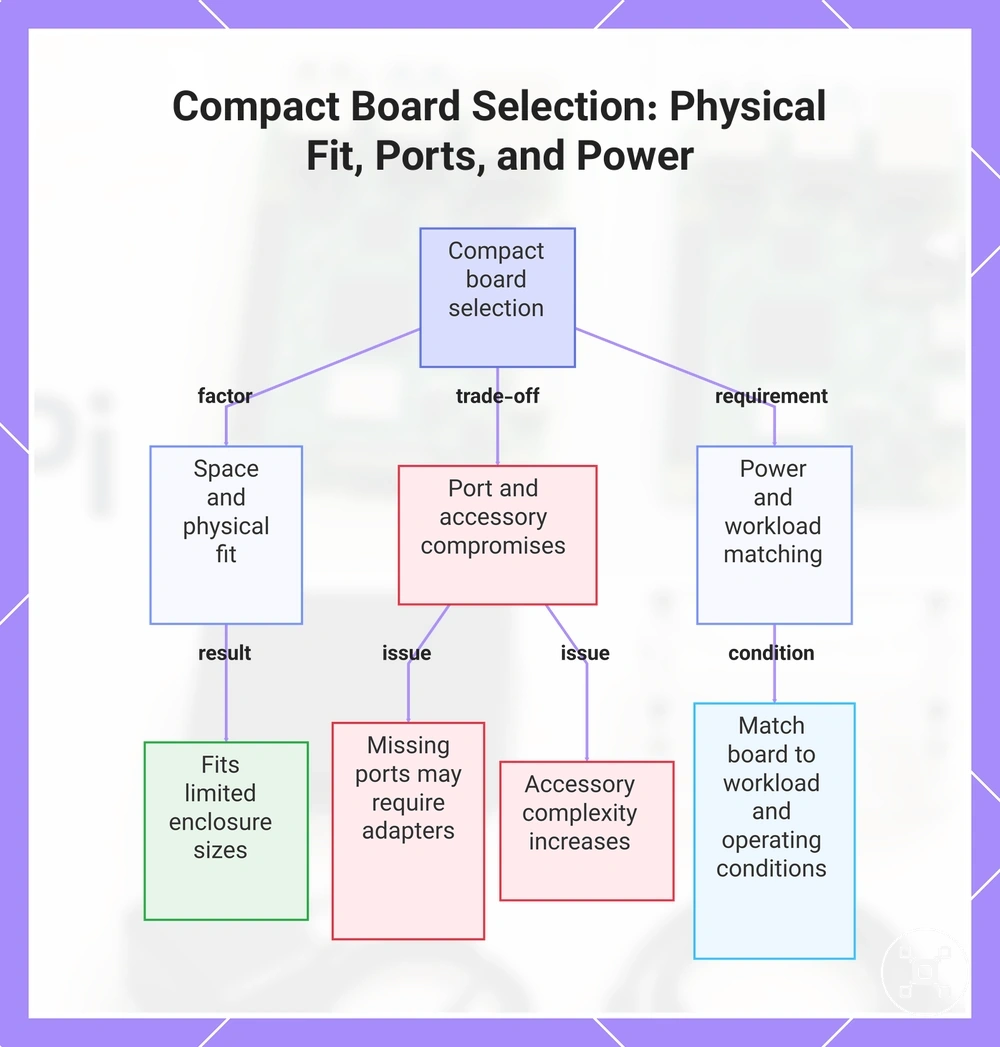
A compact Raspberry Pi board can suit a small build or low-power build when physical size and space constraints are the main selection factors. A smaller form factor can improve physical fit for space-constrained projects, but the reduced size may introduce compromises in ports, adapters, and accessory constraints.
Missing ports may require an adapter or different accessory choices, which can increase setup complexity.
Compact boards can be useful when enclosure size, physical size, or lower power use are important conditions for the project. Missing ports may require an adapter or different accessory choices, which can increase setup complexity. The smaller design can improve fit while reducing convenience when a project needs broader connections or expansion options.
The smaller design can improve fit while reducing convenience when a project needs broader connections or expansion options.
Compact board selection should balance physical fit with setup convenience:
- Space: A compact board can fit projects where enclosure size and physical placement are limited.
- Ports: Reduced port availability may require adapters or changes to the planned setup.
- Power constraints: A low-power build should match the board choice with the workload and operating conditions.
- Accessory complexity: Additional accessories may require more planning when the smaller form factor limits connection options.
This chart shows the key factors to consider when selecting a compact Raspberry Pi board: physical fit, port and accessory trade-offs, and power requirements.
Desktop-style Raspberry Pi options
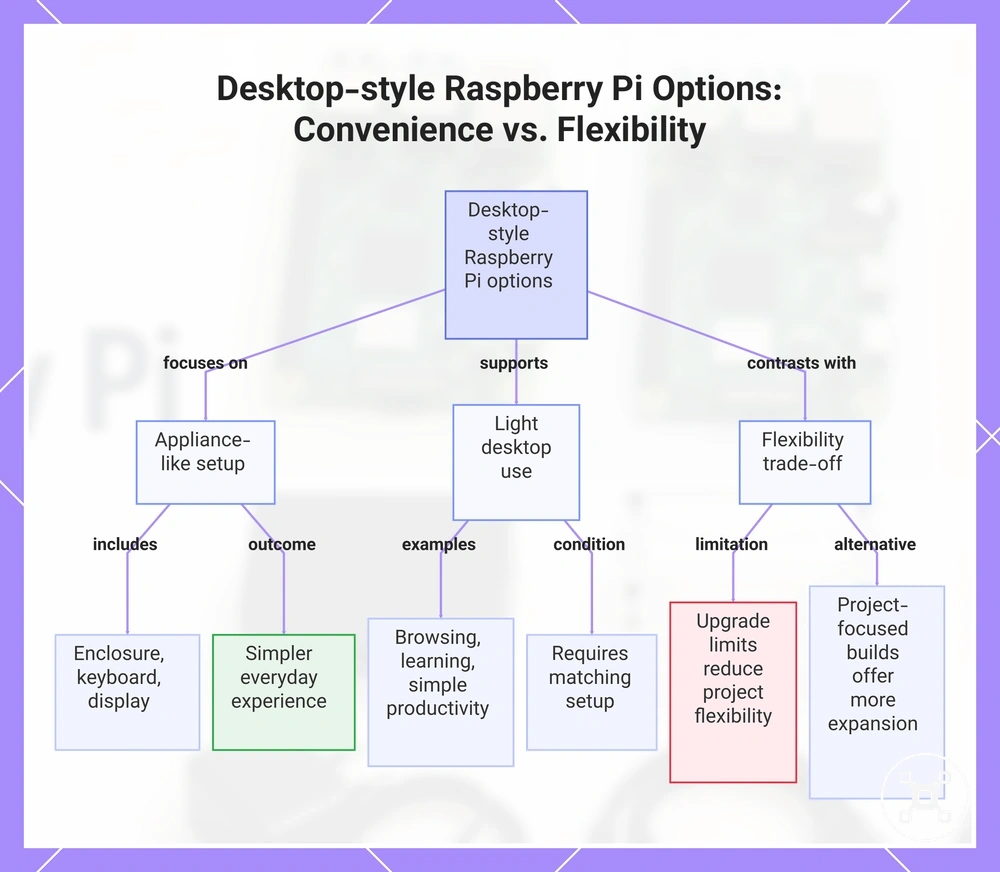
A desktop-style Raspberry Pi option can suit users who want an appliance-like setup with a simpler everyday experience. This type of Raspberry Pi setup focuses on convenience through an enclosure, keyboard, and display arrangement, while suitability depends on the intended level of light desktop use.
Upgrade limits may reduce project flexibility when compared with builds focused on wider expansion and customization.
Desktop-style options can support light desktop use such as browsing, learning, and simple productivity contexts when the setup requirements match the project. An enclosure can improve convenience, while ports, keyboard access, and display expectations influence how the Raspberry Pi setup is used. Upgrade limits may reduce project flexibility when compared with builds focused on wider expansion and customization.
An enclosure can improve convenience, while ports, keyboard access, and display expectations influence how the Raspberry Pi setup is used.
Convenience versus flexibility: A desktop-style option prioritises ease of use and a ready-to-use setup, while project-focused Raspberry Pi builds may provide more flexibility for expansion and hardware-focused changes.
This chart shows the key features of desktop-style Raspberry Pi setups, their typical use cases, and the trade-off between convenience and flexibility.
This chart shows the key features of desktop-style Raspberry Pi setups, their typical use cases, and the trade-off between convenience and flexibility.
Hardware criteria that change Raspberry Pi suitability
Hardware criteria matter when they change Raspberry Pi suitability for a specific project, because attributes such as RAM, processor class, ports, and connectivity can alter compatibility, stability, and setup effort. The useful question is not which specification is highest, but which hardware condition matches the intended workload and environment.
Raspberry Pi attributes work as decision signals when their values affect how a project can be built and used.
Raspberry Pi attributes work as decision signals when their values affect how a project can be built and used. RAM, processor class, storage, power, and cooling influence workload headroom and stability, while ports and wireless connectivity influence peripheral compatibility and connection options.
| Attribute | Required condition | Effect on use | Decision signal |
|---|---|---|---|
| RAM | Memory capacity should match the workload demand and required headroom | Suitable RAM can support the intended applications and multitasking needs | Consider workload complexity before selecting memory options |
| Processor class | Processor capability should align with the software and task type | Processor class affects how comfortably the Raspberry Pi handles the intended workload | Match processing needs with the project requirements |
| Ports | Available ports should support required peripherals and accessories | Ports influence compatibility with connected hardware | Check connection needs before choosing a board |
| Wireless connectivity | Wireless features should match network and communication needs | Connectivity options influence setup flexibility and peripheral access | Evaluate network conditions and accessory requirements |
| Storage | Storage should support the operating system, files, and applications | Storage conditions can affect reliability and ongoing setup use | Match storage choices with project data needs |
| Power | Power conditions should align with the operating environment | Suitable power support helps maintain stable operation | Consider power needs for the intended workload |
| Cooling | Cooling conditions should match workload intensity | Cooling can influence stability during sustained use | Consider cooling requirements for higher-demand projects |
For a deeper technical reference, explore Raspberry Pi specifications to review hardware details beyond these selection criteria.
Processor performance, RAM, and multitasking headroom
Processor performance and RAM affect Raspberry Pi workload comfort because they influence how much headroom a setup has when handling tasks together. A suitable balance between processor capability, memory, and workload demand can help reduce slowdowns during everyday use.
The workload type helps determine the amount of multitasking headroom needed for a Raspberry Pi setup.
The workload type helps determine the amount of multitasking headroom needed for a Raspberry Pi setup. Browser use, coding, server tasks, and media workloads create different demands on processor performance and RAM, so the comfort level depends on the task mix and configuration. Higher-demand workloads may require more headroom, while lighter tasks may operate with fewer resource demands.
Higher-demand workloads may require more headroom, while lighter tasks may operate with fewer resource demands.
Workload conditions can be separated by the type of comfort expected:
- Light workloads: Basic coding, simple browser use, and lightweight tasks usually focus on responsive everyday operation.
- Moderate workloads: Multiple applications and active multitasking can require additional RAM and processor headroom to reduce slowdowns.
- Heavier workloads: Server tasks and media workloads can require careful hardware selection because higher demand may expose performance limits.
Ports, wireless connectivity, and peripheral needs
Peripheral needs can determine whether a Raspberry Pi model is practical because ports and wireless connectivity affect how accessories and devices connect. Matching each peripheral requirement with the available connection condition helps identify potential adapter needs and compatibility limits before selection.
Ports and wireless features should be evaluated by the type of peripheral being connected.
Ports and wireless features should be evaluated by the type of peripheral being connected. HDMI output, USB accessories, Ethernet networks, Wi-Fi, Bluetooth, camera modules, displays, and GPIO projects each require suitable connection conditions that can vary by model and accessory setup.
HDMI output, USB accessories, Ethernet networks, Wi-Fi, Bluetooth, camera modules, displays, and GPIO projects each require suitable connection conditions that can vary by model and accessory setup.
Check these peripheral connection conditions before choosing a Raspberry Pi setup:
- Display output: HDMI display needs should match the available output connection, with an adapter considered when connector types differ.
- USB accessories: USB peripherals should match available USB connections, while additional adapters may be needed for specific accessory arrangements.
- Wired network: Ethernet requirements should match the intended network connection when a wired setup is needed.
- Wireless needs: Wi-Fi and Bluetooth features should match the required network or accessory connections for the project.
- Camera and display interfaces: Camera modules and displays should be checked against the available interface connections before selection.
- GPIO: GPIO projects should match the required header access and connected hardware conditions.
- Adapter risk: Adapter needs should be considered when the selected model does not provide the required direct connection.
Storage, power, and cooling requirements
Storage, power, and cooling conditions can affect Raspberry Pi suitability because setup parts can influence stability as much as the board choice. A Raspberry Pi setup with suitable storage media, power delivery, and cooling conditions can better match the requirements of different project environments.
Storage, power, and cooling should be evaluated as linked setup constraints rather than isolated parts.
Storage, power, and cooling should be evaluated as linked setup constraints rather than isolated parts. Storage options such as microSD or SSD affect how data is handled, while the power supply influences consistent operation. Cooling, case design, and heat management can become more important when workloads, enclosed cases, or always-on projects create additional thermal conditions.
Storage options such as microSD or SSD affect how data is handled, while the power supply influences consistent operation.
Check these setup constraints before selecting a Raspberry Pi configuration:
- Storage: microSD or SSD choices should match the project’s storage needs and reliability expectations.
- Power supply: The power supply should match the Raspberry Pi setup requirements and connected accessories to support stable operation.
- Cooling: Cooling methods should suit the workload conditions to help manage heat-related limits and possible throttling.
- Case airflow: Case design should provide suitable airflow when enclosure conditions may affect heat management.
- Always-on conditions: Long-running projects should consider storage, power, and cooling together when stability is important.
For a clearer view of supporting setup parts that may be needed alongside a board choice, explore Raspberry Pi accessories needed as a separate planning reference.
Board-only, starter kit, or desktop kit decision
The choice between a board-only option, starter kit, or desktop kit depends on the parts already available and the level of setup confidence required. A Raspberry Pi board may be suitable when compatible accessories are already owned, while a kit option can reduce missing-part decisions for users starting a new setup.
Board-only options can reduce unnecessary included parts when existing accessories are available, but missing parts may increase setup friction.
Board-only options can reduce unnecessary included parts when existing accessories are available, but missing parts may increase setup friction. Starter kits can help reduce uncertainty by grouping included parts, although those parts still need to match the intended project requirements. Desktop kits focus on convenience through a more ready-to-use setup, but project flexibility can be different from a custom-built configuration.
The suitable buying option depends on existing accessories, project requirements, and the level of setup completeness needed.
The suitable buying option depends on existing accessories, project requirements, and the level of setup completeness needed. For a deeper comparison of these purchase formats, explore Raspberry Pi kit or board to evaluate the differences between board-only and kit approaches.
| Option | What it solves | What to check | Better fit when |
|---|---|---|---|
| Board-only | Provides the Raspberry Pi board while allowing users to select their own supporting parts | Check existing accessories, power supply quality, case fit, cooling, and project-specific parts | Compatible accessories are already available |
| Starter kit | Reduces setup friction by including commonly needed parts for a new build | Check included parts, compatibility confidence, and project requirements | A beginner-friendly starting point is preferred |
| Desktop kit | Provides a convenience-focused setup for desktop-style use | Check keyboard, display, enclosure, and intended usage conditions | Light desktop use and simpler setup are priorities |
When a bare board makes sense
A Raspberry Pi board as a bare board makes sense when existing accessories are already available and compatible with the planned setup. This board-only approach can suit experienced users, replacement boards, or custom builds where the required power, storage, case, cable, and cooling parts are already controlled.
Missing parts can increase setup friction if required accessories are unavailable or incompatible.
A bare board can be efficient when the user already owns suitable setup parts and does not need additional included components. Missing parts can increase setup friction if required accessories are unavailable or incompatible. Checking existing accessories helps identify whether the board-only choice reduces unnecessary parts or introduces additional setup risk.
A bare board can be efficient when the user already owns suitable setup parts and does not need additional included components.
Verify these existing parts before choosing a bare board:
- Power: Check that the available power supply matches the Raspberry Pi board requirements and intended setup conditions.
- Storage: Confirm that existing storage is suitable for the planned operating system and project use.
- Case: Check that the available case fits the selected Raspberry Pi board and intended build.
- Cable: Verify that existing cables match the required connections for the setup.
- Cooling: Confirm that available cooling options match the workload and case conditions.
When a kit reduces setup friction
A Raspberry Pi kit can reduce setup friction when the included parts match the project requirements and the intended setup. A starter bundle, desktop kit, or project bundle can simplify preparation by grouping useful components, but the included parts still need to match the required build conditions.
Kits can reduce uncertainty when beginners or complete setup buyers need fewer separate decisions.
Kits can reduce uncertainty when beginners or complete setup buyers need fewer separate decisions. Mismatched or unnecessary parts can create wasted accessories when included components do not fit the project. Checking compatibility between kit components and the planned setup helps determine whether the kit reduces friction or adds unused parts.
Mismatched or unnecessary parts can create wasted accessories when included components do not fit the project.
Kit components should be evaluated by how well they match the project needs:
- Starter bundle: Can reduce setup friction when the included parts match a beginner setup and the required components.
- Desktop kit: Can support convenience-focused setups when included parts such as a case, keyboard, or display fit the intended use.
- Project bundle: Can suit a specific build when the included parts match the required project components.
- Board with case: Can simplify enclosure selection when the case fits the Raspberry Pi board and setup conditions.
- Cooling kit and power supply kit: Can support setup readiness when cooling and power components match the workload and configuration.
Total setup cost and accessory readiness
The total setup cost of a Raspberry Pi includes required accessories and setup parts, not only the board itself. The board price is only one part of the practical cost because power, storage, case, cooling, and other required components can affect overall setup readiness.
Missing required parts can increase extra cost or delay the planned build.
A Raspberry Pi setup budget should account for the parts needed for the intended use. The board, power supply, storage, case, cooling, display cable, keyboard, mouse, and project-specific accessories each contribute to whether the setup is ready. Missing required parts can increase extra cost or delay the planned build.
A Raspberry Pi setup budget should account for the parts needed for the intended use.
Accessory selection should be evaluated through compatibility conditions and their effect on readiness. A power supply should match the Raspberry Pi setup requirements, while storage should match the project needs and reliability expectations. Case and cooling choices should fit the board and operating conditions, and display cable, keyboard, and mouse choices should match the intended desktop setup. For a deeper criteria-based view, explore Raspberry Pi cost and value after considering these setup factors.
Product examples should be treated as illustrative references rather than fixed cost expectations.
Actual setup cost can change because accessory availability, partner-dependent product details, and market conditions can affect price discovery. Product examples should be treated as illustrative references rather than fixed cost expectations.
Actual setup cost can change because accessory availability, partner-dependent product details, and market conditions can affect price discovery.
A cost-readiness check helps identify which parts are already available and which required parts may still need consideration before selecting a Raspberry Pi setup.
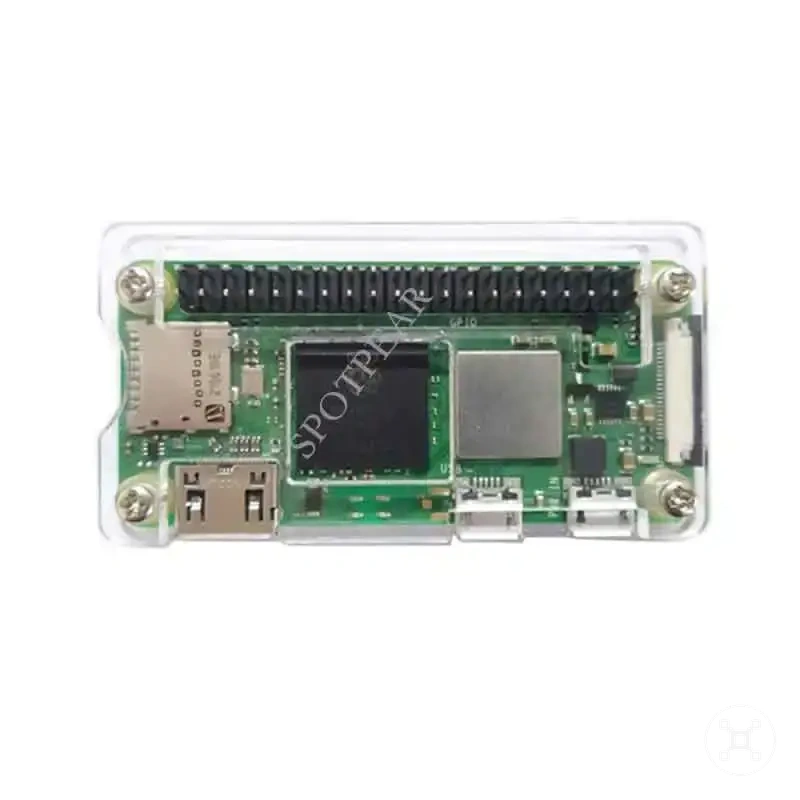
Here are product examples that may make comparison easier.
Here are product examples that may make comparison easier. Before buying, always review the compatibility criteria, essential features, and product details.
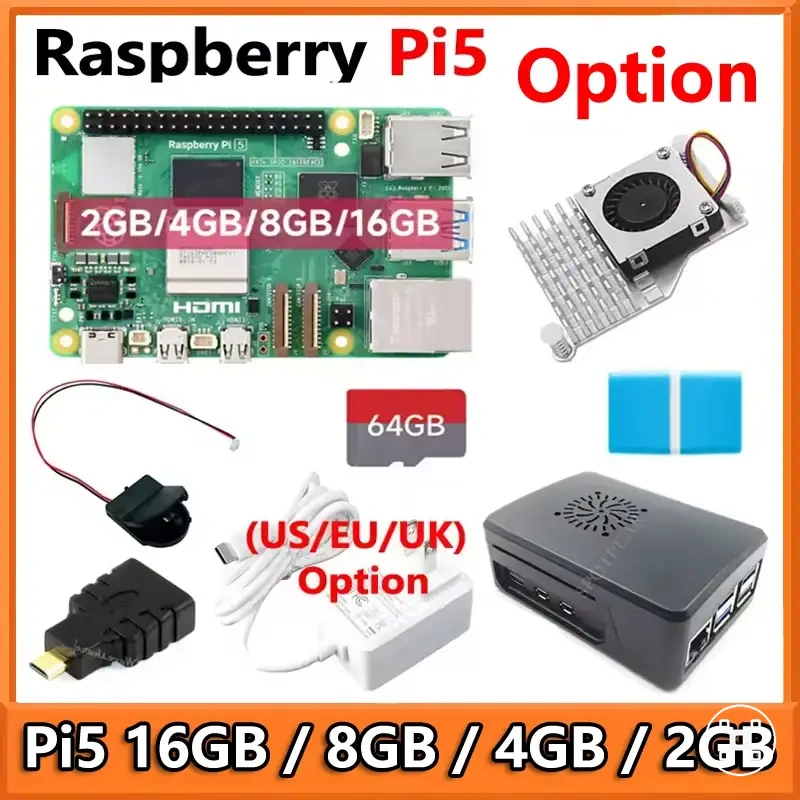
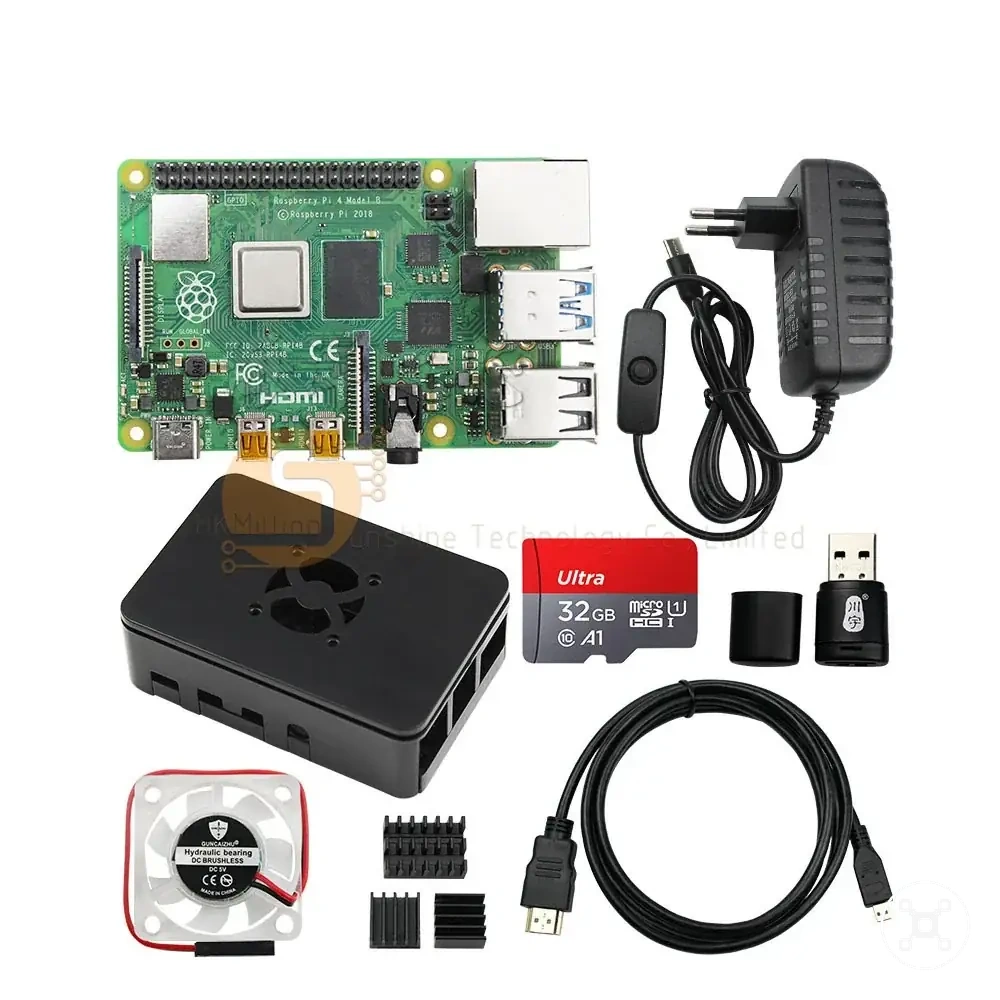
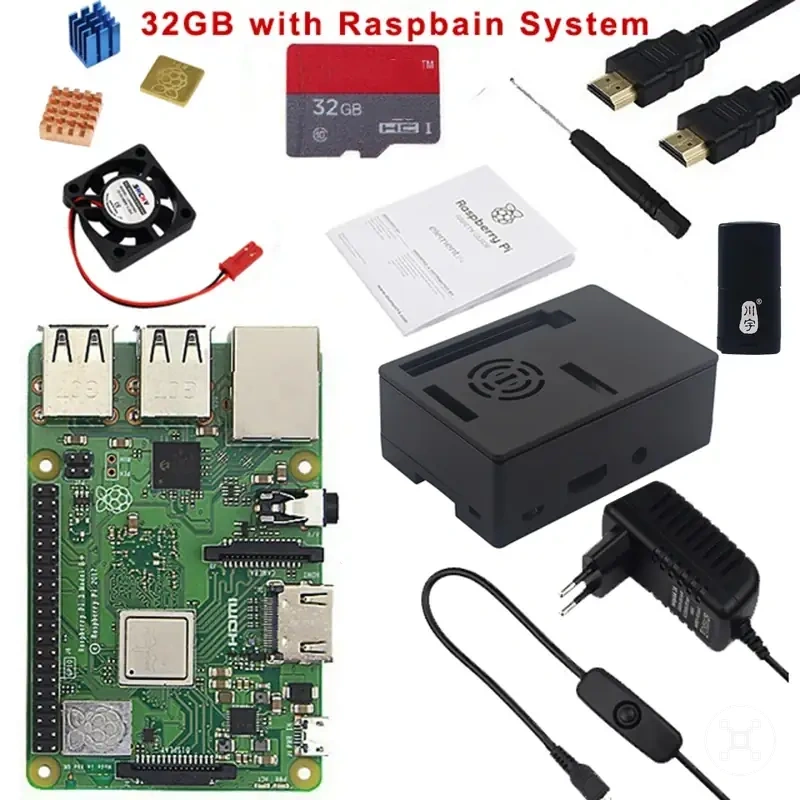
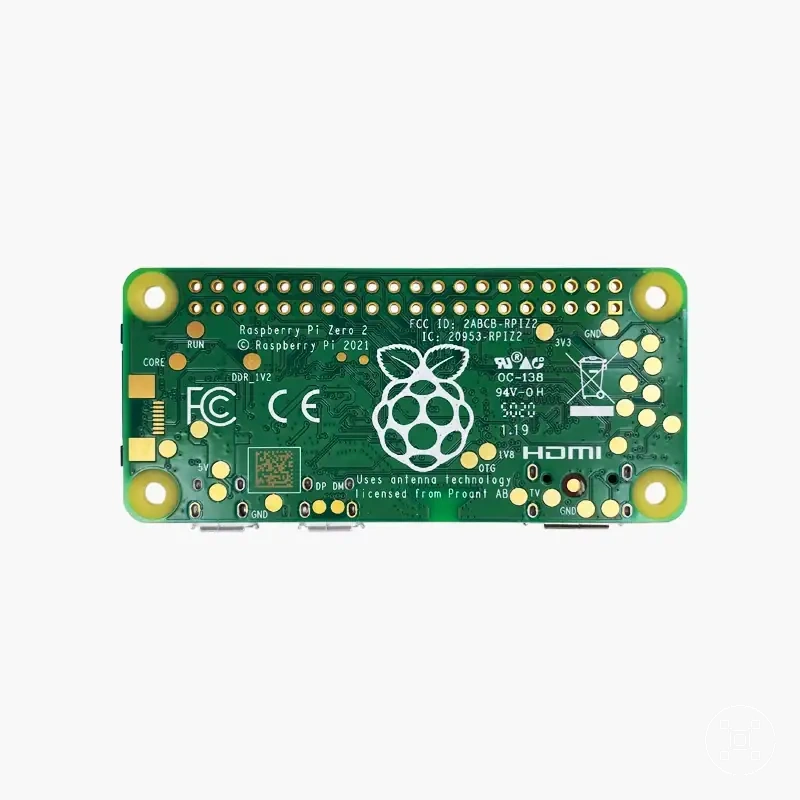
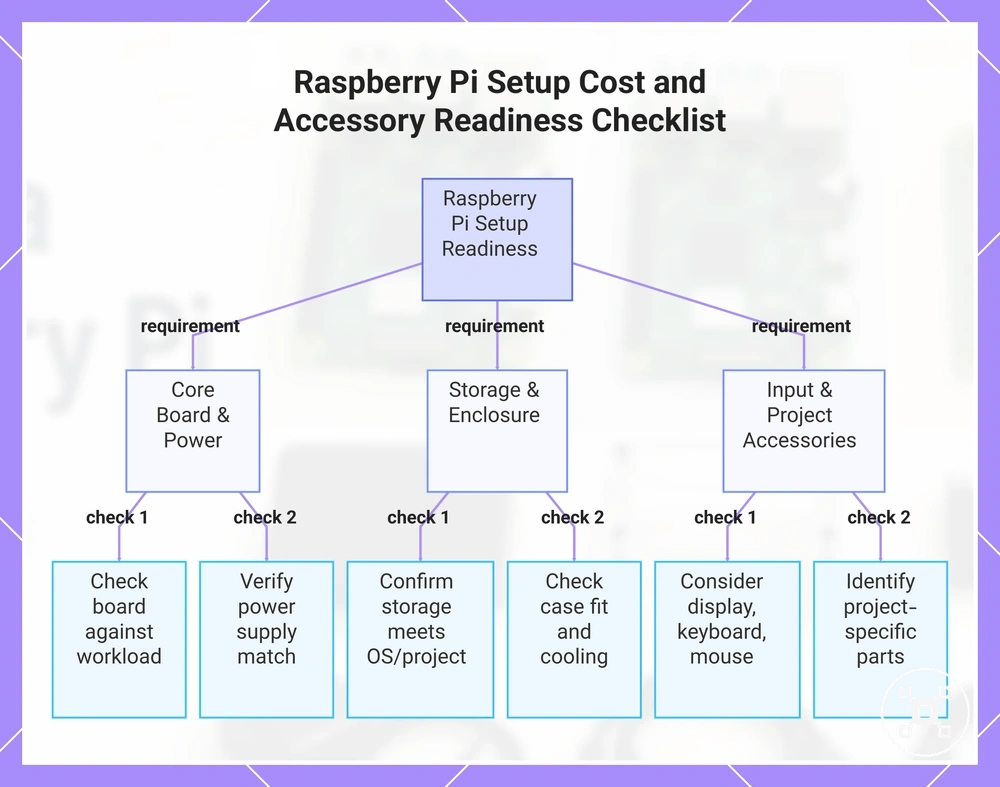
- Board: Check the Raspberry Pi board choice against the intended workload and required setup conditions.
- Power supply: Verify that the power supply matches the board and connected components.
- Storage: Confirm that storage matches the operating system, files, and project requirements.
- Case and cooling: Check case fit and cooling compatibility for the intended operating conditions.
- Display and input parts: Consider display cable, keyboard, and mouse requirements for desktop-style setups.
- Project-specific accessories: Identify additional components required for the planned project.
This chart shows the key checks to ensure a Raspberry Pi setup is ready, covering hardware, peripherals, and project-specific accessories.
Raspberry Pi choice mistakes that create poor fit
Raspberry Pi choice mistakes usually come from ignoring the use-case constraints that determine whether a setup is suitable. A poor fit can occur when workload, accessories, or setup requirements are not considered before selecting a board or kit.
Common buying mistakes often involve focusing on a single factor instead of the complete setup.
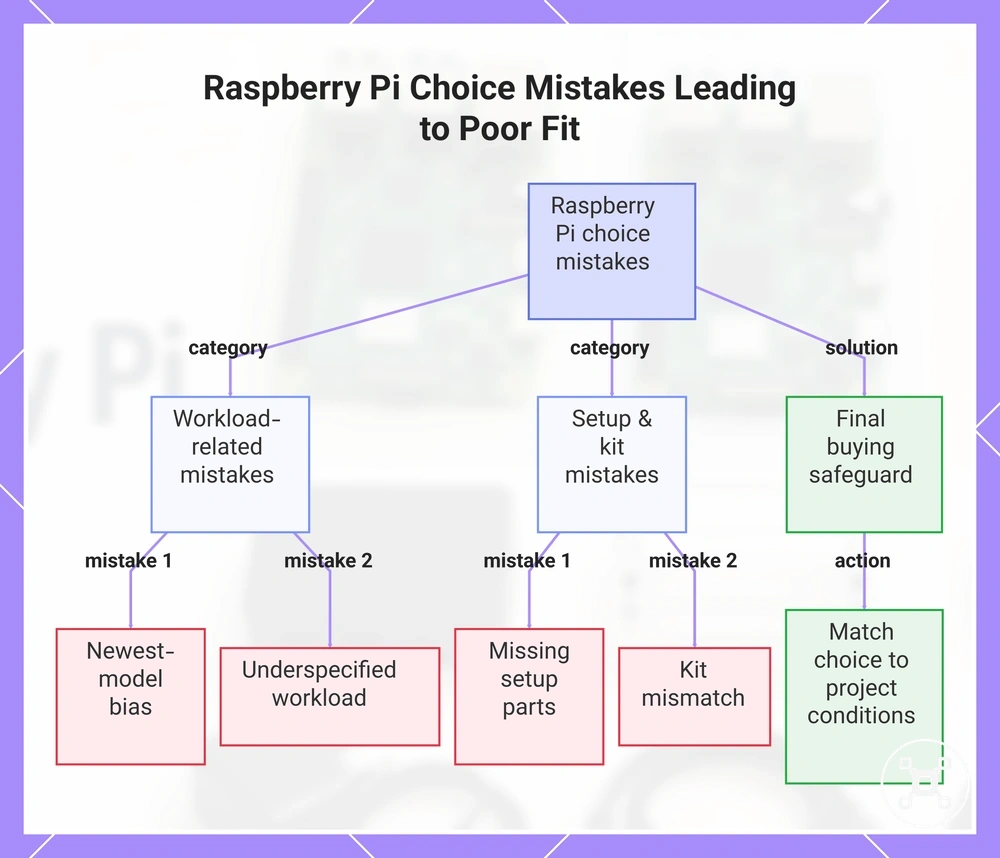
Common buying mistakes often involve focusing on a single factor instead of the complete setup. Choosing the newest model without checking the workload can lead to a mismatch between capability and actual needs. Ignoring accessories, power, storage, or cooling requirements can affect setup reliability, while a kit mismatch can create missing parts or unused components.
Final decision checks help verify the main risks before committing to a Raspberry Pi choice.
Final decision checks help verify the main risks before committing to a Raspberry Pi choice. The checklist focuses on the risks created by ignored criteria rather than repeating the full selection process.
- Newest-model bias: Check whether the newest model matches the workload instead of selecting it only because it is newer.
- Missing setup parts: Confirm that required accessories, power, storage, and cooling components are available for the intended setup.
- Underspecified workload: Define the expected tasks before choosing hardware that may not match the project demands.
- Kit mismatch: Verify that included kit parts match the project needs and avoid unnecessary extras.
A final buying safeguard is to match the Raspberry Pi choice with the known project conditions before committing. Reviewing workload, accessories, and setup requirements can help reduce poor fit, wasted spend, or setup delay when the selected option does not match the intended use.
Before buying, always review the compatibility criteria, essential features, and product details.
Here are product examples that may make comparison easier. Before buying, always review the compatibility criteria, essential features, and product details.
This chart shows the main categories of Raspberry Pi choice mistakes that cause poor fit, along with a final buying safeguard to verify the selection.
Choosing only by the newest model
Myth: The newest Raspberry Pi model is not automatically the best fit for every use case. Truth: The suitable choice depends on whether the newer hardware matches the workload, setup requirements, and project constraints.
Myth: The newest Raspberry Pi model is not automatically the best fit for every use case.
A newer Raspberry Pi model can be useful when additional headroom matches the workload and project needs. Choosing the newest model without checking the use case can lead to overbuying or a setup that does not match the actual requirements. A simpler fit may be more suitable when cost, availability, or accessory compatibility create different constraints.
A newer Raspberry Pi model can be useful when additional headroom matches the workload and project needs.
Consider these factors before choosing a newer model:
- Need: Check whether the workload requires newer hardware capabilities or whether a simpler fit meets the project requirements.
- Cost: Consider whether the newest model adds useful value for the use case rather than increasing cost without a clear need.
- Accessory compatibility: Verify that existing accessories and setup parts match the selected Raspberry Pi model and project conditions.
Ignoring power, storage, and cooling constraints
Weak setup parts can create reliability issues even when the Raspberry Pi board matches the intended project. Checking power, storage, and cooling before purchase helps identify setup conditions that could affect boot, stability, heat management, or longer-term use.
Power delivery should match the setup requirements to reduce stability or boot-related risks.
Power, storage, and cooling are final verification points before selecting a Raspberry Pi setup. Power delivery should match the setup requirements to reduce stability or boot-related risks. Storage media such as microSD or SSD should match the workload, while cooling and case conditions should be considered when heat or throttling risks may become relevant.
Power, storage, and cooling are final verification points before selecting a Raspberry Pi setup.
Use this verification checklist before committing to a Raspberry Pi setup:
- Power supply fit: Check that the power supply matches the Raspberry Pi setup requirements and connected components.
- Storage reliability: Verify that storage media matches the intended workload and reliability needs.
- Cooling path: Confirm that cooling options and thermal control suit the workload conditions.
- Enclosed case airflow: Check that an enclosed case provides suitable airflow conditions for the planned use.
- Workload duration: Consider whether an always-on project or longer-running workload creates additional stability and heat considerations.
Buying a kit that does not match the project
A Raspberry Pi kit is useful only when its included accessories match the intended project requirements. A kit can reduce setup decisions when the kit contents fit the project, but a mismatch can create missing parts, unnecessary accessories, or additional setup work.
Missing parts can create setup delay when required components are not included.
Kit selection should be based on the project requirements rather than the included accessories alone. Missing parts can create setup delay when required components are not included. Unnecessary accessories can create wasted spend when included items do not support the planned build. Category examples such as a desktop kit, project bundle, cooling kit, or power supply kit should be evaluated by their fit conditions rather than assumed completeness.
Kit selection should be based on the project requirements rather than the included accessories alone.
Use this final kit-fit checklist before selecting a Raspberry Pi kit:
- Included accessories: Check whether the kit contents match the accessories required for the intended project.
- Missing parts: Identify project-specific parts that are not included and may affect setup readiness.
- Compatibility: Verify that kit components, including cooling kit or power supply kit categories, match the Raspberry Pi setup requirements.
- Project fit: Confirm that the kit type matches the planned use case and avoids unnecessary components.