
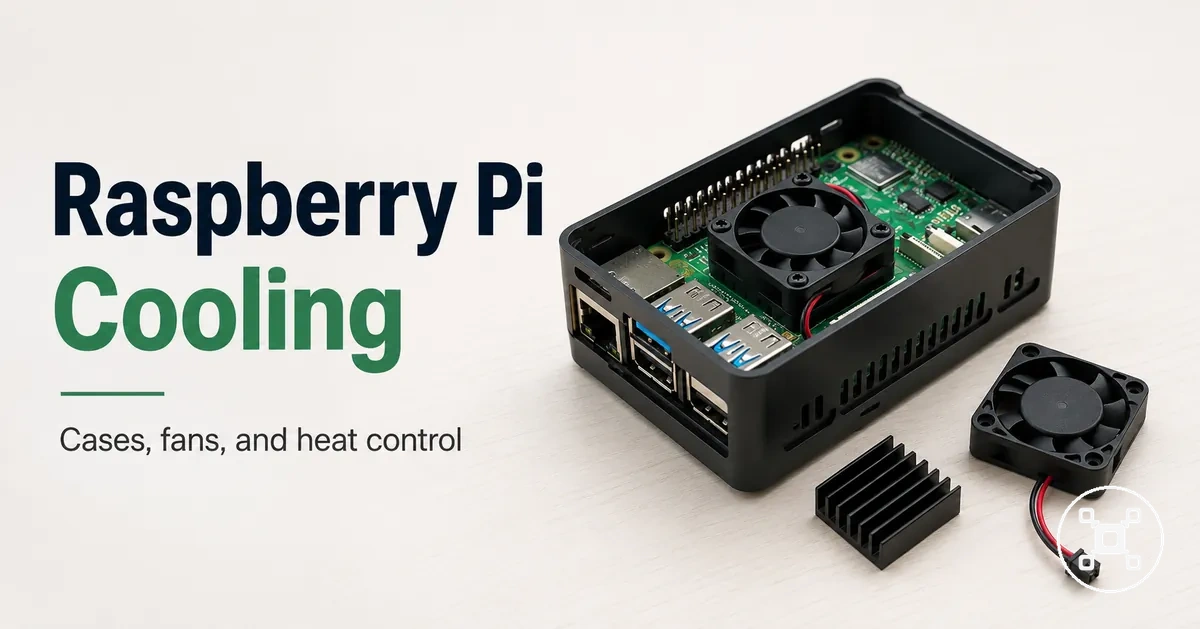
Raspberry Pi cooling requirements for safe heat control
Raspberry Pi cooling is the process of managing heat produced during operation to support safe operation. Extra cooling is not required for every Raspberry Pi setup, but it becomes more important when the board model, workload, enclosure, airflow, or ambient temperature increases heat-related risk. Cooling requirements are therefore conditional on the operating condition rather than a fixed rule.
Cooling requirements are therefore conditional on the operating condition rather than a fixed rule.
Raspberry Pi cooling decisions focus on heat control, thermal throttling, and maintaining performance under specific conditions. The main variables are the Raspberry Pi model, workload intensity, case design, airflow, and surrounding temperature. The Raspberry Pi hub provides broader context for selecting and understanding Raspberry Pi configurations, while cooling choices should be evaluated within the actual setup condition.
The main variables are the Raspberry Pi model, workload intensity, case design, airflow, and surrounding temperature.
A Raspberry Pi used inside a restricted enclosure or under sustained workload may need different heat management from a board operating with open ventilation and lighter use. Heat behaviour, thermal throttling, passive cooling, and active cooling all describe different approaches to managing temperature. Understanding these conditions helps identify suitable cooling requirements before reviewing specific cooling options.
Table of Contents
How Raspberry Pi heat affects safe operation
Raspberry Pi heat affects safe operation by influencing stability, performance, and reliability during use. Heat is a normal operating condition, but increased thermal load can create conditions where the Raspberry Pi reduces performance through throttling to manage temperature. The core safety concern is how heat conditions affect reliable operation.
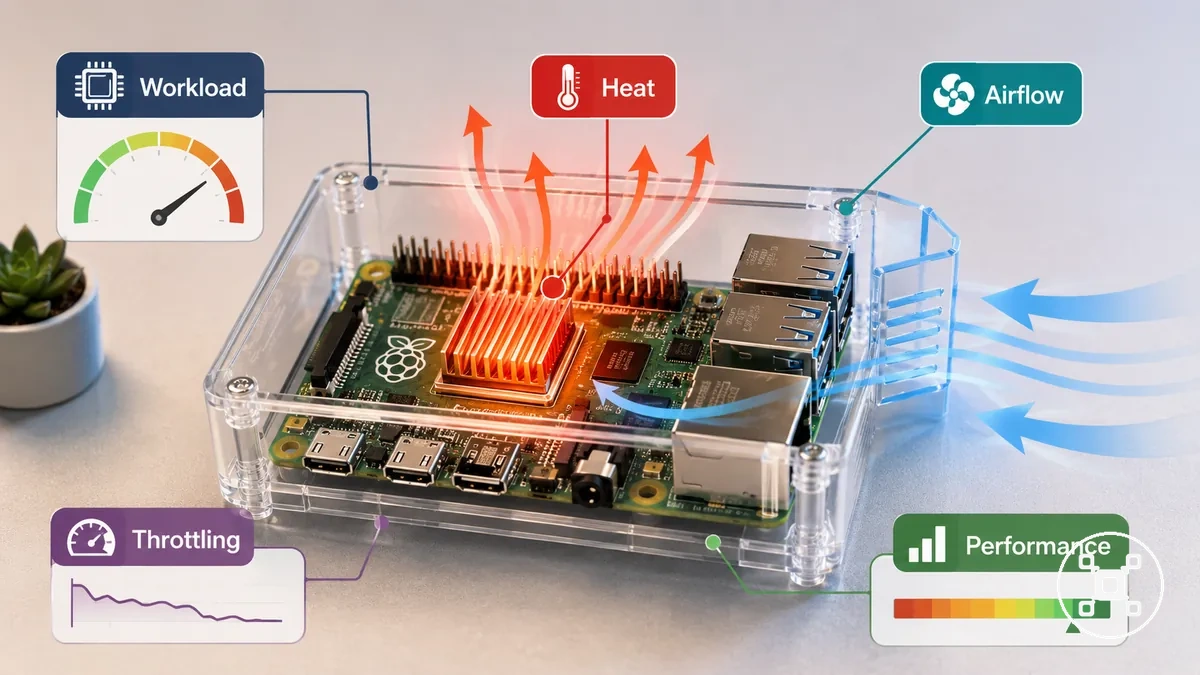
Raspberry Pi heat outcomes are shaped by workload, enclosure, airflow, and surrounding temperature conditions. A higher workload inside a restricted enclosure can increase thermal load compared with lighter use in a better-ventilated environment. Throttling is a protective behaviour that reduces performance when heat conditions require it, while slowdown or instability may also relate to causes outside cooling.
Heat-related behaviour should therefore be interpreted through the complete operating condition.
Heat-related behaviour should therefore be interpreted through the complete operating condition. Raspberry Pi stability and reliability depend on the relationship between the board, workload, enclosure, and temperature environment. Understanding this relationship helps distinguish normal heat behaviour from situations where heat control requires further evaluation.
Raspberry Pi temperature limits and thermal throttling
Raspberry Pi temperature limits describe how heat conditions should be understood during operation rather than as a single universal threshold for every setup. Thermal throttling is a protective response that reduces performance when the Raspberry Pi reaches a heat condition where temperature control is required. The safety meaning is that warm operation, caution conditions, and throttled behaviour must be interpreted according to the model, workload, and enclosure environment.
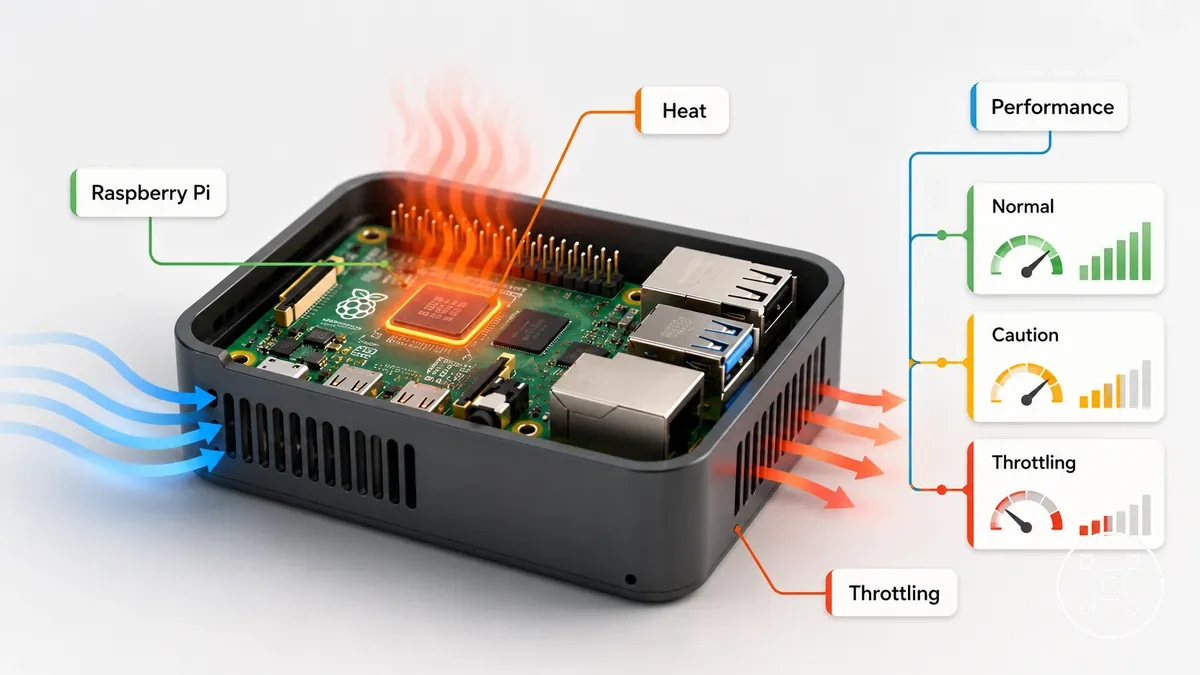
Raspberry Pi heat behaviour follows a relationship between temperature condition and performance effect. The Raspberry Pi model, workload, enclosure, airflow, and surrounding temperature influence whether heat remains normal or creates a condition where throttling or slowdown occurs. Thermal throttling provides thermal protection by reducing performance during higher heat conditions, while a warm case does not automatically indicate an unsafe temperature.
Raspberry Pi heat behaviour follows a relationship between temperature condition and performance effect.
The table below organizes normal warmth, caution range conditions, and throttled behaviour to clarify how heat conditions relate to possible outcomes. It separates ordinary operating heat from conditions that may require further evaluation without applying a fixed temperature limit to every Raspberry Pi setup.
| Heat condition | Meaning | Possible effect |
|---|---|---|
| Normal warmth | Expected heat during Raspberry Pi operation | Stable performance under the current workload and environment |
| Caution range | Higher thermal load requiring context from workload and enclosure | Performance changes may occur if heat conditions increase |
| Throttled behaviour | Thermal protection response during higher heat conditions | Performance reduction to manage temperature |
Normal heat, soft limits, and unsafe temperatures
Normal heat does not automatically mean that a Raspberry Pi is operating at an unsafe temperature. A safe interpretation depends on the board model, workload, enclosure, and ambient temperature because these conditions change how heat affects operation. The key boundary is understanding when ordinary warmth becomes a condition that requires closer attention.
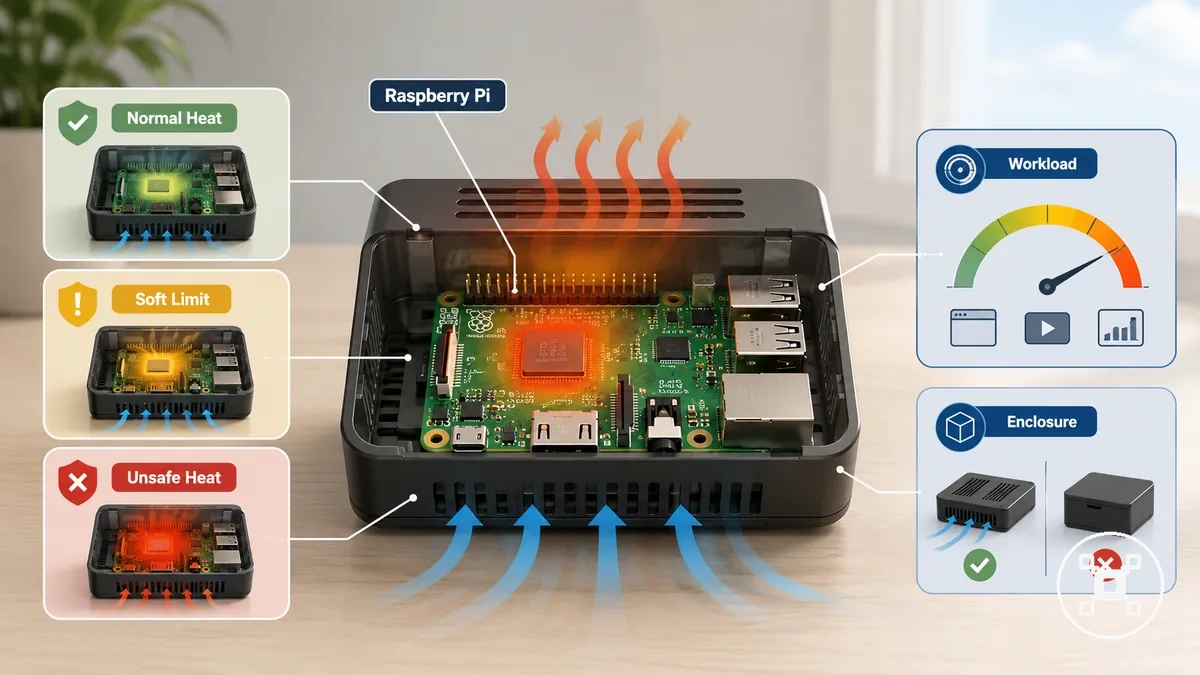
A Raspberry Pi running a lighter workload in an open environment can have a different thermal condition from a board handling sustained tasks inside a restricted enclosure or a warmer room. Normal heat describes expected warmth during operation, while a soft limit represents a point where workload, case design, and surrounding temperature should be considered together before judging the condition as unsafe.
- Normal heat: Expected warmth during Raspberry Pi operation under the current workload and environment.
- Soft limit: A caution condition where heat interpretation requires context from the model, enclosure, workload, and ambient temperature.
- Unsafe temperature: A condition where heat may contribute to performance reduction or thermal protection behaviour.
How throttling protects performance and hardware
Raspberry Pi throttling is a protective response that reduces performance when heat conditions require temperature control. When CPU load increases thermal demand, the Raspberry Pi can reduce clock speed to manage heat and maintain stable operation. This condition shows how heat protection can affect performance without treating throttling as proof of permanent hardware damage.
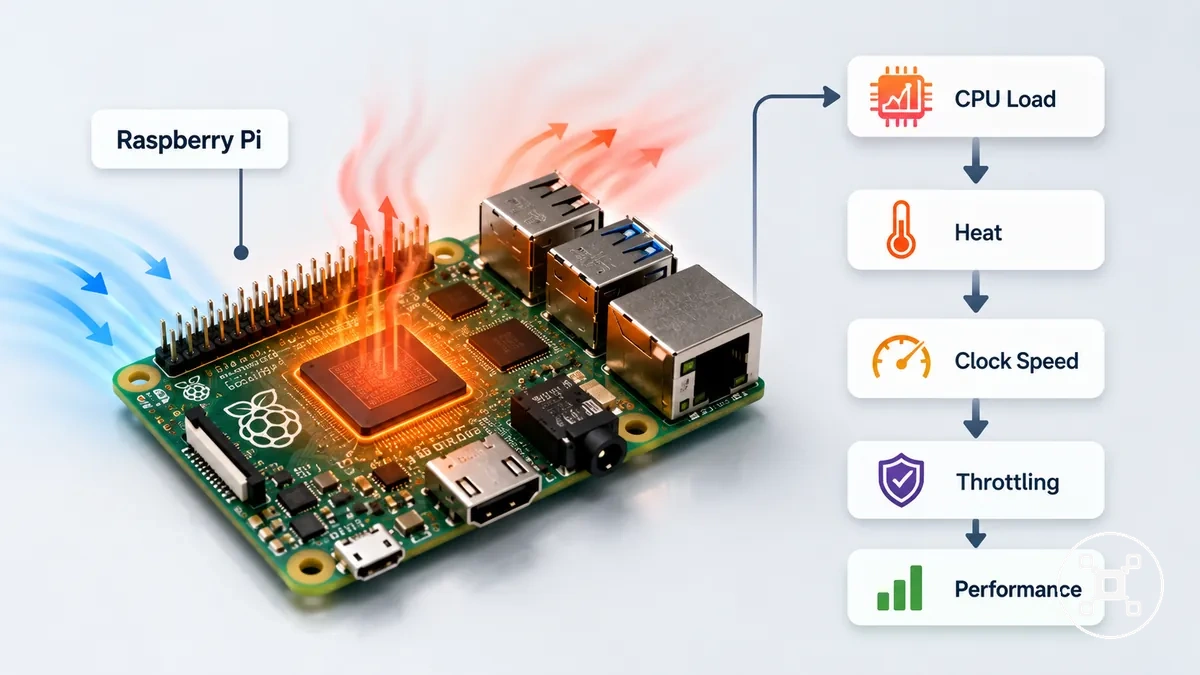
The relationship between CPU load, temperature, clock speed, and performance creates a conditional chain. A temporary load peak may contribute to thermal slowdown, while a restricted enclosure or inadequate cooling conditions may contribute to repeated throttling during sustained use. Throttling should be interpreted with the full operating condition in mind because it does not provide a complete diagnosis of the cause.
When a Raspberry Pi needs extra cooling
A Raspberry Pi needs extra cooling when the setup creates higher heat conditions that the existing airflow and enclosure cannot manage effectively. The decision depends on the Raspberry Pi model, workload, airflow, case design, and ambient temperature rather than a universal cooling rule. The main choice is whether passive cooling, active cooling, or no additional cooling matches the operating condition.
The main choice is whether passive cooling, active cooling, or no additional cooling matches the operating condition.
Raspberry Pi cooling needs change when heat conditions create a higher risk of performance reduction or thermal management behaviour. A sustained workload inside a restricted case can create a different thermal condition from lighter use with better airflow. High ambient temperature, overclocking, continuous operation, and limited ventilation are signals that the cooling setup may need closer evaluation.
A sustained workload inside a restricted case can create a different thermal condition from lighter use with better airflow.
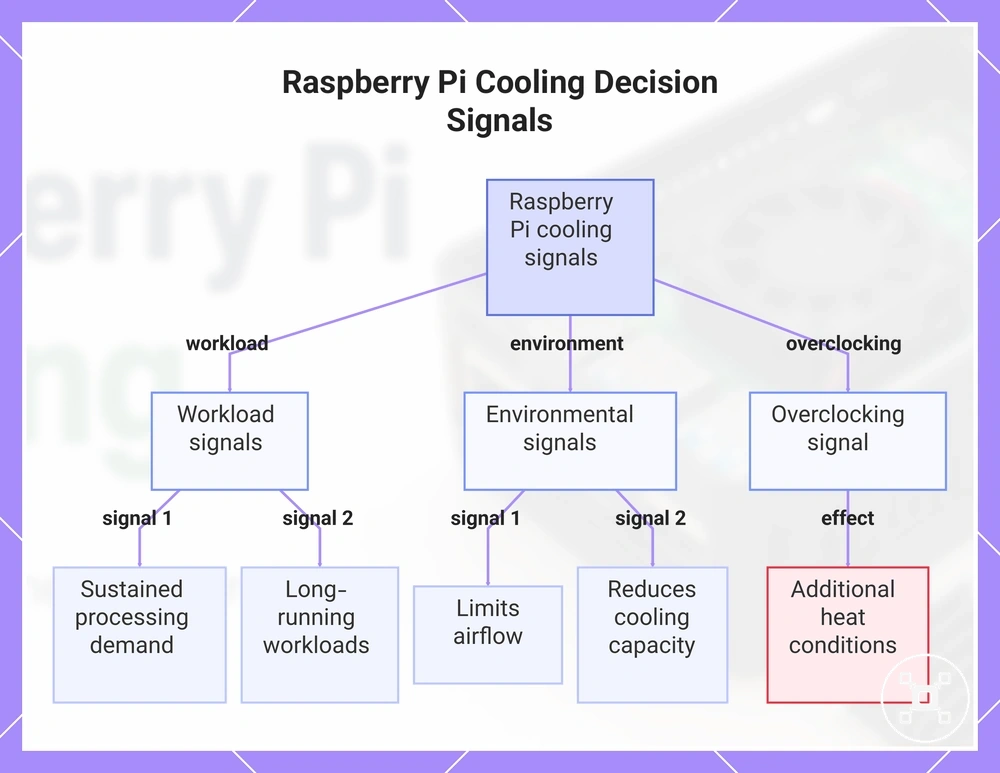
The checklist below organizes common Raspberry Pi cooling decision signals by the condition, the resulting heat effect, and the possible cooling consideration.
- Heavy workload: Sustained processing demand increases heat production and may require additional heat control.
- Enclosed case: A restricted enclosure can limit airflow and change how heat leaves the Raspberry Pi setup.
- Continuous operation: Long-running workloads create a different thermal condition from shorter periods of lighter use.
- Overclocking: Increased operating demand can create additional heat conditions that may require cooling evaluation.
- High ambient temperature: A warmer environment can reduce available cooling capacity and influence the cooling decision.
This chart shows the main conditions that indicate a Raspberry Pi may need extra cooling, grouped by workload, environment, and overclocking.
Board model, workload, case, and ambient temperature
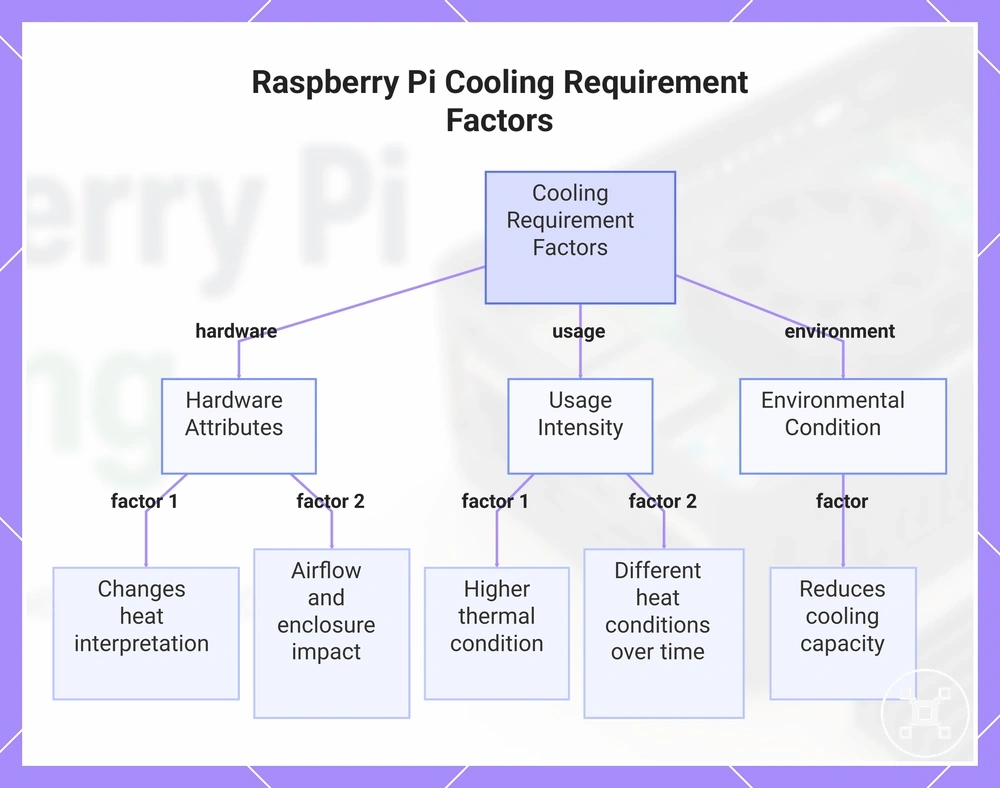
Raspberry Pi cooling requirements change when board model, workload, case design, airflow, and ambient temperature create different thermal conditions. These attributes influence how heat is produced, moved, and managed within a Raspberry Pi setup. The main condition being evaluated is how each variable changes the need for additional cooling.
These attributes influence how heat is produced, moved, and managed within a Raspberry Pi setup.
The Raspberry Pi board model, workload level, case airflow, and surrounding temperature should be considered together when comparing cooling conditions. Different Raspberry Pi models can have different hardware characteristics, while workload intensity and case design can change heat behaviour during operation. The Raspberry Pi models compared resource provides a comparison context for understanding model differences that may influence cooling decisions.
- Board model: The Raspberry Pi board model affects the hardware configuration and can change how heat conditions should be interpreted.
- Workload: A higher workload increases processing demand and can create a higher thermal condition during sustained use.
- Case: Case airflow influences ventilation, with tighter enclosures potentially changing how heat moves away from the board.
- Ambient temperature: Higher surrounding temperatures can reduce available cooling capacity and affect heat control decisions.
- Sustained runtime: Longer operating periods can create different heat conditions compared with shorter usage periods.
This chart shows the main attributes that influence when additional cooling is needed for a Raspberry Pi setup.
Continuous use, overclocking, and enclosed installations
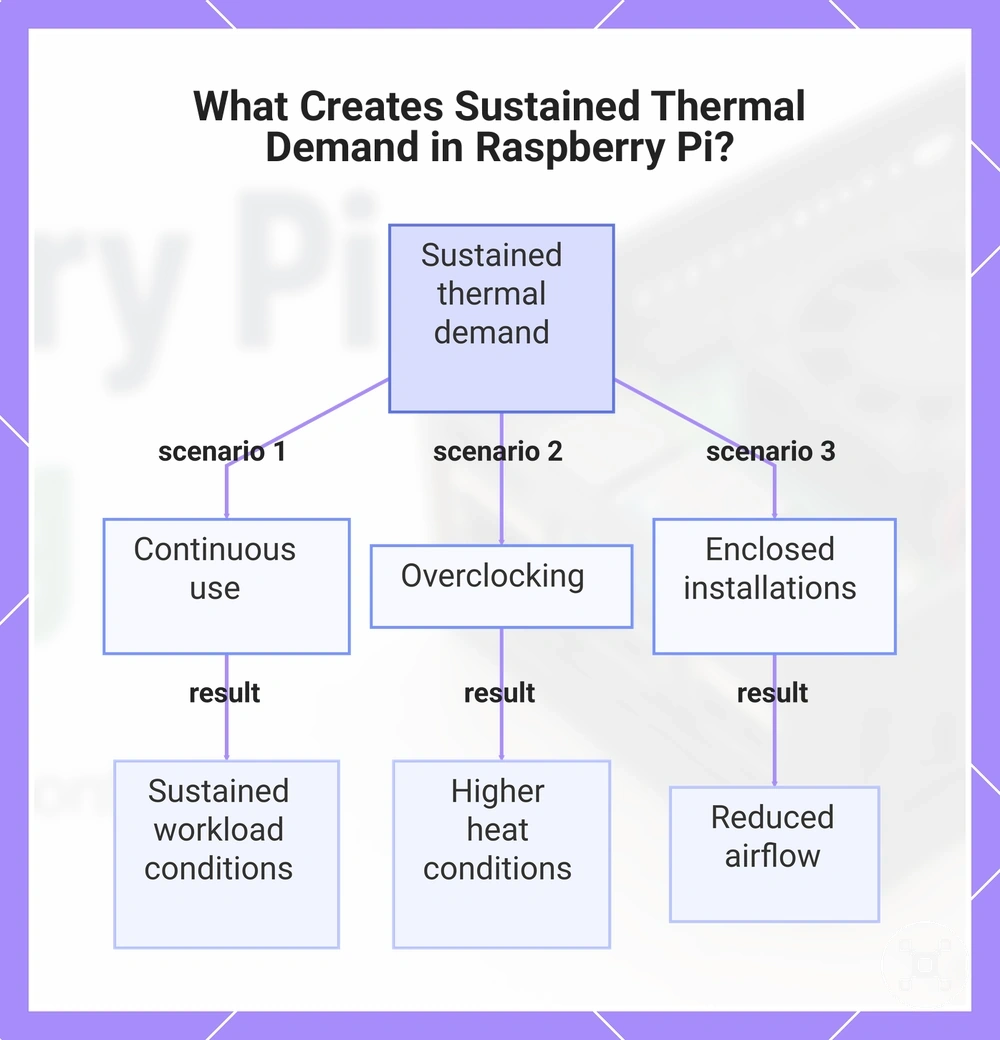
Raspberry Pi cooling requirements can change when the device is used for continuous operation, overclocking, or enclosed installations. These usage patterns create different heat conditions because workload duration, airflow, and case design affect how heat is managed. The key condition is whether the Raspberry Pi setup creates a sustained thermal demand that requires additional cooling consideration.
These scenarios do not automatically require a specific cooling setup, but they change how heat control should be evaluated.
A Raspberry Pi used for continuous runtime, media serving, or server use can experience different thermal conditions from shorter periods of lighter activity. Overclocking increases operating demand, while a sealed project box can restrict airflow compared with the same board running safely in open air. These scenarios do not automatically require a specific cooling setup, but they change how heat control should be evaluated.
- Continuous use: Long runtime can create sustained workload conditions where airflow and case design become important cooling factors.
- Overclocking: Increased operating demand can create higher heat conditions that may change cooling requirements.
- Media serving: Extended processing activity can create a sustained workload condition compared with occasional tasks.
- Server use: Always-running services can create ongoing heat conditions that differ from short usage periods.
- Enclosed installations: A sealed or restricted case can reduce airflow even when the same Raspberry Pi operates safely in open air.
This chart shows the three usage patterns—continuous use, overclocking, and enclosed installations—that create sustained thermal demand, affecting Raspberry Pi cooling requirements.
Passive cooling for Raspberry Pi boards
Passive cooling for Raspberry Pi boards uses fanless heat transfer methods to move heat away from components without an active fan. Heatsinks, thermal pads, aluminium cases, and ventilation features each manage heat through different contact or airflow attributes. The main condition is whether the passive cooling setup matches the workload and thermal demands of the Raspberry Pi.
The main condition is whether the passive cooling setup matches the workload and thermal demands of the Raspberry Pi.
Passive cooling works by improving how heat moves from components into materials or surfaces designed to spread heat. A heatsink uses surface area to distribute heat away from a component, while a thermal pad improves contact between surfaces where heat transfer is needed. Aluminium cases can contribute to heat spreading, but case airflow and sustained workload conditions influence the overall cooling effect.
Passive cooling works by improving how heat moves from components into materials or surfaces designed to spread heat.
The comparison below organizes common passive cooling elements by their heat-transfer role and the conditions that can limit their effectiveness.
| Cooling element | Attribute | Heat control effect or limitation |
|---|---|---|
| Heatsink | Surface area for heat spreading | Moves heat away from components, with effectiveness influenced by airflow and thermal conditions |
| Thermal pad | Contact material between surfaces | Improves heat transfer through closer contact between components and cooling surfaces |
| Aluminium case | Heat-spreading case material | Can contribute to heat distribution, while case design affects thermal performance |
| Ventilation | Airflow path | Supports heat movement, while restricted airflow can reduce heat control |
Passive cooling can provide a quieter and simpler cooling setup, but it may not suit sustained high heat loads in every Raspberry Pi use case. For broader setup considerations, Raspberry Pi accessories needed provides additional context on related components without changing the local cooling decision.
Heatsinks, thermal pads, and aluminium cases
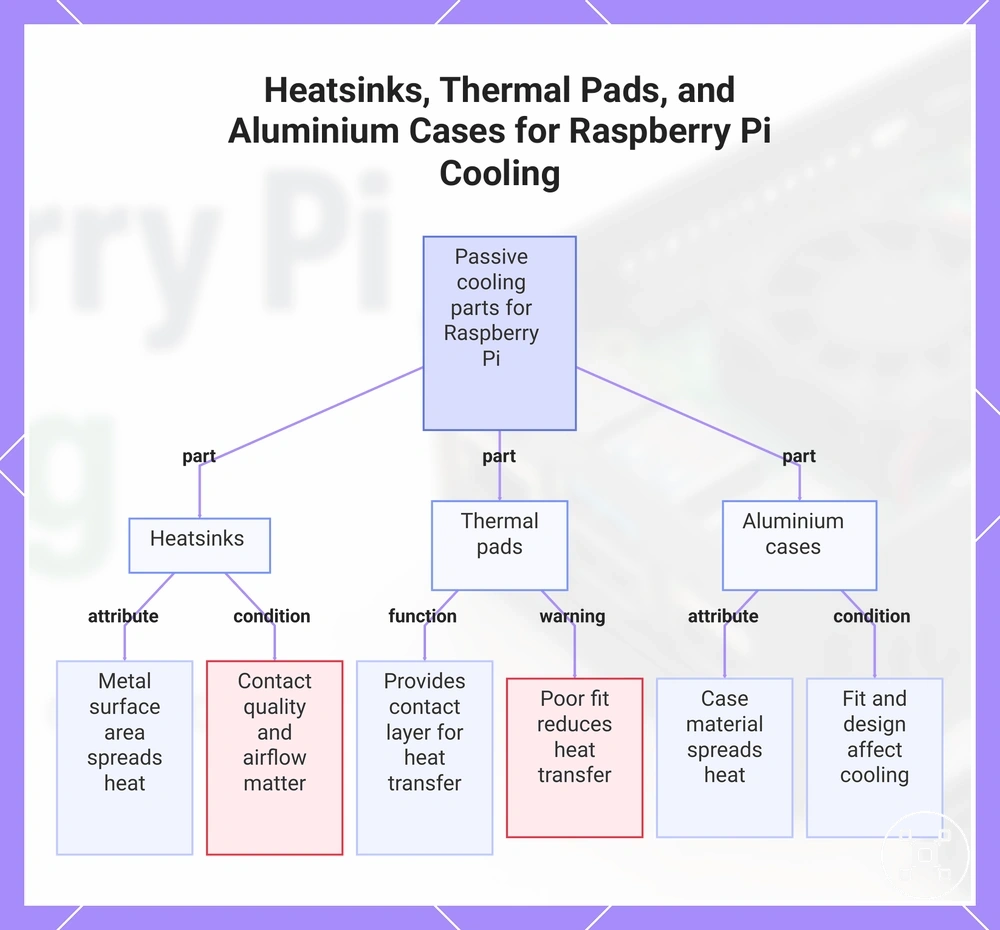
Heatsinks, thermal pads, and aluminium cases help manage Raspberry Pi heat by improving contact-based heat transfer from components to cooling surfaces. These passive cooling parts use material properties, fit, and surface contact to support heat movement without relying on a fan. The main condition is whether the contact quality and material choice match the thermal needs of the Raspberry Pi setup.
The main condition is whether the contact quality and material choice match the thermal needs of the Raspberry Pi setup.
Heatsinks transfer heat through their metal surface area, while thermal pads act as contact materials that help bridge gaps between surfaces. Aluminium cases can contribute to heat spreading through the case material, but airflow, workload, and case design influence the overall thermal condition. A poorly fitted heatsink or thermal pad can reduce heat transfer because the cooling surface does not make suitable contact with the heat source.
- Heatsinks: Use a metal surface area to spread heat away from Raspberry Pi components, with results influenced by contact quality and airflow conditions.
- Thermal pads: Provide a contact layer between surfaces to support heat transfer where direct contact is limited.
- Aluminium cases: Use the case material as part of the heat-spreading path, while fit and enclosure design affect the cooling outcome.
This chart shows the three passive cooling components, their functions, and the conditions that affect heat transfer performance.
Ventilation, open cases, and fanless trade-offs
Ventilation, open cases, and fanless trade-offs compare how Raspberry Pi cooling conditions change when airflow and enclosure design are different. Open cases allow more direct airflow around the board, while enclosed cases can protect the hardware but may change how heat leaves the case. The local condition is whether airflow access or physical protection has a greater effect on the thermal setup.
The local condition is whether airflow access or physical protection has a greater effect on the thermal setup.
Vent placement, airflow path, dust exposure, and physical protection create different trade-offs between open-air cooling and enclosed protection. An open case can improve airflow access, while an enclosed case can reduce exposure to dust and contact risks when the design provides suitable ventilation. Fanless trade-offs rely on passive airflow conditions and may require different heat control considerations when workload and temperature increase.
The comparison below organizes how case openness and enclosure protection affect airflow and cooling conditions.
The comparison below organizes how case openness and enclosure protection affect airflow and cooling conditions.
| Cooling condition | Airflow attribute | Trade-off |
|---|---|---|
| Open case | Allows airflow around the Raspberry Pi board | Less physical protection from dust and accidental contact |
| Enclosed case | Uses a defined airflow path through case openings and vents | Provides protection but can restrict heat movement if ventilation is limited |
| Fanless setup | Relies on passive airflow and heat movement conditions | Quieter and simpler, but sustained workloads may create higher cooling demands |
Active cooling for higher heat loads
Active cooling for higher heat loads becomes a consideration when a Raspberry Pi setup produces sustained heat conditions that require additional airflow support. Fans and active coolers can help move heat away when workload, temperature, case design, or repeated throttling creates a higher thermal demand. The decision depends on the specific operating condition rather than active cooling being required for every Raspberry Pi setup.
The decision depends on the specific operating condition rather than active cooling being required for every Raspberry Pi setup.
A Raspberry Pi setup may require active cooling evaluation when it experiences sustained CPU load, operation in hot rooms, enclosed cases with limited airflow, or repeated throttling during normal use. The relevant decision attributes include fan type, airflow direction, power source, clearance, noise, and reliability because each affects how the cooling setup fits the use case. A lower workload environment with open airflow can have different cooling needs from a restricted case running continuous tasks.
A lower workload environment with open airflow can have different cooling needs from a restricted case running continuous tasks.
The table below organizes active cooling options by the attributes that influence selection and the trade-offs associated with each approach.
| Cooling option | Decision attributes | Trade-off |
|---|---|---|
| Active cooler | Fan type, airflow direction, and component clearance | Adds airflow support but introduces moving parts and possible noise |
| Case fan | Case airflow path and power source | Supports enclosure ventilation while requiring suitable case compatibility |
| Cooling kit | Combined cooling parts, fit, and setup requirements | May simplify component selection while still requiring matching workload and case conditions |
Active cooling is a condition-based choice for Raspberry Pi heat control rather than a universal requirement. When evaluating related setup additions, Raspberry Pi accessories needed can provide broader context for comparing cooling-related components within the overall setup.
Active coolers, case fans, and fan direction
Active coolers, case fans, and fan direction affect how a Raspberry Pi setup moves heat through airflow. Active coolers focus airflow near heat-generating components, while case fans change how air moves through the enclosure. The local condition is how fan placement, direction, and component fit influence the cooling outcome.
The comparison below organizes the main attributes that separate active coolers from case fans.
Fan direction changes whether air enters or leaves the case, which affects how warm air is removed from the enclosure. For example, an exhaust-oriented case fan can help move warm air out of a restricted case, while a limited airflow path can reduce heat movement. The comparison below organizes the main attributes that separate active coolers from case fans.
| Cooling component | Key attributes | Cooling consideration |
|---|---|---|
| Active cooler | Heatsink contact, fan direction, connector type, and clearance | Provides direct airflow near components, with contact quality and fit affecting heat transfer |
| Case fan | Fan placement, intake or exhaust direction, and case airflow path | Changes enclosure airflow, with vent layout and internal space affecting heat movement |
Noise, power draw, clearance, and reliability trade-offs
Noise, power draw, clearance, and reliability trade-offs affect how active cooling fits a Raspberry Pi setup. Active cooling improves airflow and heat movement, but it also adds mechanical and electrical considerations compared with simpler cooling approaches. The local decision is how these factors influence the suitability of a cooling setup for the workload and case conditions.
If power-related symptoms appear, checking the power setup may be needed rather than changing only the fan.
An active cooling setup should be evaluated through fan noise, power draw, dust exposure, moving parts, case clearance, and reliability. Fan operation introduces mechanical components, while power draw adds another condition that can affect the overall setup. If power-related symptoms appear, checking the power setup may be needed rather than changing only the fan.
The comparison below organizes common active cooling constraints and how they influence a Raspberry Pi cooling decision.
The comparison below organizes common active cooling constraints and how they influence a Raspberry Pi cooling decision.
| Trade-off attribute | Cooling effect | Decision consideration |
|---|---|---|
| Noise | Active airflow can introduce sound from moving fan components | Noise tolerance can influence the suitable cooling approach |
| Power draw | Active cooling requires electrical power for fan operation | Raspberry Pi power requirements may need consideration when power-related symptoms occur |
| Clearance | Cooling components require available space around the board and case | Case design and component fit affect the cooling setup |
| Reliability | Moving parts add mechanical considerations to the cooling system | Operating conditions influence long-term use considerations |
Choosing a safe cooling setup by Raspberry Pi use case
Choosing a safe cooling setup by Raspberry Pi use case depends on workload, enclosure, airflow, noise tolerance, and heat conditions during operation. A Raspberry Pi used for lighter tasks may need a different cooling approach from a system handling sustained workloads inside a restricted case. The decision is matching the cooling setup to the operating condition rather than adding cooling without a specific reason.
The decision is matching the cooling setup to the operating condition rather than adding cooling without a specific reason.
The main criteria include workload level, case design, airflow availability, surrounding temperature, and the thermal condition of the Raspberry Pi. Light use with open airflow may suit a simpler cooling approach, while sustained workloads or hot environments may require additional heat control consideration. Repeated throttling during normal use can indicate that workload, airflow, or enclosure conditions should be reviewed together.
Repeated throttling during normal use can indicate that workload, airflow, or enclosure conditions should be reviewed together.
The table below organizes common Raspberry Pi use cases by cooling requirement, suitable cooling type, and the resulting reliability consideration.
| Use case | Cooling requirement | Suitable cooling type | Safety or reliability outcome |
|---|---|---|---|
| Light use with open airflow | Lower heat demand during lighter workload conditions | No additional cooling or simple passive cooling when appropriate | Supports stable operation when airflow and workload remain within the setup conditions |
| Sustained workload | Higher heat production during continuous processing | Passive or active cooling based on airflow, case design, and thermal conditions | Helps manage heat when the cooling setup matches the workload demand |
| Hot environment or restricted case | Reduced heat movement due to temperature or enclosure conditions | Cooling with improved airflow support when the condition requires it | Supports reliability when case design and heat conditions are considered together |
A safe cooling choice remains condition-based because workload, airflow, case fit, and temperature influence the final outcome. Cooling decisions should follow these criteria and trade-offs rather than treating one cooling type as suitable for every Raspberry Pi use case.
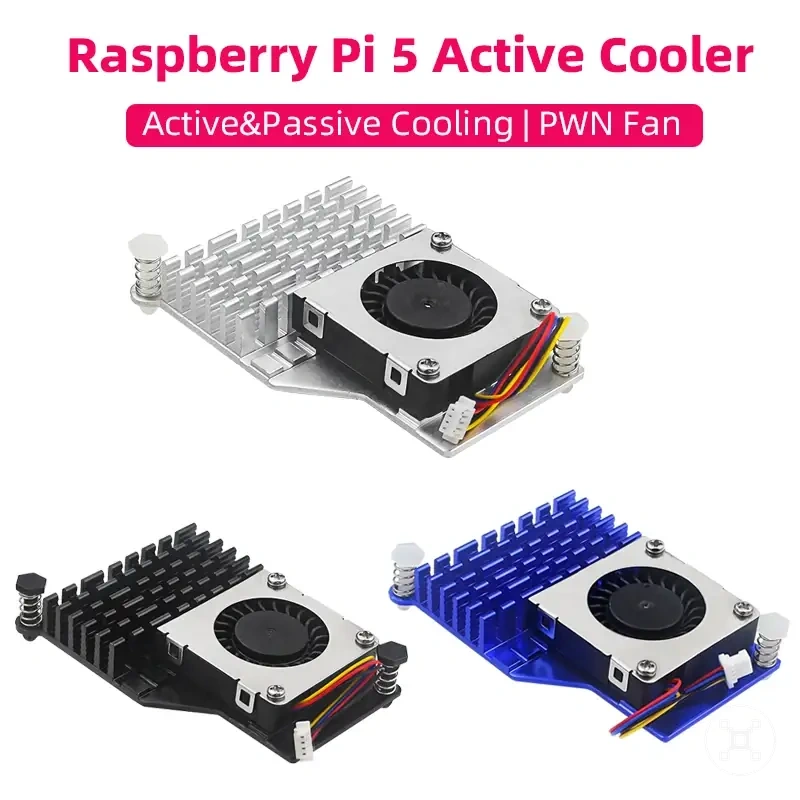
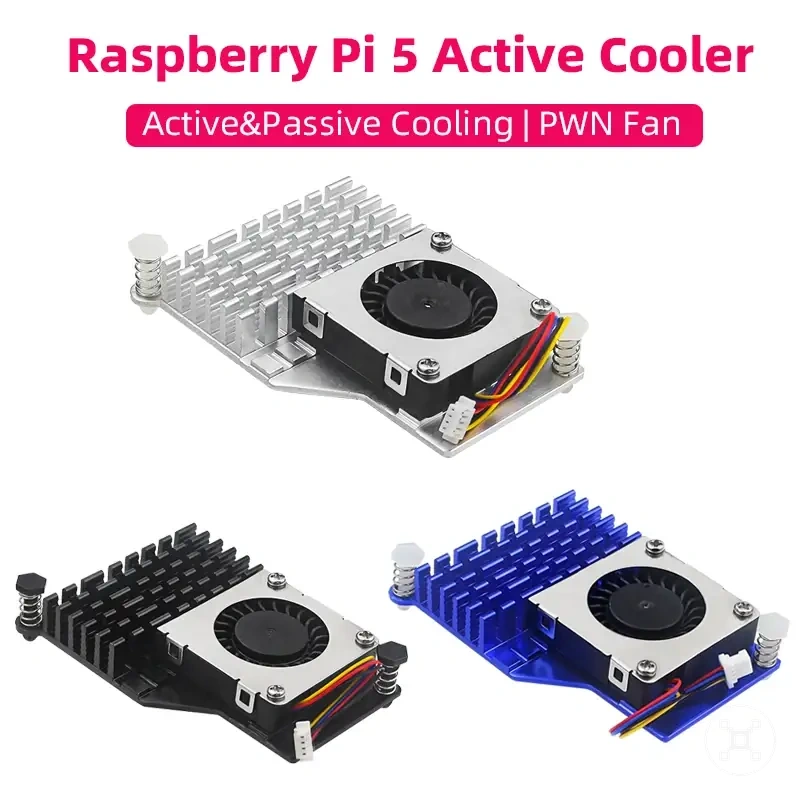
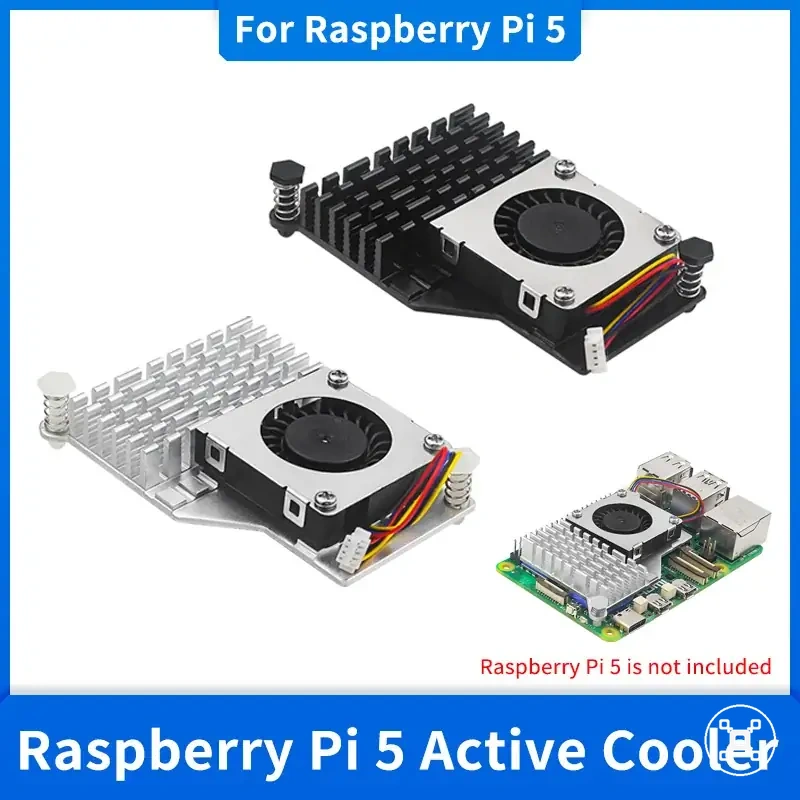
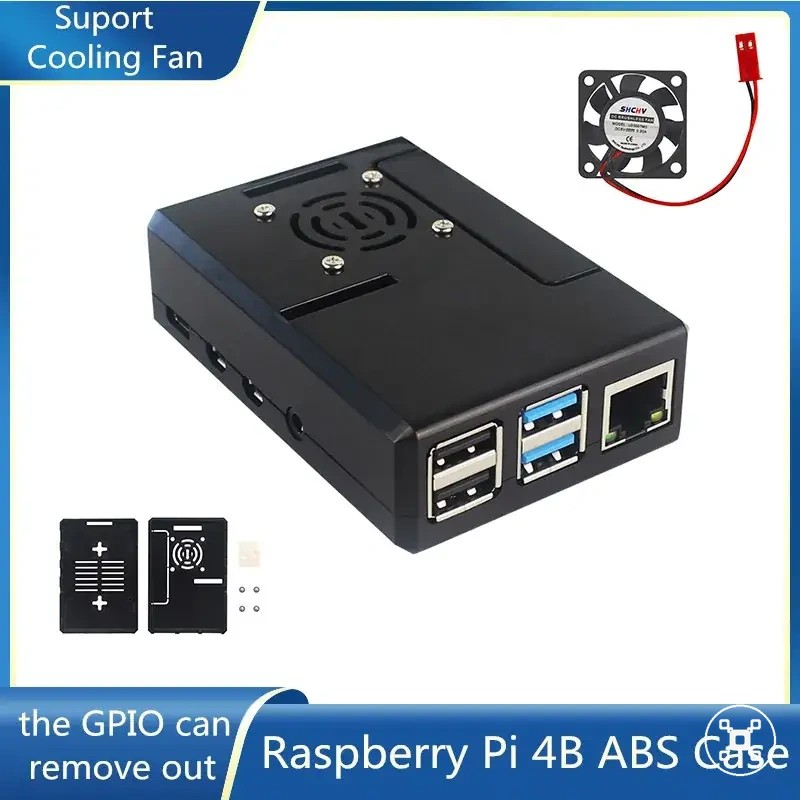
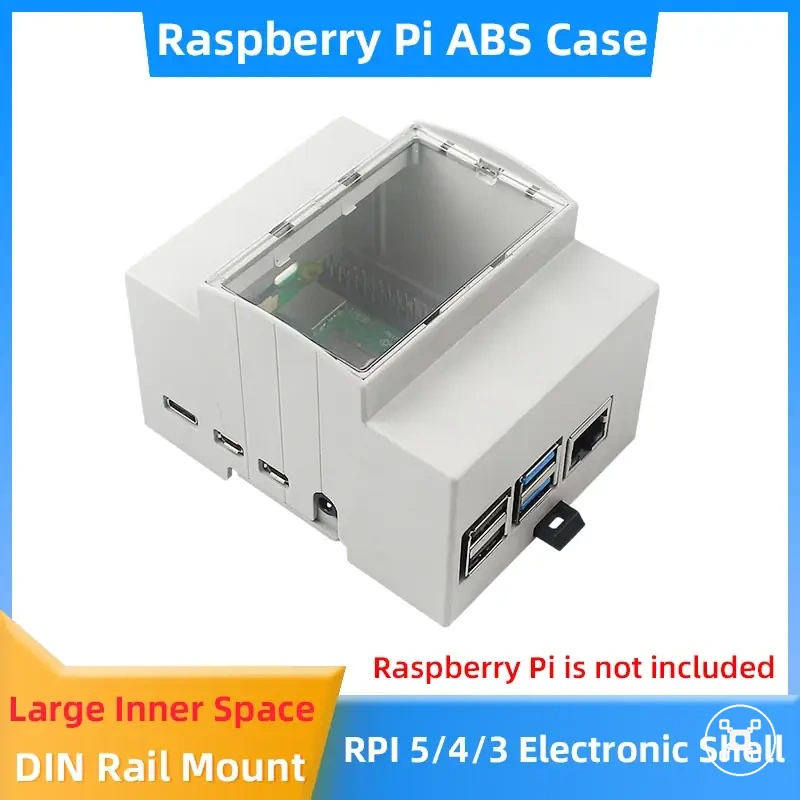
The products below are useful examples for comparing available options.
The products below are useful examples for comparing available options. Before buying, check that the compatibility criteria, key features, and product details match your needs.
Light desktop, learning, and basic project use
Light desktop, learning, and basic project use usually place a Raspberry Pi under lower workload conditions than sustained processing tasks. These scenarios often have simpler cooling needs when airflow is available and the case allows heat to move away effectively. The local condition is whether workload, airflow, and temperature remain stable for the specific setup.
The local condition is whether workload, airflow, and temperature remain stable for the specific setup.
A Raspberry Pi used for learning, light desktop tasks, or basic project use may use passive cooling or ventilation when the thermal condition remains controlled. An open-air setup or ventilated case can support heat movement, while a restricted case or warmer room environment can change the cooling requirement. For example, a Raspberry Pi used for basic coding practice in a ventilated case may remain stable with passive cooling when heat levels stay controlled during normal use.
Servers, media centers, and hot environments
Servers, media centers, and hot environments can create higher cooling demands for a Raspberry Pi because sustained workload, limited airflow, and warmer surroundings increase heat conditions. These use cases often require closer attention to the case, airflow path, and runtime conditions than lighter projects. The local condition is whether continuous operation creates a thermal condition that needs stronger cooling support.
Case position, ambient temperature, and continuous runtime can change how heat moves away from the device.
A Raspberry Pi used for server workloads or media center tasks can experience different cooling needs when it runs for long periods, especially inside a restricted case or in a warmer environment. Case position, ambient temperature, and continuous runtime can change how heat moves away from the device. For example, active cooling becomes a more reasonable consideration when high temperature conditions or throttling appear during normal sustained use.
Checking heat before changing cooling hardware
Checking heat before changing cooling hardware helps determine whether a Raspberry Pi cooling issue is actually caused by heat conditions, airflow limits, or another setup factor. Temperature readings and throttling evidence should be checked before assuming cooling hardware is the cause. The decision is separating heat-related symptoms from other possible conditions before changing parts.
The decision is separating heat-related symptoms from other possible conditions before changing parts.
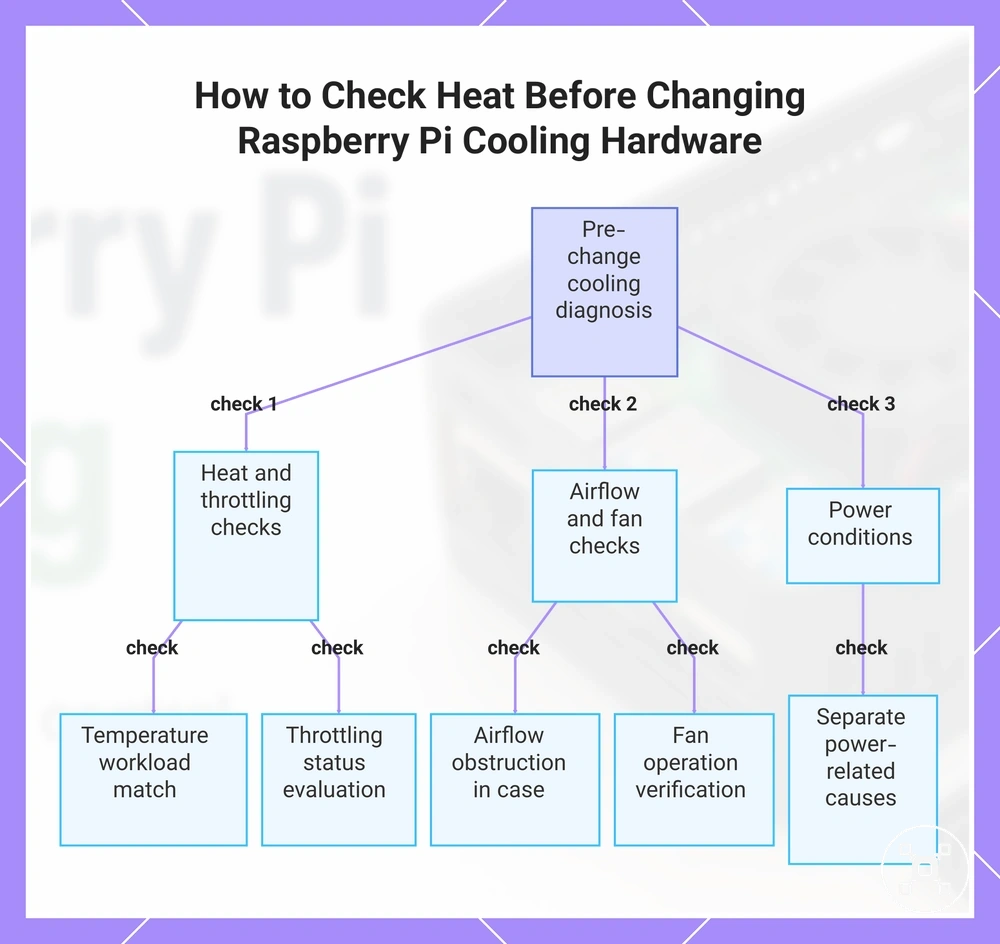
A Raspberry Pi diagnostic check should consider temperature behaviour, throttling status, workload, airflow, case position, fan operation, and power conditions. A high workload inside a restricted case can create a different thermal condition from lighter use with better airflow. Blocked airflow, incorrect case placement, a non-operating fan, or power-related conditions can change the outcome, so each variable should be checked separately.
The checklist below organizes the main diagnostic variables that separate heat, airflow, and power-related symptoms.
The checklist below organizes the main diagnostic variables that separate heat, airflow, and power-related symptoms.
- Temperature reading: Check whether the heat condition matches the current workload and surrounding environment.
- Throttling status: Check whether performance reduction appears alongside higher heat conditions.
- Airflow obstruction: Check whether the case or placement limits airflow movement around the Raspberry Pi.
- Fan operation: Check whether active cooling components operate correctly when included in the cooling setup.
- Power conditions: Check power-related factors separately because symptoms can have causes beyond cooling hardware.
These checks help identify whether cooling changes are relevant or whether another condition requires attention first. For related symptoms involving overheating and startup behaviour, Raspberry Pi overheating and boot issues provides a broader troubleshooting boundary.
These checks help identify whether cooling changes are relevant or whether another condition requires attention first.
This chart shows the main diagnostic variables to check before replacing cooling hardware, separating heat, airflow, and power-related symptoms.
CPU temperature and throttling status
CPU temperature and throttling status provide local evidence for understanding whether cooling is involved in a Raspberry Pi heat condition. Temperature readings and throttling indicators should be interpreted with the workload, case design, and airflow conditions in mind rather than treated as a standalone diagnosis. The safety condition is whether heat behaviour matches the current operating environment.
The safety condition is whether heat behaviour matches the current operating environment.
A Raspberry Pi heat check should consider CPU temperature, throttling status, workload state, and time under load together. A higher temperature condition during sustained workload may have different causes depending on the board model, enclosure, airflow, and surrounding environment. For example, a throttling indicator during a long workload inside a restricted case provides a different cooling signal from a brief temperature increase during lighter activity.
- CPU temperature: Review temperature behaviour alongside workload level, case design, and surrounding conditions.
- Throttling status: Check whether thermal management behaviour appears during operation and interpret it with the wider setup context.
- Workload state: Compare heat behaviour during light activity and sustained processing conditions.
- Time under load: Consider whether the heat condition appears briefly or continues during extended operation.
Cooling symptoms that may come from airflow or power conditions
Cooling symptoms that may come from airflow or power conditions can appear similar on a Raspberry Pi, so the cause should be separated before changing cooling hardware. Heat, airflow, workload, case design, and power conditions can each influence system behaviour. The local condition is identifying whether the symptom is linked to cooling, airflow, or another setup factor.
The comparison below organizes symptoms, possible conditions, and the next check to perform.
A Raspberry Pi symptom check should compare the observed behaviour with the surrounding conditions. Blocked vents, stopped fans, tight cases, undervoltage conditions, rebooting, and heat-related slowdown require different checks because one symptom does not confirm one cause. The comparison below organizes symptoms, possible conditions, and the next check to perform.
| Symptom | Likely condition | Check or next action |
|---|---|---|
| Heat-related slowdown | Higher heat condition during workload | Review workload, airflow, and case conditions before changing cooling hardware |
| Reduced airflow | Blocked vents, restricted case space, or limited airflow path | Check case openings and device placement |
| Stopped fan operation | Active cooling component not moving air | Check fan operation as part of the cooling setup |
| Unexpected rebooting | Power condition or broader system instability may be involved | Review power conditions separately from cooling checks |
These checks help separate cooling-related symptoms from other conditions before deeper diagnosis. For power-related factors, Raspberry Pi power requirements provides related context, while persistent boot or overheating faults may require broader troubleshooting through Raspberry Pi overheating and boot issues.