
Raspberry Pi storage compatibility for microSD cards, USB storage, and SSDs
Raspberry Pi storage compatibility is a decision about matching storage media, boot options, and connection methods with a specific Raspberry Pi model and workload. The storage choice includes microSD cards, USB storage, and SSDs, with compatibility shaped by the boot path, adapter support, media quality, and intended use rather than by storage type alone.

Compatibility is determined by how the Raspberry Pi model, storage media, boot option, and workload requirements align. A storage option suitable for a simple setup may not provide the same practical outcome for workloads with higher file activity or continuous operation. The Raspberry Pi hub provides broader context for understanding Raspberry Pi choices beyond storage selection.
Common storage paths support different Raspberry Pi use cases.
Common storage paths support different Raspberry Pi use cases. A microSD card is a compact storage option where card quality, speed, and endurance influence reliability. USB storage uses a connection path that requires suitable adapter and power conditions, while SSD storage requires consideration of boot support, connection method, and workload demands. These options are not interchangeable in every Raspberry Pi context because the model and configuration affect compatibility.
A microSD card is a compact storage option where card quality, speed, and endurance influence reliability.
Choosing Raspberry Pi storage starts with understanding the relationship between storage media and the way the device will be used. Evaluating the model, boot path, reliability requirements, and workload creates a clearer foundation before moving into specific storage comparisons and setup considerations.
Table of Contents
How Raspberry Pi storage works
Raspberry Pi storage connects storage media with operating system files, boot files, and user data to support startup and file access. Storage media provides the location for system files and personal data, while boot behavior defines how the Raspberry Pi configuration begins loading the required files for operation.

Raspberry Pi storage separates operating system files from user data created during use. Boot files support the startup process, while operating system files provide the software environment and user data contains files generated by applications or projects. Storage preparation and operating system installation are separate topics from understanding the basic role of storage.
Raspberry Pi storage behavior changes with the configuration and workload.
Raspberry Pi storage behavior changes with the configuration and workload. A configuration used for simple file access has different storage activity from a setup that creates frequent writes or manages larger project files. The connection between storage media, startup, and file access explains why storage choice affects Raspberry Pi use in different ways.
Raspberry Pi storage works by connecting the selected media with the files and boot behavior required by the configuration.
Raspberry Pi storage works by connecting the selected media with the files and boot behavior required by the configuration. The relationship between storage device, system files, and startup behavior should be understood before moving into complete device preparation, which is covered further in Raspberry Pi setup.
Storage media, operating system files, and boot role
Storage media is the location where Raspberry Pi OS operating system files and user data are held for a Raspberry Pi configuration. A storage device provides the space for system files, boot files, and personal files, while the file roles determine how the Raspberry Pi accesses information during startup and use.
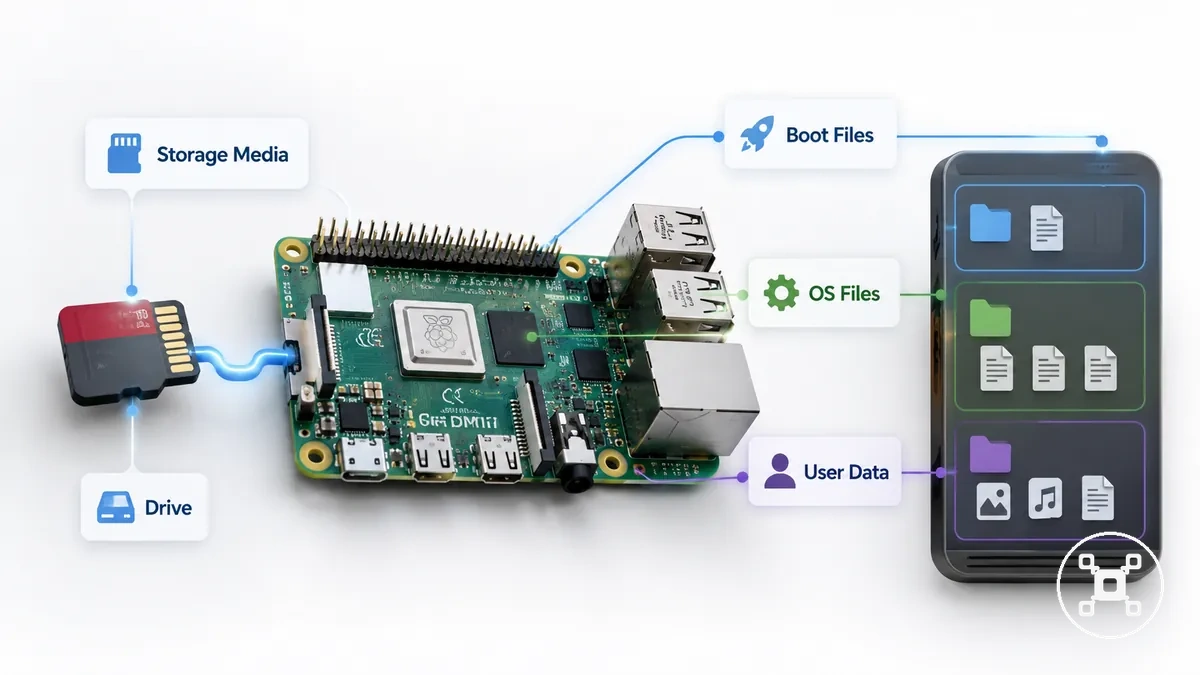
Raspberry Pi storage separates files by their role in the system. Operating system files provide the Raspberry Pi OS environment, boot files support the startup process, and user data contains files created or saved during use. This separation helps explain how storage media connects the drive contents with normal Raspberry Pi operation.
Raspberry Pi storage separates files by their role in the system.
A microSD card is a storage media example that can contain Raspberry Pi OS, boot files, and user data within a Raspberry Pi setup. When the focus moves from understanding file roles to preparing the operating system environment, the install Raspberry Pi OS guide covers that separate process.
Where storage choice affects Raspberry Pi use
Raspberry Pi storage choice affects everyday use by connecting storage behavior with workload demands, responsiveness, file writes, project data, portability, and failure risk. A beginner setup, desktop use, and an always-on project create different storage conditions because each workload uses storage media in different ways.
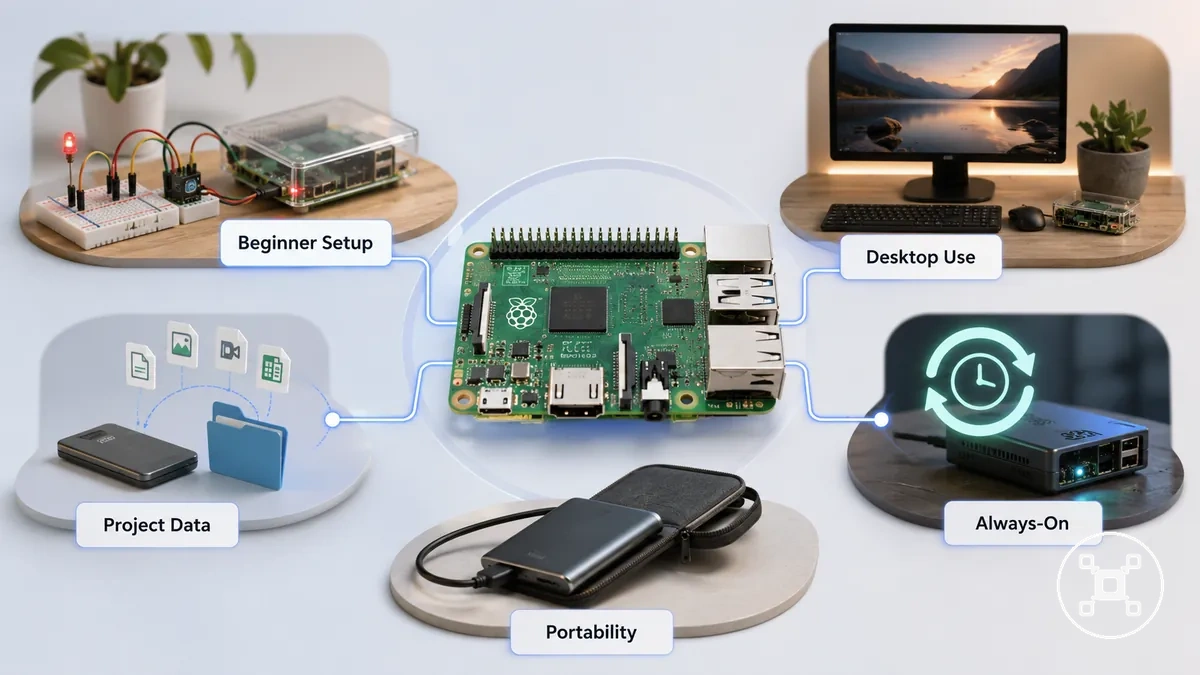
Storage choice affects practical Raspberry Pi use through workload-related conditions. Responsiveness is influenced by how quickly storage handles everyday access, while frequent file writes place different demands on storage than occasional file access. Project data size, portability needs, and reliability risk also shape which storage characteristics matter for a specific configuration.
These examples describe common scenarios rather than universal outcomes.
The impact of storage choice becomes clearer when matching the storage role to the intended use. A beginner setup may focus on simple project files, desktop use may prioritize responsive everyday interaction, and an always-on project may require attention to continuous workload patterns and file activity. These examples describe common scenarios rather than universal outcomes.
The impact of storage choice becomes clearer when matching the storage role to the intended use.
Storage choice affects Raspberry Pi use through the relationship between workload and storage behavior. The following checklist organizes common conditions that influence storage decisions:
- Beginner setup: Simple learning projects usually focus on accessible file access and basic project data needs.
- Desktop use: Everyday desktop workloads place more emphasis on responsiveness during regular tasks.
- Project data: Projects with larger or frequently updated files require storage suited to their data activity.
- Always-on project: Continuous workloads increase attention on file writes and reliability risk.
- Portability: Mobile setups require consideration of storage size and movement between configurations.
microSD cards, USB drives, and SSDs compared
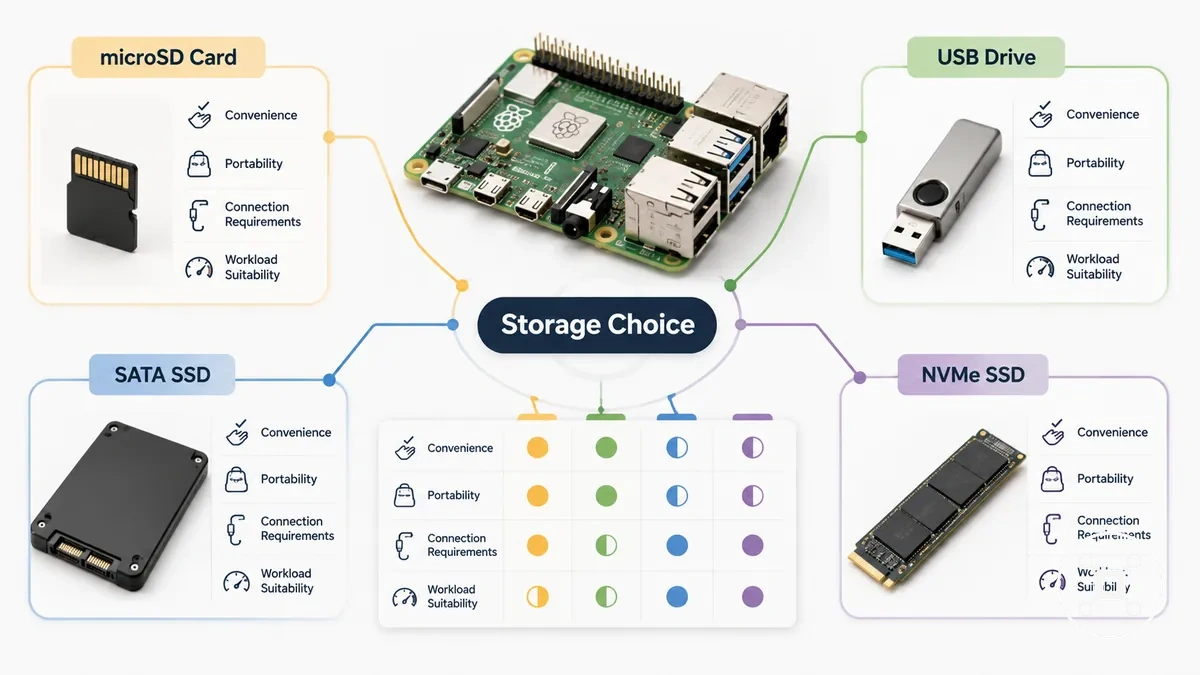
microSD cards, USB flash drives, SSDs, and NVMe SSDs each suit different Raspberry Pi storage conditions. The appropriate storage path depends on the workload, with speed, reliability, boot support, portability, cost, and setup complexity affecting how each option fits a configuration.
microSD cards, USB flash drives, SSDs, and NVMe SSDs each suit different Raspberry Pi storage conditions.
Storage paths differ because each option balances convenience, connection requirements, and long-term use considerations. A microSD card is commonly associated with a simple storage path, USB flash drives provide a portable connection option, and SSD or NVMe SSD options require consideration of adapter support, model compatibility, and workload demands.
It compares decision factors rather than ranking one storage option as universally superior.
The comparison below organizes microSD cards, USB flash drives, SATA SSDs, and NVMe SSDs by their main strengths, limits, compatibility conditions, and suitable use cases. It compares decision factors rather than ranking one storage option as universally superior.
| Option | Main strengths | Main limits | Compatibility notes | Best-fit use case |
|---|---|---|---|---|
| microSD card | Compact storage path with simple physical integration | Speed, reliability, and endurance characteristics depend on the card quality and workload | Boot support is connected to Raspberry Pi model and storage configuration | Compact Raspberry Pi setups and general use |
| USB flash drive | Portable storage path with a common connection method | Reliability can differ between drive types and workload conditions | Adapter support, power conditions, and Raspberry Pi model compatibility affect use | Portable storage needs and alternative storage configurations |
| SATA SSD | Storage path suited for workloads involving sustained writes and larger data activity | Requires suitable connection hardware and configuration support | Boot support depends on the Raspberry Pi model, adapter path, and setup configuration | Higher workload projects and data-focused use |
| NVMe SSD | SSD storage path that requires compatible connection methods | Setup complexity increases when adapter support and model compatibility must be considered | Boot support and connection compatibility depend on the Raspberry Pi configuration | Projects using an SSD-based storage approach |
The main distinction between storage paths is the balance between convenience and reliability considerations. A simple setup may prioritize portability and ease of use, while workloads with frequent file activity may require closer attention to storage behavior, boot support, and configuration limits.
microSD card strengths and limits
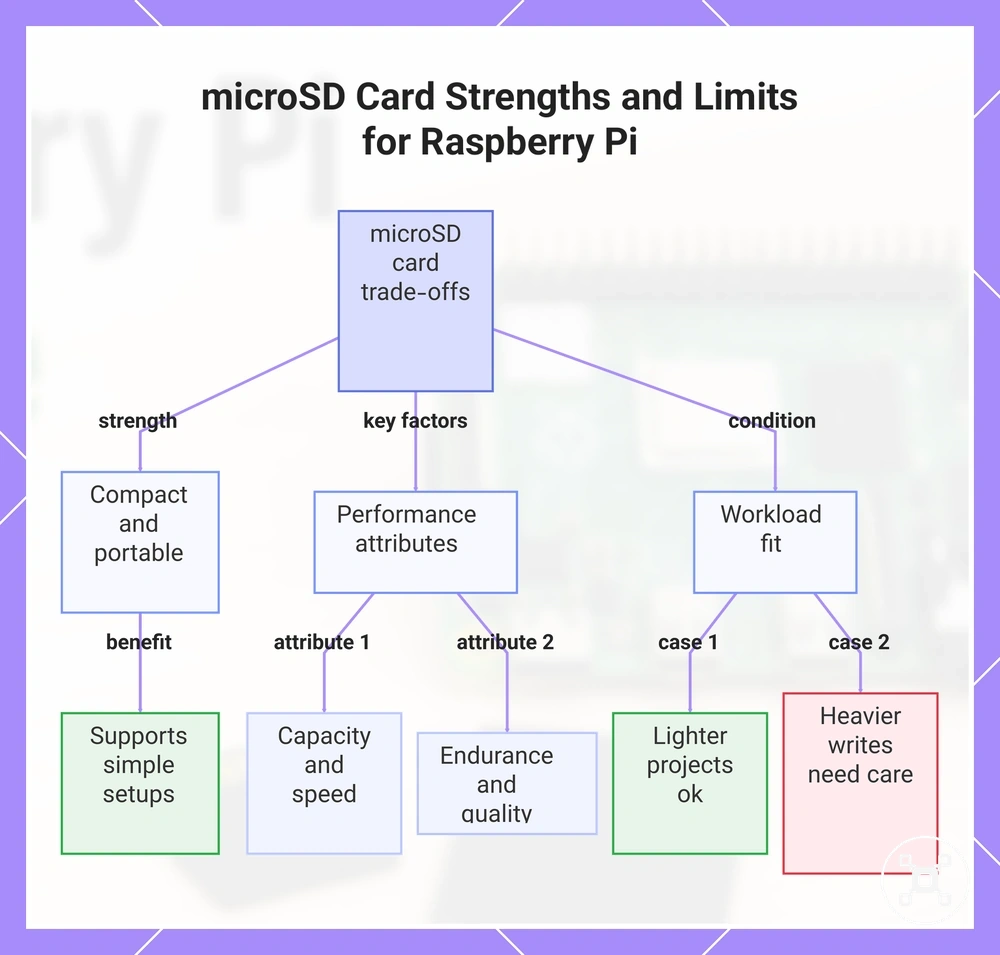
microSD cards are a common Raspberry Pi storage option for compact setups where simple storage access is the main requirement. A microSD card provides a practical storage path, while attributes such as capacity, speed, endurance, and quality influence how it fits different workloads.
microSD card performance is shaped by storage attributes and the conditions of use.
microSD card performance is shaped by storage attributes and the conditions of use. Speed affects storage responsiveness, while endurance relates to how the media handles repeated file writes. Card quality and workload patterns influence reliability, so speed labels alone do not describe every Raspberry Pi storage outcome.
Speed affects storage responsiveness, while endurance relates to how the media handles repeated file writes.
For lighter Raspberry Pi projects, a suitable microSD card can remain sufficient when storage activity and file writes are limited. Projects with higher write activity require closer consideration of endurance, quality, and workload conditions rather than treating every microSD card as having the same capabilities.
For lighter Raspberry Pi projects, a suitable microSD card can remain sufficient when storage activity and file writes are limited.
The main microSD card strengths and limits include:
- Compact setup: A microSD card provides a small storage format that supports simple Raspberry Pi configurations and portable setups.
- Capacity: Available storage space affects how much Raspberry Pi OS data, applications, and project files a configuration can hold.
- Speed: Speed characteristics influence responsiveness, but speed ratings are only one storage attribute among several.
- Endurance: Repeated file writes create different workload conditions compared with occasional storage activity.
- Quality: Media quality is a storage attribute that influences reliability under different Raspberry Pi workloads.
This chart shows the key attributes of microSD cards and how they affect storage performance for different Raspberry Pi workloads.
USB flash drive strengths and limits
USB flash drives are a useful Raspberry Pi storage option when a removable and flexible storage path is needed. Their practical value depends on storage attributes such as controller quality, speed, endurance, and the workload placed on the drive.
USB flash drive outcomes are influenced by media quality, sustained writes, and setup conditions.
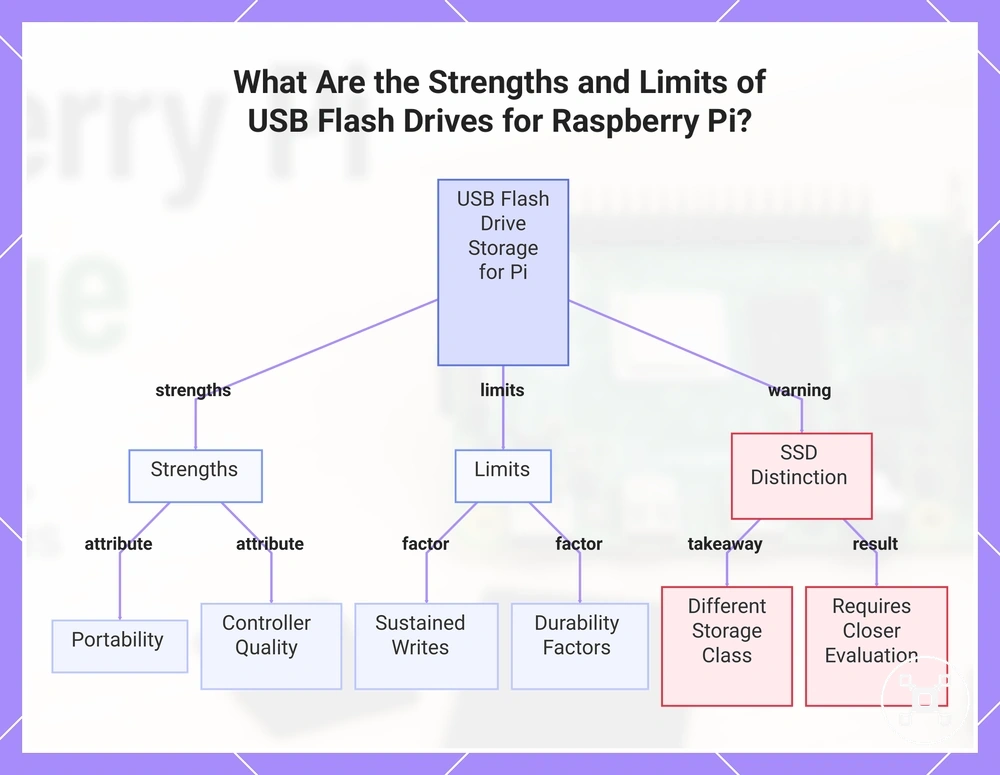
USB flash drive outcomes are influenced by media quality, sustained writes, and setup conditions. Controller quality affects how the drive handles storage activity, while repeated write activity can create different reliability conditions compared with lighter workloads. Boot support is also a compatibility factor because Raspberry Pi model support, connection methods, and configuration affect how USB storage is used.
A USB flash drive should not be treated as the same storage class as an SSD.
A USB flash drive should not be treated as the same storage class as an SSD. USB flash storage can suit certain Raspberry Pi workloads, while projects requiring frequent writes or stronger reliability expectations may require closer evaluation of endurance, heat, durability, and workload conditions.
The main USB flash drive strengths and limits include:
- Portability: USB flash drives provide a removable storage option for Raspberry Pi configurations where flexible movement is useful.
- Controller quality: The controller is a storage attribute that influences how the drive manages data activity and workload conditions.
- Sustained writes: Frequent file writes create different storage demands than occasional file access.
- Durability factors: Heat, workload patterns, and media quality can influence reliability outcomes.
- SSD distinction: USB flash drives and SSDs use different storage approaches, so USB storage should not automatically be considered equivalent to SSD storage.
This chart shows the key strengths, limits, and crucial distinction between USB flash drives and SSDs when used with Raspberry Pi.
SSD and NVMe storage strengths and limits
SSD and NVMe storage are higher-performance Raspberry Pi storage options whose value depends on the model, connection path, and workload conditions. These drives can offer different storage characteristics from smaller flash storage options, but their practical benefits require suitable compatibility between the drive, adapter, power conditions, and Raspberry Pi configuration.
SSD and NVMe storage attributes include interface type, adapter fit, boot support, power behavior, endurance, and workload suitability.
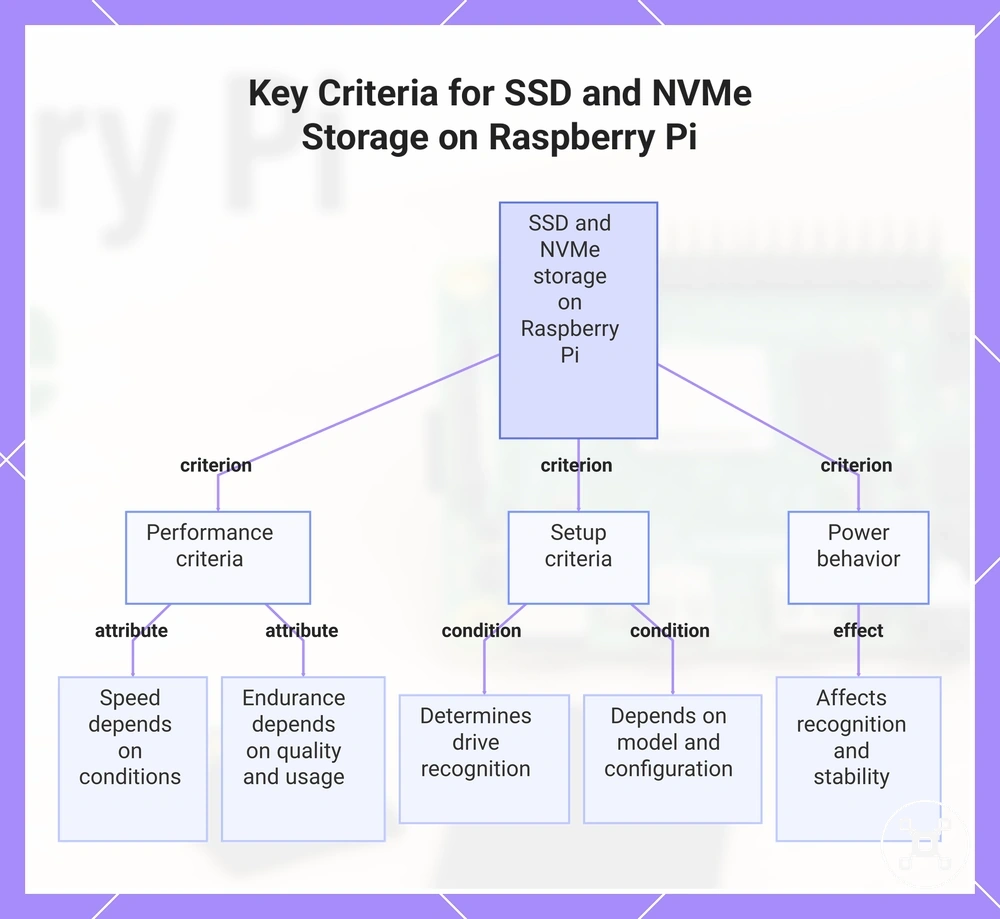
SSD and NVMe storage attributes include interface type, adapter fit, boot support, power behavior, endurance, and workload suitability. Drive quality and connection conditions influence how the Raspberry Pi recognizes and uses the storage option, while workload patterns affect outcomes such as speed, stability, and reliability.
Drive quality and connection conditions influence how the Raspberry Pi recognizes and uses the storage option, while workload patterns affect outcomes such as speed, stability, and reliability.
The main SSD and NVMe storage criteria include:
- Speed: SSD and NVMe drives have higher performance potential for storage-heavy workloads, but actual speed depends on the interface, adapter, model support, and workload conditions.
- Endurance: SSD and NVMe storage can suit workloads with repeated data activity, while endurance outcomes depend on drive quality and usage patterns.
- Adapter fit: The adapter and connection path determine whether an SSD or NVMe drive is recognized within a Raspberry Pi setup.
- Boot support: Boot behavior depends on Raspberry Pi model support, configuration conditions, and the selected storage connection path.
- Power behavior: Power requirements can affect storage recognition and stable operation depending on the drive, adapter, and setup conditions.
SSD and NVMe storage provide additional performance potential but also introduce more compatibility checks than simpler storage paths. The main consideration is balancing storage capability with the setup conditions required for reliable Raspberry Pi use.
The main consideration is balancing storage capability with the setup conditions required for reliable Raspberry Pi use.
This chart shows the main performance, setup, and power behavior criteria that determine the practical benefits and limitations of SSD and NVMe storage on a Raspberry Pi.
Storage size, format, and speed factors
Raspberry Pi storage suitability depends on multiple storage attributes rather than one deciding specification. Storage size, file system format, speed, random I/O, and endurance each affect different outcomes, including available project files, responsiveness, startup behavior, and reliability.
Storage attributes describe different conditions that influence Raspberry Pi use.
Storage attributes describe different conditions that influence Raspberry Pi use. Capacity determines available space for files and applications, while format affects how the storage media is organized and accessed. Speed and random I/O influence responsiveness under different workload conditions, and endurance relates to how storage handles repeated data activity.
Choosing storage requires separating these attributes instead of relying only on capacity or headline speed.
Choosing storage requires separating these attributes instead of relying only on capacity or headline speed. A storage option with more space may not suit every workload, and a speed-focused option may still require consideration of quality, compatibility, and reliability conditions.
A storage option with more space may not suit every workload, and a speed-focused option may still require consideration of quality, compatibility, and reliability conditions.
The table below maps common storage attributes to their possible Raspberry Pi outcomes:
| Storage attribute | Condition | Possible Raspberry Pi outcome |
|---|---|---|
| Capacity | Available storage space for system files, applications, and project data | Determines how much content the storage option can hold |
| File system format | Storage organization and compatibility condition | Influences how the Raspberry Pi environment accesses stored data |
| Speed | Storage performance characteristic under a specific workload | Can affect responsiveness during file access and storage operations |
| Random I/O | Handling of smaller and repeated data operations | Can influence responsiveness during workloads with frequent file activity |
| Endurance | Media quality and repeated write activity | Can affect reliability outcomes for workloads with regular data changes |
Storage attributes work together rather than independently. The relevant balance between size, format, speed, and endurance depends on the Raspberry Pi configuration, workload, and reliability requirements.
Capacity needs for Raspberry Pi OS and projects
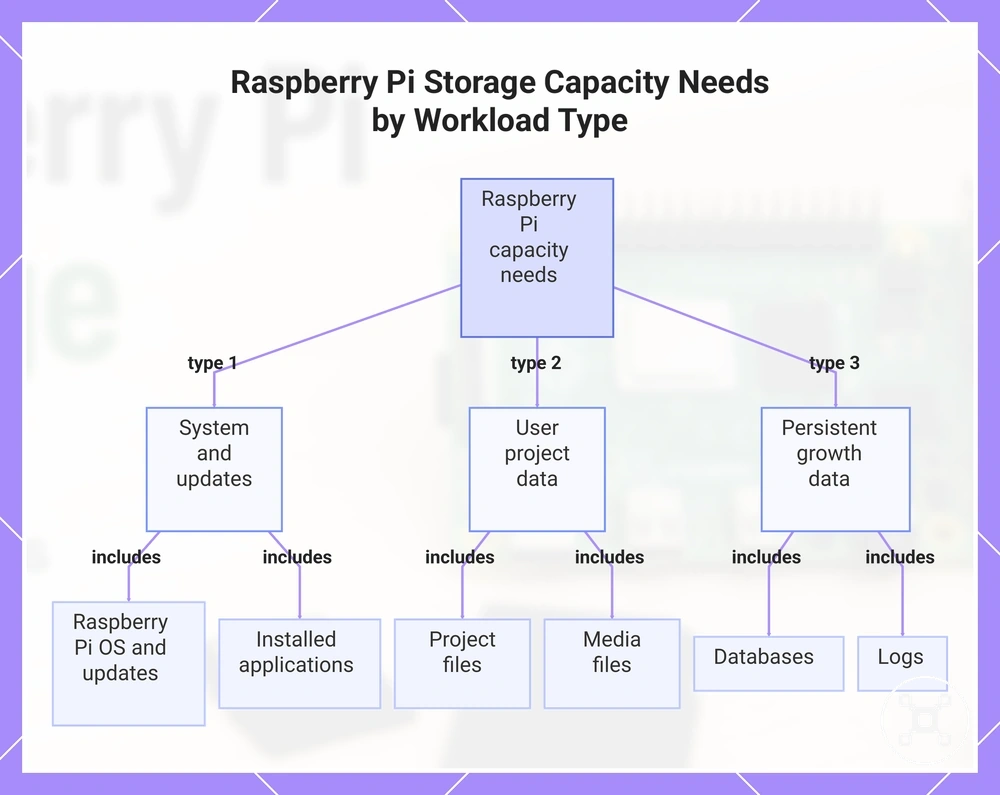
Capacity needs depend on the Raspberry Pi workload, including Raspberry Pi OS, updates, applications, logs, and project files. A storage option should be evaluated by how much data the setup creates and how that data can grow over time rather than by a single universal capacity value.
Different workloads create different capacity conditions.
Different workloads create different capacity conditions. A lightweight learning project may use storage mainly for Raspberry Pi OS and a small number of applications, while desktop use, media files, databases, and logs can increase storage growth as more data is created. Always-on projects require additional attention because logs and continuously generated project files can expand during operation.
The right capacity choice depends on expected usage patterns and future growth.
The right capacity choice depends on expected usage patterns and future growth. A smaller storage option may suit simple learning activities, while file-heavy or always-on workloads need more space planning for updates, applications, and project data.
A smaller storage option may suit simple learning activities, while file-heavy or always-on workloads need more space planning for updates, applications, and project data.
The checklist below organizes storage capacity considerations by workload type:
- Raspberry Pi OS and updates: System files and updates use storage capacity and may require additional space as the setup changes.
- Applications: Installed applications increase storage use based on the software included in the Raspberry Pi configuration.
- Project files: Projects with larger files require more capacity than projects with limited stored data.
- Media files: Photos, videos, and other large files can increase capacity requirements compared with smaller project data.
- Databases and logs: Always-on workloads can create ongoing growth through stored records and log files.
This chart shows the main categories of data that affect storage capacity needs for a Raspberry Pi, organized by workload type.
Card format and large-capacity storage considerations
Card and drive compatibility depends on storage media conditions such as file system format, partitioning, imaging tool behavior, and Raspberry Pi model support. Large-capacity storage is not determined by size alone because compatibility, boot support, firmware conditions, and storage recognition can affect whether a configuration works correctly.
Storage preparation involves several compatibility factors.
Storage preparation involves several compatibility factors. The file system determines how the storage media is organized, while partitioning affects how the drive structure is handled. Imaging tools apply the operating system image according to their supported process, and Raspberry Pi model compatibility can influence boot support and storage recognition.
The file system determines how the storage media is organized, while partitioning affects how the drive structure is handled.
Large-capacity cards or drives should be evaluated by their setup conditions rather than assuming every format or size behaves identically. When the process moves from compatibility considerations into preparing the operating system environment, the install Raspberry Pi OS guide covers the separate installation process.
Large-capacity cards or drives should be evaluated by their setup conditions rather than assuming every format or size behaves identically.
The following checklist organizes key storage format and capacity compatibility conditions:
- File system: The selected format must match the intended Raspberry Pi storage condition and usage environment.
- Partitioning: Drive structure can affect how storage media is recognized and accessed.
- Imaging tool behavior: Preparation tools handle storage media according to their supported workflow.
- Raspberry Pi model support: Boot support depends on the model, firmware conditions, and storage configuration.
- Adapter: An adapter or connection path can influence storage recognition when external media is used.
Sequential speed, random speed, and real workload fit
Raspberry Pi storage speed labels do not fully describe real workload performance because sequential speed and random I/O measure different storage behaviors. A storage option should be evaluated by how its storage attributes match the workload rather than by one advertised speed value.
The impact depends on storage quality, endurance, and the conditions in which the media is used.
Sequential speed describes continuous data transfer behavior, while random I/O represents repeated smaller storage operations. Sustained writes and latency also affect specific Raspberry Pi workloads, such as file transfers, application loading, desktop responsiveness, or logging activity. The impact depends on storage quality, endurance, and the conditions in which the media is used.
Sequential speed describes continuous data transfer behavior, while random I/O represents repeated smaller storage operations.
The comparison below organizes speed-related storage attributes and their possible workload effects:
| Storage attribute | Storage behavior | Possible workload effect |
|---|---|---|
| Sequential speed | Continuous data transfer activity | Can influence large file copies and media transfers |
| Random I/O | Repeated smaller read and write operations | Can influence boot feel, application loading, and desktop responsiveness |
| Sustained writes | Continuous storage write activity during a workload | Can affect workloads involving frequent data recording or logging |
| Latency | Response time during storage access | Can influence how quickly storage operations respond during everyday use |
A speed label should therefore be interpreted alongside the Raspberry Pi workload, storage quality, and reliability requirements. A storage option with a different speed profile may be more suitable for a specific workload when endurance and operating conditions are considered together.
Raspberry Pi boot options by storage type and model
Raspberry Pi boot options depend on the Raspberry Pi model, firmware support, storage media, adapter path, and configuration condition. Boot compatibility varies by storage type and model because a storage option that is suitable in one setup may require different support conditions in another.
Boot behavior is determined by the relationship between the Raspberry Pi model and the selected storage path.
Boot behavior is determined by the relationship between the Raspberry Pi model and the selected storage path. Storage media, adapter connections, and firmware conditions can influence whether the device recognizes the storage option and follows the expected boot path. A boot failure can occur when the storage medium, connection path, firmware condition, or model support does not match the required compatibility conditions.
A boot failure can occur when the storage medium, connection path, firmware condition, or model support does not match the required compatibility conditions.
The table below clarifies how storage type and model conditions affect Raspberry Pi boot compatibility:
| Storage media | Boot capability condition | Compatibility factors | Possible boot outcome |
|---|---|---|---|
| microSD card | Requires a Raspberry Pi model and configuration that support the selected boot path | Model support and storage condition | Can support boot when the required compatibility conditions are met |
| USB storage | Requires compatible model support and connection conditions | USB connection path, adapter condition, and firmware support | Storage recognition and boot behavior can depend on the complete setup |
| SSD storage | Requires a compatible storage path and supported configuration | Adapter, power condition, firmware, and Raspberry Pi model support | Can provide a boot option when the setup conditions align |
| NVMe storage | Requires compatible hardware and model support | Adapter path, firmware condition, and storage configuration | Boot recognition depends on the complete compatibility combination |
Boot compatibility should be considered separately from storage performance. A storage option with higher speed potential does not automatically provide a compatible boot path, because recognition and boot support depend on the Raspberry Pi model, firmware, connection method, and configuration conditions.
Booting from microSD storage
Booting from microSD storage is a common baseline startup path for Raspberry Pi configurations. The Raspberry Pi model, storage media condition, and boot support requirements determine whether a microSD card provides a compatible startup path, so a suitable card does not automatically mean a successful boot.
Firmware and model support also affect how the Raspberry Pi handles the selected boot path.
MicroSD boot behavior depends on local compatibility conditions rather than the card type alone. Image quality affects whether the storage media contains a usable startup environment, while card health, speed characteristics, and slot contact can influence recognition and startup behavior. Firmware and model support also affect how the Raspberry Pi handles the selected boot path.
MicroSD boot behavior depends on local compatibility conditions rather than the card type alone.
A compatible microSD card can still fail to start when the image, power condition, or card health creates a problem. Checking the card condition, written image, and storage connection helps identify whether the issue comes from the media or another Raspberry Pi compatibility condition.
A compatible microSD card can still fail to start when the image, power condition, or card health creates a problem.
The main microSD boot conditions include:
- Image quality: The written storage image condition can affect whether the Raspberry Pi can load the required startup files.
- Card health: Storage media condition influences whether the microSD card can provide consistent access during startup.
- Speed: MicroSD speed characteristics can influence startup responsiveness, but speed alone does not determine boot support.
- Slot contact: The physical connection between the microSD card and the Raspberry Pi slot can affect storage recognition.
Booting from USB storage
USB booting is a Raspberry Pi storage option that depends on the Raspberry Pi model, firmware support, storage media, and configuration condition. USB boot support is not determined by the USB device alone because the board and connected storage path must meet compatible conditions.
USB boot behavior depends on both device and board conditions.
USB boot behavior depends on both device and board conditions. The drive type, USB port behavior, adapter path, firmware, and EEPROM state can influence whether the Raspberry Pi recognizes the storage media and follows the expected boot path. A USB boot attempt may fail when the model does not support the required boot condition, the connection path prevents recognition, or the storage device does not match the configuration requirements.
USB boot should be considered separately from operating system installation and from general storage performance.
USB boot should be considered separately from operating system installation and from general storage performance. USB flash drives and external SSDs are different storage media types, so their boot behavior and compatibility conditions should not be treated as identical.
USB flash drives and external SSDs are different storage media types, so their boot behavior and compatibility conditions should not be treated as identical.
The checklist below organizes the main USB boot compatibility conditions:
- Raspberry Pi model: Boot support depends on whether the model supports the selected USB boot configuration.
- Drive type: USB flash drives and external SSDs have different storage characteristics and may require different compatibility conditions.
- USB port and adapter path: Connection conditions can affect storage recognition and the resulting boot outcome.
- Firmware and EEPROM state: Firmware conditions can influence whether the Raspberry Pi can use the selected USB boot path.
SSD and NVMe boot compatibility boundaries
SSD and NVMe boot compatibility depends on the Raspberry Pi model, adapter quality, power conditions, firmware support, and boot configuration. These storage media options can provide an alternative boot path, but successful recognition and startup depend on whether the complete setup meets the required compatibility conditions.
Firmware support and image state also affect whether the boot storage is detected correctly.
SSD and NVMe boot behavior is shaped by the connection between the drive and the Raspberry Pi configuration. The adapter or enclosure affects the storage connection path, the interface determines how the storage media communicates with the system, and power demand can influence recognition stability. Firmware support and image state also affect whether the boot storage is detected correctly.
The detailed switching process is a separate topic covered in Raspberry Pi boot from SSD .
A storage option may fail to boot when the adapter path, power condition, firmware support, or image state does not match the Raspberry Pi setup. The detailed switching process is a separate topic covered in Raspberry Pi boot from SSD.
A storage option may fail to boot when the adapter path, power condition, firmware support, or image state does not match the Raspberry Pi setup.
The checklist below organizes the main SSD and NVMe boot compatibility conditions:
- Raspberry Pi model: Boot support depends on whether the model supports the selected SSD or NVMe boot configuration.
- Adapter or enclosure: Connection hardware quality and compatibility can affect whether the Raspberry Pi recognizes the storage media.
- Interface: The storage connection method affects how the drive communicates with the Raspberry Pi setup.
- Power demand: Power conditions can influence recognition stability when the storage device requires suitable power delivery.
- Firmware and image state: Firmware support and the prepared storage state can affect whether the boot configuration is recognized.
Adapters, card readers, and enclosures for Raspberry Pi storage
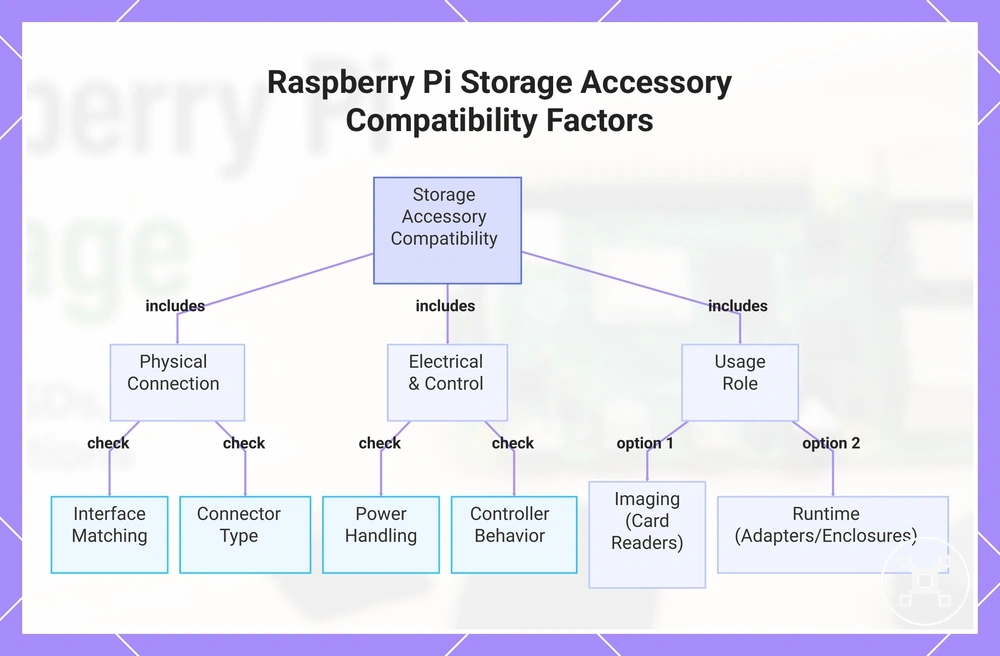
Accessory fit connects a Raspberry Pi model with a storage media setup by determining how storage can be written, connected, powered, and recognized. Compatibility depends on the adapter, card reader, or enclosure condition, including interface matching, connector type, power handling, and the role the accessory serves.
Card readers, adapters, and enclosures support different storage tasks.
Card readers, adapters, and enclosures support different storage tasks. A card reader is commonly used for preparing storage media, while an SSD adapter or USB enclosure is used for connecting external storage during runtime. Controller behavior, power handling, and connection conditions can influence storage recognition and setup reliability.
Compatibility checks should focus on how the accessory connects the storage option to the Raspberry Pi.
Compatibility checks should focus on how the accessory connects the storage option to the Raspberry Pi. The adapter type, storage interface, power condition, controller behavior, and imaging role help determine whether the setup can achieve the intended outcome.
The adapter type, storage interface, power condition, controller behavior, and imaging role help determine whether the setup can achieve the intended outcome.
The checklist below organizes the main accessory compatibility conditions:
The products below are useful examples for comparing available options.
The products below are useful examples for comparing available options. Before buying, check that the compatibility criteria, key features, and product details match your needs.
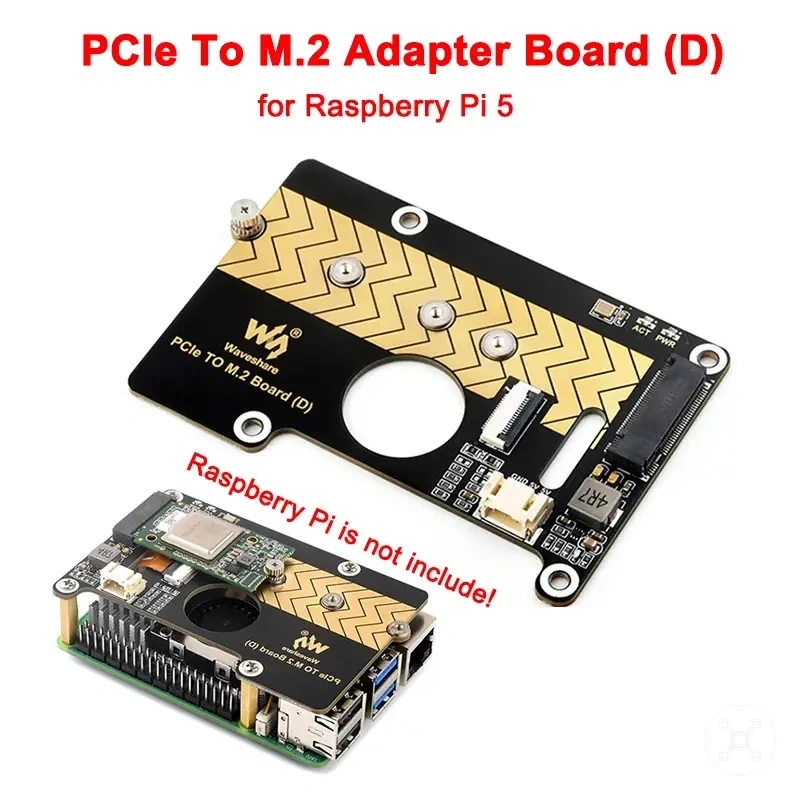
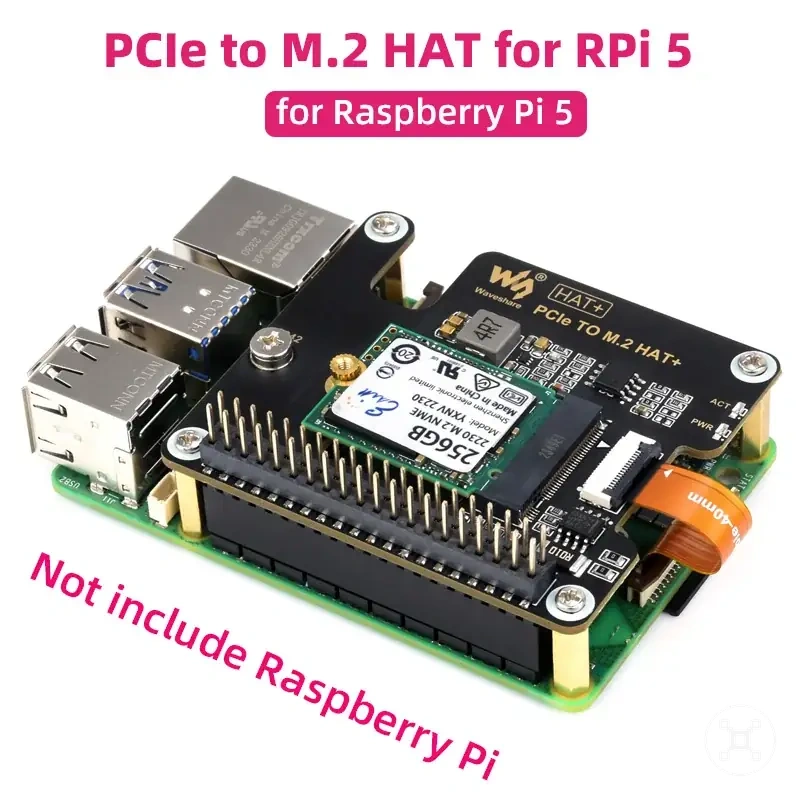
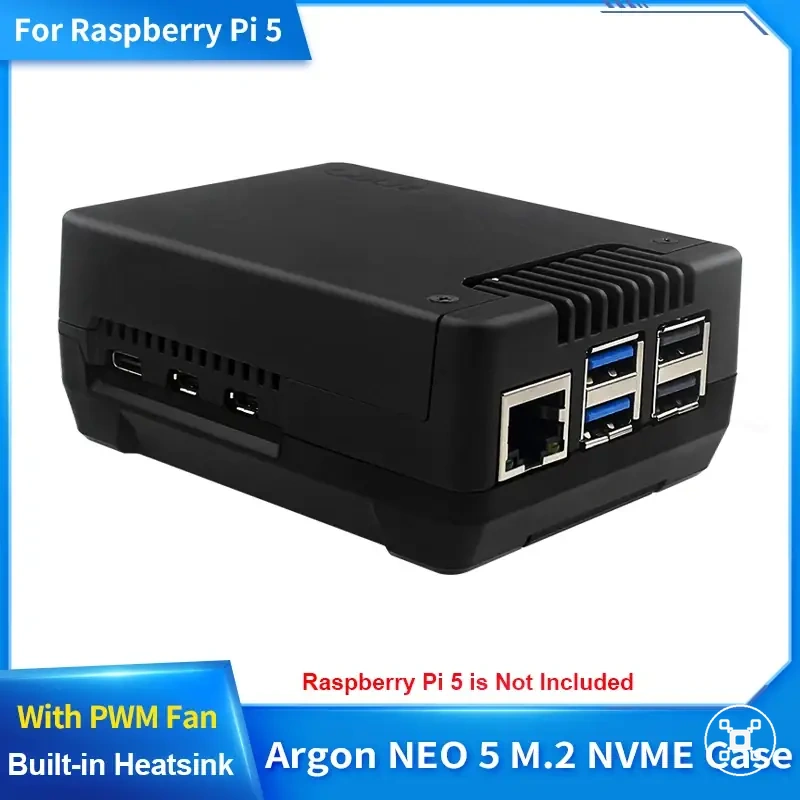
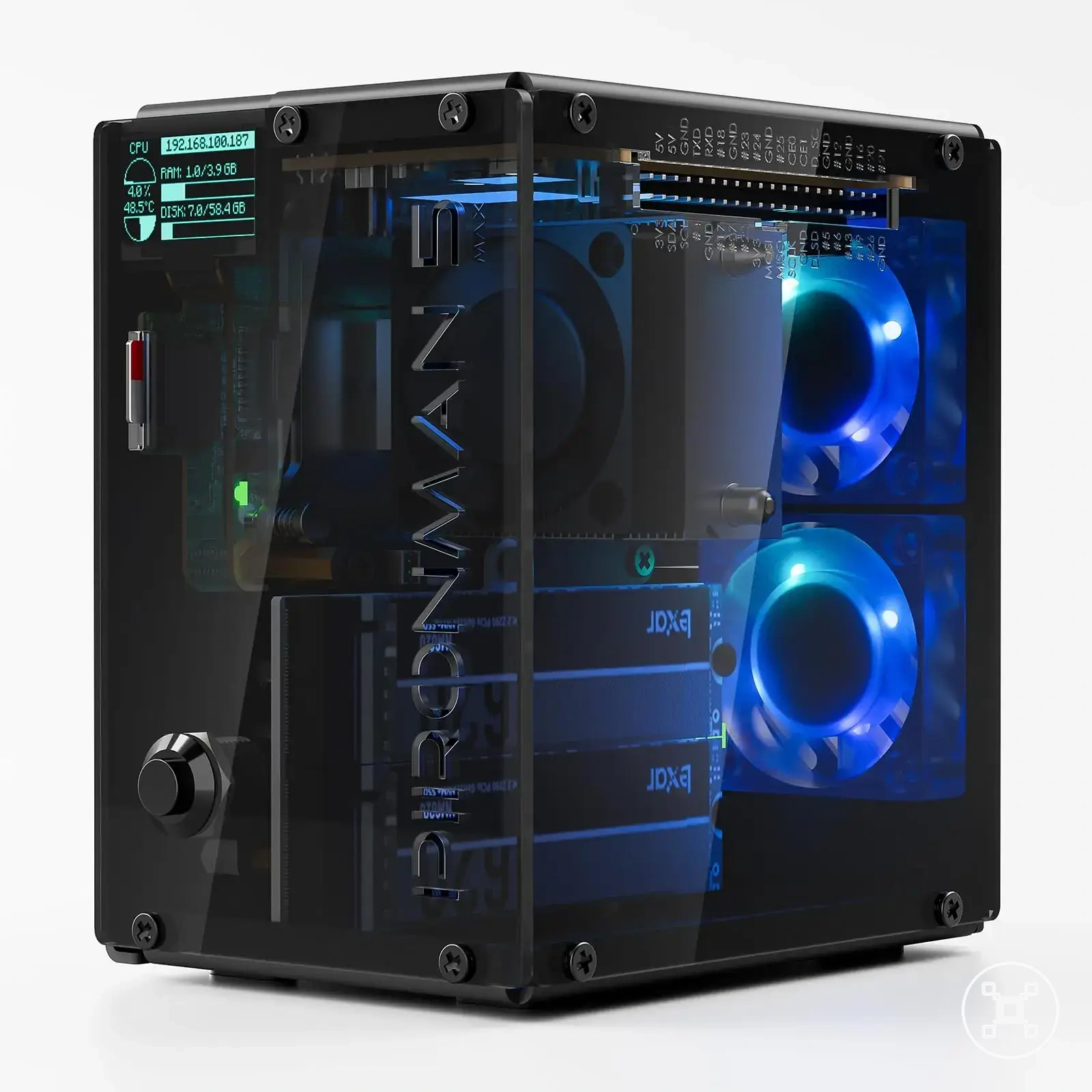
- Interface: The accessory interface must match the storage media connection requirements for the intended use condition.
- Power handling: Power delivery conditions can affect whether connected storage is recognized and remains stable.
- Controller behavior: The accessory controller influences communication between the Raspberry Pi and the connected storage device.
- Connector type: Connector compatibility determines whether the storage media can physically connect through the selected accessory.
- Imaging role: Card readers used for writing storage images serve a different role from adapters or enclosures used for runtime storage access.
Choosing an accessory starts with identifying the storage task and required setup conditions rather than assuming one accessory resolves every compatibility issue. The relevant decision signals are whether the accessory supports imaging, runtime connection, recognition, or boot support for the intended Raspberry Pi storage condition.
Choosing an accessory starts with identifying the storage task and required setup conditions rather than assuming one accessory resolves every compatibility issue.
This chart shows the main compatibility factors for Raspberry Pi storage adapters, card readers, and enclosures, including physical connection, electrical/control, and usage role.
Choosing storage by reliability and use case
Choosing Raspberry Pi storage by reliability requires matching the storage choice to the use case, workload, and compatibility condition. The suitable storage direction depends on write intensity, uptime needs, portability, budget, and boot requirements rather than selecting one storage option for every situation.
For learning and beginner projects, a storage option should match lighter workloads and simpler conditions.
For learning and beginner projects, a storage option should match lighter workloads and simpler conditions. A setup with limited file activity may place fewer demands on storage media, while the Raspberry Pi model, connection method, and storage condition still influence the final outcome.
Media projects require consideration of storage growth, file handling, and backup planning.
Desktop use, server workloads, logging projects, and media projects create different reliability requirements. Desktop workloads may focus on responsive storage behavior, while server and logging workloads require attention to ongoing activity and reliability conditions. Media projects require consideration of storage growth, file handling, and backup planning.
A storage choice should also account for risk tolerance and recovery needs.
A storage choice should also account for risk tolerance and recovery needs. Important project files or continuously collected data benefit from a backup approach because storage problems can affect the overall setup outcome. Balancing workload, reliability, and maintenance conditions helps avoid choosing storage based on a single factor.
Balancing workload, reliability, and maintenance conditions helps avoid choosing storage based on a single factor.
The decision matrix below organizes storage directions by use case, workload condition, and reliability factors:
Before buying, check that the compatibility criteria, key features, and product details match your needs.
The products below are useful examples for comparing available options. Before buying, check that the compatibility criteria, key features, and product details match your needs.
| Use case | Workload condition | Reliability focus | Storage direction |
|---|---|---|---|
| Learning projects | Light workload with limited file activity | Simple setup condition and manageable storage needs | A storage option suited to basic Raspberry Pi activities |
| Desktop use | Regular application activity and interactive tasks | Responsiveness, storage behavior, and reliability requirements | A storage path matched to everyday workload conditions |
| Server workloads | Long-running operation and ongoing data activity | Reliability, uptime needs, and backup planning | A storage choice evaluated for continuous operation conditions |
| Logging projects | Frequent data recording and repeated storage activity | Write workload, media condition, and recovery planning | A storage option matched to repeated data collection |
| Media projects | Larger files and ongoing storage growth | Capacity planning, file handling, and backup needs | A storage direction suited to media workload conditions |
The main storage choice decision is matching reliability needs to the workload and setup condition. A suitable storage path also includes a backup strategy for important data, with maintenance practices covered further in Raspberry Pi backup basics.
When a microSD card is enough
A quality microSD card is enough for many light or beginner Raspberry Pi use cases when the workload is limited and the reliability requirements are moderate. The storage choice should match the use case, risk level, and setup condition rather than assuming every microSD card is suitable for every project.
Learning activities, simple projects, and temporary setups often create lower-write workloads.
Learning activities, simple projects, and temporary setups often create lower-write workloads. A microSD card with suitable quality, capacity, and endurance can support these conditions when stored data has limited importance and the workload remains light. The trade-off is that projects with frequent writes or higher reliability needs require closer evaluation.
The trade-off is that projects with frequent writes or higher reliability needs require closer evaluation.
The checklist below organizes the conditions where a microSD card can be a suitable storage direction:
- Low-write workload: A microSD card is more suitable when the Raspberry Pi performs limited repeated write activity.
- Low-risk use case: Learning projects and temporary setups are more suitable when the impact of storage failure is limited.
- Simple setup condition: Basic projects with fewer storage demands can use a simpler storage choice.
- Backup habit: A backup routine helps protect important files when the project data becomes valuable.
A microSD card can be a practical storage choice when the workload, reliability needs, and setup condition align. For continuous operation, frequent writes, or important data, the decision should include stronger attention to endurance, backup planning, and overall storage risk.
When USB storage is useful
USB storage is useful as a practical add-on or middle path when a Raspberry Pi setup needs extra storage capacity, portable files, or a separate storage option for a specific use case. The storage choice depends on the USB device type, workload, reliability needs, and compatibility condition rather than treating USB storage as a universal upgrade.
USB storage can support different scenarios when the device type, port condition, write behavior, and boot support requirements match the intended workload.
USB storage can support different scenarios when the device type, port condition, write behavior, and boot support requirements match the intended workload. Portable files, extra data storage, testing environments, and some boot-supported configurations can benefit from a USB connection when the storage media fits the setup condition.
Portable files, extra data storage, testing environments, and some boot-supported configurations can benefit from a USB connection when the storage media fits the setup condition.
The checklist below organizes common scenarios where USB storage can provide a practical storage direction:
- Portable files: USB storage can provide removable access to files when the Raspberry Pi setup supports the required connection condition.
- Extra data storage: USB storage can expand available storage space when a workload requires additional capacity separate from the primary storage path.
- Testing: USB storage can support temporary configurations when the setup condition allows a separate testing environment.
- Boot-supported configurations: USB storage can be considered when Raspberry Pi model support, boot support requirements, and connection conditions align.
USB storage should be selected according to the use case rather than treated as a replacement for every storage path. USB flash drives and SSD-based storage are different media types, so storage expansion and boot suitability should be evaluated separately. A backup habit remains important when stored data becomes valuable.
When an SSD is the safer storage choice
An SSD is a safer storage choice for Raspberry Pi workloads that need sustained writes, stronger endurance, or more stable storage behavior under demanding conditions. The suitable storage choice depends on the use case, workload, reliability needs, adapter fit, power condition, and overall setup quality rather than assuming every SSD configuration provides the same result.
The trade-off is that SSD setups introduce additional connection and configuration factors compared with simpler storage media.
Always-on services, databases, desktop use, and frequent logging can create workloads where SSD storage becomes a more suitable direction. SSD endurance, controller quality, adapter compatibility, and power handling affect whether the storage option matches the Raspberry Pi condition. The trade-off is that SSD setups introduce additional connection and configuration factors compared with simpler storage media.
Always-on services, databases, desktop use, and frequent logging can create workloads where SSD storage becomes a more suitable direction.
The checklist below organizes the conditions where SSD storage can provide a reliability-focused advantage:
- Endurance: SSD storage can suit workloads with repeated write activity where endurance is an important reliability factor.
- Controller quality: Controller behavior influences how the storage media handles ongoing workload conditions.
- Adapter fit: Adapter compatibility affects whether the SSD connection path supports reliable recognition and operation.
- Power demand: Power requirements are a condition that can influence SSD recognition and operating stability.
- Workload: Continuous services, databases, desktop activity, and frequent logging require a storage choice matched to their reliability needs.
An SSD is not automatically stable in every Raspberry Pi setup because the final outcome depends on the complete configuration condition. A backup habit remains important for valuable data, while SSD selection should balance workload demands, reliability goals, and the required connection conditions.
Storage-related boot failures and reliability problems
Storage-related boot failures can appear when the storage media condition, image state, adapter behavior, power condition, or Raspberry Pi model compatibility does not match the setup requirements. These problems should be diagnosed by symptom and condition because a single boot failure symptom can have multiple possible causes.
These problems should be diagnosed by symptom and condition because a single boot failure symptom can have multiple possible causes.
A boot failure can involve different storage conditions, including media health, image state, adapter recognition behavior, and compatibility between the storage path and the Raspberry Pi model. Checking each condition separately helps identify whether the issue relates to the storage media, configuration, or another part of the setup.
Checking each condition separately helps identify whether the issue relates to the storage media, configuration, or another part of the setup.
The table below organizes common storage-related boot symptoms by likely storage issue, verification cue, and safe next action:
| Symptom | Likely storage issue | Check | Safe next action |
|---|---|---|---|
| Boot failure from storage media | Storage media condition or image state may not match the expected boot setup | Check the storage media condition and confirm the image state is correctly prepared | Reimage the storage media when the image state is the suspected cause |
| Storage is not recognized | Adapter behavior or connection condition may affect storage recognition | Check the adapter connection and whether the storage media is detected | Test another adapter or storage path when recognition remains inconsistent |
| Boot behavior changes between setups | Model compatibility or boot support conditions may differ | Check Raspberry Pi model support and the complete storage configuration | Review the setup condition or move to broader troubleshooting guidance |
| Storage becomes unreliable during use | Media quality, workload, or power condition may affect reliability | Check storage workload, media condition, and power-related factors | Consider replacing the storage media or adjusting the configuration condition |
Storage troubleshooting should use verification before replacement because symptoms do not prove a single cause. When the issue extends beyond storage-specific checks, continue with Raspberry Pi not booting for broader troubleshooting, while keeping storage media condition, adapter behavior, image state, and power factors in consideration.