Raspberry Pi uses and practical project ideas
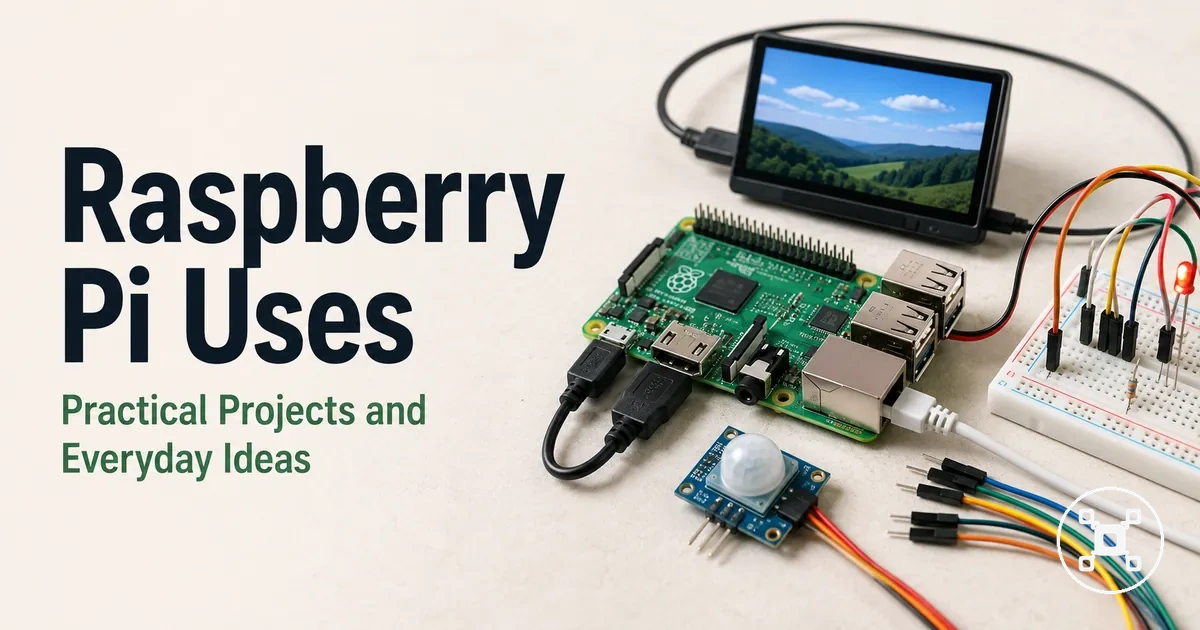
Raspberry Pi is a single-board computer used for practical projects, learning, electronics, and everyday home tasks where a programmable board connects software with physical components. Its uses include beginner projects, coding practice, electronics experiments, and home projects involving sensors, GPIO, and accessories. The realistic outcome depends on the project workload, required parts, setup effort, and the Raspberry Pi configuration used.
The difficulty level depends on the complexity of the project, the parts involved, and the user’s experience.
Raspberry Pi project ideas are grouped around learning, electronics, home automation, media, storage, and network-related tasks. Learning projects focus on developing skills through coding and system interaction, while electronics projects use components such as sensors, circuits, GPIO connections, and jumper wires. Home projects usually require matching the Raspberry Pi setup with the required accessories, storage, power, and network conditions. The difficulty level depends on the complexity of the project, the parts involved, and the user’s experience.
Raspberry Pi project ideas are grouped around learning, electronics, home automation, media, storage, and network-related tasks.
Common Raspberry Pi practical projects include:
- Learning projects: coding, Linux practice, and automation tasks that help build programming and system skills through hands-on use.
- Electronics projects: sensor experiments, GPIO-based builds, and circuit projects that connect the board with compatible components.
- Home projects: media, storage, network, and automation tasks where accessories and setup conditions influence the final result.
- Beginner projects: starter builds that introduce setup effort, accessories, and practical problem solving before moving to more complex ideas.
Raspberry Pi supports flexible project development, but it is not intended to be a universal replacement for every computer or dedicated device. Selecting a suitable project requires matching the Raspberry Pi use case with the expected workload, available accessories, required difficulty level, and intended learning outcome.
Table of Contents
What a Raspberry Pi can realistically be used for
Raspberry Pi can realistically be used for learning, home projects, media, automation, and electronics when the project type matches the required workload, accessories, operating system, storage, and power setup. The board is a flexible platform for practical uses where software, hardware components, and user goals need to work together. The suitable project outcome is shaped by the Raspberry Pi configuration, available parts, and the complexity of the task.

Raspberry Pi supports different project types, from learning coding and Linux concepts to building electronics projects with sensors and GPIO. what Raspberry Pi can do depends on the intended use case, required accessories, and workload. Learning projects focus on skill development, while home projects often combine the board with storage, network, media, or automation functions based on the available setup.
what Raspberry Pi can do depends on the intended use case, required accessories, and workload.
What a Raspberry Pi can realistically be used for depends on factors such as skill level, accessories, and workload. The table below organizes common Raspberry Pi uses by project type, main conditions, and realistic expectations.
| Use family | Typical project | Main condition | Realistic expectation |
|---|---|---|---|
| Learning | Coding, Linux practice, and automation tasks | Requires a suitable operating system, practice, and learning resources | Provides hands-on experience with software and system concepts |
| Home projects | Media, storage, network, and automation uses | Requires suitable accessories, power, storage, and network conditions | Supports focused household tasks when the setup matches the workload |
| Electronics | Sensors, GPIO, circuits, and component-based projects | Requires compatible components, wiring, and project-specific configuration | Allows experimentation with hardware and software interaction |
| Media projects | Display-based entertainment and content-focused setups | Requires suitable storage, accessories, and workload matching | Handles selected media tasks without replacing every type of computer |
Raspberry Pi is well suited for focused projects where a small programmable computer is useful, while heavier workloads may be better handled by another computer or specialized device. Raspberry Pi hub provides the wider context for related uses, accessories, and project paths.
Beginner Raspberry Pi projects with low setup complexity
Beginner Raspberry Pi projects are simple starting points for learning how a Raspberry Pi, operating system, accessories, and project parts work together. A first project is easier to approach when the setup effort is clear, the parts needed are limited, and the learning outcome matches the user’s experience level. Low setup complexity is the main filter when choosing a starter project because the required configuration, storage, accessories, and workload affect the overall experience.

Beginner Raspberry Pi projects are grouped by project type, required accessories, and the skills they help develop. Media projects introduce software configuration, basic coding projects build programming practice, simple server projects explore network concepts, and starter automation projects connect software with physical components. Each project category has different setup requirements, so beginner suitability depends on the Raspberry Pi model, operating system, storage, accessories, and user experience.
Beginner Raspberry Pi projects are grouped by project type, required accessories, and the skills they help develop.
Before selecting a first project, set up a Raspberry Pi with a working base configuration, including the required operating system, storage, and essential accessories. This setup helps beginners understand the parts needed for a project and choose a build that matches their available hardware and desired learning outcome.
- Media projects: Beginner-friendly when the goal is learning software setup, storage use, and connecting a display-based project with suitable accessories.
- Basic coding projects: Starter projects that introduce programming concepts, where difficulty depends on the operating system, code complexity, and user practice.
- Simple server projects: Projects for exploring basic network concepts when the required storage, power, and configuration match the intended use.
- Starter automation projects: Builds that combine scripts or software control with connected components, where accessories and project parts influence setup effort.
Beginner Raspberry Pi projects are not identical for every setup. A project with low setup complexity requires matching the Raspberry Pi configuration, available accessories, storage, operating system, and user experience with the intended goal.
Home Raspberry Pi projects for everyday tasks
Home Raspberry Pi projects support everyday tasks such as media use, storage, network utilities, monitoring, and simple automation by connecting a Raspberry Pi with suitable accessories and software. A household project is most practical when the project type matches the required storage, power, network conditions, and expected workload. The value comes from solving a specific home task with a setup that fits the intended use.

Raspberry Pi can support different home projects depending on the household task and connected components. Media projects focus on display-based uses, storage projects focus on file access, network projects focus on connected services, monitoring projects use sensors or camera components, and automation projects connect software actions with devices. The reliability of each project is influenced by setup quality, storage, power, accessories, and network conditions.
Raspberry Pi can support different home projects depending on the household task and connected components.
Home Raspberry Pi projects for everyday tasks can be grouped by the problem they address and the conditions required for the setup. The examples below organize common home uses by task, project type, required conditions, and realistic outcome.
- Media tasks: A Raspberry Pi media project can support display-based entertainment when the storage, accessories, and workload match the intended use.
- Storage tasks: A file storage project can support shared access to files when storage capacity, network access, power, and backup needs are suitable for the household task.
- Network tasks: A home network project can help connect devices or explore network functions when the available accessories and network conditions support the goal.
- Monitoring tasks: A monitoring project can use sensors or camera components to observe conditions when privacy, storage, and network stability requirements are considered.
- Automation tasks: A home automation project can connect software actions with household devices when compatible components and configuration requirements are understood.
Raspberry Pi home projects are different from dedicated household systems because reliability depends on the setup quality, storage, power, network conditions, and maintenance required by the specific task. Matching the Raspberry Pi project type with the household need helps create a more realistic expectation for the final result.
Media streaming and retro gaming
Raspberry Pi can support lightweight media streaming and retro gaming projects when the display, storage, controller, and network setup match the intended workload. These projects are useful for exploring entertainment setups, software configuration, and connected devices, while the final experience is limited by the Raspberry Pi model, workload, and available resources.
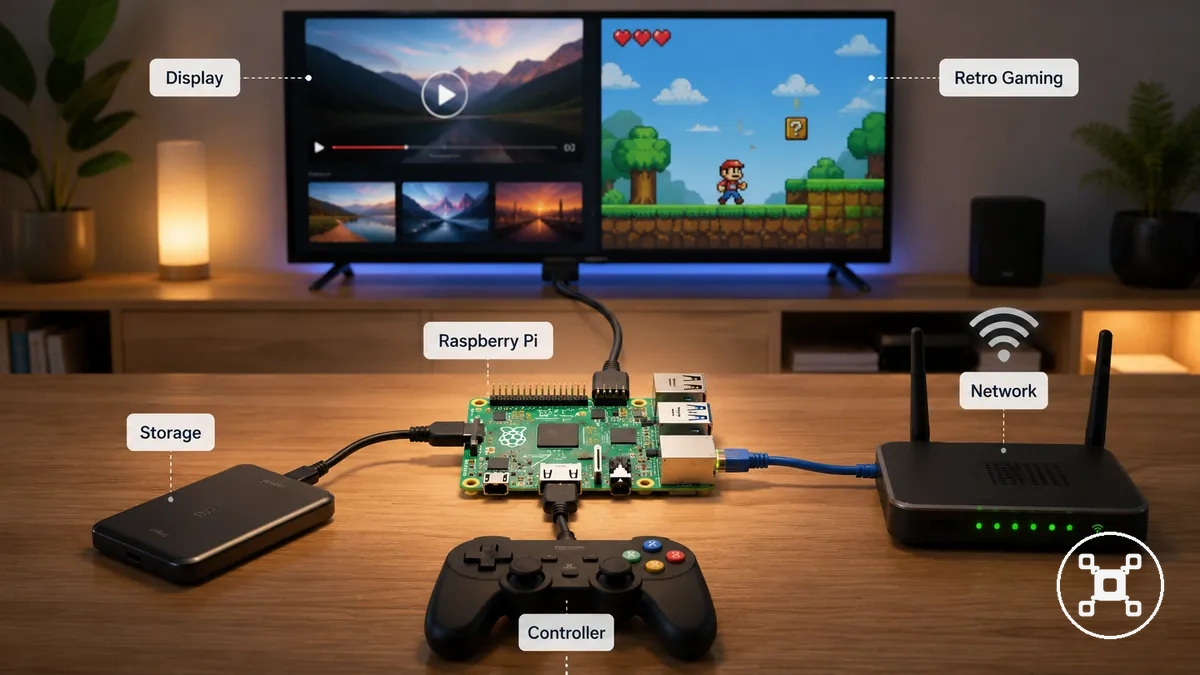
Media streaming and retro gaming projects connect Raspberry Pi with display output, storage, controller input, and network conditions. A media project may use a display and storage source for playback, while a retro gaming project adds controller input and software requirements. These lightweight projects are different from heavier media workloads that require hardware designed for higher demands.
These lightweight projects are different from heavier media workloads that require hardware designed for higher demands.
Common conditions for these entertainment projects include:
- Media streaming: Requires a suitable display connection, storage source, and network environment that match the playback workload.
- Retro gaming: Requires controller input, storage for project data, and a Raspberry Pi configuration that matches the intended workload.
- Display output: Requires a compatible connection between the Raspberry Pi and display device for the intended entertainment setup.
- Storage: Supports media or project files when the storage method matches the amount and type of content being used.
File storage, network, and printer projects
Raspberry Pi file storage, network, and printer projects are lightweight home utilities for tasks such as file sharing, printer access, and basic network experiments. These network projects are useful when the Raspberry Pi network role matches the household need, connected peripherals, storage capacity, and access requirements. The reliability of the setup is influenced by storage conditions, power stability, network environment, and maintenance needs.
The reliability of the setup is influenced by storage conditions, power stability, network environment, and maintenance needs.
A file storage project focuses on shared storage and file access, where storage capacity should match the amount and type of files being handled. A printer project focuses on connecting a household peripheral, where device compatibility, network access, and configuration affect the practical outcome. Speed and uptime expectations should remain aligned with lightweight home utility tasks rather than dedicated network hardware.
Speed and uptime expectations should remain aligned with lightweight home utility tasks rather than dedicated network hardware.
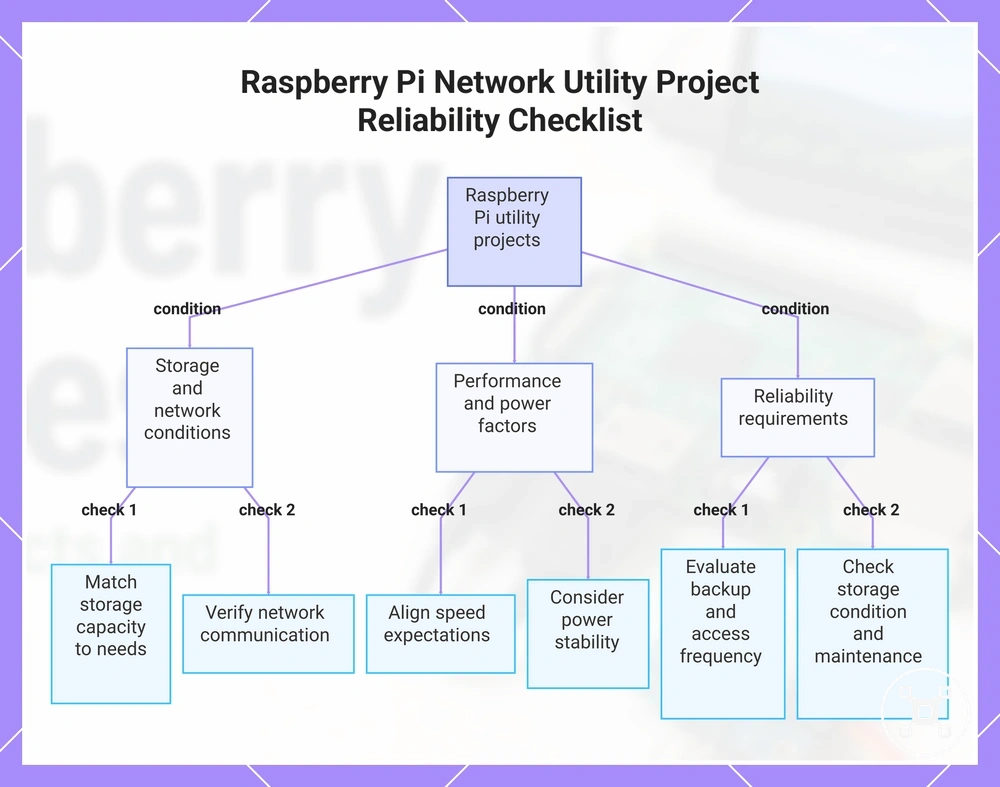
The following checklist organizes the main reliability conditions for Raspberry Pi network utility projects:
- Storage capacity: Check that available storage capacity matches the expected file sharing needs and access requirements.
- Network access: Verify that network conditions support communication between the Raspberry Pi, storage, or printer peripheral.
- Speed expectations: Match file access speed needs with the storage method, network conditions, and project workload.
- Power setup: Consider power stability because connected components and storage devices can affect the overall setup.
- Reliability needs: Consider backup expectations, access frequency, storage condition, and maintenance requirements before using the utility for household tasks.
This chart shows the main reliability conditions to check for Raspberry Pi file storage, network, and printer projects.
Smart home, security camera, and weather projects
Raspberry Pi smart home, security camera, and weather projects can connect sensors, camera modules, and home devices for monitoring and automation tasks. A connected project is useful when the input component, software, network stability, and household goal match the intended use. The practical outcome depends on setup quality, reliability conditions, storage needs, and privacy considerations.
The practical outcome depends on setup quality, reliability conditions, storage needs, and privacy considerations.
A monitoring project can use a sensor to capture specific data about a condition being observed, while a camera module can provide visual input when storage and network access are suitable for the project. A weather project can connect environmental sensors with software to record readings, and automation projects can link Raspberry Pi with compatible home devices. These projects require careful consideration of privacy, network stability, and reliability because they are not guaranteed security or safety systems.
These projects require careful consideration of privacy, network stability, and reliability because they are not guaranteed security or safety systems.
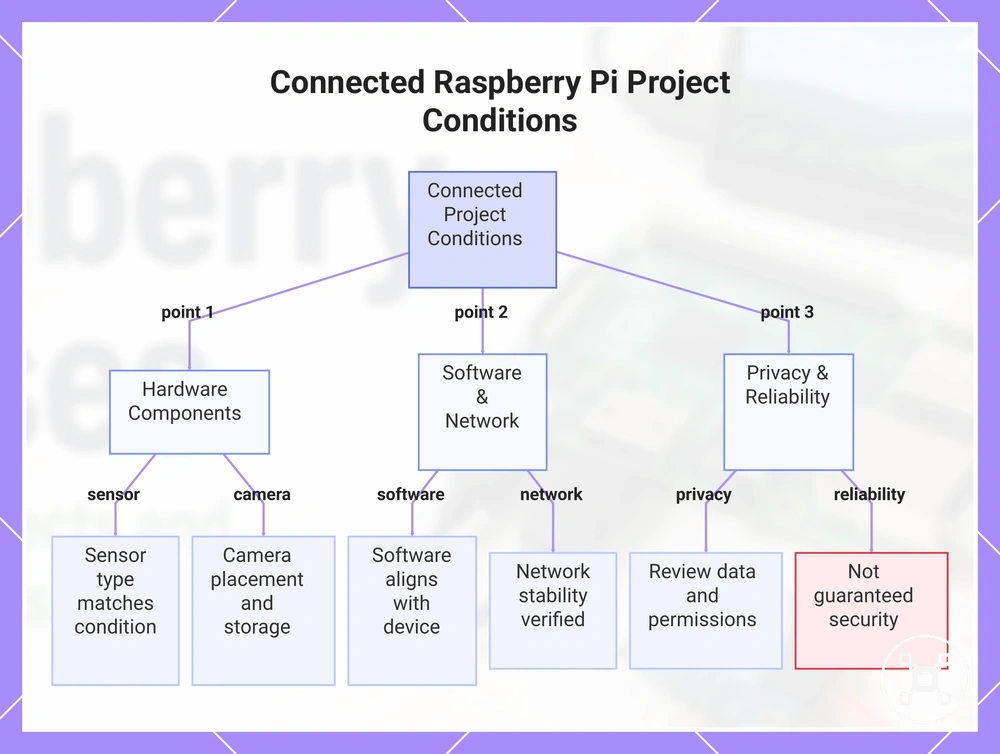
The following checklist highlights conditions that affect connected Raspberry Pi home projects:
- Sensor: Match the sensor type with the condition being monitored and the data captured to support the intended project outcome.
- Camera module: Consider camera placement, storage needs, network access, and privacy expectations when creating a monitoring project.
- Software: Align the software configuration with the connected device and automation task to support the intended behavior.
- Network stability: Verify that the network environment supports communication between the Raspberry Pi, devices, and required services.
- Privacy: Review collected data, storage location, and access permissions before using monitoring features in a home environment.
This chart summarizes the key checklist conditions that affect connected Raspberry Pi projects for smart home, security camera, and weather monitoring.
Raspberry Pi learning projects for coding, Linux, and automation
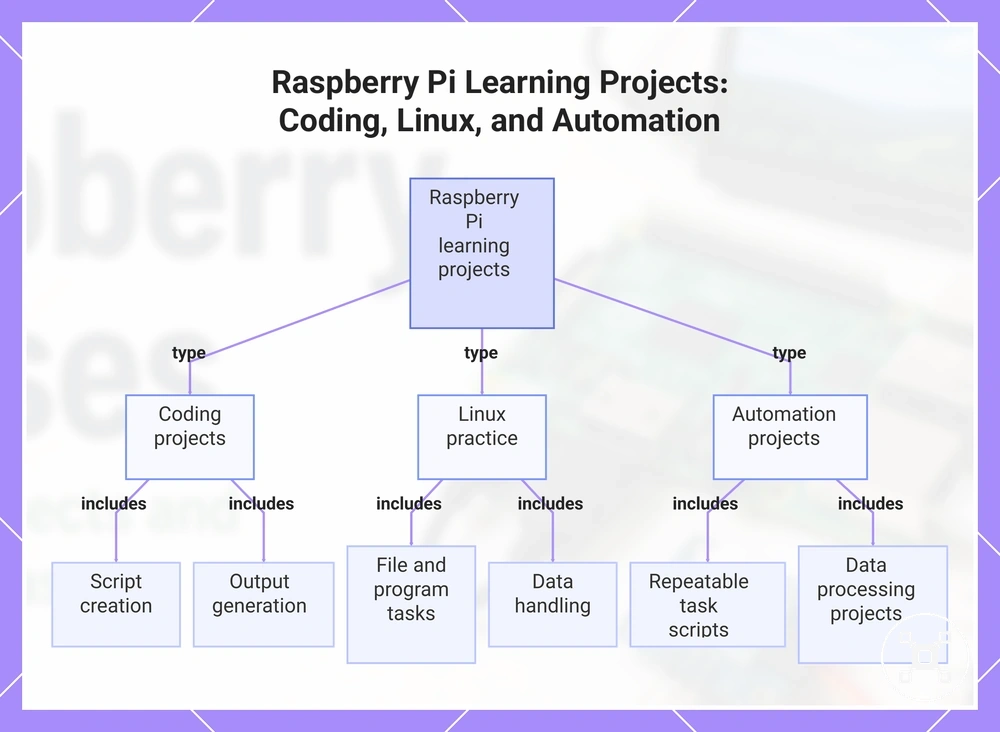
Raspberry Pi learning projects help users build practical skills in coding, Linux, command line tasks, scripting, and automation by connecting software with real project outcomes. A learner can begin with basic interaction, such as managing files or running commands, before progressing toward repeatable tasks and automation scripts. The learning outcome depends on the operating system, programming language, project complexity, and practice level.
The learning outcome depends on the operating system, programming language, project complexity, and practice level.
Raspberry Pi coding projects provide a way to practice programming by creating scripts, processing files, and producing outputs from code. Linux practice develops familiarity with the operating system through command line tasks such as navigating files, running programs, and working with data. These projects help users understand how software actions connect to practical Raspberry Pi tasks without turning a single project into a complete learning path.
Automation projects build on coding and Linux skills by using scripts for repeatable actions, scheduled tasks, or data handling.
Automation projects build on coding and Linux skills by using scripts for repeatable actions, scheduled tasks, or data handling. A beginner may focus on simple file operations or basic script output, while more advanced automation can combine commands, programming logic, and connected project data.
A beginner may focus on simple file operations or basic script output, while more advanced automation can combine commands, programming logic, and connected project data.
A Raspberry Pi learning path can include these practical skill-building tasks:
- Linux practice: Use command line tasks to manage files and interact with the operating system, building confidence with system navigation.
- Coding exercises: Use a programming language to create scripts that generate outputs, process information, or control project actions.
- File tasks: Practice organizing and working with files to understand how software interacts with stored data.
- Scripting: Create automation scripts that repeat tasks and demonstrate how code can improve workflows.
- Data projects: Read or process data from connected projects to develop practical automation and problem-solving skills.
This chart shows the three main skill-building areas of Raspberry Pi learning projects and the key tasks within each category.
Raspberry Pi electronics projects with sensors, GPIO, and circuits
Raspberry Pi electronics projects connect software with physical components through GPIO, sensors, and simple circuit logic. These projects help users explore how inputs, outputs, signals, and connections influence project behavior. The result depends on the relationship between the component, signal, connection method, and expected output.
These projects help users explore how inputs, outputs, signals, and connections influence project behavior.
Electronics projects commonly use GPIO, sensors, jumper wires, and breadboards to create physical computing setups. A sensor provides input data, GPIO manages communication between the Raspberry Pi and components, jumper wires establish connections, and a breadboard supports temporary circuit arrangements. Voltage requirements, wiring methods, and code library support should be checked for the specific components involved.
Electronics projects commonly use GPIO, sensors, jumper wires, and breadboards to create physical computing setups.
Raspberry Pi electronics projects with sensors, GPIO, and circuits can be understood by connecting each part to its role, condition, and effect on the project.
| Entity/part | Attribute/criterion | Value/condition | Effect/risk/decision |
|---|---|---|---|
| GPIO | Signal connection | Handles input and output communication between Raspberry Pi and connected components | Defines how signals are exchanged within the electronics project |
| Sensor | Input type | Provides data from the physical condition being measured | Determines what information the software can process |
| Jumper wires | Wiring connection | Create physical links between compatible circuit components | Affects whether signals and connections are transferred as intended |
| Breadboard | Circuit layout | Supports temporary component arrangements for testing | Allows circuit relationships to be evaluated before permanent builds |
| Code library | Software support | Provides functions for communicating with supported components | Influences how signals are interpreted and used by the project |
Raspberry Pi for electronics projects can overlap with microcontroller boards when timing, power use, or real-time control requirements become the deciding factor. Raspberry Pi for electronics projects provides further context when comparing different approaches for physical computing tasks.
Raspberry Pi for electronics projects provides further context when comparing different approaches for physical computing tasks.
Electronics projects require checking component requirements, connection methods, and voltage conditions because different parts may have different operating needs.
Camera, display, and interactive Raspberry Pi projects
Raspberry Pi camera, display, and interactive projects support visual input, output, and user interaction through components such as camera modules, display screens, touch input, and software interfaces. These projects are a practical fit when the input, output, and interaction type match the intended use case. The project behavior depends on the Raspberry Pi model, connection type, software role, and the requirements for the final interaction.
These projects are a practical fit when the input, output, and interaction type match the intended use case.
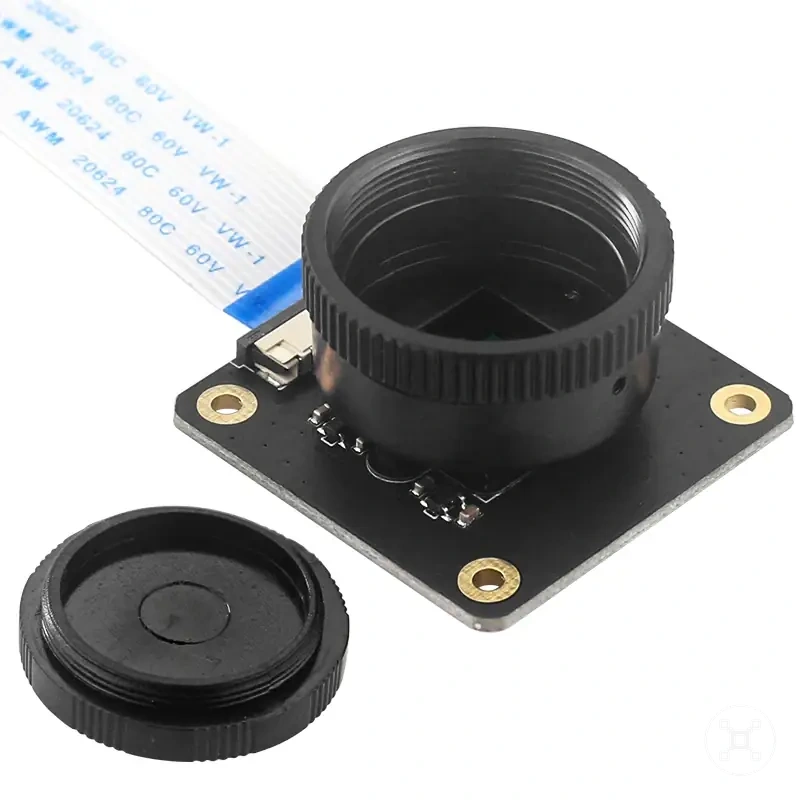
A camera module can support visual input for projects such as photo capture, while a display screen can provide output for dashboards, kiosks, or interactive learning displays. Touch input adds another interaction method when the selected setup supports it, and the software role determines how images, data, and interface actions are handled. Resolution, responsiveness, and camera quality should be evaluated according to the model, component conditions, and project requirements.
Resolution, responsiveness, and camera quality should be evaluated according to the model, component conditions, and project requirements.
Camera, display, and interactive Raspberry Pi projects can be grouped by their input, output, interaction type, and conditions to check:
| Project type | Main component | Interaction type | Condition to check |
|---|---|---|---|
| Camera capture | Camera module | Image input and software processing | Check connection type, software role, and required image quality conditions |
| Dashboard | Display screen | Visual output through an interface | Check display output needs, resolution requirements, and the information being shown |
| Kiosk | Display screen and interface components | Interactive input and visual output | Check touch input support, software behavior, and intended interaction method |
| Learning display | Display and input components | Interactive learning and project feedback | Check input conditions, software support, and the expected practical effect |
Camera and display performance can differ between Raspberry Pi models and project configurations. A lightweight interactive project may suit one setup, while projects requiring higher resolution, faster responses, or more complex processing may require different hardware conditions.
Matching Raspberry Pi project ideas to parts and difficulty
Matching Raspberry Pi project ideas to parts and difficulty requires comparing the required hardware, software needs, skill level, and setup complexity before choosing a project path. Difficulty is conditional because the same project idea can require different effort depending on the Raspberry Pi model, project kit quality, operating system setup, wiring requirements, and user experience.
Project fit depends on how the required parts connect with the intended learning outcome.
Project fit depends on how the required parts connect with the intended learning outcome. A project kit may include starter parts, while a sensor kit, camera module, display screen, jumper wires, or breadboard introduces different hardware, software, and troubleshooting exposure. These factors influence the level of preparation needed before the project can produce the intended result.
These factors influence the level of preparation needed before the project can produce the intended result.
Raspberry Pi project ideas can be compared by connecting the project path with its required parts, skill condition, difficulty signal, and suitable use case.
| Project path | Required parts | Skill condition | Difficulty signal | Better fit when |
|---|---|---|---|---|
| No-wiring projects | Project kit or software-focused parts | Suitable for users building basic interaction and software skills | Lower setup complexity when hardware connections are limited | The goal is learning software, files, or simple system tasks |
| Light wiring projects | Sensor kit, jumper wires, or breadboard components | Requires basic understanding of component roles and connections | Higher setup complexity when wiring and troubleshooting are introduced | The user wants to explore sensors, inputs, and physical interaction |
| Code-plus-hardware projects | Camera module, display screen, sensors, and additional components | Requires programming practice and understanding of hardware behavior | More setup complexity when software, wiring, and troubleshooting combine | The goal is creating interactive projects with custom behavior |
To choose the right Raspberry Pi, match the board to the intended use case by considering the required parts, software requirements, project workload, and expected setup conditions.
No-wiring, light-wiring, and code-plus-hardware projects represent different decision paths.
No-wiring, light-wiring, and code-plus-hardware projects represent different decision paths. A suitable project idea depends on whether the user prefers simpler software tasks, basic component connections, or projects that combine hardware, programming, and troubleshooting exposure.
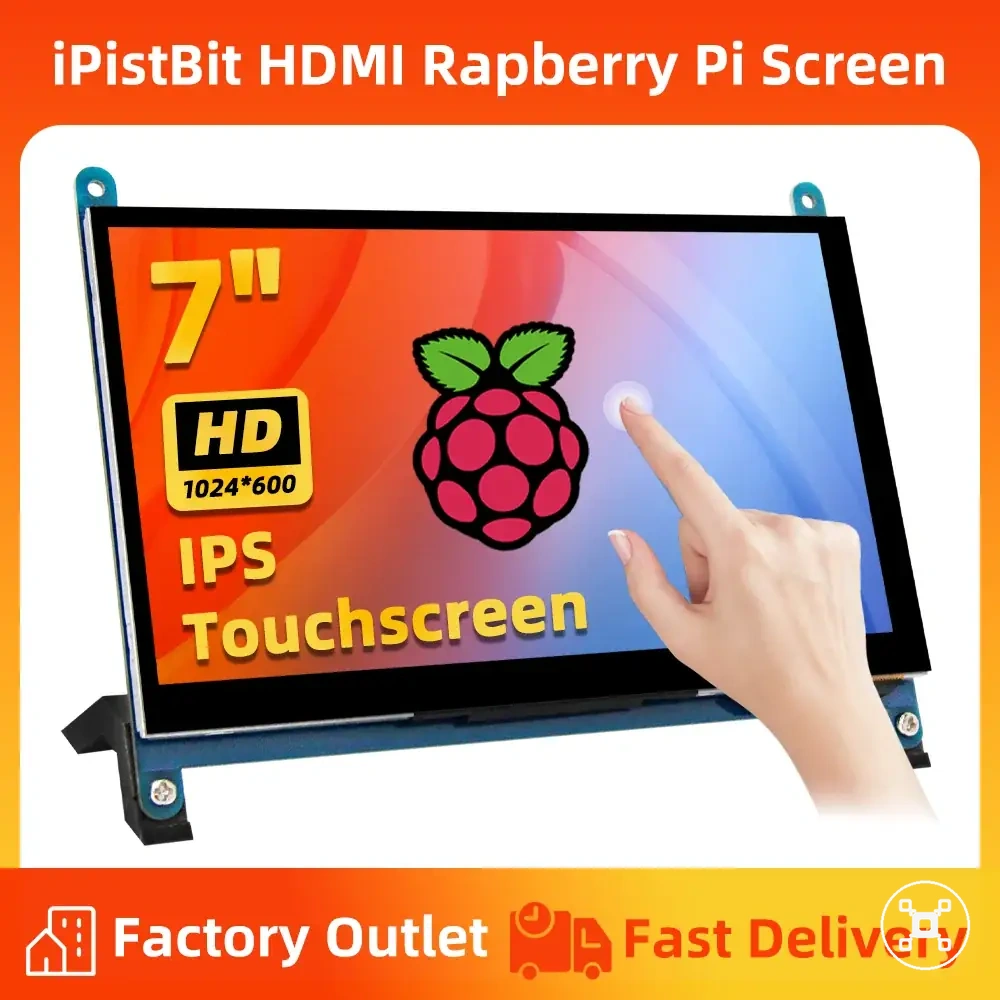
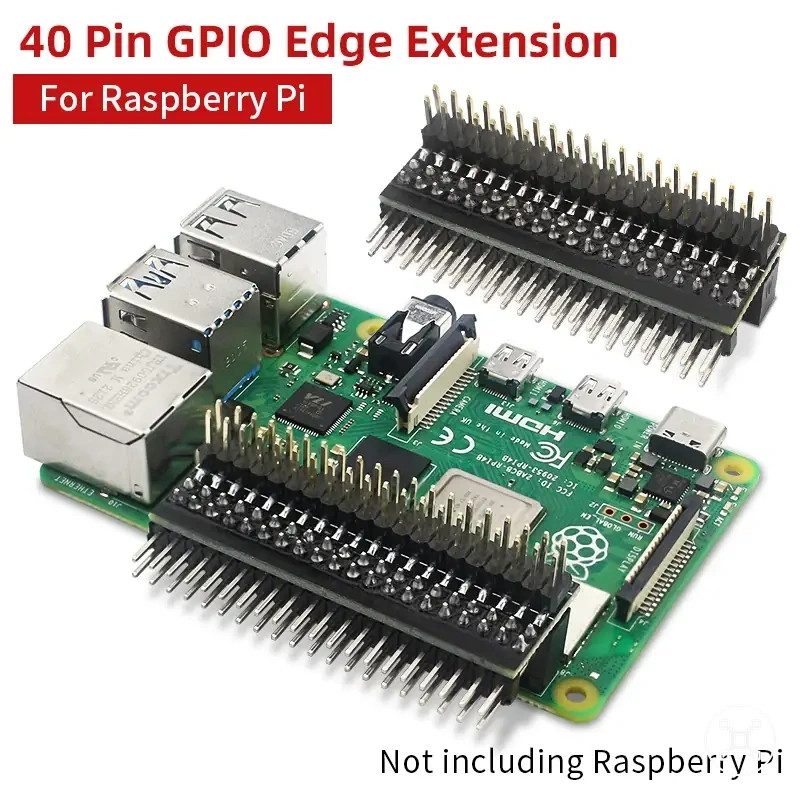
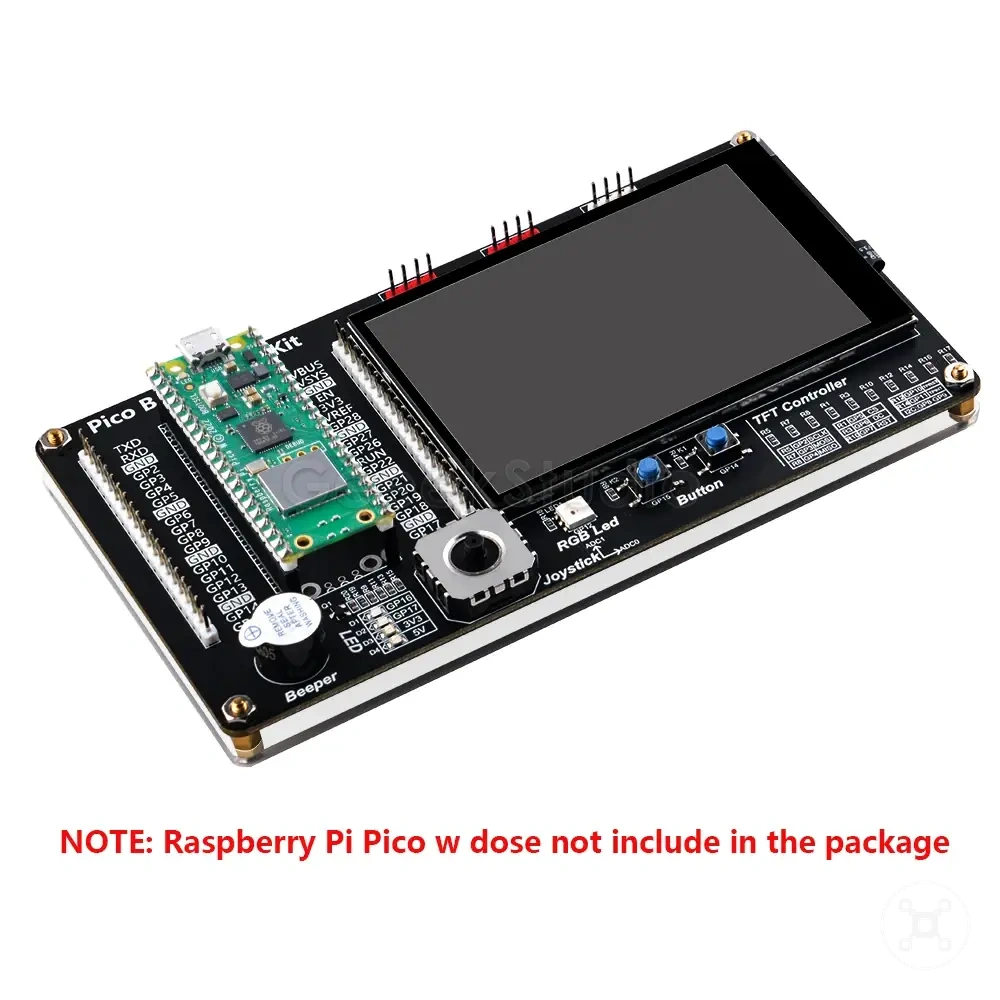
The products below are useful examples for comparing available options.
The products below are useful examples for comparing available options. Before buying, check that the compatibility criteria, key features, and product details match your needs.
Project kits and beginner accessories
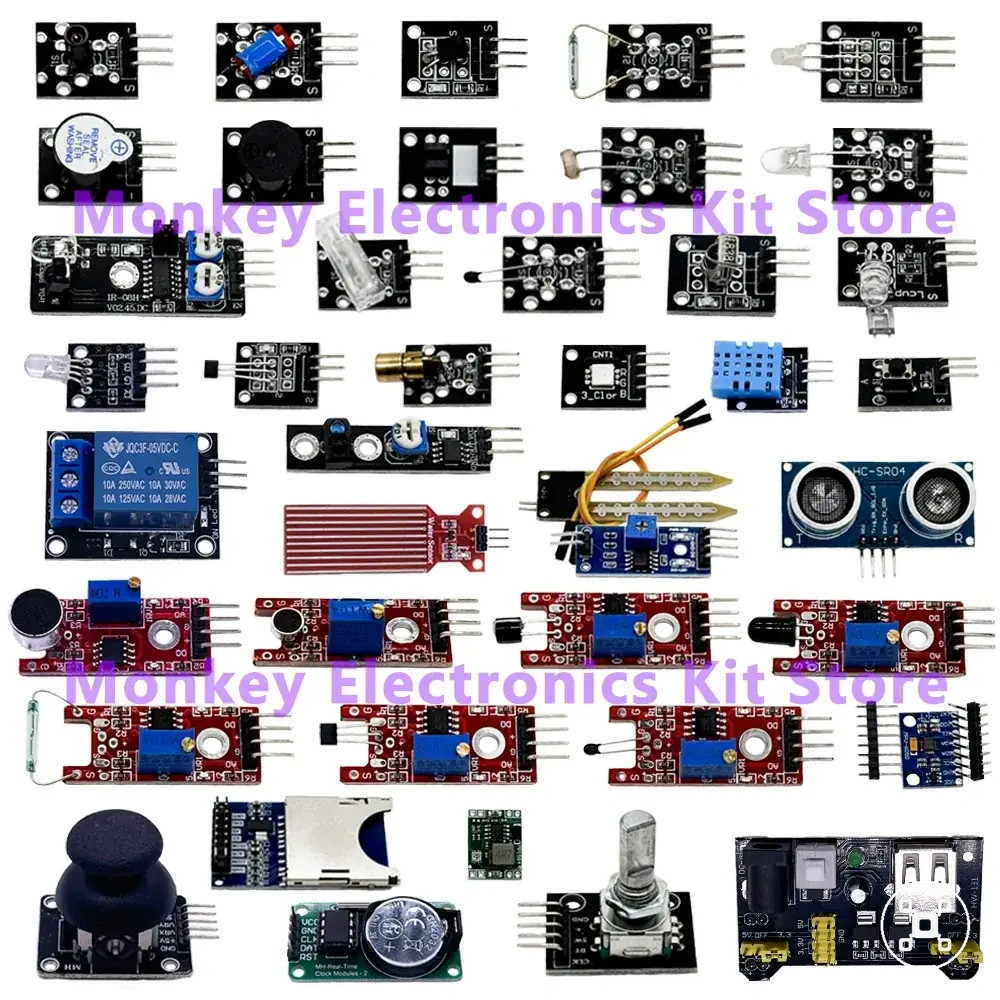
Project kits and beginner accessories can reduce setup friction by providing starter parts that support a Raspberry Pi project path, but they should match the intended project rather than define it. A suitable project kit depends on the included component, compatibility condition, learning value, and the limitation of the accessory set.
Beginner accessories can support a project when the included parts align with the required tasks, connections, and user experience level.
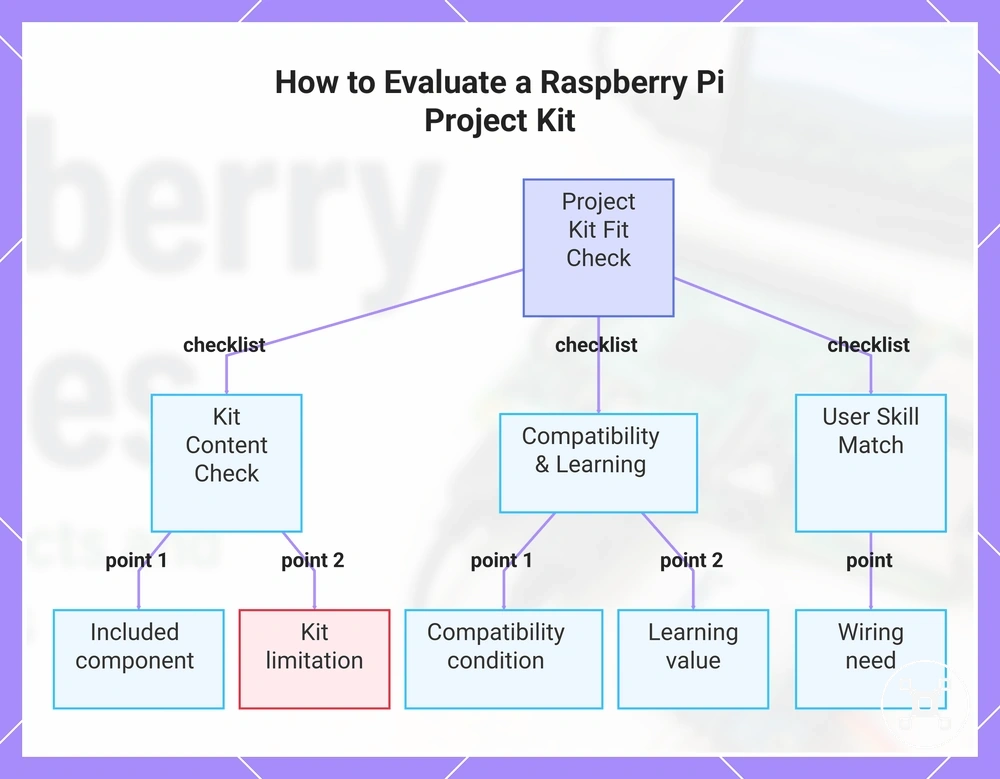
Beginner accessories can support a project when the included parts align with the required tasks, connections, and user experience level. The following checklist helps evaluate whether a starter kit or accessory set fits a project:
- Included component: Check whether the project kit contains the starter parts required for the intended project path and whether unused components create unnecessary complexity.
- Compatibility condition: Confirm that the included components match the Raspberry Pi project requirements, connection needs, and expected software support.
- Learning value: Consider whether the beginner accessories help explain how parts connect and how the project works.
- Wiring need: Identify whether the accessory set requires wiring, jumper connections, or additional setup steps that match the user’s experience.
- Limitation: Consider whether missing parts, unused components, or a mismatch between the kit and project goal could reduce the usefulness of the accessory set.
This chart shows the main checklist criteria for determining whether a starter kit or accessory set fits a Raspberry Pi project.
Sensors, camera modules, displays, and jumper wires
Sensors, camera modules, displays, and jumper wires are accessory types that connect Raspberry Pi projects to specific functions such as sensing, showing information, and creating physical connections. Each accessory changes project capability or difficulty based on its connection method, required conditions, and role within the project.
The following EAV table maps each accessory type to its connection attribute, condition, and effect on a Raspberry Pi project.
The following EAV table maps each accessory type to its connection attribute, condition, and effect on a Raspberry Pi project.
| Accessory type | Connection attribute | Value or condition | Effect on project |
|---|---|---|---|
| Sensors | Data input connection | Provides input data when the sensor type matches the condition being measured | Changes what the project can detect and how software processes the input |
| Camera modules | Visual input connection | Provides image input when the camera component and software support the intended function | Enables visual project functions while outcomes depend on component and software conditions |
| Displays | Output and interface connection | Provides visual output when the display type matches the project requirements | Changes how information, interfaces, and interactions are presented |
| Jumper wires | Physical connection | Creates connections between compatible components in a circuit arrangement | Affects wiring complexity and how components communicate within the project |
Compatibility depends on the Raspberry Pi model, accessory requirements, connection method, and project conditions. Matching each accessory type to its project function helps identify suitable components without assuming universal compatibility.
Raspberry Pi uses that may need a different board or computer
Some Raspberry Pi use cases may be better served by a different board or computer when the project constraints do not match the intended workload. The better fit depends on factors such as workload, real-time control, power use, ports, operating system needs, and reliability expectations.
Storage-focused projects and long-term reliability needs can also change the suitable device choice.
A Raspberry Pi project may require an alternative device when the required software environment, processing demands, or hardware behavior differs from the project goal. Heavy desktop tasks may need a computer with a broader operating system environment, while electronics projects focused on real-time control may suit a microcontroller board. Storage-focused projects and long-term reliability needs can also change the suitable device choice.
A Raspberry Pi project may require an alternative device when the required software environment, processing demands, or hardware behavior differs from the project goal.
Different Raspberry Pi use cases can be compared by connecting the project constraint with the alternative device type and the reason it may fit better:
| Use case | Constraint | Better-suited option | Why it may fit better |
|---|---|---|---|
| Heavy desktop tasks | Higher workload, broader software requirements, or demanding applications | Full computer | May fit better when desktop operating system needs and application workload are the main limitations |
| Real-time electronics | Need for direct timing behavior and focused hardware control | Microcontroller board | May fit better when real-time control is the primary project constraint |
| Long-term storage | Dedicated storage needs, access requirements, and reliability expectations | Dedicated NAS | May fit better when storage management and long-term reliability are the main goals |
| Always-on reliability | Continuous operation requirements, power use, and maintenance expectations | Alternative computer or dedicated system | May fit better when uptime expectations and operating conditions are the deciding factors |
Raspberry Pi remains suitable for many projects, but these boundaries help identify when another device type may better match the intended use case. The decision depends on the required workload, ports, operating system, real-time control needs, storage goals, and reliability conditions.