
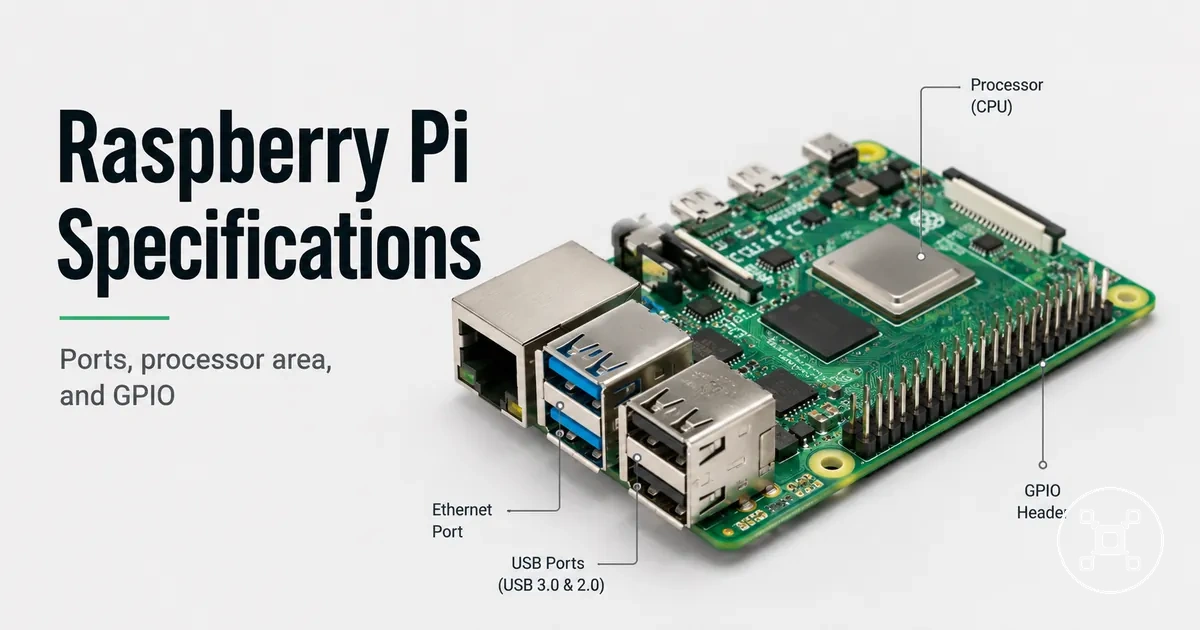
Raspberry Pi specifications explained for real use
Raspberry Pi specifications describe the hardware attributes and operating characteristics that determine how a Raspberry Pi board can be used in practical situations. These specifications include computing hardware, memory, storage support, ports, GPIO expansion, power requirements, and thermal behaviour, with each attribute affecting capability, compatibility, stability, or configuration choices.

Raspberry Pi specification values are useful when they are interpreted as connected attributes rather than isolated numbers. A board's processor, memory configuration, storage interface, connector layout, power input, and thermal characteristics work together to define realistic use conditions. A specification sheet shows available attributes, while practical evaluation considers how those attributes affect workloads, accessories, and project requirements.
This page explains how Raspberry Pi specifications should be interpreted across different boards.
This page explains how Raspberry Pi specifications should be interpreted across different boards. Detailed model selection, power issue diagnosis, port details, GPIO usage, and cooling considerations require separate evaluation because each area involves additional conditions beyond the specification overview.
| Specification area | Attribute value | Practical effect |
|---|---|---|
| Hardware | Board-specific processor and graphics architecture | Defines the computing foundation available for software workloads and interfaces. |
| Memory | Board-specific RAM configuration | Influences multitasking capability and application limits. |
| Storage | Supported storage interfaces and boot-related options | Determines available operating system and data storage approaches. |
| Ports | Available physical connectors and communication features | Defines connections for displays, peripherals, and networks. |
| GPIO | Expansion header and supported interface categories | Enables interaction with compatible electronics and add-on hardware. |
| Power and thermal limits | Board-specific power input and heat-management characteristics | Affects stable operation under different configurations and workloads. |
Raspberry Pi specifications should therefore be compared through the relationship between an attribute and its practical outcome. The same specification category can represent different capabilities across boards because processor design, memory configuration, connectivity options, power characteristics, and thermal behaviour are combined differently in each board design.
Table of Contents
What Raspberry Pi specifications mean across different boards
Raspberry Pi specifications describe the board attributes that vary between different Raspberry Pi boards and influence what each board can reliably do in practical use. These specifications include processor architecture, RAM configuration, storage interface support, ports, GPIO expansion, power input, wireless connectivity, and thermal behaviour.
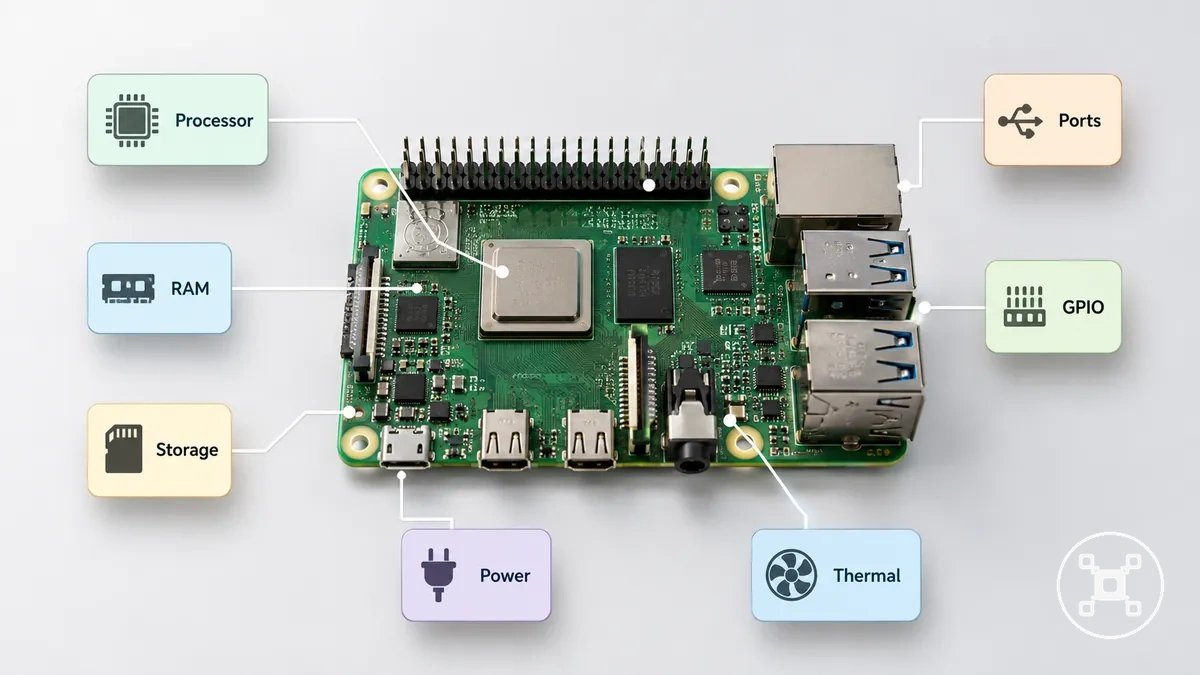
Specification values should be interpreted as connected hardware characteristics rather than isolated measurements. A processor attribute describes computing capability, memory describes available working capacity, storage describes supported data access methods, and connectivity attributes describe how the board interacts with displays, peripherals, networks, and expansion hardware.
Specification values should be interpreted as connected hardware characteristics rather than isolated measurements.
The following specification groups organize Raspberry Pi attributes by their practical meaning:
| Specification group | Attribute value | Practical meaning |
|---|---|---|
| Board model | Board-specific hardware configuration | Defines the combination of components available for a Raspberry Pi board design. |
| Processor | System processing architecture defined by the board | Influences the type of software workloads the board can support. |
| RAM | Board-specific memory configuration | Influences multitasking capability and application requirements. |
| Storage interface | Supported storage connection categories | Defines available approaches for operating system and data storage. |
| Ports and wireless connectivity | Available wired connectors and wireless communication features | Defines connection options for displays, peripherals, and networks. |
| GPIO | Expansion interface capability | Supports interaction with compatible electronics and add-on hardware. |
| Power and thermal behaviour | Board-specific power input and heat-management characteristics | Influences operating stability under different configurations. |
A specification sheet shows the available attributes of a Raspberry Pi board, while real-use evaluation considers how those attributes interact under a specific workload, configuration, and accessory arrangement. For a broader overview of Raspberry Pi categories, guides, and related decision paths, see the Raspberry Pi hub.
Core hardware specifications that define Raspberry Pi capability
Core hardware specifications define the baseline computing capability of a Raspberry Pi board through processing architecture, graphics support, memory configuration, storage interfaces, and boot-related hardware support. These attributes describe how the board is built and help explain how hardware choices influence practical use across computing, media, server, and electronics workloads.
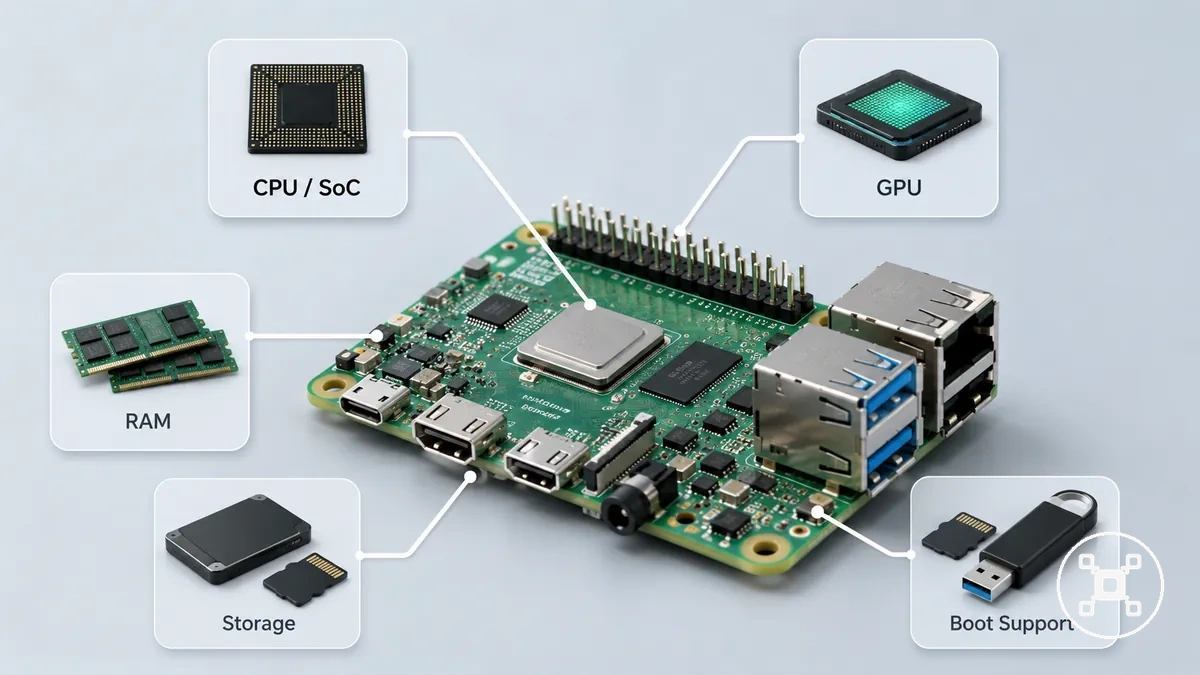
Processor, memory, and storage specifications work together as connected hardware attributes rather than isolated values. The CPU or SoC provides the main processing foundation, GPU support handles graphics-related tasks, RAM provides working memory for active applications, and storage interfaces define available methods for operating system and data access.
| Hardware attribute | Specification value type | Practical effect |
|---|---|---|
| CPU or SoC | Board-specific processing architecture | Defines the main computing capability available for software workloads. |
| GPU | Board-specific graphics processing support | Influences graphics handling and media-related workloads within the supported hardware design. |
| RAM | Board-specific memory configuration | Provides working memory for applications and multitasking requirements. |
| Storage interface | Supported storage connection categories | Defines available storage approaches for operating systems and files. |
| Boot support | Board and configuration-specific startup options | Determines supported methods for starting the system from available storage. |
The CPU or SoC attribute describes the processing architecture of a Raspberry Pi board, while GPU support describes the graphics capabilities included in that hardware design. These attributes influence the types of software tasks a board can handle, but real-use behaviour also depends on workload requirements, software configuration, power conditions, and thermal conditions.
RAM and storage attributes affect how a Raspberry Pi board manages active processes and stored data.
RAM and storage attributes affect how a Raspberry Pi board manages active processes and stored data. RAM capacity defines available working memory, while storage interface support defines how operating systems and files can be accessed. Boot support is a separate configuration attribute that determines which supported storage methods can be used during system startup.
Processor architecture, clock speed, and graphics support
Processor architecture defines how a Raspberry Pi board handles computing tasks through its SoC design, CPU architecture, clock behaviour, and graphics support. These attributes influence workload suitability for desktop applications, media tasks, and interface-driven projects, while the final behaviour depends on the board design, software workload, power conditions, and thermal conditions.
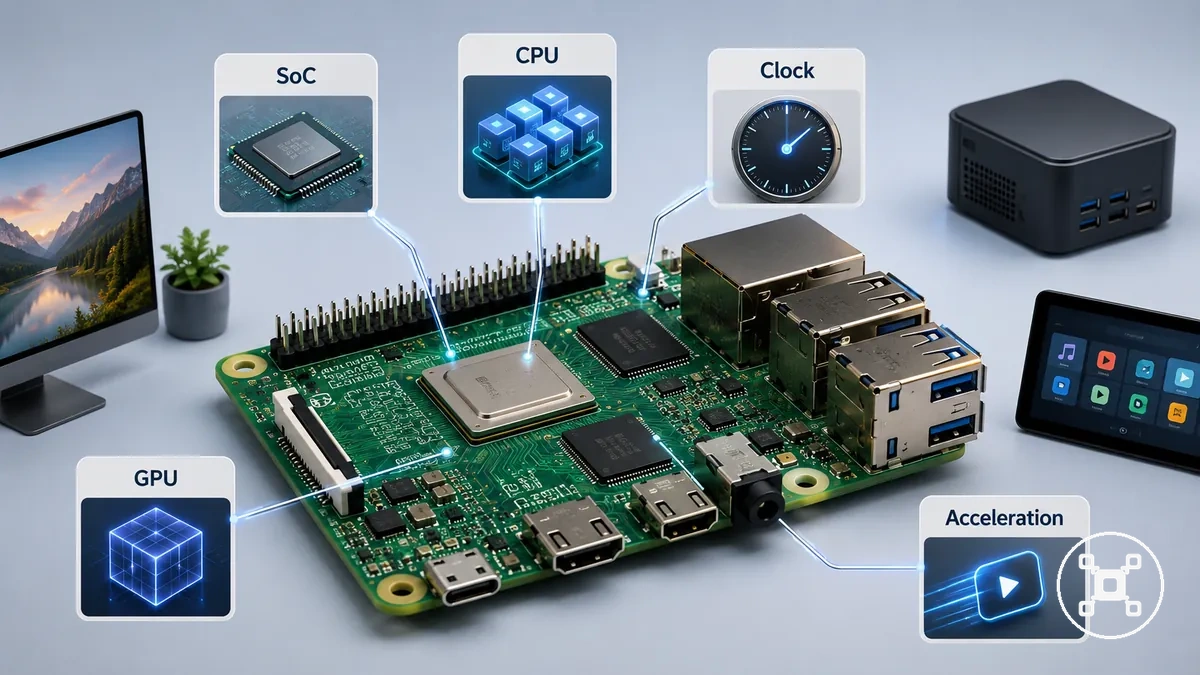
The main processor specification groups describe the attributes that shape computing capability:
| Processor attribute | Specification value type | Practical effect |
|---|---|---|
| SoC family | Board-specific system-on-chip architecture | Defines the integrated processing components used by the Raspberry Pi board. |
| CPU architecture | Processor instruction architecture and core design | Influences software compatibility and general computing behaviour. |
| Core count | Processor-specific number of available cores | Influences how processing resources can be distributed across workloads. |
| Clock speed | Processor operating frequency defined by the board design | Provides a frequency attribute that should be interpreted with architecture and workload requirements rather than used as a standalone performance ranking. |
| GPU support | Integrated graphics processing capability | Influences graphics-related operations and media workloads supported by the hardware. |
| Hardware acceleration | Supported acceleration features within the processor design | Supports specific workloads when compatible software uses the available hardware features. |
The CPU or SoC attribute describes the main processing architecture of a Raspberry Pi board, while GPU support describes the graphics capability included within that hardware design. These attributes influence the types of tasks a board can handle, but practical results also depend on software configuration, workload requirements, power conditions, and thermal limits.
Processor architecture, core design, graphics support, memory, storage, and software optimisation all contribute to how the board behaves in real use.
Clock speed is a processor attribute that describes operating frequency, but it does not represent the complete capability of a Raspberry Pi board by itself. Processor architecture, core design, graphics support, memory, storage, and software optimisation all contribute to how the board behaves in real use.
RAM capacity, memory limits, and upgrade constraints
RAM capacity defines the working memory available on a Raspberry Pi board and influences multitasking, desktop responsiveness, server workloads, and application limits. Raspberry Pi RAM is a board-level hardware attribute determined by the board design, so memory capacity should be evaluated alongside processor capability, storage, software requirements, power conditions, and thermal limits.
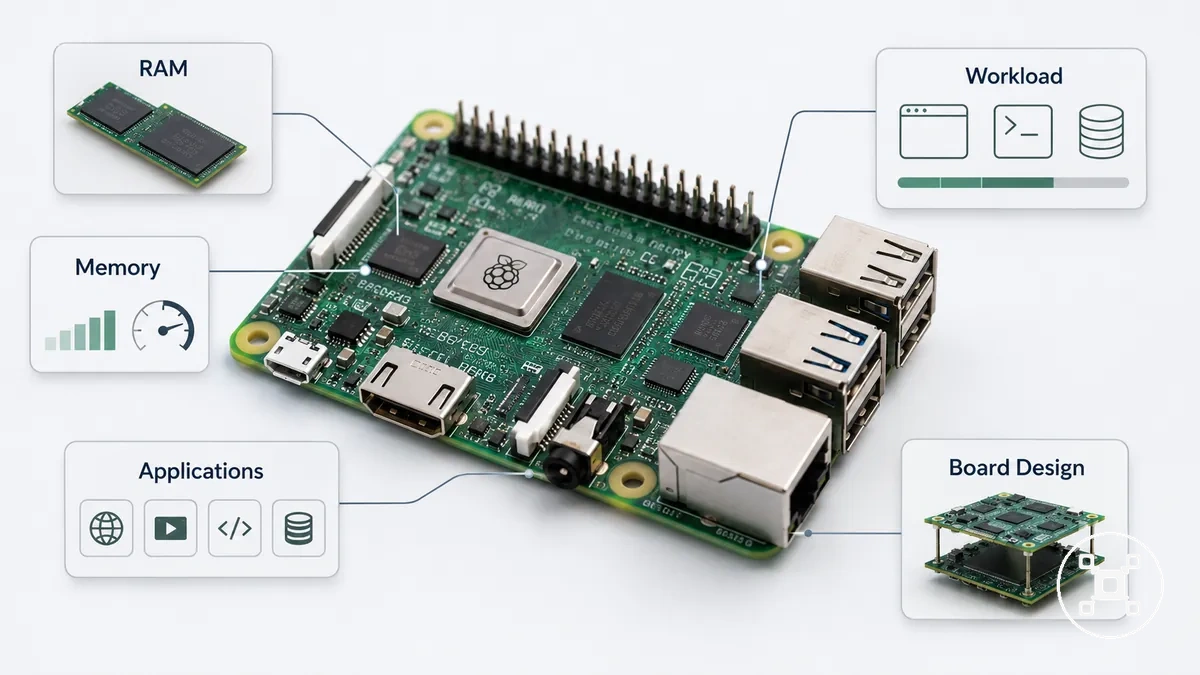
The following checks help identify whether a workload is mainly limited by available memory:
- RAM amount: Available memory capacity determines the working space provided for active applications and processes.
- Shared memory behaviour: Memory resources are used by system components and applications, so graphics workloads and software requirements influence available working capacity.
- Non-upgradeable board memory: RAM is integrated into the Raspberry Pi board design and is not a replaceable expansion component.
- Operating system overhead: The operating system uses part of the available memory, leaving the remaining capacity for user applications and services.
- Workload demand: Desktop applications, server workloads, and project software require different memory amounts based on their resource usage and configuration.
RAM capacity affects how many active processes a Raspberry Pi board can manage comfortably, but additional memory does not increase CPU capability, storage performance, power availability, or thermal capacity. Memory is one hardware attribute within a larger system where processor, storage, software, and operating conditions also influence practical results.
The suitable RAM level depends on the applications, services, and processes running on the board rather than memory capacity alone.
A Raspberry Pi workload that requires more active working memory can benefit from a board with a higher RAM configuration, while lighter workloads may require less memory capacity. The suitable RAM level depends on the applications, services, and processes running on the board rather than memory capacity alone.
Storage interfaces and boot-related hardware support
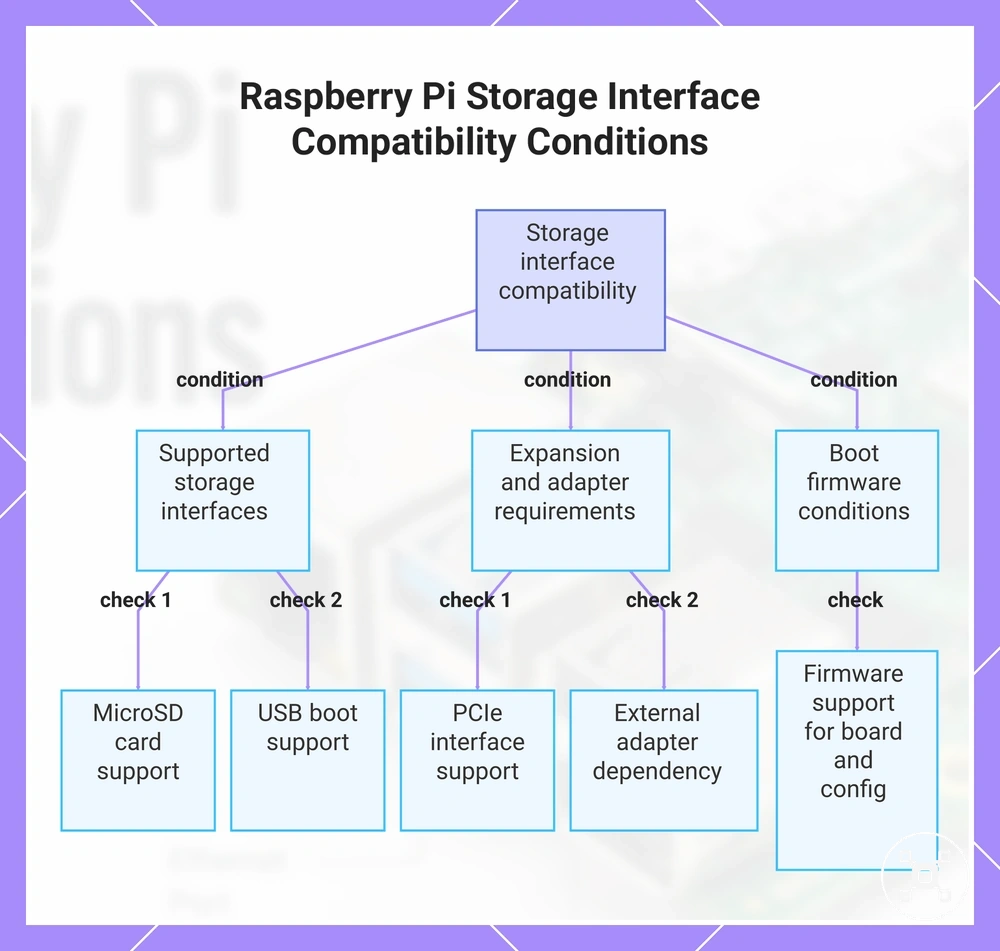
Storage interface compatibility depends on the Raspberry Pi board model, supported storage connections, firmware state, and connected hardware configuration. Storage specifications determine which storage options can be used for system startup and data access, while compatibility conditions affect required adapters, firmware support, and connected devices.
Storage interface compatibility depends on the Raspberry Pi board model, supported storage connections, firmware state, and connected hardware configuration.
The following storage conditions help verify whether a Raspberry Pi configuration matches a storage requirement:
- MicroSD support: MicroSD storage is a supported storage category on Raspberry Pi boards, with compatibility determined by the board design and the supported card connection.
- USB boot support: USB storage booting requires a compatible board configuration, supported firmware behaviour, and a correctly connected USB storage device.
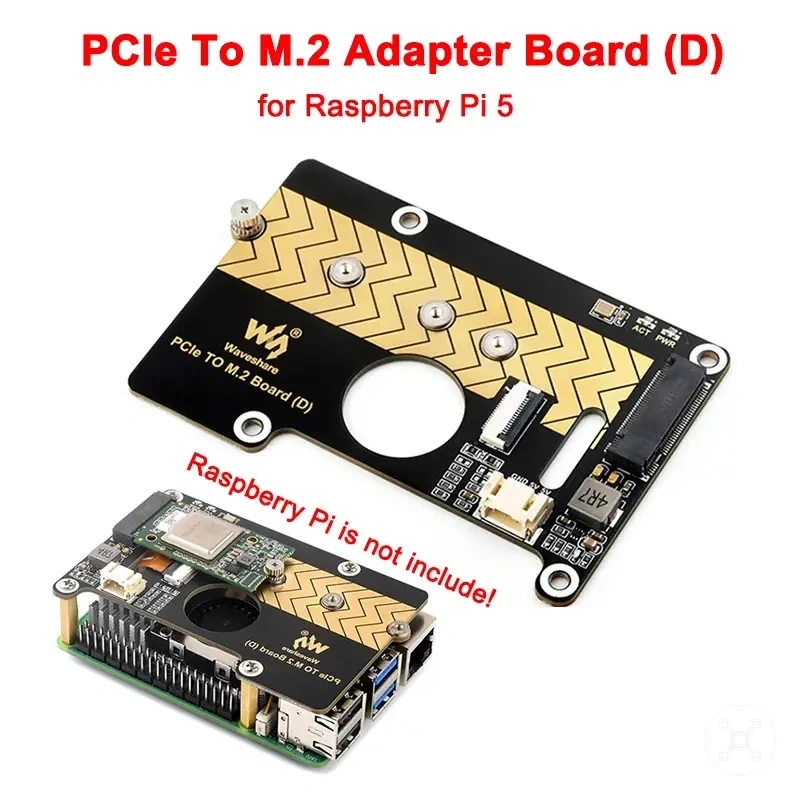
- PCIe or additional interfaces: Expansion storage interfaces are model-specific and require the matching board connector or supported adapter arrangement.
- Adapter dependency: External storage devices require a compatible adapter, enclosure, or connection method when their interface does not directly match the Raspberry Pi hardware.
- Boot firmware conditions: Startup behaviour is determined by the firmware support available for the board and the selected storage configuration.
Storage interface specifications describe connection compatibility rather than a complete performance outcome. Storage behaviour is influenced by the storage device type, interface method, board support, firmware configuration, and workload requirements.
Storage interface specifications describe connection compatibility rather than a complete performance outcome.
A Raspberry Pi storage setup should therefore be evaluated by matching the board model, supported storage interface, required adapter hardware, and boot configuration before selecting a storage approach.
This chart shows the main storage conditions to verify when selecting a Raspberry Pi storage setup for boot and data access.
This chart shows the main storage conditions to verify when selecting a Raspberry Pi storage setup for boot and data access.
Physical board specifications and model-level variation
Physical board specifications define the Raspberry Pi attributes that affect physical fit, mounting arrangements, connector access, and accessory compatibility. Board layout characteristics vary between Raspberry Pi boards, so dimensions, connector placement, header position, mounting holes, camera or display connectors, and model generation should be evaluated when planning a physical setup.
Physical layout affects cases, headers, and accessory clearance.
Physical layout affects cases, headers, and accessory clearance. The following attributes show how board design differences influence fit and compatibility:
| Physical attribute | Specification value type | Fit or compatibility effect |
|---|---|---|
| Board dimensions | Model-specific physical size and layout | Determines whether a case, enclosure, or mounting arrangement matches the board footprint. |
| Connector placement | Board-specific connector positions | Affects cable routing and clearance within cases or project assemblies. |
| Header position | Board-specific expansion header location | Influences physical access to expansion connections and add-on hardware. |
| Mounting holes | Board-specific mounting arrangement | Determines available attachment points for physical installations. |
| Camera and display connectors | Model-specific connector availability and placement | Influences compatibility with supported camera or display accessories. |
| Model generation | Generation-specific hardware layout changes | Explains why physical accessories should be checked against the intended board generation. |
Physical specification awareness helps determine whether a Raspberry Pi board matches a planned enclosure, mounting system, or accessory arrangement. It does not identify the best board choice by itself because board selection also depends on computing capability, connectivity requirements, workload needs, and other hardware specifications.
Board size, layout, headers, and connector placement
Board size and physical layout attributes determine whether a Raspberry Pi board fits a planned case, mount, or accessory arrangement. The board footprint, mounting holes, GPIO header position, connector placement, camera and display connections, and available clearance define the physical conditions that should be checked before combining a board with supporting hardware.
Board size and physical layout attributes determine whether a Raspberry Pi board fits a planned case, mount, or accessory arrangement.
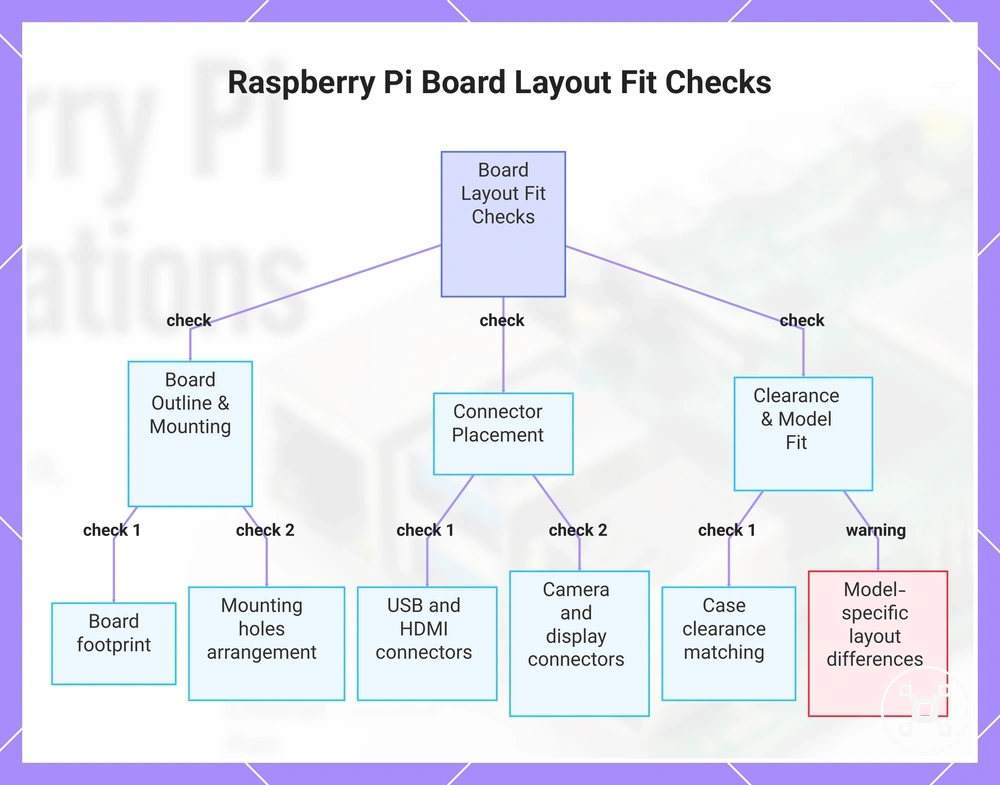
The following layout checks organize the physical attributes that influence fit and accessory compatibility:
- Board footprint: The physical outline and layout of a Raspberry Pi board determine the enclosure space required for that specific board design.
- Mounting holes: The mounting hole arrangement provides attachment points defined by the board layout and affects compatible mounting options.
- GPIO header position: The location of the expansion header affects access to connected components and the placement of compatible add-on hardware.
- USB and HDMI connector placement: Connector locations influence cable routing and clearance requirements within a case or project assembly.
- Camera and display connectors: Connector availability and placement affect compatibility with supported camera and display hardware.
- Case clearance: Internal enclosure space must match the board layout, connector positions, and connected hardware arrangement.
Physical specifications should be checked against the exact Raspberry Pi board layout before selecting a case, mount, or accessory arrangement. A design that fits one Raspberry Pi model is not automatically suitable for another model because board layouts and connector positions can differ.
Physical specifications should be checked against the exact Raspberry Pi board layout before selecting a case, mount, or accessory arrangement.
This chart shows the key physical layout attributes to check when verifying Raspberry Pi board compatibility with cases, mounts, and accessories.
Why specification values change by Raspberry Pi model
Raspberry Pi specification values change between models because each board design combines different hardware attributes for different performance levels, physical layouts, interfaces, and use conditions. Specification comparison should focus on how attributes differ between models rather than ranking one model as universally better, because each specification value represents a different hardware design choice.
Raspberry Pi specification values change between models because each board design combines different hardware attributes for different performance levels, physical layouts, interfaces, and use conditions.
The main model-level factors that create specification differences include:
| Variation factor | Model attribute | Specification difference |
|---|---|---|
| Model generation | Generation-specific hardware design | Changes available components, interfaces, and physical characteristics across releases. |
| Board class | Board category and design purpose | Influences the combination of computing resources, connectivity options, and physical features. |
| SoC family | Model-specific system-on-chip architecture | Changes processor, graphics, and integrated hardware capabilities. |
| RAM options | Model-specific memory configuration | Changes available working memory for different software workloads. |
| Port set | Model-specific connector selection | Changes available connections for peripherals and external hardware. |
| Power input and thermal design | Board-specific power and heat-management characteristics | Changes supported operating conditions and configuration considerations. |
These differences explain why Raspberry Pi specifications cannot be interpreted as isolated values. A model's SoC, RAM, ports, physical layout, power requirements, and thermal design work together to define its characteristics. Understanding these variations supports specification analysis without turning the comparison into a model ranking or purchase recommendation.
Ports and connectivity specifications in hardware context
Ports and connectivity specifications describe the physical and wireless interfaces that allow a Raspberry Pi board to connect with displays, networks, peripherals, cameras, and other accessories. These attributes define available connection methods, while the practical setup depends on the board model, supported interfaces, connected hardware, and any required adapters.
These attributes define available connection methods, while the practical setup depends on the board model, supported interfaces, connected hardware, and any required adapters.
The following port specifications organize how Raspberry Pi connectivity attributes relate to their practical functions:
| Connectivity attribute | Specification value type | Practical function |
|---|---|---|
| USB | Model-specific USB connector type and capability | Provides connections for peripherals and external devices, with supported functions determined by the board design. |
| HDMI or display output | Board-specific display interface support | Provides connection options for compatible display devices. |
| Ethernet | Model-specific wired network interface | Provides wired network connectivity when included in the board configuration. |
| Wi-Fi | Model-specific wireless network capability | Provides wireless network access when supported by the board and configured hardware. |
| Bluetooth | Model-specific wireless communication capability | Supports compatible wireless peripherals and communication devices. |
| Camera and display connectors | Board-specific connector availability and placement | Enables connection to supported camera and display hardware when the required interface is available. |
| Adapter dependency | Connection-specific accessory requirement | Determines when additional hardware is needed to connect devices with different interfaces. |
Port specifications influence how a Raspberry Pi board is integrated into a project, such as connecting displays for visual output, network interfaces for communication, or peripherals for additional functions. The required ports and adapters depend on the intended setup rather than a single universal configuration.
The required ports and adapters depend on the intended setup rather than a single universal configuration.
For a deeper explanation of interface types and available connection options, see Raspberry Pi connectivity and ports.
USB, HDMI, Ethernet, Wi-Fi, and Bluetooth capability
USB, HDMI, Ethernet, Wi-Fi, and Bluetooth specifications describe the connectivity attributes that determine how a Raspberry Pi board connects to peripherals, displays, and networks. Each interface represents a different hardware capability, and the available connection options depend on the specific Raspberry Pi model, board design, and supported configuration.
Each interface represents a different hardware capability, and the available connection options depend on the specific Raspberry Pi model, board design, and supported configuration.
The following connection types organize how connectivity attributes map to real-use constraints:
| Connection type | Specification attribute | Real-use constraint |
|---|---|---|
| USB | USB generation, connector type, and supported capability | Determines compatible peripheral connections and the supported functions available through the interface. |
| HDMI | Display output support | Defines available display connection options for supported monitors and visual interfaces. |
| Ethernet | Wired network capability | Defines whether wired networking is available and how the board connects to network hardware. |
| Wi-Fi | Wireless network capability and supported bands | Provides wireless connection options when included on the specific Raspberry Pi model. |
| Bluetooth | Wireless communication version and support | Defines compatibility with supported wireless peripherals and communication devices. |
| Camera and display connectors | Model-dependent connector availability | Determines whether compatible camera or display hardware can be connected to the board. |
USB specifications affect peripheral connections, HDMI specifications affect display arrangements, and Ethernet, Wi-Fi, and Bluetooth specifications affect network and wireless device options. The presence of a port or wireless feature does not indicate identical capability across all Raspberry Pi models because interface specifications can differ by board design.
Cable and adapter requirements implied by port specifications
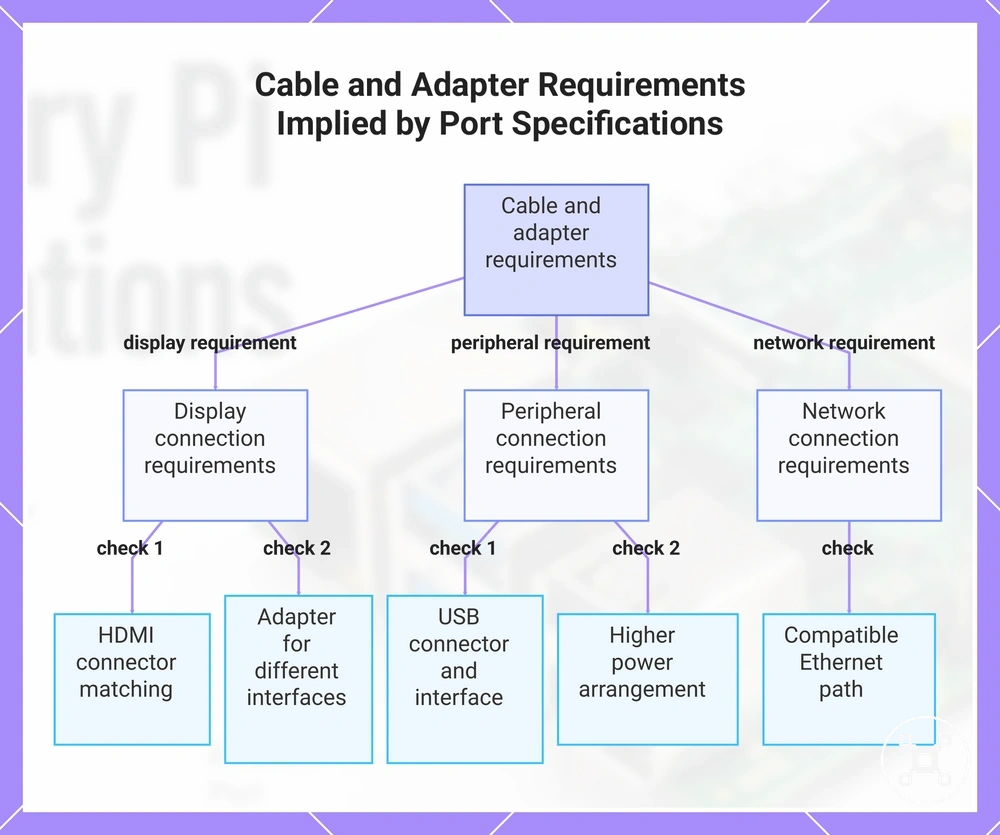
Cable and adapter compatibility depends on matching the Raspberry Pi port specification with the connected display, peripheral, or network device requirements. The port shape, signal type, and power needs determine which connection method may be required, while the correct choice depends on the board model, connected hardware, and peripheral load.
Cable and adapter compatibility depends on matching the Raspberry Pi port specification with the connected display, peripheral, or network device requirements.
The following compatibility checks organize how port specifications relate to cable and adapter requirements:
- HDMI connector type: A display connection requires a cable or adapter that matches the Raspberry Pi display output connector and the display input connection.
- USB connector type: USB accessories require a compatible connector type and supported interface, with suitability depending on the Raspberry Pi port design and the connected device requirements.
- Ethernet cable needs: Wired network connections require a compatible Ethernet connection path between the Raspberry Pi network interface and the network hardware.
- Display adapters: A display adapter may be required when the Raspberry Pi output connection and the display input connection use different interface types.
- Powered peripherals: External devices with higher power requirements may need an appropriate power arrangement because peripheral load and board capability affect the setup.
Cable and adapter requirements should be determined from the port specification rather than a generic accessory assumption. Matching the connector type, signal requirement, and power condition helps identify whether a connection arrangement is suitable for a specific Raspberry Pi setup.
This chart shows the main compatibility checks that determine cable and adapter requirements from port specifications.
This chart shows the main compatibility checks that determine cable and adapter requirements from port specifications.
GPIO and expansion specifications as part of the board design
GPIO and expansion specifications describe how a Raspberry Pi board connects to electronics, sensors, controls, and add-on hardware through its expansion interface. These specifications define the available header arrangement, signal capabilities, and compatibility conditions, while they do not replace detailed wiring instructions or electrical design requirements.
GPIO and expansion specifications describe how a Raspberry Pi board connects to electronics, sensors, controls, and add-on hardware through its expansion interface.
The following pin-function overview organizes GPIO expansion capability rather than providing a complete pinout reference:
| GPIO attribute | Specification value type | Expansion meaning |
|---|---|---|
| Pin count | Board-specific GPIO header configuration | Defines the available physical expansion connections provided by the board design. |
| Voltage logic | Electrical signal level specification | Defines the signal conditions required for compatible electronic components and interfaces. |
| Supported interfaces | Available hardware communication categories | Provides expansion options for compatible sensors, controls, and add-on hardware. |
| Header presence | Board-specific expansion header availability | Determines whether external hardware can connect through the expansion interface. |
| HAT or add-on compatibility | Expansion hardware compatibility condition | Depends on matching the add-on hardware requirements with the board header arrangement and supported interface. |
| Safety limits | Electrical operating constraints | Defines conditions that must be considered before connecting external circuits or components. |
GPIO specifications help identify whether a Raspberry Pi board provides the expansion capability required for electronics projects, sensors, controls, or add-on hardware. Specification awareness should not be treated as wiring guidance because safe connections depend on the specific components, electrical requirements, and operating conditions.
For a detailed explanation of GPIO functions and pin-related information, see Raspberry Pi GPIO pins .
For a detailed explanation of GPIO functions and pin-related information, see Raspberry Pi GPIO pins.
Pin count, voltage logic, and interface availability
Pin count, voltage logic, and interface availability are GPIO attributes that define the expansion capability of a Raspberry Pi board before external components are connected. These specifications describe the header arrangement, electrical signal categories, and supported communication interfaces, while the exact capabilities depend on the specific Raspberry Pi model and board design.
Pin count, voltage logic, and interface availability are GPIO attributes that define the expansion capability of a Raspberry Pi board before external components are connected.
The following verification points organize the GPIO attributes that affect expansion compatibility:
- 40-pin header presence: A Raspberry Pi board may include a 40-pin GPIO expansion header when supported by the model design, providing the physical connection point for compatible expansion hardware.
- 3.3V logic: GPIO signal logic uses the electrical levels defined by the Raspberry Pi board specification, so connected components must match the required signal conditions.
- Ground and power pins: The GPIO header includes ground and power connections as part of the expansion interface, with their use determined by the requirements of the connected hardware.
- I2C: I2C is a supported communication interface available on compatible Raspberry Pi GPIO configurations for connecting suitable components.
- SPI: SPI is a supported communication interface available on compatible Raspberry Pi GPIO configurations for suitable expansion devices.
- UART: UART provides serial communication capability when supported by the Raspberry Pi model configuration.
- PWM: PWM capability is available on supported GPIO configurations, with practical use depending on the model and connected hardware requirements.
GPIO specifications help verify whether a Raspberry Pi board provides the required expansion attributes for sensors, controls, or add-on hardware. They do not provide wiring instructions or guarantee compatibility with every component, because safe connections depend on the electrical requirements of the specific external hardware.
Power specifications that affect stability and peripherals
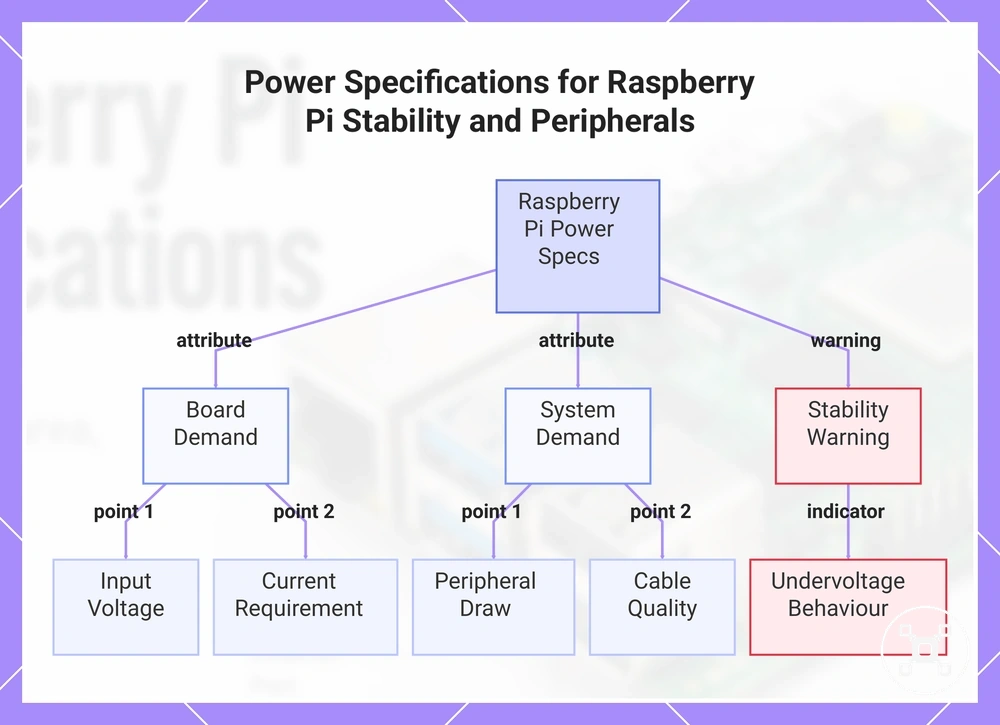
Power specifications determine whether a Raspberry Pi board can operate with its connected peripherals under the required load conditions. Power compatibility depends on the board model, input requirements, connected devices, and total system demand, so the board power need and the peripheral power demand should be evaluated together.
Power specifications determine whether a Raspberry Pi board can operate with its connected peripherals under the required load conditions.
The following verification points organize the power attributes that affect Raspberry Pi setup stability:
- Input voltage: The required input voltage is a board-specific power attribute that must match the supported power source for the Raspberry Pi model.
- Current requirement: The required current depends on the Raspberry Pi workload and the power demand of connected peripherals.
- Connector type: The power connector type is determined by the board design and defines the compatible power connection method.
- USB power limits: USB-connected devices contribute to total power demand, so peripheral requirements must be considered alongside the board capability.
- Peripheral draw: Connected accessories increase system demand according to their individual power requirements and operating conditions.
- Cable quality: The power cable quality and suitability can affect whether stable power is maintained under the intended system load.
- Undervoltage behaviour: Insufficient power conditions can result in stability issues, making undervoltage indicators useful when checking unexpected system behaviour.
Power specifications should be interpreted by separating Raspberry Pi board demand from total system demand. A board operating with fewer peripherals may require different power considerations than a setup with multiple connected devices.
For a detailed explanation of board-specific power considerations, see Raspberry Pi power requirements .
For a detailed explanation of board-specific power considerations, see Raspberry Pi power requirements.
This chart shows the key power specifications that affect Raspberry Pi stability and peripheral compatibility, organized by board demand, system demand, and stability warnings.
This chart shows the key power specifications that affect Raspberry Pi stability and peripheral compatibility, organized by board demand, system demand, and stability warnings.
Voltage, current demand, and USB power limits
Voltage, current demand, and USB power limits are power attributes that determine how a Raspberry Pi board operates with its own hardware and connected devices. These attributes must be evaluated together because acceptable power behaviour depends on the Raspberry Pi model, the selected power source, cable characteristics, and the total demand created by attached peripherals.
Voltage, current demand, and USB power limits are power attributes that determine how a Raspberry Pi board operates with its own hardware and connected devices.
The following value-condition-effect checks organize how voltage, current, and USB power attributes interact:
| Power attribute | Value or condition | Effect on setup |
|---|---|---|
| Nominal input voltage | Model-specific power input requirement | Determines whether the selected power source matches the board power specification. |
| Current demand | Required current changes with board workload and connected peripheral load | Influences available power headroom for stable operation. |
| Connector standard | Board-specific power connector type | Defines the physical connection method, but a matching connector alone does not confirm adequate power delivery. |
| USB output limits | USB power capability defined by the board design | Determines the power available for connected USB devices alongside the Raspberry Pi system demand. |
| Peripheral power draw | Device-specific power requirement | Increases total system demand and may affect stability when the combined load exceeds available power conditions. |
Power attributes should be checked as a complete system rather than as isolated connector or voltage matches. Cable resistance, connected peripherals, and board model differences can change whether a power arrangement remains stable under the intended load.
Power supply quality and peripheral load conditions
Power supply quality and peripheral load conditions determine whether a Raspberry Pi setup remains stable after additional devices are connected. Stability depends on the combined effect of regulated output, cable capability, Raspberry Pi board demand, and peripheral power requirements rather than the power connection alone.
Power supply quality and peripheral load conditions determine whether a Raspberry Pi setup remains stable after additional devices are connected.
The following checklist verifies adapter, cable, and peripheral factors that can affect power compatibility:
- Regulated output: A regulated power source provides controlled output conditions, while suitability depends on the Raspberry Pi model and the total connected system demand.
- Cable quality: Cable resistance can influence power delivery conditions, especially when the Raspberry Pi and connected peripherals require stable power under load.
- Powered hubs: A powered hub can change how peripheral power demand is supplied, with the resulting setup depending on the hub, connected devices, and Raspberry Pi configuration.
- SSDs: External SSDs add peripheral demand to the system, so their power requirements should be considered as part of the complete connected setup.
- USB accessories: USB devices contribute to overall load, and compatibility depends on the combined requirements of the Raspberry Pi board and connected accessories.
- Undervoltage symptoms: Unexpected instability or power-related warnings can indicate that the available power conditions do not match the combined system demand.
Power stability should be evaluated across the complete Raspberry Pi configuration. A single accessory or cable choice does not guarantee stable operation because the board model, connected peripherals, cable characteristics, and total load all contribute to the final power condition.
Performance limits behind Raspberry Pi specification values
Performance limits behind Raspberry Pi specification values explain why hardware attributes define expected capability but do not guarantee the same sustained results in every workload. Real-world performance depends on workload conditions, including thermal behaviour, processor demand, storage activity, network usage, memory requirements, power stability, and software overhead.
Performance limits behind Raspberry Pi specification values explain why hardware attributes define expected capability but do not guarantee the same sustained results in every workload.
The following criteria organize how different workload conditions can limit sustained Raspberry Pi performance:
| Performance factor | Condition affecting capability | Effect on sustained operation |
|---|---|---|
| Thermal limits | Heat produced during continuous processing workloads | Can influence sustained operation when thermal conditions affect the board configuration. |
| CPU load | Processing demand from active applications and services | Reduces available processing capacity for additional tasks when demand increases. |
| Storage bandwidth | Data access requirements and storage interface capability | Can become a limiting factor for workloads that require frequent storage operations. |
| Network bandwidth | Data transfer demand and available network capability | Can affect workloads that rely on continuous network activity. |
| Memory pressure | Application and system memory usage | Can influence responsiveness when available memory resources are heavily occupied. |
| Power stability | Available power relative to board and peripheral demand | Can affect system stability when the connected configuration requires more suitable power conditions. |
| Software overhead | Operating system, drivers, and application resource usage | Changes how much hardware capability remains available for the intended workload. |
A Raspberry Pi workload that performs well during short bursts may behave differently during sustained activity because continuous demand can expose thermal, power, storage, or software constraints. A setup with additional peripherals may also become limited by connected components rather than the core board specifications alone.
Thermal throttling, sustained load, and cooling dependency
Thermal throttling affects sustained Raspberry Pi performance when heat from continuous workloads creates conditions where temperature management becomes a limiting factor. Thermal behaviour depends on the Raspberry Pi model, workload duration, enclosure airflow, ambient temperature, and cooling arrangement, so the same workload can produce different outcomes across configurations.
Thermal throttling affects sustained Raspberry Pi performance when heat from continuous workloads creates conditions where temperature management becomes a limiting factor.
The following condition-effect checks organize how thermal factors connect to sustained performance:
- Sustained CPU load: Continuous processor activity generates more heat than short bursts, which can influence sustained performance when thermal limits are reached.
- Enclosure airflow: Case design and airflow conditions affect heat dissipation, with restricted airflow creating different thermal conditions from better-ventilated setups.
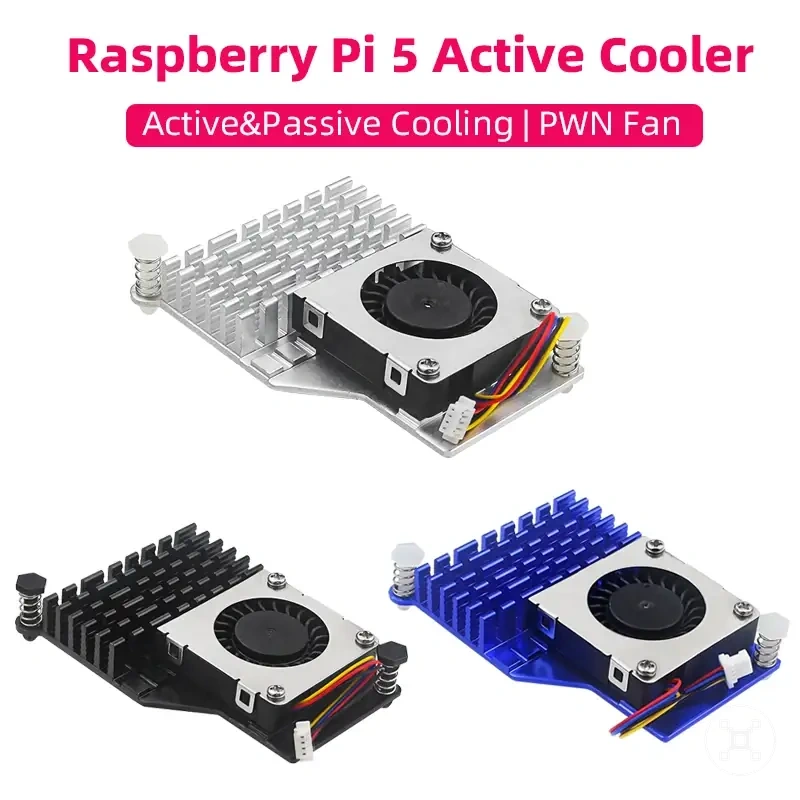
- Heatsinks: A heatsink can assist heat transfer from components, but the resulting effect depends on the workload, installation conditions, and surrounding environment.
- Active cooling: Active cooling can provide additional heat management when the workload and operating conditions create higher thermal demand.
- Ambient temperature: The surrounding environment affects heat removal conditions and can influence how the Raspberry Pi behaves during sustained activity.
- Throttling: Thermal throttling is a temperature-management response that can reduce sustained performance when thermal conditions become limiting.
Cooling requirements should be evaluated as part of the complete Raspberry Pi configuration rather than applied as a universal rule. Short bursts, sustained workloads, and peripheral-heavy setups can create different thermal conditions depending on the board, case, workload, and environment.
For a detailed explanation of thermal considerations and cooling approaches, see Raspberry Pi cooling requirements .
For a detailed explanation of thermal considerations and cooling approaches, see Raspberry Pi cooling requirements.
Network, storage, and CPU limits in practical workloads
Network, storage, and CPU limits can become the restricting factor in a Raspberry Pi workload when a specific task places greater demand on one hardware attribute than the others. The limiting component depends on the workload conditions, because file access, processing demand, data transfer, memory usage, power conditions, and heat can each influence the final system behaviour.
Network, storage, and CPU limits can become the restricting factor in a Raspberry Pi workload when a specific task places greater demand on one hardware attribute than the others.
The following workload-to-limiting-attribute table shows how common use cases can be constrained by different specification areas:
| Workload example | Potential limiting attribute | Condition affecting the workload |
|---|---|---|
| File serving | Storage and network capability | File access tasks can be limited when storage operations or network transfer requirements increase. |
| Desktop use | CPU and memory resources | Interactive applications can become limited when processor demand and active memory requirements increase. |
| Media playback | CPU, storage, and software support | Playback behaviour can depend on workload format, software configuration, and available hardware resources. |
| Network projects | Network capability and CPU resources | Communication-focused workloads can become limited when data transfer and processing requirements increase together. |
| Sensor logging | Storage, memory, and power conditions | Continuous data collection can increase storage activity and system resource demand over longer operation periods. |
| Lightweight server use | CPU, memory, storage, and thermal conditions | Long-running services can be affected when sustained workload demand increases pressure on system resources. |
A Raspberry Pi specification value describes a hardware capability, but the workload determines which attribute becomes the practical limitation. A short burst, a sustained process, or a setup with additional peripherals can create different bottlenecks depending on CPU demand, storage activity, network use, memory pressure, power conditions, and heat generation.
How to identify the specifications of a Raspberry Pi board
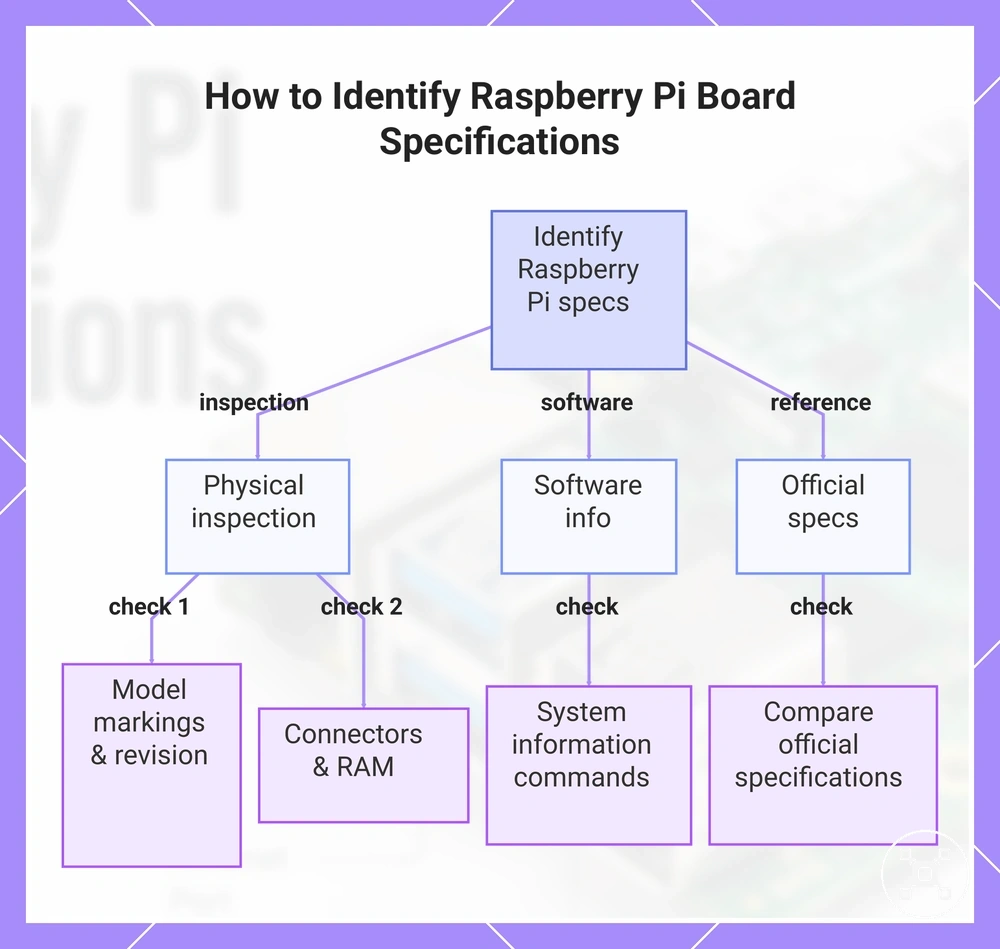
To identify the specification set of a Raspberry Pi board, verify the board identity through model markings, hardware layout, and operating system information where available. Combining these verification signals helps confirm the correct specifications before selecting related cables, power options, storage devices, or cooling components.
- Identify the model name: Check the board markings or available system information to determine the Raspberry Pi model being used.
- Check the board revision: Verify revision details where available because different revisions can contain different hardware characteristics.
- Inspect visible connectors: Review the connector layout, expansion headers, and available interfaces to confirm the physical board design.
- Confirm the RAM variant: Check the installed memory configuration when the identified Raspberry Pi model is available with different RAM options.
- Review operating system information: When an operating system is running, system information commands or tools can provide additional hardware identification details.
- Compare official specifications: Use official specification references to verify processor, memory, connectivity, power, and physical attributes associated with the identified board.
A Raspberry Pi specification check is more reliable when multiple signals agree, because visible hardware, software-reported information, and reference specifications each confirm different parts of the board identity. This verification helps avoid selecting accessories based on an incorrect model assumption.
This verification helps avoid selecting accessories based on an incorrect model assumption.
This chart shows the three main verification methods for identifying a Raspberry Pi board's specifications: physical inspection, software information, and official reference comparison.
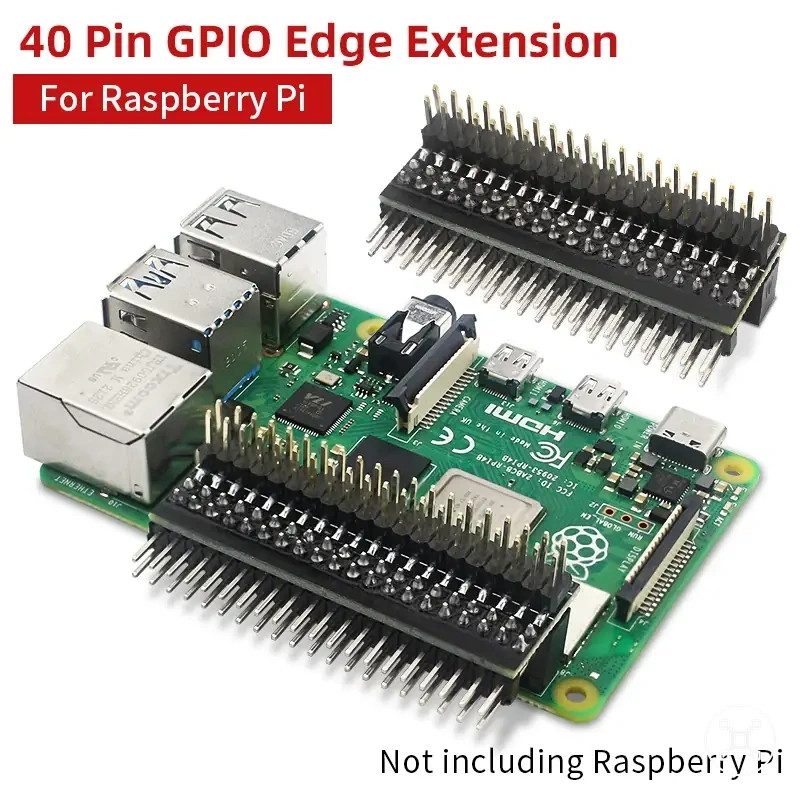
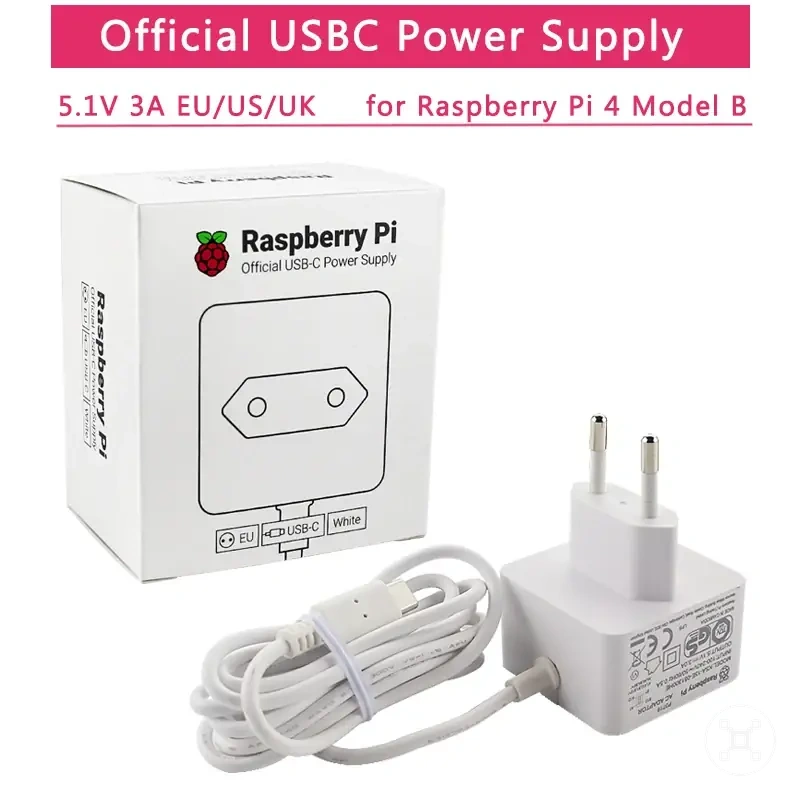
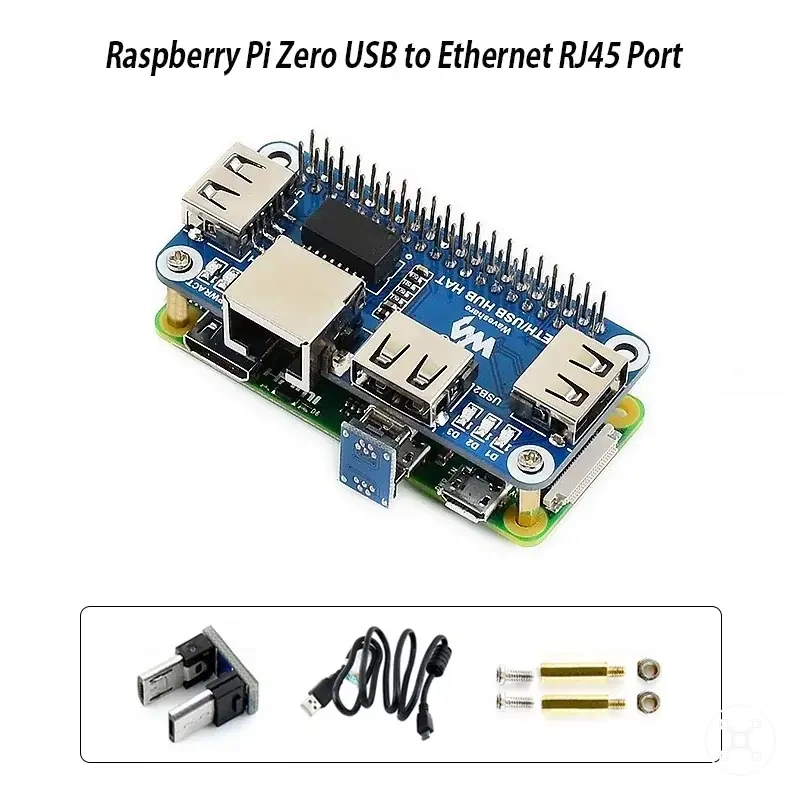
The products below are useful examples for comparing available options. Before buying, check that the compatibility criteria, key features, and product details match your needs.
Where specifications stop and model comparison begins
Specifications explain what each Raspberry Pi board attribute represents, while model comparison evaluates which board characteristics align with a specific use case. Understanding an attribute answers what a board provides, whereas comparing models requires evaluating workload needs, trade-offs, accessories, and practical constraints.
| Decision area | Specification interpretation | Model comparison purpose |
|---|---|---|
| Attribute meaning | Explains individual hardware characteristics such as processing, memory, connectivity, storage, or physical design. | Determines how differences between boards affect a particular requirement. |
| Workload fit | Identifies available hardware capabilities. | Evaluates whether a board configuration matches the intended workload conditions. |
| Model trade-offs | Describes the attributes available on a board. | Balances different capabilities when selecting between board options. |
| Price-value context | Provides technical information about hardware attributes. | Considers whether the available features match the expected use case and resource needs. |
| Accessory implications | Shows supported interfaces and related hardware requirements. | Considers how power, storage, cables, cooling, and other accessories relate to the selected board. |
| Support boundaries | Helps interpret the specification set of a Raspberry Pi board. | Provides board-level comparison criteria when a selection decision is required. |
Specification interpretation should come before model selection because a board decision depends on understanding which attributes matter for the intended task. When the requirement changes from understanding specifications to choosing between boards, continue with Raspberry Pi model comparison.