
Raspberry Pi models compared by board type, specs, and fit
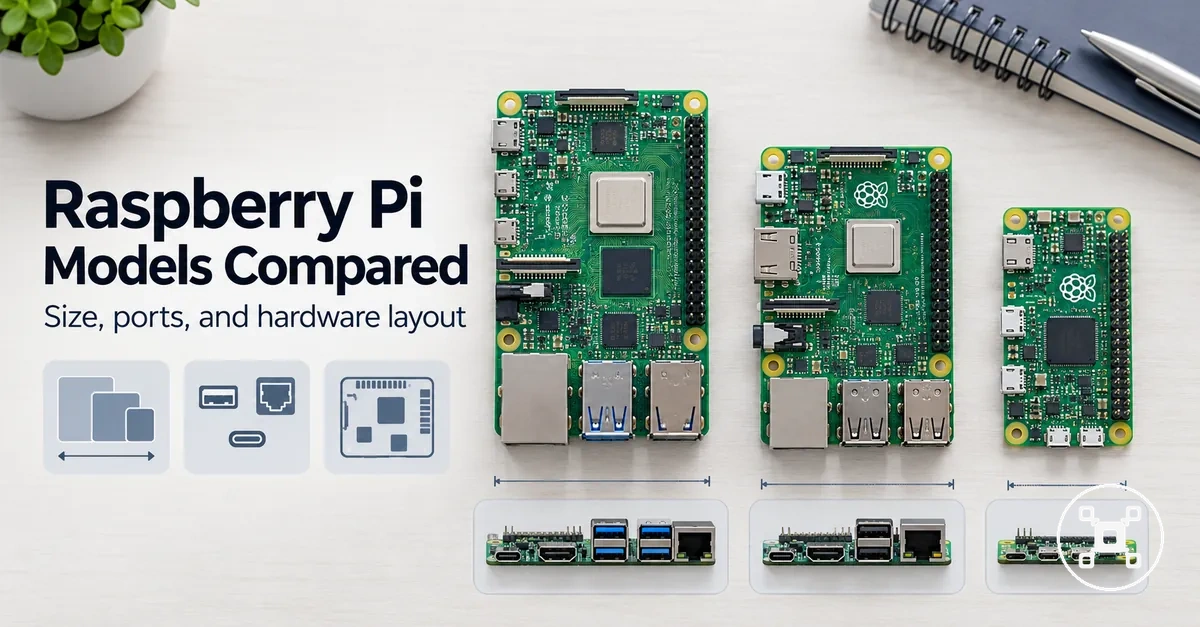
Raspberry Pi models are compared by board type, workload, specifications, and setup constraints because model fit is not universal. The suitable board depends on the balance between performance, RAM, ports, power, cooling, accessories, and value for the intended use case. This model comparison focuses on how Raspberry Pi model groups differ by fit and practical trade-offs.
Comparing these factors creates a clearer foundation before evaluating individual model groups.
A compact board can suit projects where size and lower power requirements are priorities, while a full-size board can better match projects that need broader connectivity or higher workload capacity. Users selecting a Raspberry Pi for desktop-style use, learning, electronics, or embedded projects need to match the board family with their expected workload and setup requirements. Comparing these factors creates a clearer foundation before evaluating individual model groups.
Higher specifications are not automatically the best fit for every Raspberry Pi project.
Higher specifications are not automatically the best fit for every Raspberry Pi project. A model with more performance headroom can be useful when the workload benefits from it, while a simpler board may provide better value when power, cooling, accessories, or setup friction are stronger constraints.
Table of Contents
Raspberry Pi board families and model lines
Raspberry Pi board families are comparison groups with different formats, roles, and practical fit considerations. The main board families include full-size boards, compact Zero-style boards, keyboard-style boards, and Pico-style boards, which provide different options for projects, computing needs, and electronics use.
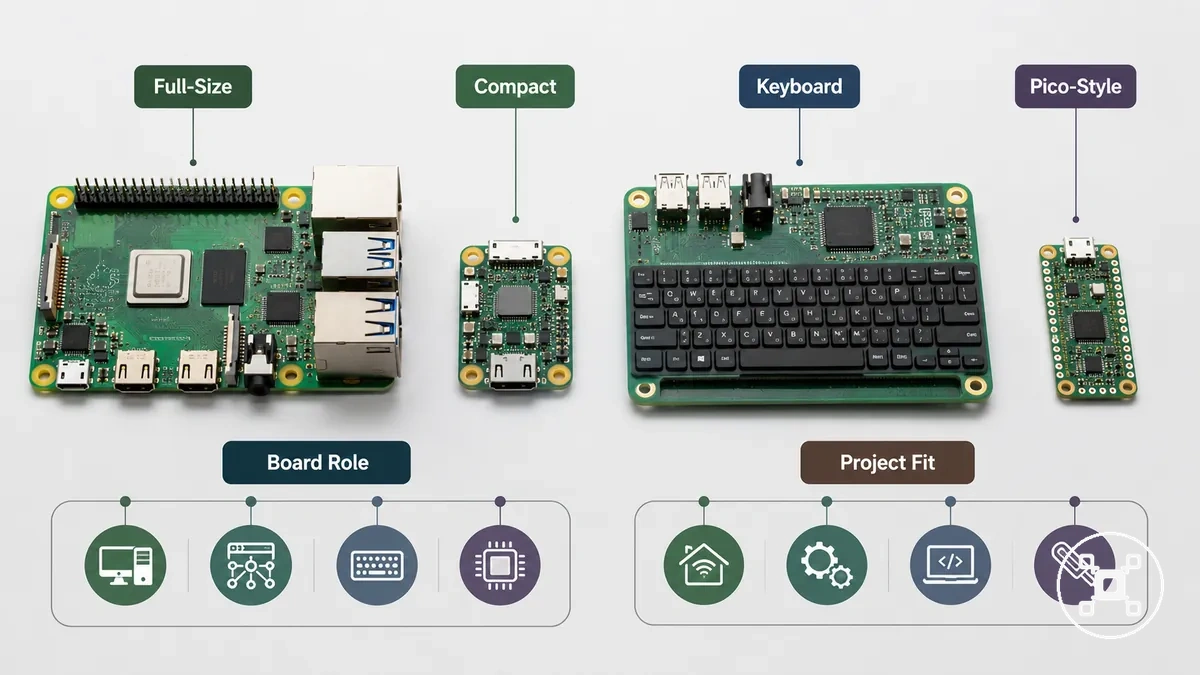
Each Raspberry Pi board family affects model selection through board role, physical format, connection options, and intended use. Full-size boards are oriented toward general-purpose use with broader expansion options, while compact Zero-style boards focus on smaller builds where physical size and lower power requirements are important factors. The Raspberry Pi hub provides the wider context for how these board families connect within the overall Raspberry Pi model comparison. Keyboard-style boards use an integrated input format for convenience-focused computing, while Pico-style boards are a special-case board family for microcontroller-style electronics projects rather than the same comparison path as general Raspberry Pi computers.
The board family baseline helps organize later comparisons of specifications, performance, RAM, ports, power, and cooling.
The board family baseline helps organize later comparisons of specifications, performance, RAM, ports, power, and cooling. Comparing model lines by board role makes it easier to understand which family matches a project before evaluating more detailed attributes.
| Board family | Typical role | Main trade-off | Practical fit |
|---|---|---|---|
| Full-size boards | General-purpose computing and broader connectivity | Larger physical format | Projects that need more connection options and computing capability |
| Compact Zero-style boards | Small builds and space-constrained projects | Smaller form factor with fewer connection options | Embedded projects where compact size is a priority |
| Keyboard-style boards | Integrated computing and input convenience | Different physical layout from standalone boards | Learning, classroom, or desktop-style convenience use |
| Pico-style boards | Microcontroller-style electronics projects | Evaluated by electronics project requirements rather than general-purpose computer needs | Special-case electronics use |
Raspberry Pi models compared by format, performance, RAM, and ports
Raspberry Pi models are compared through format, performance, RAM, and ports because these attributes define practical board suitability. Format determines the physical footprint, performance relates to workload headroom, RAM affects memory comfort, and ports determine connectivity options for peripherals, displays, and electronics projects.
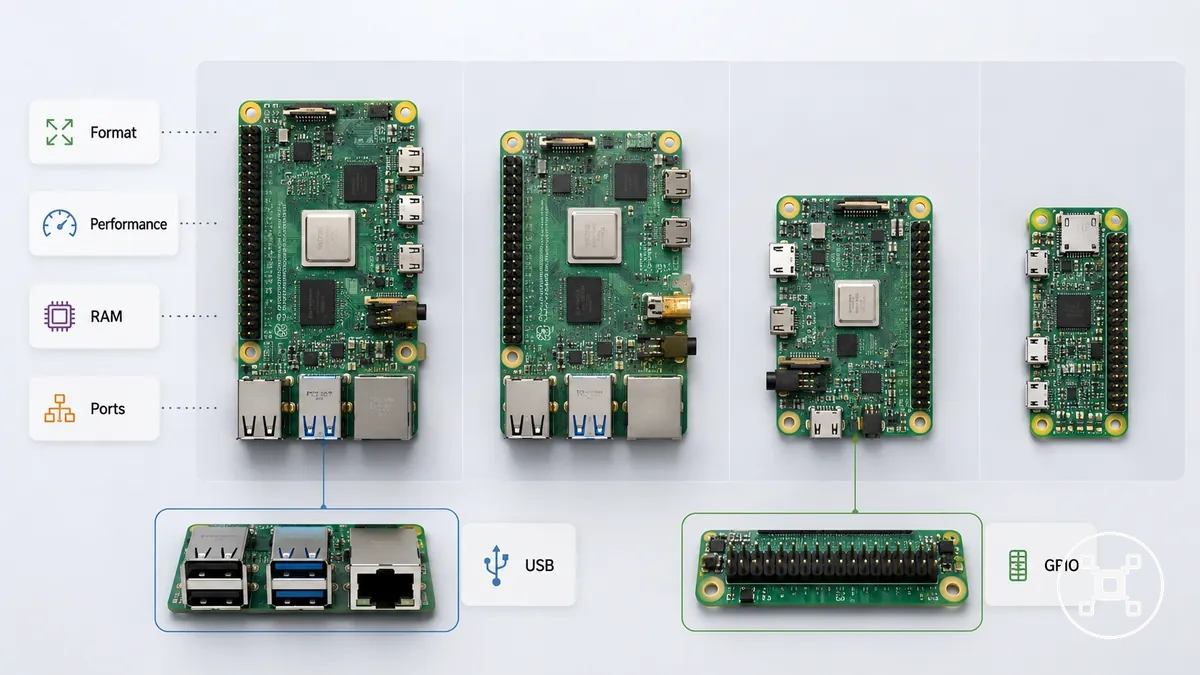
Different workloads create different selection priorities. A compact project may place more importance on footprint and connection requirements, while a general-purpose setup may need stronger processing headroom, more memory comfort, or broader USB, GPIO, and display output options. The Raspberry Pi specs explained page provides deeper specification context, while this comparison focuses on how each attribute changes model fit.
Different workloads create different selection priorities.
Choosing a Raspberry Pi model by one specification alone can create an unsuitable trade-off. Higher performance, additional RAM, or more ports can be useful when the workload requires them, but power needs, cooling requirements, accessories, and project constraints also influence the practical outcome.
| Model group | Attribute or criterion | Typical condition | Effect on fit |
|---|---|---|---|
| Full-size board group | Format and connectivity | Larger form factor with broader connection options | Fits projects that require more peripheral support and expansion options |
| Compact board group | Format and power considerations | Smaller footprint for space-constrained projects | Fits embedded projects where compact size is a priority |
| Performance-focused model group | Processing headroom and workload | Higher computing capability for workloads that benefit from additional responsiveness | Fits use cases where processing demand is a stronger factor |
| Memory-focused model group | RAM and multitasking comfort | More memory capacity for workloads with higher memory requirements | Fits projects where memory headroom influences usability |
| Connectivity-focused model group | Ports, USB, GPIO, and display output | Connection needs determine required interfaces and accessories | Fits projects where peripherals, electronics, or displays are central requirements |
Full-size boards versus compact boards
Full-size boards and compact boards differ mainly through footprint, port availability, and physical layout. Full-size boards usually trade a larger footprint for broader connection options and more performance headroom, while compact boards focus on a smaller form factor for projects where space and enclosure fit are important.
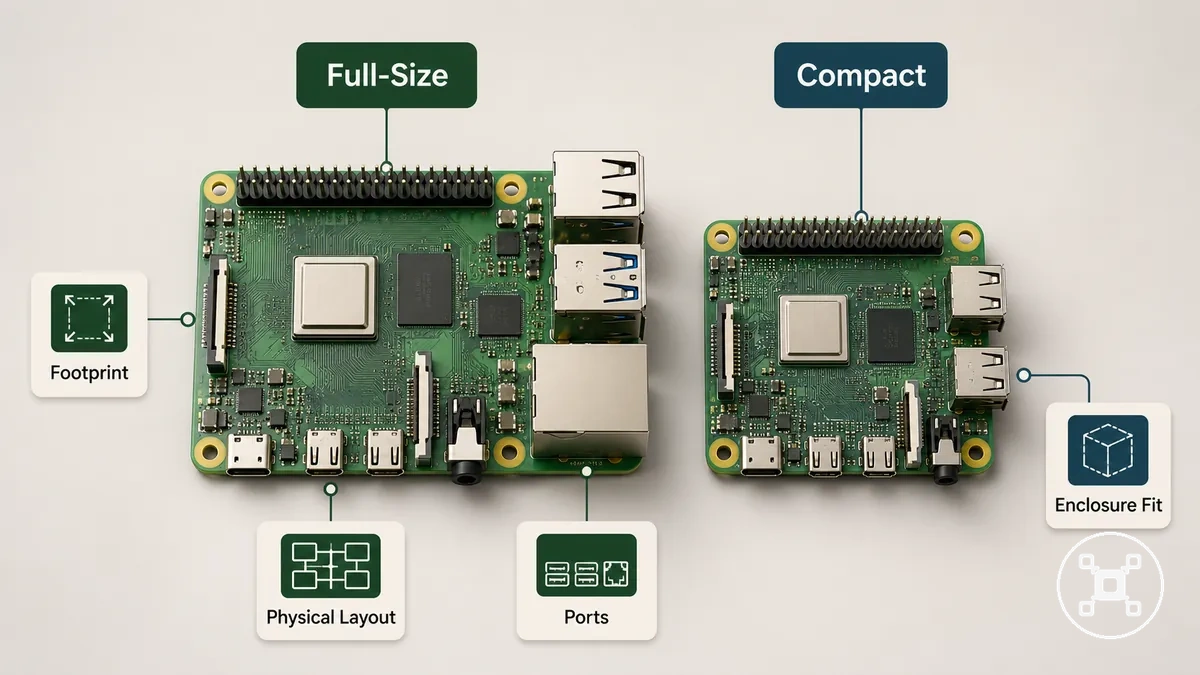
Desktop-style use can benefit from the connection options, cable access, and thermal headroom available with a larger board format when peripherals or displays are important. An embedded build or hidden build may place more importance on compact fit, lower power draw considerations, and smaller enclosure requirements. Full-size boards and compact boards therefore represent different format choices, where project constraints such as footprint, port requirements, power needs, and physical layout determine the practical fit.
Processor performance and workload headroom
Processor performance matters most when workload demand rises because CPU capability affects workload headroom, responsiveness, and multitasking comfort. Raspberry Pi models with stronger processing capability can provide more performance margin for tasks that require additional computing capacity, while lighter workloads may place more importance on overall board suitability and project constraints.
Processor performance should be evaluated by workload type rather than benchmark results alone.
Processor performance should be evaluated by workload type rather than benchmark results alone. Lightweight tasks, moderate workloads, and demanding workloads place different requirements on CPU capability, RAM, storage speed, cooling, and sustained use conditions.
- Lightweight workloads: Basic tasks with lower workload demand may require less processing headroom, making format and project requirements important parts of the selection decision.
- Moderate workloads: Multitasking and applications with multiple processes benefit from balanced processor performance, RAM capacity, and storage speed for more comfortable operation.
- Demanding workloads: Emulation and server workload use require closer attention to CPU capability, cooling conditions, and sustained processing requirements.
Board generation can influence CPU capability and workload comfort, but processor comparisons alone do not determine model suitability. A model with greater processing headroom is useful when the workload benefits from it and the supporting conditions match the intended use.
RAM options and practical memory needs
RAM options affect practical memory needs and usage comfort, but RAM capacity alone does not determine Raspberry Pi model value. Memory influences multitasking, browser-heavy use, and background processes, while the suitable RAM option depends on workload conditions and the overall board choice.
Different workloads create different memory requirements.
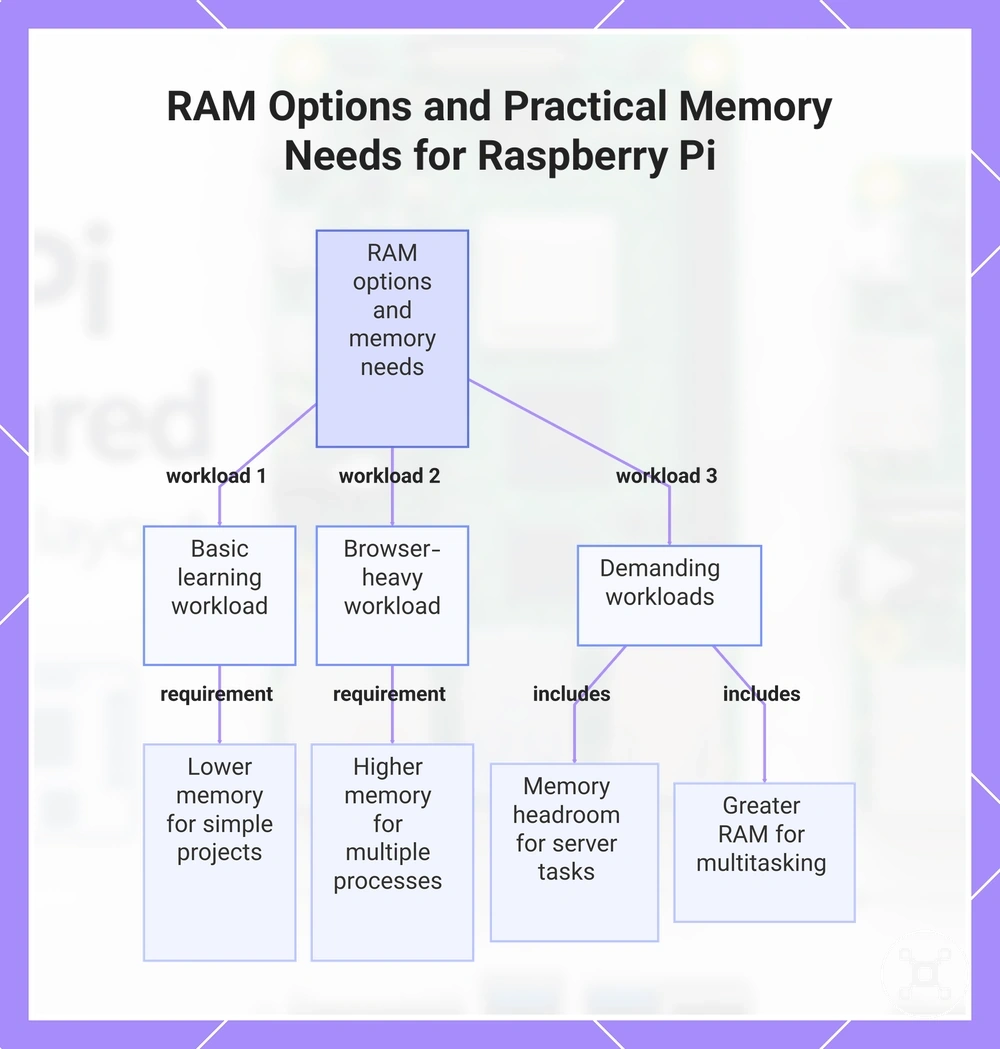
Different workloads create different memory requirements. Basic learning tasks may need less memory headroom, while browser-heavy use, light server tasks, and multitasking place greater importance on RAM capacity and memory comfort. The difference between minimum workable memory and comfortable memory depends on how much working memory the workload requires.
RAM options and practical memory needs:
- Basic learning: Lower memory needs can suit simple projects where setup simplicity and basic functionality are the main priorities.
- Browser-heavy use: Higher memory comfort can be useful when multiple browser processes and background tasks increase working memory requirements.
- Light server tasks: RAM options should match background processes and workload conditions where memory headroom supports the intended server workload.
- Multitasking: Greater RAM capacity can be useful when multiple applications or processes require additional memory availability.
This chart shows how different workloads affect the required RAM capacity and memory comfort for Raspberry Pi users.
Ports, wireless connectivity, GPIO, and display support
Ports and wireless connectivity affect model fit by determining what peripherals, networks, electronics projects, and displays can be connected with less setup friction. USB, HDMI, Wi-Fi, Bluetooth, Ethernet, and GPIO access are key connection categories to consider when comparing Raspberry Pi models.
Different projects prioritize different connection options.
Different projects prioritize different connection options. Peripheral support, networking, electronics, and display support can influence board choice because built-in connections may reduce adapter dependency, while other model lines may require adapters, headers, or different connection expectations. These differences make connection areas important when evaluating practical fit.
| Connection area | What to check | Why it affects model fit |
|---|---|---|
| USB | USB availability for peripheral support | Affects how external devices connect and whether additional connection steps are needed |
| HDMI and display support | Display output requirements and monitor connection needs | Influences suitability for projects that require visual output |
| Wi-Fi and Bluetooth | Wireless connectivity requirements | Supports networking and wireless device connections when available on the model line |
| Ethernet | Wired network support needs | Affects projects where cable-based networking is part of the setup |
| GPIO | GPIO access and header condition | Determines suitability for electronics projects where connector access is required |
Raspberry Pi 5, Pi 4, Zero, keyboard, and Pico-style boards compared
Raspberry Pi model groups should be compared by role and fit rather than by revision count. Raspberry Pi 5, Raspberry Pi 4, Zero-style boards, keyboard-style boards, and Pico-style boards represent different approaches to computing, compact projects, integrated formats, and control-focused tasks.
Raspberry Pi model groups should be compared by role and fit rather than by revision count.
Raspberry Pi 5 can suit higher workload conditions where additional processing capability is useful, while Raspberry Pi 4 remains a general-purpose board for a wide range of computing projects. Zero-style boards focus on compact builds where footprint and lower-power considerations matter, keyboard-style boards combine computing with integrated input, and Pico-style boards serve a microcontroller-style role for control and electronics tasks.
These model groups are not judged by identical criteria.
These model groups are not judged by identical criteria. Pico-style boards are not compared like general-purpose boards because their role focuses on control tasks, while keyboard-style boards are evaluated partly through their integrated form factor. The suitable model group depends on workload, project requirements, and the conditions in which the board will be used.
The suitable model group depends on workload, project requirements, and the conditions in which the board will be used.
Raspberry Pi 5, Pi 4, Zero, keyboard, and Pico-style boards compared by role:
| Model group | Main role | Strength | Limitation | Best-fit condition |
|---|---|---|---|---|
| Raspberry Pi 5 | Higher-performance general-purpose board | Provides more processing headroom for workloads that benefit from increased capability | Higher workload use may require attention to cooling and project conditions | Suitable when computing demands require additional performance margin |
| Raspberry Pi 4 | General-purpose board | Balanced option for broad computing projects | May provide less headroom for workloads requiring more processing capability | Suitable for general-purpose projects with varied requirements |
| Zero-style boards | Compact board for small builds | Small footprint and lower-power project suitability | Compact format can limit connection and expansion options | Suitable when space and physical fit are key constraints |
| Keyboard-style boards | Integrated computing and input | Combines computing with an integrated keyboard format | Different physical layout from standalone boards | Suitable for learning and convenience-focused computing |
| Pico-style boards | Microcontroller-style board for control tasks | Focused role for electronics and hardware control projects | Not evaluated using the same criteria as a general-purpose board | Suitable for special-case control and electronics use |
Flagship boards for performance and desktop-style use
Flagship boards fit users who need more performance and desktop-style comfort from a Raspberry Pi model. These boards can provide greater processing headroom, RAM availability, and connection support when workloads require additional capability, while the practical benefit depends on software demands and project conditions.
Flagship boards fit users who need more performance and desktop-style comfort from a Raspberry Pi model.
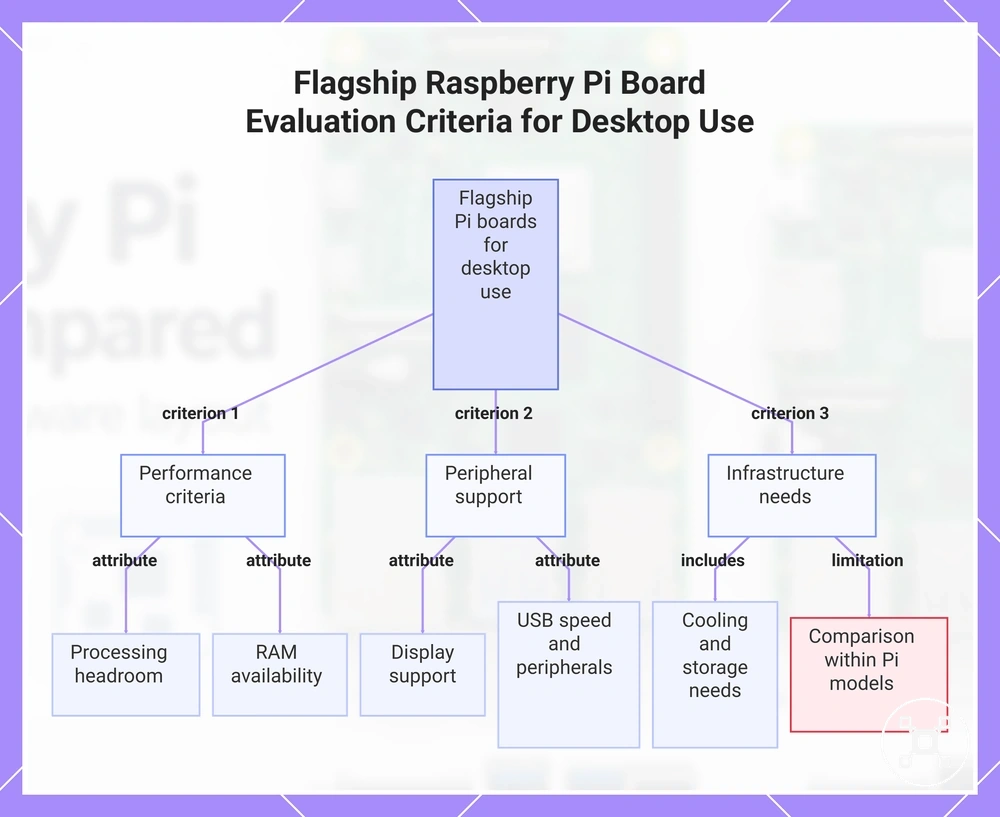
Desktop-style use can change the importance of display support, USB speed, storage expectations, cooling needs, and accessory dependency. A stronger model may feel more comfortable when applications, multitasking, or sustained workloads require additional capacity, but the comparison remains within Raspberry Pi models rather than full PC equivalence.
Desktop-style use can change the importance of display support, USB speed, storage expectations, cooling needs, and accessory dependency.
Flagship boards for performance and desktop-style use can be evaluated through these criteria:
- Processing headroom: Additional performance capability can help when workloads require more computing capacity and improved responsiveness.
- RAM availability: Greater memory options can support multitasking comfort when working memory demands increase.
- Display support: Display output options affect suitability for desktop-style setups that require visual output.
- USB speed and peripherals: Connection capability influences peripheral support and setup friction when multiple devices are involved.
- Cooling, storage, and accessories: Sustained workloads may require attention to cooling needs, storage expectations, and accessory dependency.
This chart shows the main evaluation criteria for flagship Raspberry Pi boards when used for performance and desktop-style applications.
Compact boards for small builds and lower power use
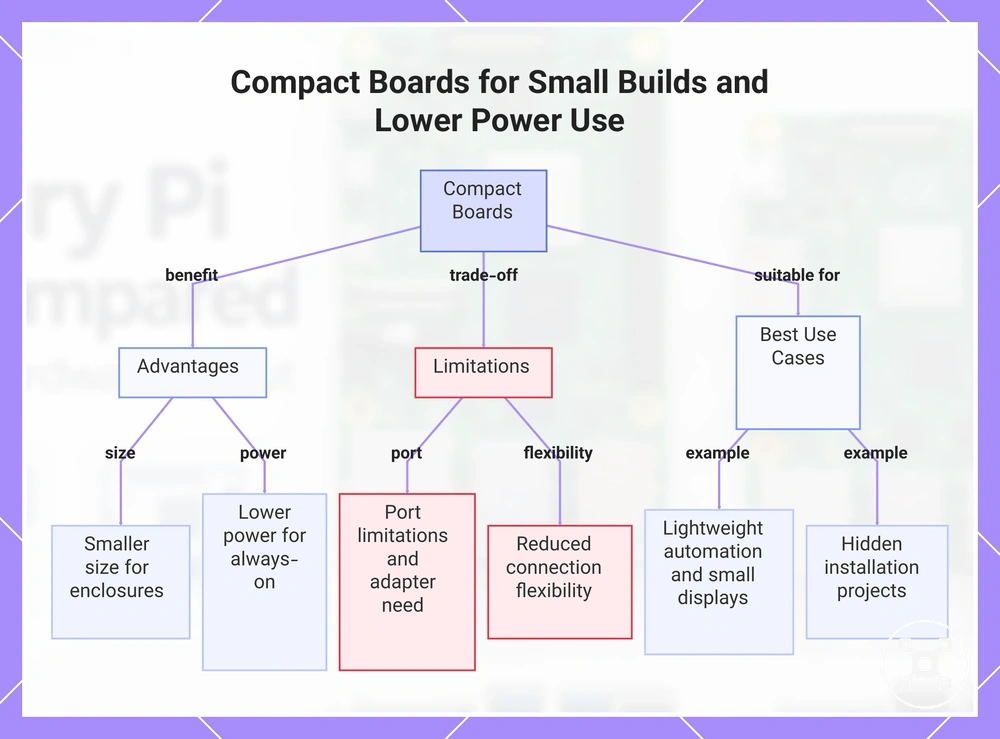
Compact boards fit space- and power-constrained builds when maximum performance is not the priority. Their smaller board size can support compact enclosures and hidden installations, while the trade-off may include port limitations, different GPIO access expectations, and reduced connection flexibility compared with larger boards.
Compact boards fit space- and power-constrained builds when maximum performance is not the priority.
Compact boards can suit scenarios where physical size and lower power use are important, such as lightweight automation, small displays, or hidden installation projects. Lower power use can be a consideration for always-on projects, while enclosure fit and wireless availability influence how a compact model matches the setup. Port limitations may increase adapter dependency when additional connections are required, creating more setup friction in some builds.
This chart shows the key benefits, trade-offs, and suitable use cases of compact boards for space- and power-constrained projects.
This chart shows the key benefits, trade-offs, and suitable use cases of compact boards for space- and power-constrained projects.
Keyboard and microcontroller-style boards as special-case options
Keyboard-style boards and microcontroller-style boards are special-case options within a Raspberry Pi model comparison. Keyboard-style boards focus on computer-style use with input integration, while Pico-style boards focus on microcontroller-style use, GPIO experimentation, and control-oriented projects rather than the same criteria used for full Raspberry Pi boards.
Pico-style boards should not be evaluated using the same desktop-computer criteria as full Raspberry Pi boards.
Keyboard-style boards can suit scenarios where classroom convenience or integrated input is useful, while Pico-style boards can suit projects focused on real-time control concepts and hardware interaction. Operating system expectations, GPIO experimentation needs, and project type affect how these options should be evaluated. Pico-style boards should not be evaluated using the same desktop-computer criteria as full Raspberry Pi boards.
Operating system expectations, GPIO experimentation needs, and project type affect how these options should be evaluated.
Computer-style Raspberry Pi boards and microcontroller-style boards differ by scope and evaluation criteria:
| Computer-style Raspberry Pi boards | Microcontroller-style boards |
|---|---|
| Use an operating system and are evaluated through software use, computing tasks, and general-purpose capabilities. | Focus on control-oriented tasks where GPIO experimentation and hardware interaction are central. |
| Keyboard-style boards provide input integration for convenience-focused computer use. | Pico-style boards are special-case options where real-time control and GPIO access are key considerations. |
| Fit depends on computer-style workloads, operating system expectations, and application requirements. | Fit depends on project type, control needs, and electronics interaction requirements. |
Best Raspberry Pi model by use case
The best Raspberry Pi model depends on the use case, workload, physical constraints, and accessory tolerance rather than a universal choice. A board that fits one project may be less suitable for another when performance needs, connection requirements, and setup conditions change. Use-case matching helps connect the project goal with the most appropriate board group.
Use-case matching helps connect the project goal with the most appropriate board group.
Different scenarios prioritize different attributes, so the selection process changes with the project need. Beginner learning may prioritize setup ease and accessories, while desktop-style use may require stronger performance, RAM, cooling, and display support. Media, servers, electronics, automation, compact builds, and project kits each create different selection signals, and broader criteria such as choose a Raspberry Pi can help when the comparison requires additional decision factors.
The selection should remain based on the project conditions and required attributes.
A common misconception is that the same Raspberry Pi model is suitable for every situation. A board can be a good fit for one workload and a poor fit for another when accessories, physical constraints, or setup friction change. The selection should remain based on the project conditions and required attributes.
A common misconception is that the same Raspberry Pi model is suitable for every situation.
The best Raspberry Pi model by use case can be matched by comparing the main decision factors:
| Use case | What matters most | Better-fit board group | Main caution |
|---|---|---|---|
| Beginner learning | Setup ease, accessories, and learning goals | General-purpose boards suited to learning projects | Extra accessories and project complexity can affect comfort |
| Desktop-style use | Performance, RAM, cooling, display support, and peripherals | Higher-capability general-purpose boards | Desktop-style comfort depends on workload and supporting hardware |
| Media | Display support, storage expectations, and connection needs | General-purpose boards with suitable media capabilities | Project requirements determine the needed balance of features |
| Servers | Workload, storage, cooling, and sustained-use requirements | Boards with suitable performance and connectivity headroom | Server workloads can require attention to operating conditions |
| Electronics and automation | GPIO access, control needs, and compact fit | Boards suited to electronics-focused projects | Port access and project hardware requirements affect fit |
| Compact builds and project kits | Physical size, enclosure fit, and accessory tolerance | Compact boards or project-focused board groups | Smaller formats may increase adapter needs or setup friction |
Beginners and general learning
Beginners and general learning users often benefit from a Raspberry Pi model with strong setup ease and learning flexibility, but the right choice depends on the project goals, accessory needs, and expected comfort level. A beginner-friendly setup is influenced by documentation support, available connections, and how easily the board matches the learning environment.
Beginner-focused selection depends on practical factors rather than choosing one model for every learner.
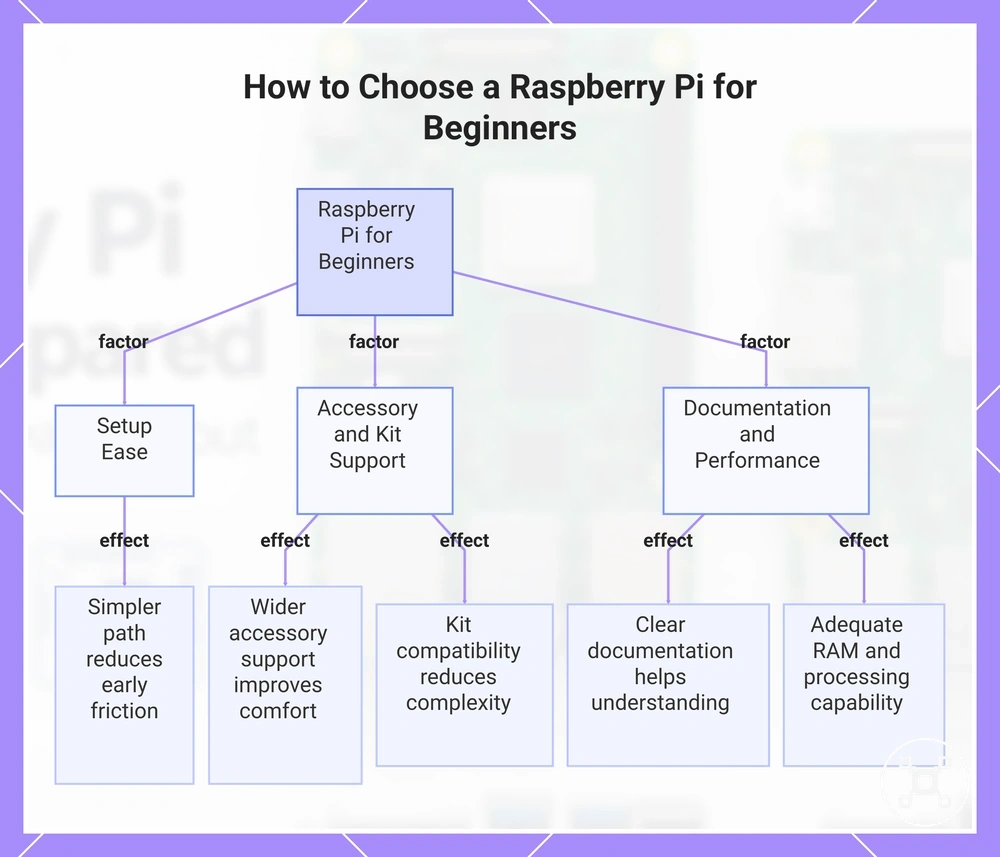
Beginner-focused selection depends on practical factors rather than choosing one model for every learner. Ports, RAM comfort, documentation, and kit compatibility can influence the first learning experience, especially when a project requires additional accessories or multitasking. A lower-cost board may appear suitable, but adapters, soldering requirements, limited ports, or missing accessories can increase setup friction.
A lower-cost board may appear suitable, but adapters, soldering requirements, limited ports, or missing accessories can increase setup friction.
Beginner-facing criteria that influence general learning suitability include:
- Setup ease: A simpler setup path can reduce early friction and help beginners focus on learning goals rather than resolving connection requirements.
- Accessory availability: Wider accessory support can improve learning comfort when projects require common components or add-ons.
- Documentation support: Clear documentation can help beginners understand features, connections, and project requirements more effectively.
- Performance comfort: Adequate RAM comfort and processing capability can provide a more comfortable experience when learning involves multiple tasks.
- Kit compatibility: Compatibility with learning kits can reduce setup complexity, while different board formats may require additional preparation.
This chart shows the key factors influencing Raspberry Pi selection for beginner users, including setup ease, accessory and kit support, and documentation and performance.
Desktop, media, and everyday computing
Desktop-style use, media, and everyday computing workloads usually need more comfort margin than basic learning because performance headroom, RAM, and supporting hardware influence the overall experience. The suitable Raspberry Pi model depends on workload expectations, display requirements, storage needs, and setup conditions rather than a fixed level of performance.
These workloads should be matched with realistic expectations based on the selected Raspberry Pi model and supporting setup.
Light browsing may require less performance comfort than media playback or heavier multitasking, where storage speed, RAM, cooling, and peripheral support become more important. Media use can place greater emphasis on display outputs and storage performance, while everyday computing depends on the balance between the model, software load, and available accessories. These workloads should be matched with realistic expectations based on the selected Raspberry Pi model and supporting setup.
Light browsing may require less performance comfort than media playback or heavier multitasking, where storage speed, RAM, cooling, and peripheral support become more important.
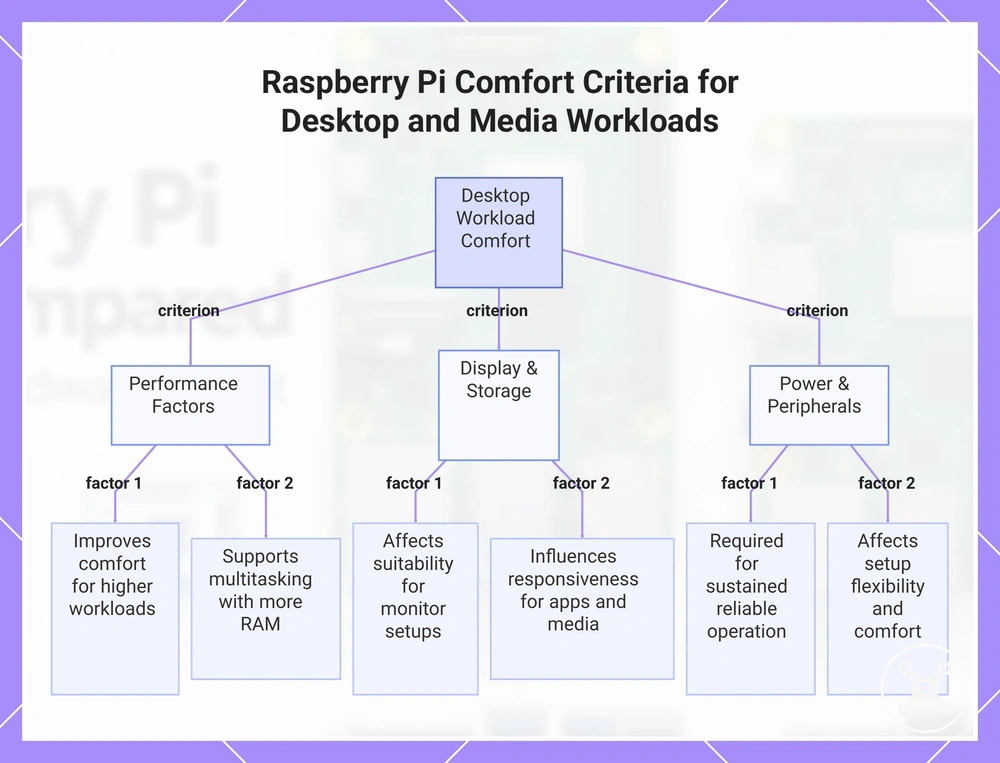
Desktop, media, and everyday computing comfort criteria:
- Performance headroom: Additional capability can improve comfort when desktop-style use involves higher workload demands or more simultaneous tasks.
- RAM: More memory availability can support multitasking comfort when everyday computing requires greater memory headroom.
- Display outputs: Display support affects suitability for monitor setups and media use where visual output is required.
- Storage speed: Storage performance influences responsiveness for applications, files, and media workloads.
- Cooling and power supply: Sustained workloads may require suitable cooling and power conditions to maintain reliable operation.
- Peripheral support: USB devices, keyboards, monitors, and other peripherals affect setup flexibility and comfort.
This chart shows the key comfort criteria for desktop, media, and everyday computing workloads on Raspberry Pi, grouped by performance, display/storage, and power/peripherals.
Electronics, GPIO, automation, and embedded projects
Electronics and embedded projects depend on GPIO, size, power, and control requirements when selecting a Raspberry Pi model. The right board choice depends on GPIO access, enclosure constraints, and whether the project needs a Linux-computer-like environment or a more control-focused setup.
Electronics and embedded projects depend on GPIO, size, power, and control requirements when selecting a Raspberry Pi model.
Automation and sensor projects may prioritize wireless connectivity, power draw, and enclosure constraints when the build has size or placement limits. Electronics projects using GPIO access should consider how the board fits the required hardware interaction, while OS needs and real-time control expectations can change the suitable board group. A Pico-style board may fit when the project is microcontroller-like and focused on control tasks rather than Linux-computer-like computing.
A Pico-style board may fit when the project is microcontroller-like and focused on control tasks rather than Linux-computer-like computing.
Electronics, GPIO, automation, and embedded project fit can be evaluated through these conditions:
- GPIO access: Electronics projects that require hardware interaction should consider GPIO availability and how it matches the intended project requirements.
- Size and enclosure constraints: Embedded builds with limited installation space may prioritize smaller board formats that fit the physical design.
- Power draw: Projects with specific power conditions may require a board choice that matches the expected operating needs.
- Wireless connectivity: Automation projects using sensors may require suitable wireless connectivity based on the communication needs of the setup.
- OS needs and real-time control: Linux-computer-like projects and microcontroller-like projects require different evaluation criteria because control expectations and software environments differ.
Price, performance, power, and cooling trade-offs by model
Raspberry Pi value depends on total setup trade-offs rather than board cost alone. A higher-spec model may provide more workload benefit, but the final decision also includes required accessories, power supply, cooling need, and case fit alongside price, performance, power, and cooling considerations.
Raspberry Pi value depends on total setup trade-offs rather than board cost alone.
Board cost is only one part of total setup value because required accessories and workload benefit can change the overall decision. A model with additional capability may provide more value when the workload uses that performance, while accessory requirements can reduce the advantage. For broader cost criteria, Raspberry Pi cost and value helps explain how setup cost relates to project requirements.
The suitable choice depends on matching the model group to workload benefit and total setup value.
A faster Raspberry Pi model is not automatically the better value choice because higher performance may require additional power support, cooling, or case fit considerations. These factors can affect the final setup conditions, and Raspberry Pi cooling requirements provide further context when sustained workloads increase cooling needs. The suitable choice depends on matching the model group to workload benefit and total setup value.
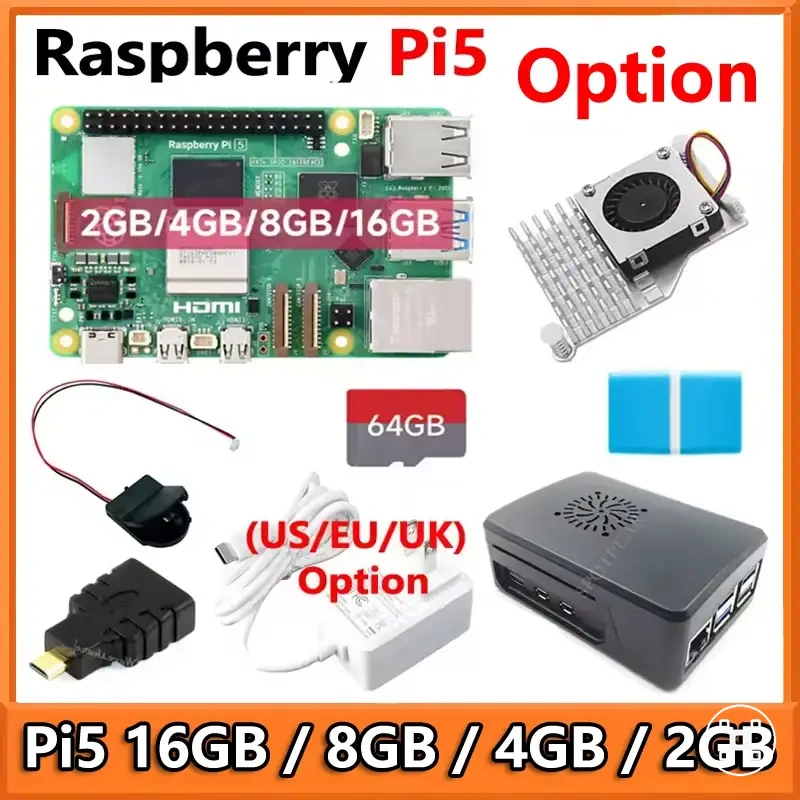
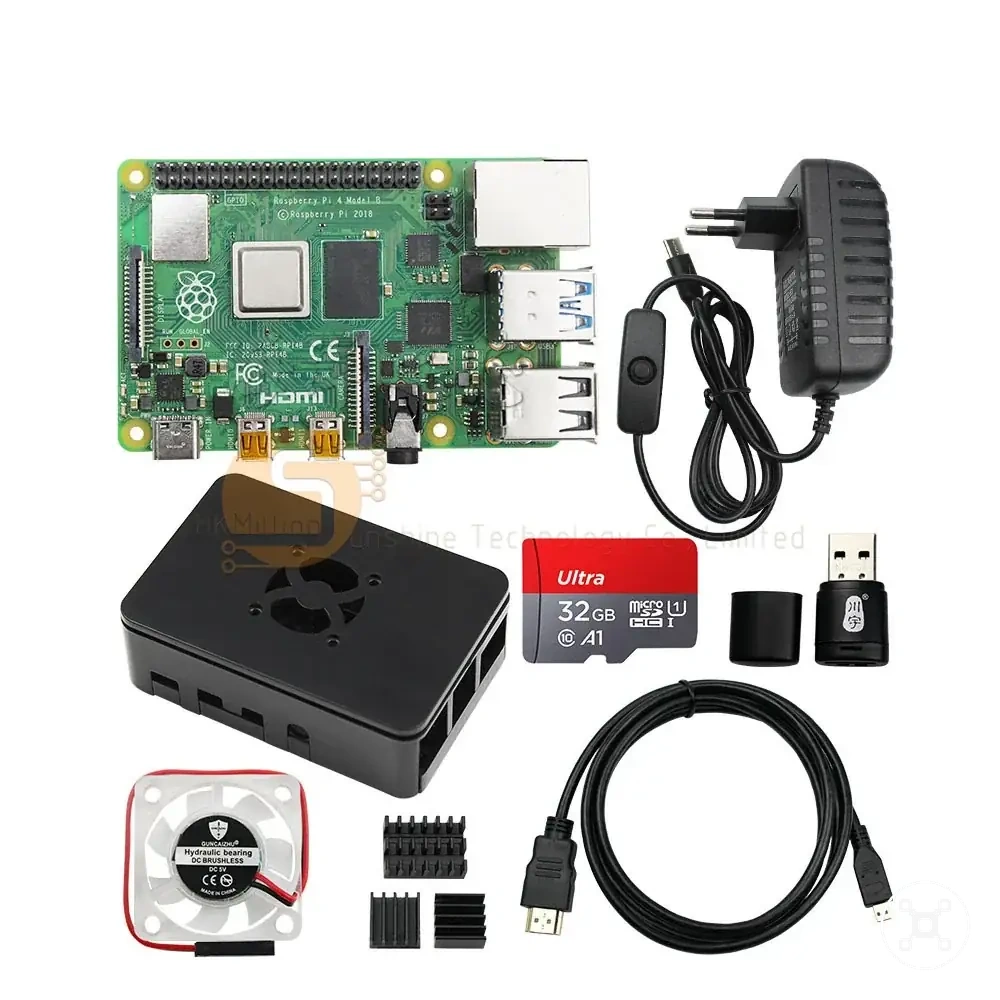
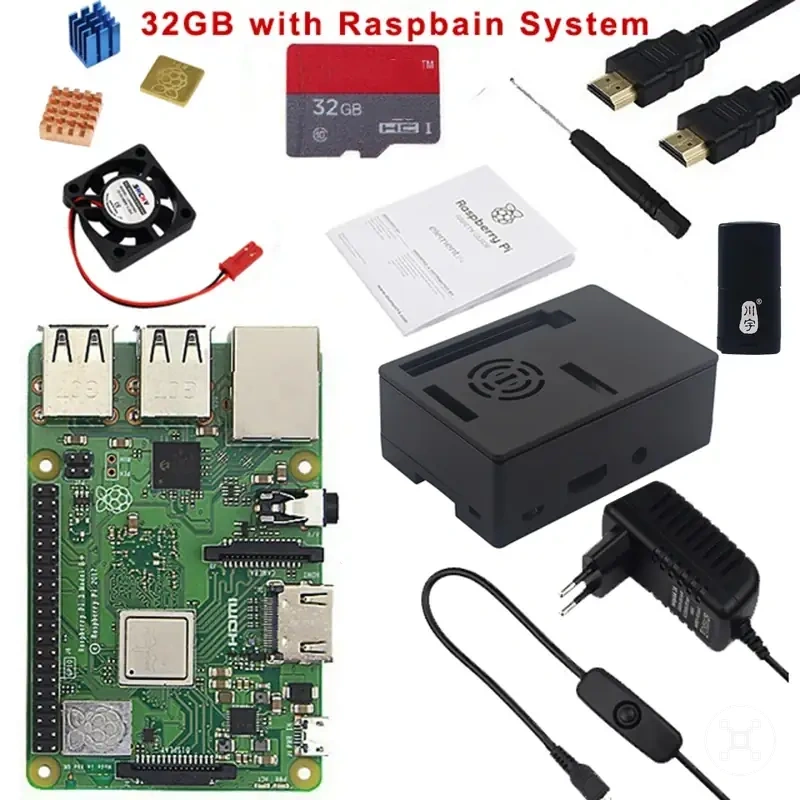
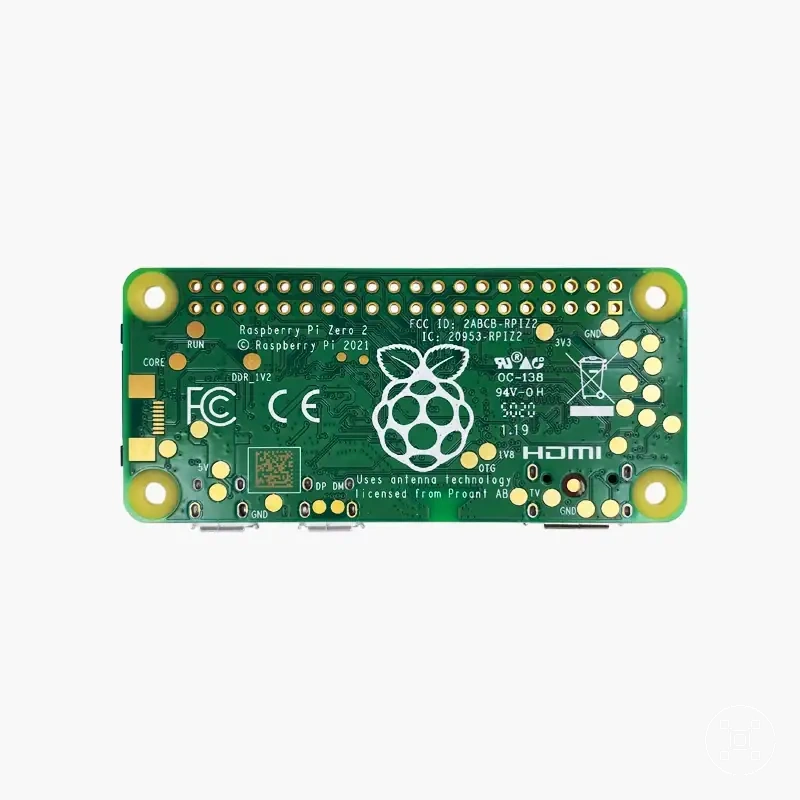
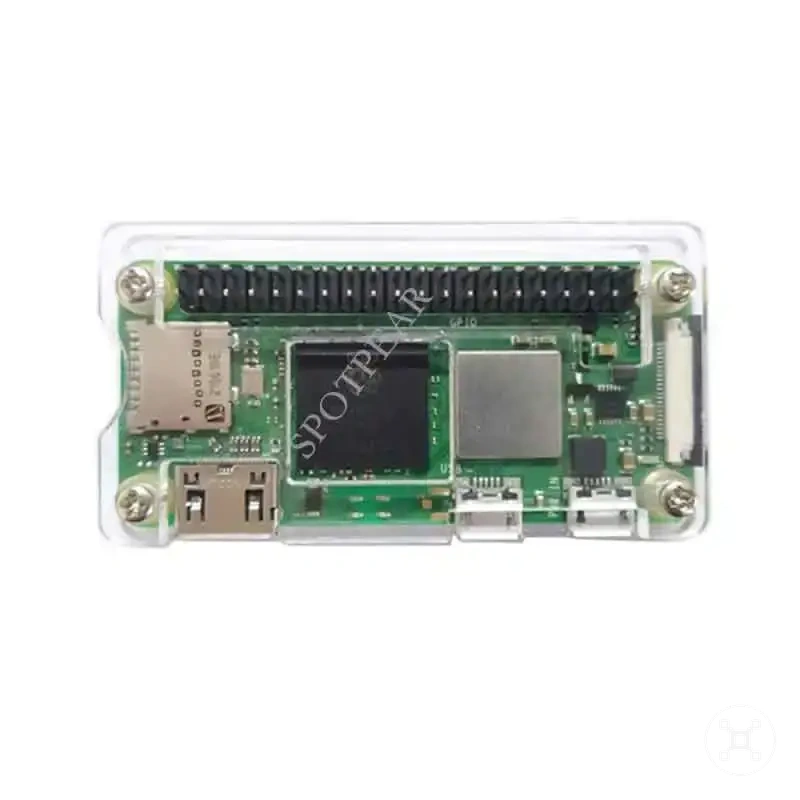
Here are product examples that may make comparison easier.
Here are product examples that may make comparison easier. Before buying, always review the compatibility criteria, essential features, and product details.
Price, performance, power, and cooling trade-offs by model can be evaluated through these criteria:
| Model or model group | Criterion | Condition to check | Decision effect |
|---|---|---|---|
| Higher-capability model group | Performance | Check whether the workload benefits from additional processing capability | Extra performance may provide more value when the workload requires greater headroom |
| Any model group | Board cost and required accessories | Consider the complete setup requirements beyond the board itself | Additional accessories can increase total setup value considerations |
| Higher-power model group | Power supply | Check whether the project conditions require suitable power support | Power requirements can influence overall setup practicality |
| Performance-focused model group | Cooling need | Consider whether sustained workloads increase thermal requirements | Cooling needs can affect case fit and long-term setup suitability |
| Compact model group | Case fit | Match the board format with enclosure and installation constraints | Physical requirements can change accessory needs and setup friction |
When Raspberry Pi 5 is worth the higher cost
Raspberry Pi 5 is worth the higher cost only when the workload benefits from its stronger capability and additional performance headroom. The extra cost can be justified when the project requires more performance margin, RAM options, I/O capability, or storage capacity that creates a clear workload benefit.
For lighter projects, a lower-cost board may remain more sensible when the additional capability does not provide a meaningful benefit.
Raspberry Pi 5 can provide stronger value when performance headroom is useful for demanding workloads, higher I/O needs, or larger storage expectations. The decision also depends on accessory cost, power requirements, cooling needs, and whether the setup conditions support the higher-spec model. For lighter projects, a lower-cost board may remain more sensible when the additional capability does not provide a meaningful benefit.
A lower-cost board can remain the better option when workload demands, accessory needs, and setup conditions do not justify the higher cost.
Raspberry Pi 5 value depends on matching stronger hardware with the project requirements rather than assuming higher capability is always the better choice. Sustained use may increase cooling and power considerations, and Raspberry Pi cooling requirements should be considered when thermal conditions affect the setup. A lower-cost board can remain the better option when workload demands, accessory needs, and setup conditions do not justify the higher cost.
Raspberry Pi 5 value depends on matching stronger hardware with the project requirements rather than assuming higher capability is always the better choice.
Workloads and constraints that can justify Raspberry Pi 5-level capability include:
- Higher performance workloads: Additional performance headroom can justify higher cost when applications benefit from greater processing capability.
- Greater RAM needs: Additional RAM options can improve comfort when workloads require more memory capacity.
- Higher I/O needs: Stronger I/O capability can provide value when projects require more connected devices or data movement.
- Storage expectations: Higher storage demands can make stronger hardware more suitable when faster access and capacity are important.
- Sustained workloads: Cooling and power requirements become more important when the board is used under longer or heavier workloads.
When an older or smaller Raspberry Pi model is enough
An older model or smaller Raspberry Pi model can be enough when workload demand and connection needs are modest. A sufficient model is determined by whether the project has low-intensity tasks, limited RAM need, and manageable port requirements rather than by choosing the highest capability available. The main sufficiency criteria are workload demand, RAM need, port requirement, power draw, and setup conditions.
An older model or smaller Raspberry Pi model can be enough when workload demand and connection needs are modest.
Compact builds, learning projects, and lightweight always-on uses can suit an older model or smaller Raspberry Pi model when the required workload remains within the board’s capabilities. These scenarios may benefit from lower power draw and reduced size, but accessory dependency can change the overall setup value when adapters or additional components are needed. Availability uncertainty can also affect the decision because the most suitable model may depend on current sourcing conditions and project fit.
Availability uncertainty can also affect the decision because the most suitable model may depend on current sourcing conditions and project fit.
Older or smaller Raspberry Pi models can be considered sufficient when these conditions match the project:
- Low-intensity tasks: A modest workload can make an older model enough when processing requirements remain limited.
- RAM need: Lower memory requirements can support a sufficient model choice when multitasking demands are small.
- Port requirement: Projects with fewer connection needs may reduce adapter dependency and setup friction.
- Power draw and heat: Smaller models may fit compact builds when power conditions and heat considerations are important.
- Accessory dependency: A lower-spec board may lose its cost advantage if additional accessories are needed to meet the project requirements.
- Availability uncertainty: Model availability can influence the final choice when comparing older models with currently available alternatives.
Power supply, cooling, and accessory impact on model choice
Accessory requirements can change the practical model choice even when the board itself looks suitable. Power supply, cooling, and other setup conditions influence board reliability and total value because the model requirement must match the supporting components. This compatibility check helps determine whether the selected model fits the intended use conditions.
This compatibility check helps determine whether the selected model fits the intended use conditions.
Power supply needs, cooling conditions, case compatibility, storage accessory requirements, display adapters, and kit needs can affect how a Raspberry Pi model fits a project. A suitable model may still require additional setup parts to meet reliability expectations, while a simpler setup path may reduce accessory dependency. A Raspberry Pi kit or board decision can help clarify whether a kit-based path or board-only path better matches the project requirements.
A Raspberry Pi kit or board decision can help clarify whether a kit-based path or board-only path better matches the project requirements.
Power supply, cooling, and accessory impact on model choice can be evaluated through these conditions:
- Power supply condition: The power supply should match the model requirement and workload conditions to support reliable operation.
- Cooling condition: Cooling needs should be considered when sustained use increases thermal demands or affects enclosure choices.
- Case compatibility: Case selection should match the board format and cooling requirements to maintain suitable physical fit.
- Storage accessory: Storage accessories should match project requirements because storage needs can influence setup friction and model suitability.
- Display adapter: Display adapter requirements should be considered when visual output needs affect the overall setup.
- Kit need: A kit path may simplify component selection when included parts match the model requirements, while a board-only path may provide different setup flexibility.
Raspberry Pi model recommendations by decision context
No single Raspberry Pi model is best for every buyer because the appropriate choice depends on the decision context, use case, and project constraints. Raspberry Pi model recommendations should connect the user situation with a preferred model group and the reason that group fits the intended workload or setup.
Different decision contexts create different recommendation paths.
Different decision contexts create different recommendation paths. A beginner choice may prioritize setup ease, learning support, and accessories, while a performance choice may focus on workload demand, cooling, and value. A compact choice may prioritize size and power conditions, an electronics choice may focus on GPIO-related project needs, and a budget-sensitive choice may consider whether lower requirements reduce unnecessary setup complexity.
These recommendations are conditional decision paths rather than merchant rankings or universal selections.
These recommendations are conditional decision paths rather than merchant rankings or universal selections. A preferred model group fits only when its characteristics match the user’s constraints, workload, and project requirements.
Board-only and kit-based paths can also influence the decision.
Board-only and kit-based paths can also influence the decision. A board-only path may provide flexibility when the required setup parts are already understood, while a kit-based path may simplify component selection when included parts match the intended use. The final choice should remain based on model fit, accessory requirements, and the project context.
Before buying, always review the compatibility criteria, essential features, and product details.
Here are product examples that may make comparison easier. Before buying, always review the compatibility criteria, essential features, and product details.
Raspberry Pi model recommendations by decision context can be mapped by use case, constraint, preferred model group, and reason:
| Decision context | Preferred model group | Why it fits | Caveat |
|---|---|---|---|
| Beginner choice | Learning-focused or general-purpose model group | Can fit when setup ease, documentation support, and learning requirements are the main priorities | Accessories and project complexity can affect the overall learning experience |
| Performance choice | Higher-capability model group | Can fit when workload demand benefits from additional performance headroom | Cooling, power, and supporting setup conditions may become more important |
| Compact choice | Smaller model group | Can fit when size, power conditions, and compact project requirements are important constraints | Smaller formats may have different connection and expansion considerations |
| Electronics choice | GPIO-focused or control-oriented model group | Can fit when electronics projects and embedded requirements define the decision | The project type determines whether a computer-style or control-focused approach is more appropriate |
| Budget-sensitive choice | Model group matching actual workload requirements | Can fit when avoiding unnecessary capability improves total setup value | Additional accessories or limitations can change the overall decision |
| Accessory-sensitive choice | Model group matching available components and setup needs | Can fit when accessory compatibility and setup conditions influence the selection | Board-only and kit-based paths can create different setup requirements |