
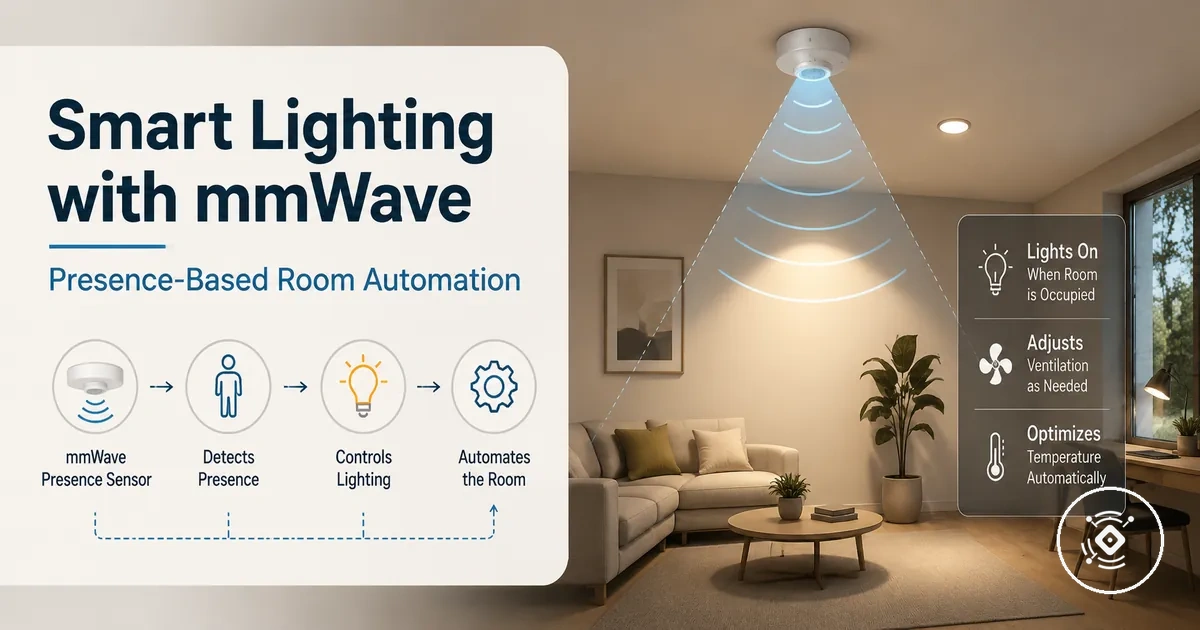
mmWave presence sensors for smart lighting automation
A mmWave presence sensor provides presence detection signals that can support smart lighting automation and room control. The sensor helps lighting systems respond to occupancy conditions by supplying a sensor signal that connected devices and automation rules can use. The role of the mmWave presence sensor is to provide presence information, while lighting control depends on the connected automation platform and devices.
In a room where a person remains still while reading, working, or relaxing, a presence-based setup may respond differently from a system that only reacts to movement. The mmWave presence sensor provides the occupancy input, while the hub, smart switch, lights, and automation platform determine how that signal is used. Room automation behaviour depends on conditions such as placement, timeout settings, control paths, and rule design.
Presence-based control can help lighting automation respond to occupancy rather than relying only on movement events. The outcome depends on the sensor model, platform capabilities, placement, and automation rules used in the room. The sensor supplies the presence signal, while connected lights, switches, hubs, and rules perform the automation actions.
This creates the foundation for understanding how presence detection connects with lighting control, room conditions, and automation decisions.
How mmWave presence sensing changes lighting control
mmWave presence sensing changes lighting control by allowing automation rules to use a presence state instead of depending only on a motion trigger. When a detection signal provides occupancy information, lighting can respond to continued presence rather than only visible movement.
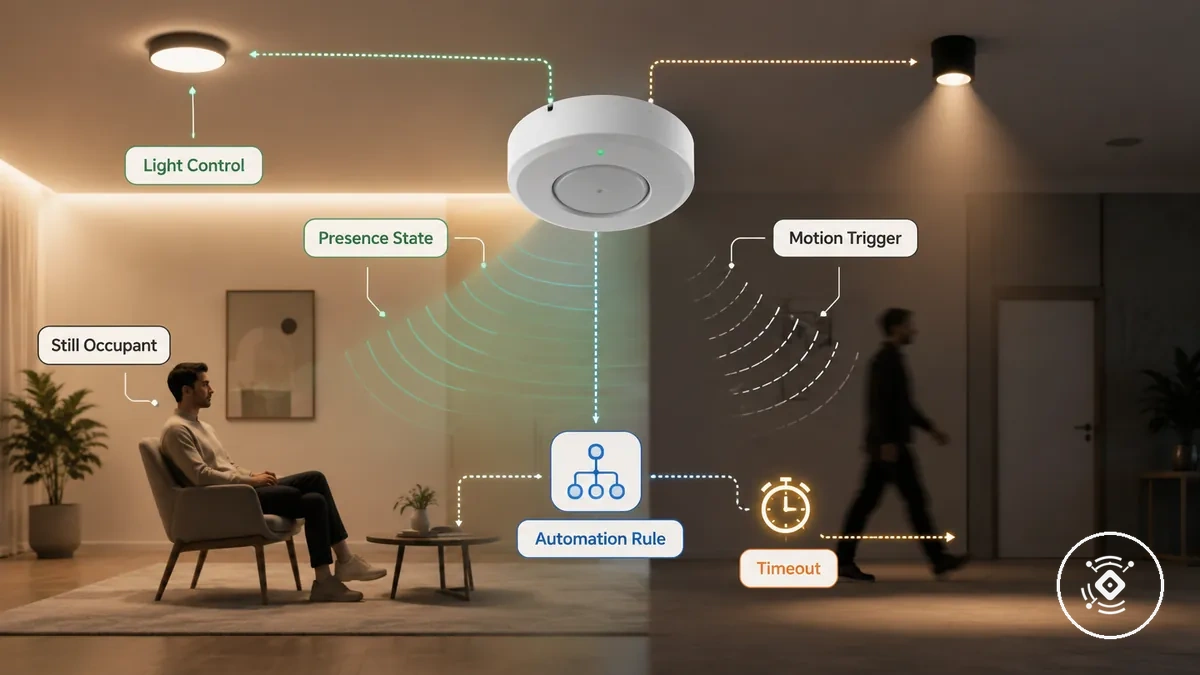
A still occupant working at a desk or sitting in a room may create a different lighting condition from a person briefly moving through an area. Presence-based lighting may help reduce false-off situations when the automation rule considers occupancy, timeout settings, and room use. The final lighting behaviour depends on the sensor setup, automation platform, and rule conditions.
The main change is that lighting control can move from movement-based triggers toward presence-aware decisions. The comparison below shows how presence state, lighting action, timeout behaviour, and limitations can differ between presence-based control and motion-triggered lighting.
| Control pattern | Signal used | Typical lighting behavior | Main limitation |
|---|---|---|---|
| Presence-based control | Presence state and occupancy conditions | Lighting may respond to detected presence from an occupied room, depending on automation rules | Behaviour depends on sensor configuration, placement, and rule design |
| Motion-triggered control | Motion trigger events | Lighting responds when movement is detected and may use timeout-based actions | Low movement situations may require different conditions to reduce false-off events |
The difference between these approaches helps explain where presence detection for automation fits within lighting control decisions. Presence sensing provides a detection signal, while lights, switches, hubs, and automation rules determine the resulting action.
Presence-based lighting versus motion-triggered lighting
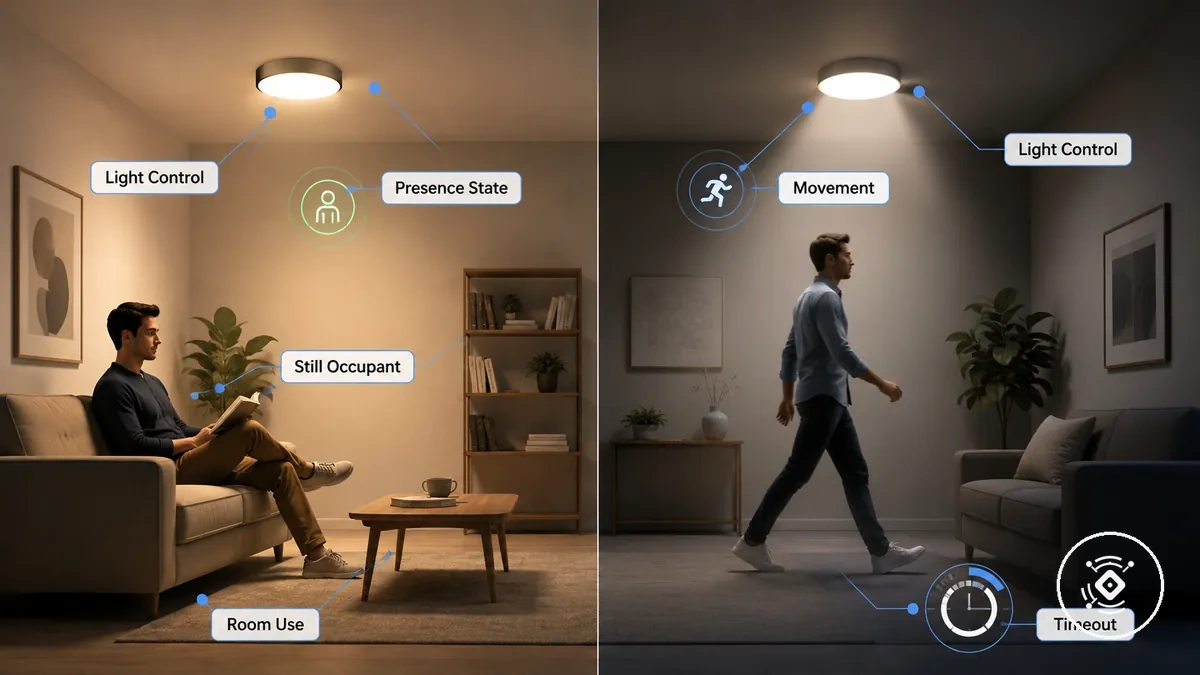
Presence-based lighting and motion-triggered lighting differ by the type of trigger used for lighting control. Presence-based lighting uses a presence state to represent occupancy conditions, while motion-triggered lighting responds to detected movement events.
A still occupant working at a desk may create a different lighting situation from a person briefly moving through a room. Depending on room use, timeout settings, and automation rules, presence control may suit low-movement activities, while motion-triggered lighting may remain acceptable for spaces where movement-based activation matches the intended use.
| Presence-based lighting | Motion-triggered lighting |
|---|---|
| Trigger basis: Uses presence state and occupancy conditions | Trigger basis: Uses movement detection events |
| Still-occupant behavior: May continue lighting responses when an occupant remains detected with low movement | Still-occupant behavior: May depend on additional movement events to maintain lighting activity |
| Timeout sensitivity: Timeout behaviour can vary based on room use and automation rule conditions | Timeout sensitivity: Timeout behaviour may depend more on movement events and re-trigger conditions |
| Best-fit room pattern: May suit rooms where occupants remain in place for longer periods | Best-fit room pattern: May suit areas where movement-based activation fits the room use |
Lighting automation signals a mmWave sensor can provide
Lighting automation signals from a mmWave sensor are the inputs that can support lighting decisions through automation rules. These signals may include presence state, motion, micro-movement, ambient light, occupancy duration, and zone or room state, while the available signals can vary by device, firmware, protocol, hub, and platform exposure.
The most useful signals are those that connect a detected condition with a lighting behavior. A presence state may indicate an occupied or vacant condition, while ambient light or room state may provide additional conditions for an automation rule. The table below organizes these signals by their attribute, lighting use, and limitation or dependency.
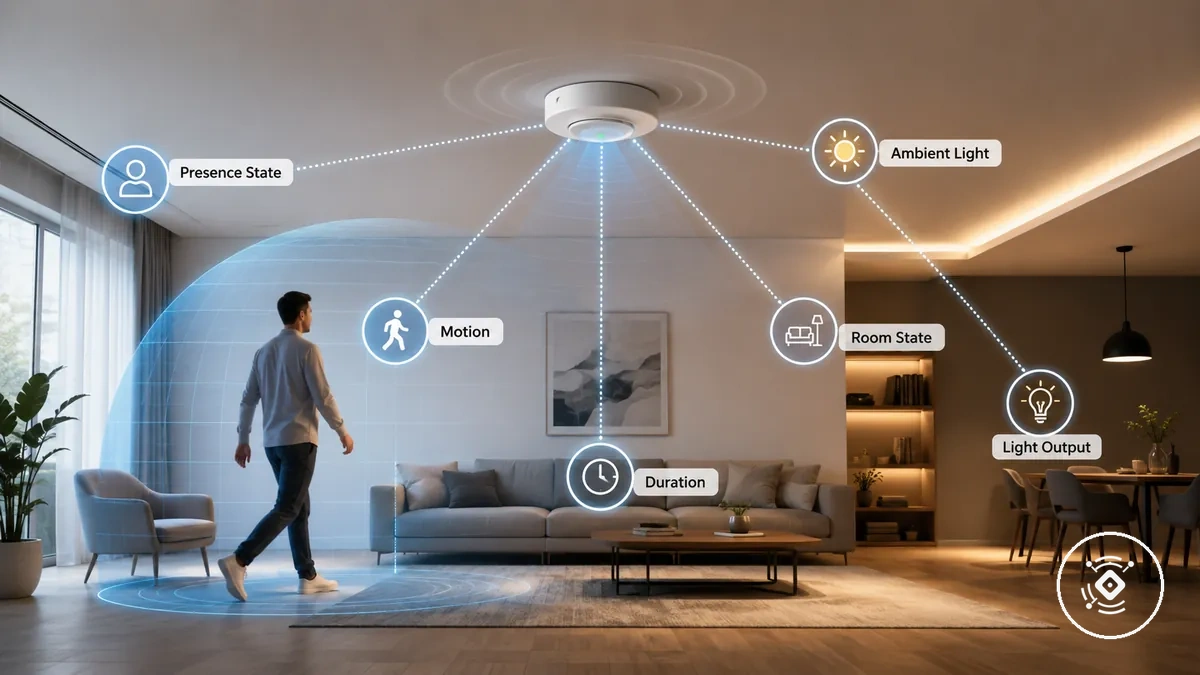
A person entering a room, remaining still, or occupying a space for longer can create different automation conditions. Signal choice matters because lighting outcomes depend on how the sensor exposes information and how the automation platform interprets each signal through its control rules.
| Signal | Attribute or condition | Lighting use | Limitation or dependency |
|---|---|---|---|
| Presence state | Occupied or vacant condition | Can support lighting actions based on detected occupancy | Depends on sensor capability and exposed entity availability |
| Motion or micro-movement | Movement activity and detection changes | Can provide a trigger condition for lighting responses | Low movement conditions may be interpreted differently by each setup |
| Ambient light | Brightness input or daylight condition | Can help automation rules consider existing light conditions | Availability and interpretation depend on the sensor and platform |
| Occupancy duration | Length of detected presence | Can influence timeout and lighting behavior decisions | Rule design determines how duration affects the outcome |
| Zone or room state | Detection area and room condition | Can support lighting actions based on a specific area | Coverage and zone information vary by device and configuration |
Presence, motion, ambient light, and room state signals
Presence, motion, ambient light, and room state signals are separate input groups that can influence lighting routines. Each signal describes a condition that automation rules may use, while the final lighting action depends on how the system interprets the input.
These signals should be understood as inputs rather than complete automation actions. Their availability and exposed values can vary by sensor model, platform, and configuration.
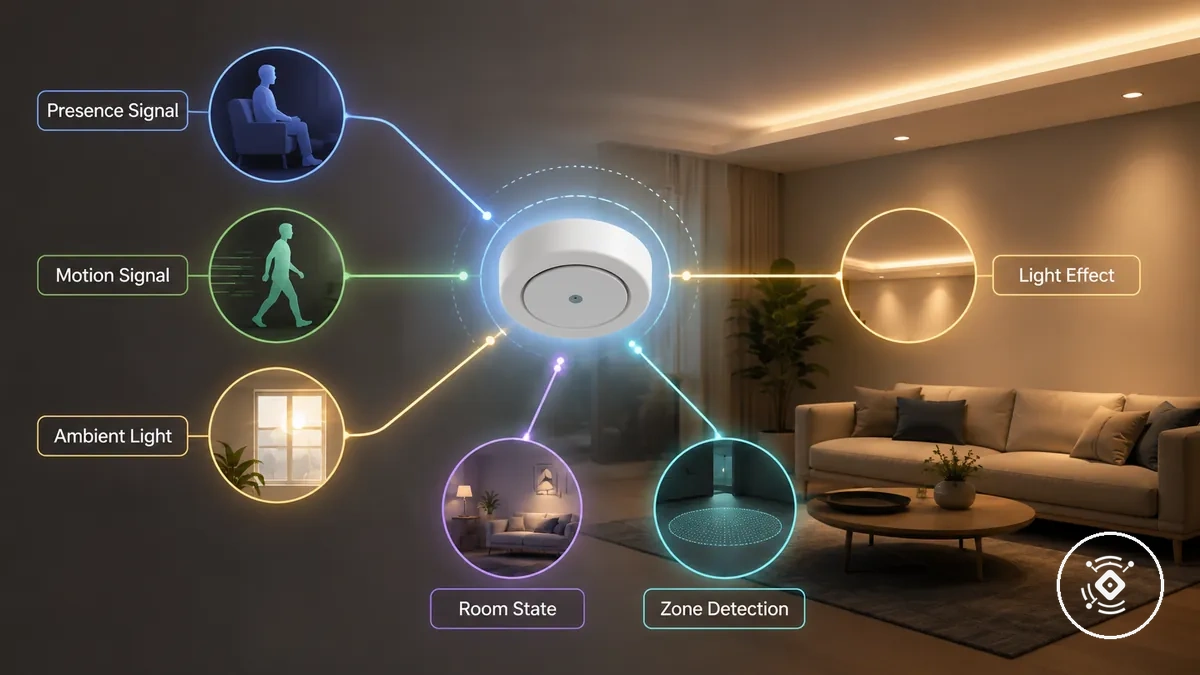
- Presence signal: Represents an occupied or vacant condition. It can support lighting decisions when an automation rule uses detected presence as a condition.
- Motion signal: Represents movement or micro-movement activity. It can act as a trigger for lighting behaviour, while low movement situations may be handled differently depending on the setup.
- Ambient light: Represents brightness input or illuminance conditions. It can help automation rules consider existing daylight or light levels before changing lighting behaviour.
- Room state: Represents a room condition or detection area. Zone detection and coverage information may influence how lighting routines interpret the space.
- Condition: Connects a sensor input with a lighting effect. The relationship between signal, rule, and outcome depends on the exposed entity and automation platform.
Where mmWave lighting automation works best
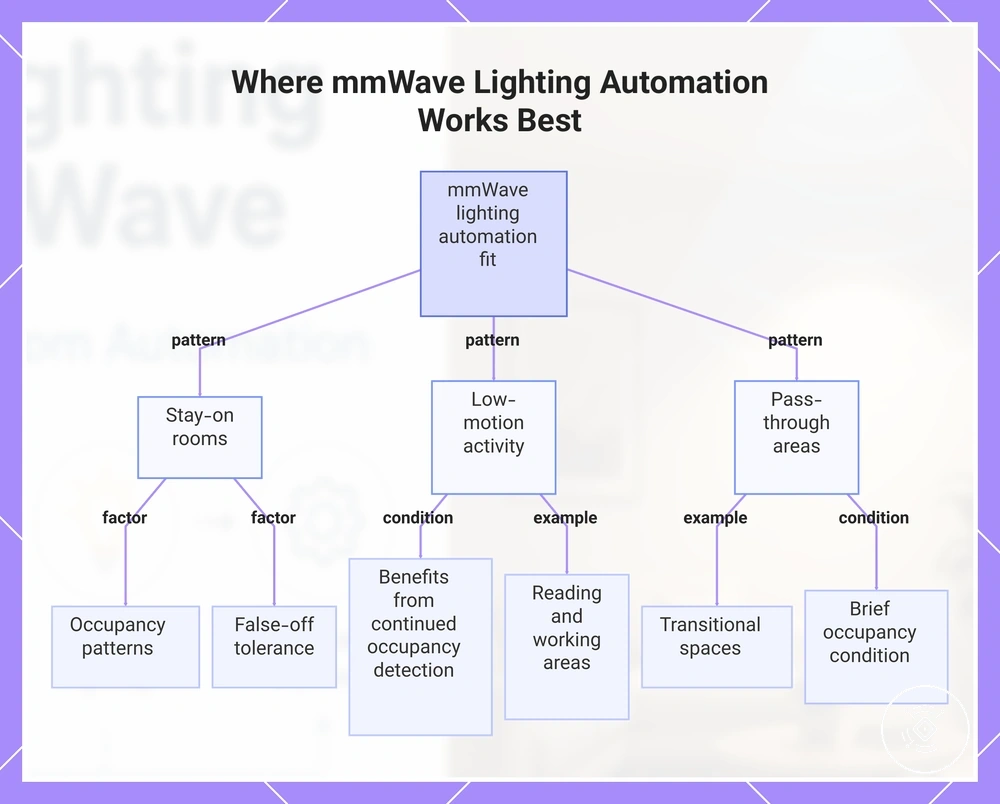
Lighting automation value often depends on how a room is used and how occupants interact with the space. Stay-on rooms and areas with low-motion activity may benefit when lighting needs to respond to continued occupancy rather than only quick movement.
MmWave lighting automation may be a better fit for situations where occupancy duration, false-off tolerance, and room context matter. Rooms used for longer activities may need different lighting behaviour from pass-through areas where a quick trigger may be enough.
Room fit depends on conditions such as room size, sightline, coverage, and the automation rules controlling the lighting response. Presence-based lighting can add value in some scenarios, while simpler motion triggering may remain suitable in others.
- Stay-on rooms: Rooms with longer occupancy periods may benefit when a still occupant needs consistent lighting behaviour. The value depends on occupancy patterns and false-off tolerance.
- Low-motion activity: Areas used for reading, working, or similar activities may benefit when the system considers continued occupancy rather than movement alone.
- Pass-through areas: Transitional spaces may suit quick movement triggers when brief occupancy is the main lighting condition.
- Room size: Larger spaces may require consideration of coverage and room conditions before evaluating lighting automation behaviour.
- Sightline: The relationship between the sensor view and the controlled lighting area may influence how occupancy conditions are interpreted.
- Occupancy duration: Longer or shorter stays can affect timeout behaviour and whether presence-based lighting provides useful automation value.
These room patterns help evaluate automation value by connecting lighting behaviour with real occupancy conditions rather than treating presence sensing as a universal upgrade.
This chart shows the room usage patterns and key factors that determine where mmWave lighting automation provides the most value.
Stay-on rooms and pass-through areas
Stay-on rooms and pass-through areas differ by how occupancy behaviour affects lighting outcomes. A room with a still occupant may need lighting to remain responsive for longer periods, while a transitional space may only need a brief lighting response.
The main rule difference comes from how timeout and sensitivity conditions are applied. Stay-on rooms may require settings that consider longer occupancy duration, while pass-through areas may suit shorter responses based on movement patterns and room use.
Stay-on rooms:
- Kitchen: Longer activities with limited movement may create a need for lighting behaviour that considers continued occupancy. The lighting outcome depends on occupancy patterns and automation conditions.
- Office: A still occupant working at a desk may require lighting rules that account for low-motion activity rather than movement alone.
- Bathroom: Longer stays may require different timeout and sensitivity considerations compared with brief-use areas.
Pass-through areas:
- Hallway: Quick movement through a space may suit shorter timeout expectations when brief occupancy is the main condition.
- Laundry: Changing occupancy behaviour may require different sensitivity conditions from rooms used for longer stays.
- Entry zone: Transitional spaces may use shorter responses when the lighting goal is to react to brief movement.
Room automation uses beyond switching lights on and off
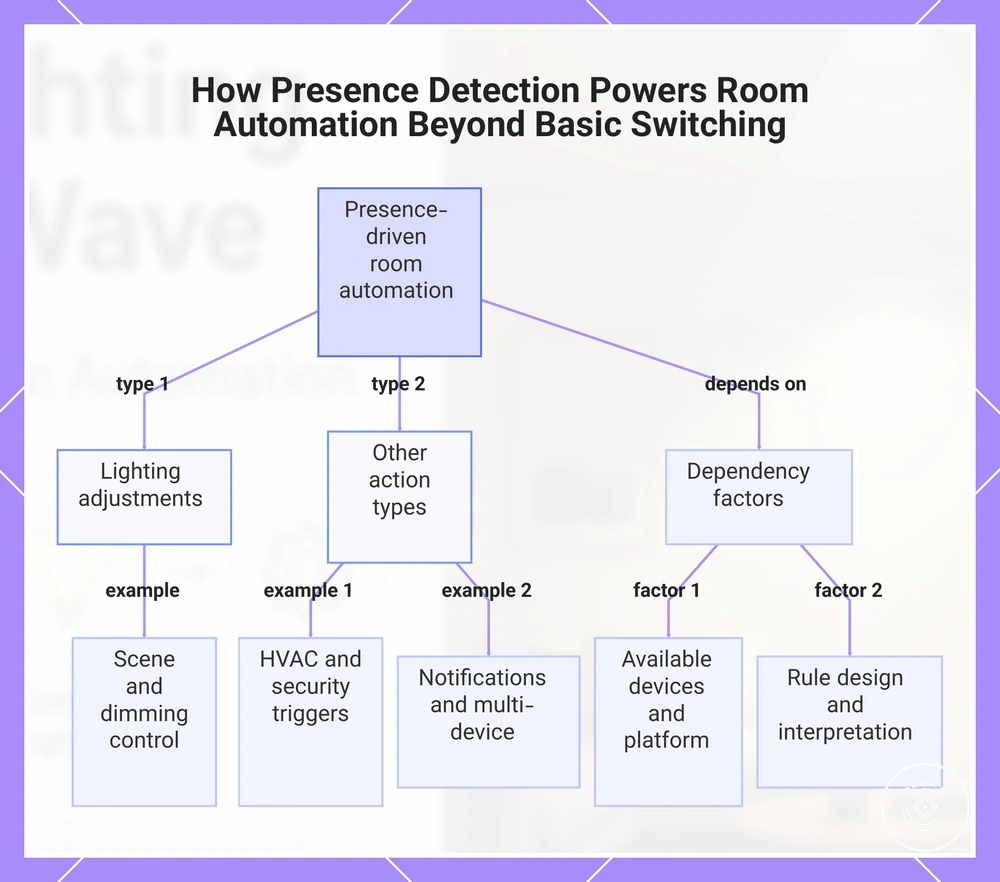
Room automation uses beyond lighting can rely on a presence condition from a mmWave presence sensor. Presence detection can act as the shared condition for connected routines, while scenes, dimming, and other actions depend on the available devices, automation platform, and rule design.
A room with detected occupancy may use the presence signal to connect lighting context with adjacent room actions. For example, a scene may adjust lighting behaviour when presence is detected, or a multi-device routine may use room presence as a condition before triggering another connected action.
These examples show how presence detection can support room automation without becoming a standalone automation project. Each routine remains dependent on the presence condition, available controls, and the way the system interprets the detection signal.
- Scenes: A presence condition may trigger a scene that changes lighting settings when room occupancy is detected. The action depends on the connected controls and automation rules.
- Dimming: A presence condition may be used with dimming controls to adjust lighting behaviour when the setup supports that type of action.
- HVAC trigger: A room presence signal may act as a condition for an HVAC trigger when the connected system supports the required automation path.
- Security mode: A presence condition may contribute to a security mode routine when it remains connected to room presence and lighting context.
- Notification: A presence condition may support a notification routine when the platform exposes suitable controls for that action.
- Multi-device routine: A presence condition may connect multiple room actions through a routine when device availability and rule configuration allow it.
This chart shows how a presence condition from a mmWave sensor can act as a shared trigger for multiple automation actions and the key dependencies involved.
Automation rules that depend on reliable presence detection
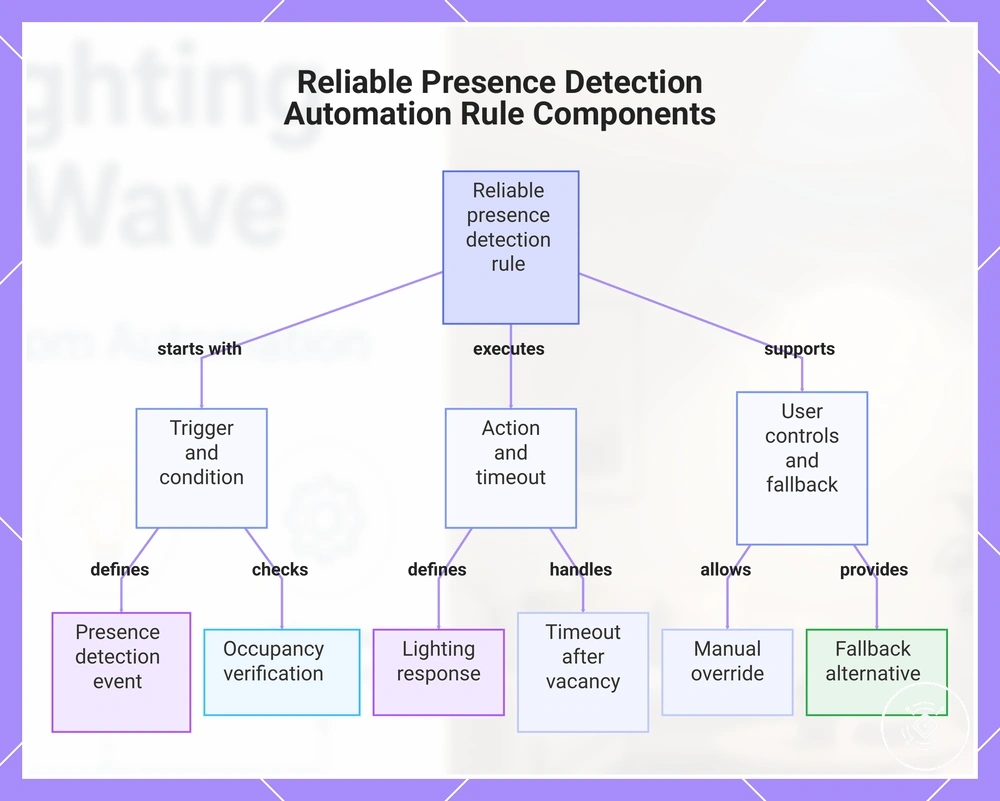
A reliable automation rule uses reliable presence detection by connecting a trigger, condition, action, and fallback path to create a suitable lighting outcome. The rule treats presence as a condition while allowing room use and user control to influence how the lighting rule responds.
An automation rule can become less reliable when it relies on a single input without considering changing occupancy conditions. Adding timeout, reset logic, and manual override options may help the rule handle vacancy changes, user adjustments, and situations where the expected lighting response needs a fallback.
Rule design depends on the complexity of the room behaviour. Simple rules may use a basic trigger and action, while condition-heavy rules may require additional checks to connect presence detection with more specific lighting outcomes.
- Trigger: Define the presence detection event that starts the automation rule. The condition to verify is whether the detected presence matches the intended room activity, affecting when the lighting action begins.
- Condition: Set the occupancy or room condition that determines whether the action should continue. This connects the presence signal with the expected lighting outcome.
- Action: Define the lighting response that follows the trigger and condition. The final outcome depends on the connected controls and available automation capabilities.
- Timeout: Consider how the lighting rule responds after the presence condition changes. Timeout behaviour depends on room use, sensor exposure, and rule design.
- Reset logic: Define how the automation rule responds when occupancy changes or a new presence event occurs. This helps align the lighting behaviour with the current room condition.
- Manual override: Include user control when direct changes are needed. The interaction between manual input and automation depends on the system configuration.
- Fallback: Define an alternative response when the expected condition or action cannot continue. The fallback behaviour depends on platform support, exposed entities, and configuration.
This chart shows the core components and supporting adjustments that make an automation rule for presence detection reliable, including trigger, condition, action, timeout, user override, and fallback.
Occupancy, vacancy, timeout, brightness, and manual override conditions
Lighting rule conditions determine how an automation rule responds to changing room states. The main condition groups are occupancy, vacancy, timeout, brightness threshold, manual override, and reset behavior.
Each condition connects a value or state with a possible lighting effect. The correct values depend on room use, platform behavior, sensor settings, and how the rule handles different situations.
- Occupancy: The condition is whether the space is detected as occupied. The value is an occupied state, and the effect may be keeping the light action active while the presence condition remains valid.
- Vacancy: The condition is whether the space is detected as vacant. The value is a vacant state, and the effect may be changing the light state through reset behavior or a delayed response.
- Timeout: The condition is how long a lighting state continues after an occupancy change. The value depends on room behaviour, and the effect influences when the light response changes.
- Brightness threshold: The condition is the available ambient light level. The value is a brightness threshold, and the effect may influence whether lighting actions are needed under existing daylight conditions.
- Manual override: The condition is user input that changes automated behaviour. The value is direct control, and the effect may allow the lighting rule to follow user preference instead of the automated response.
- Reset behavior: The condition is how the rule returns to its normal state after a change. The value is the reset logic, and the effect depends on how the automation handles the next condition.
Compatibility requirements for lighting and automation control
Compatibility requirements for lighting and automation control depend on the complete ecosystem rather than the mmWave presence sensor alone. A sensor can provide presence information, but lighting control depends on how the sensor, connected devices, and automation platform exchange and use that information.
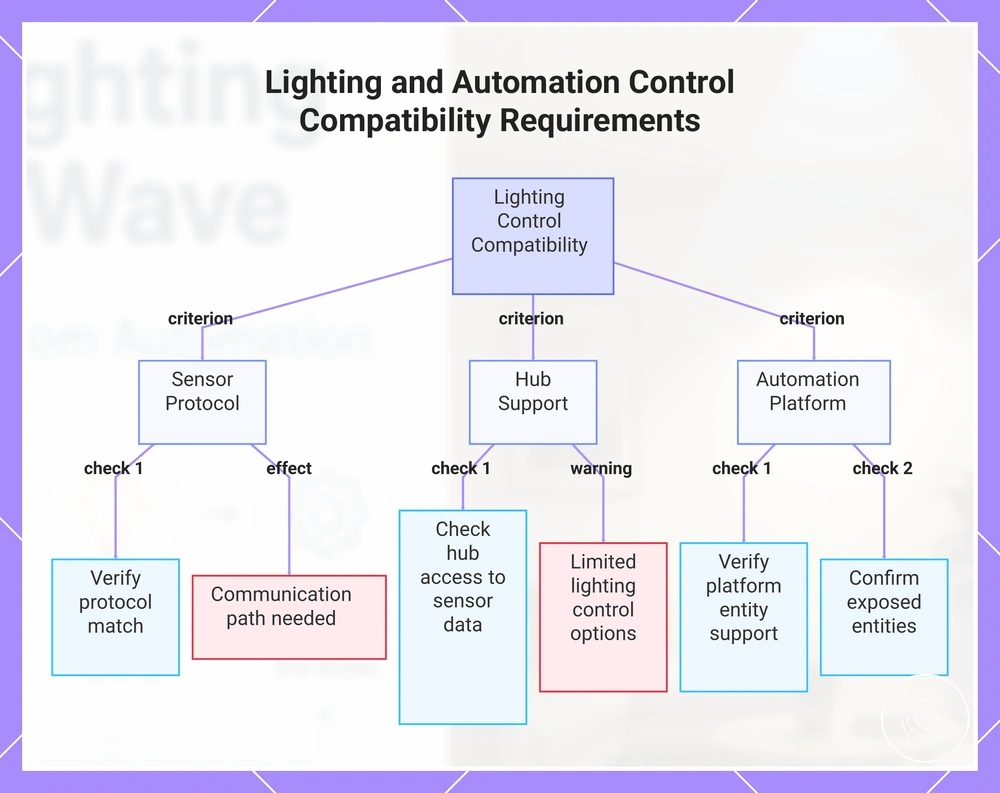
The main criteria include sensor protocol, hub support, and automation platform exposure. These factors determine whether the required entities and control paths are available for the intended lighting behaviour.
A smart switch or smart bulb must have a suitable control path for the required lighting action. The final response can depend on device exposure, platform support, and latency between the presence signal and the lighting command.
Evaluating smart-home compatibility requires checking each connection point between the sensor, hub, automation platform, and lighting device. The checklist below outlines the main compatibility requirements and their possible effect on lighting control.
Compatibility decisions involve trade-offs between local control, cloud dependency, response behaviour, and available features. Product choices should be considered only after the ecosystem requirements and compatibility risks are understood.
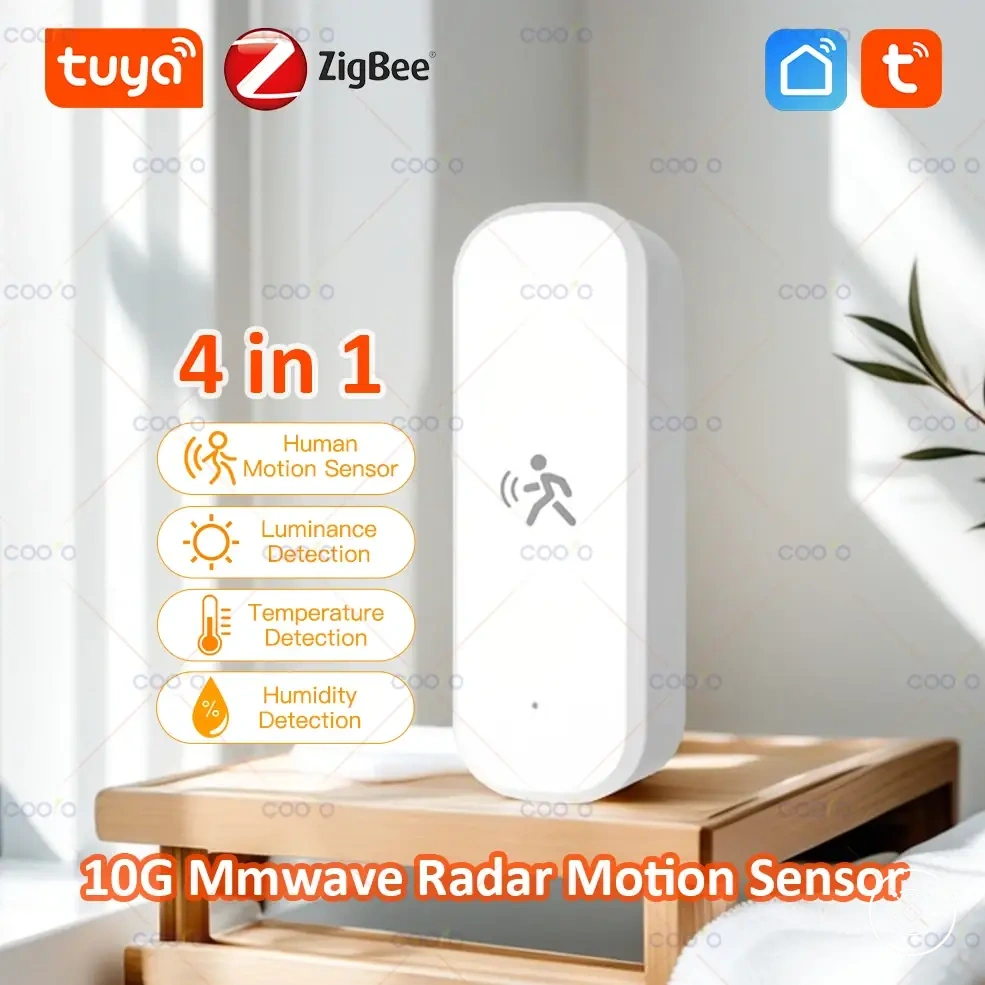
Here are product examples that may make comparison easier. Before buying, always review the compatibility criteria, essential features, and product details.
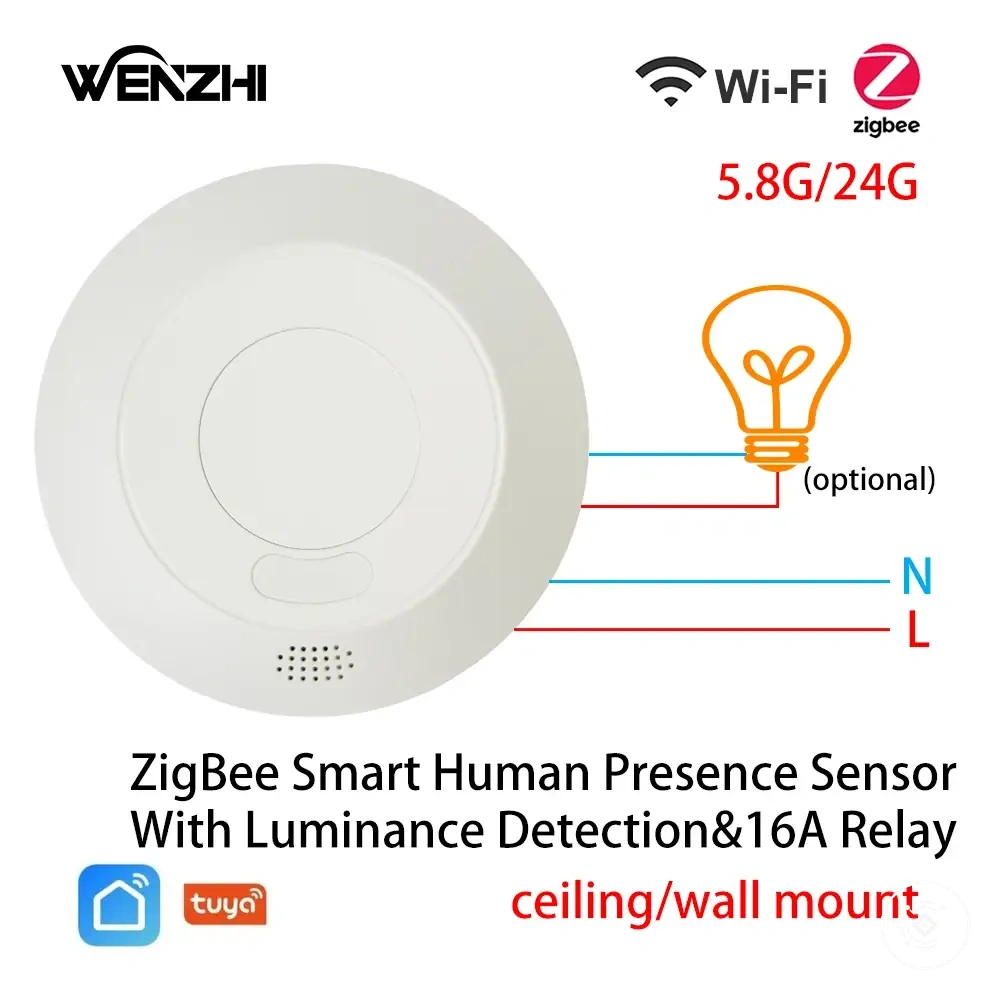
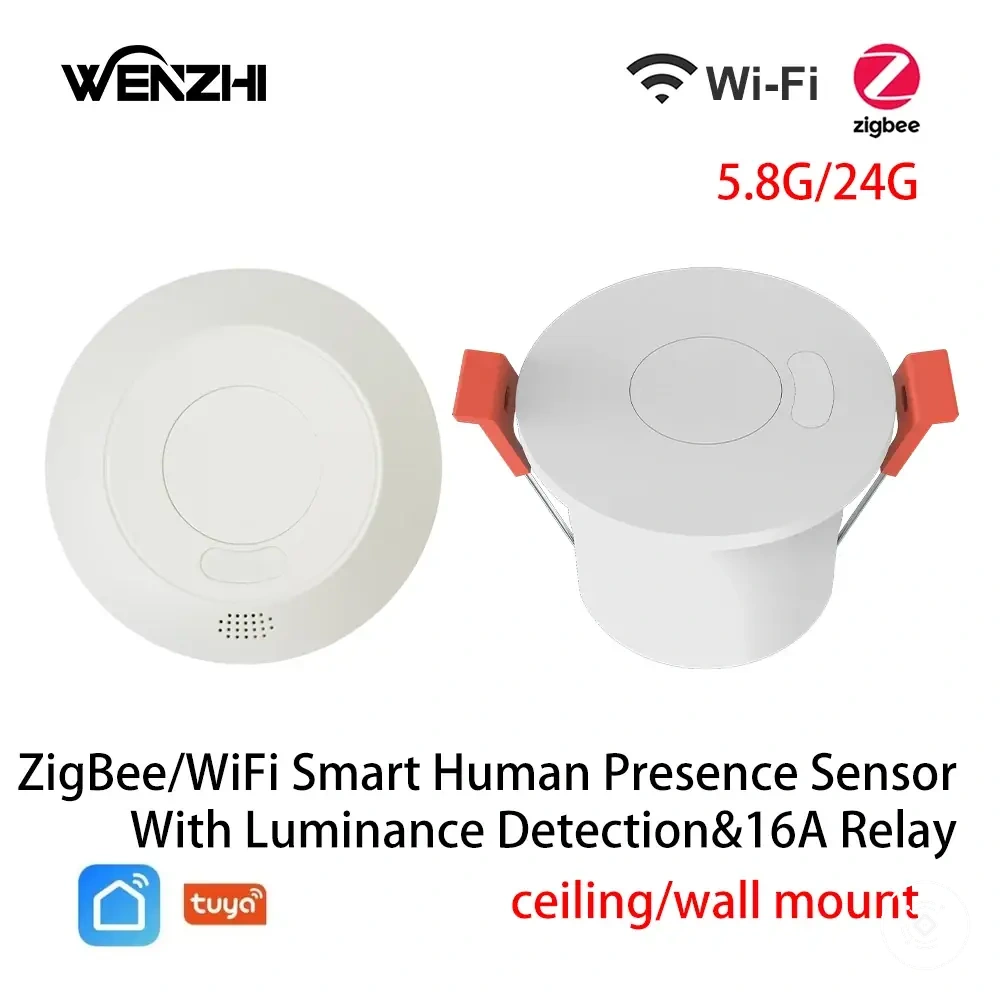
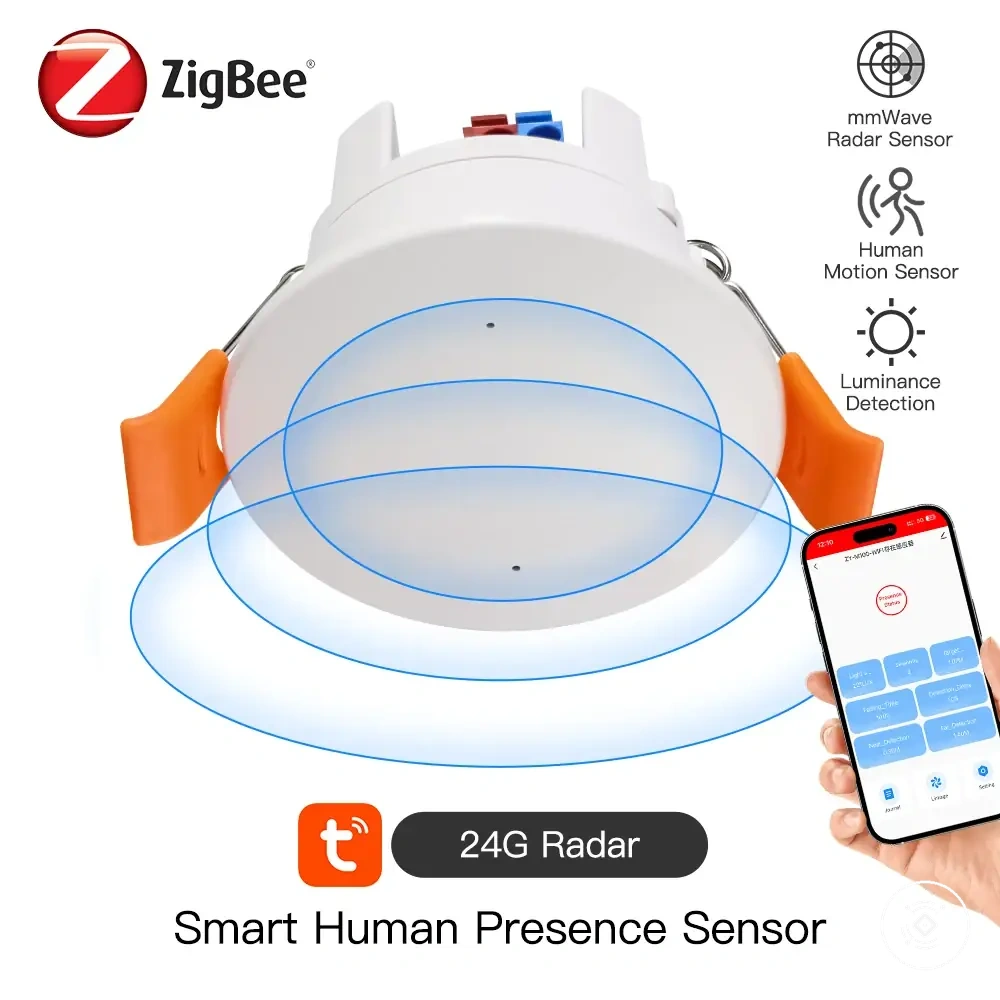
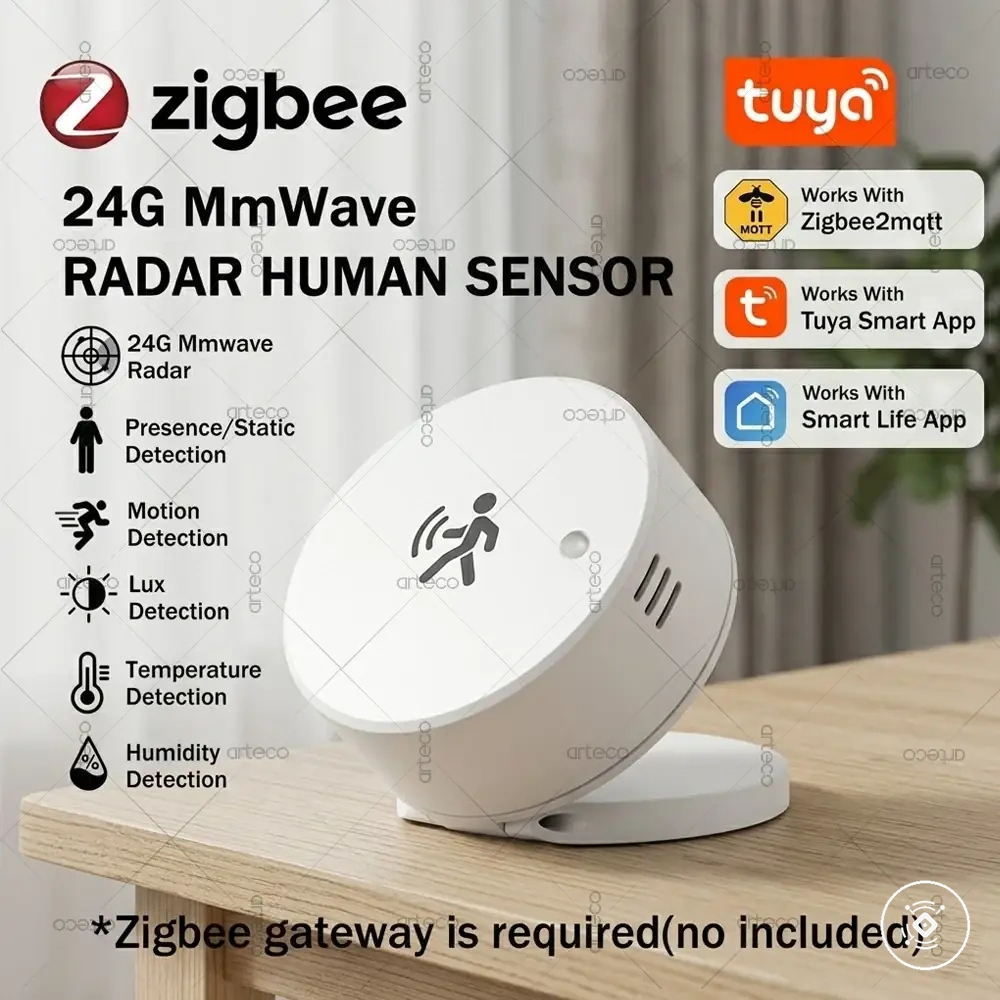
- Sensor protocol: Verify whether the sensor protocol matches the intended ecosystem. The effect depends on whether the required communication path is available.
- Hub support: Check whether the hub can access and use the sensor information required by the automation rule. Limited hub support may restrict lighting control options.
- Smart switch: Confirm that the smart switch can receive the required automation commands. The lighting outcome depends on switch capability and integration.
- Smart bulb: Check whether the smart bulb supports the intended lighting actions. The result depends on bulb controls and platform connection.
- Automation platform: Verify that the platform can use the available sensor entities and create the required automation conditions. Support varies by platform capability.
- Exposed entities: Confirm that the sensor data needed for lighting rules is available to the control system. Missing entities may limit possible actions.
- Latency and dependency: Consider whether the control path relies on local control, cloud dependency, or other processing steps. Response behaviour depends on the system design.
This chart shows the three main compatibility criteria for lighting control using an mmWave presence sensor, along with key checks and potential limitations.
Zigbee, WiFi, hubs, smart switches, bulbs, and automation platforms
Zigbee, WiFi, hubs, smart switches, bulbs, and automation platforms form the control path between a mmWave presence sensor and lighting actions. Each component has a defined role, but the final lighting behaviour depends on how the devices connect and expose the required control information.
The connection path should be evaluated through protocol support, hub requirements, and available device entities. Zigbee and WiFi can provide different dependencies, and their effect on lighting control depends on reliability, platform exposure, and the ecosystem being used.
| Component | Role in lighting control | Dependency | What to verify |
|---|---|---|---|
| Zigbee | Provides a protocol connection path between compatible devices | Depends on hub support, exposed entities, and device compatibility | Verify that the required sensor and lighting controls are available through the ecosystem |
| WiFi | Provides a network connection path for supported devices and automation controls | May depend on cloud dependency, latency, and available control paths | Verify how the device communicates with the automation platform |
| Hub | Connects sensor information with lighting control actions | Depends on supported protocols and available device entities | Verify that the hub can access the required sensor data and commands |
| Smart switch | Provides a control point for changing connected lighting states | Depends on switch capability and integration with the control system | Verify that the switch can receive the required automation actions |
| Smart bulb | Provides direct lighting control when compatible commands are available | Depends on bulb features, device entities, and platform support | Verify that the bulb exposes the required lighting functions |
| Automation platform | Processes conditions and connects sensor inputs with lighting actions | Depends on platform support and exposed entities | Verify that the platform can use the required control path |
Placement and settings that affect lighting automation reliability
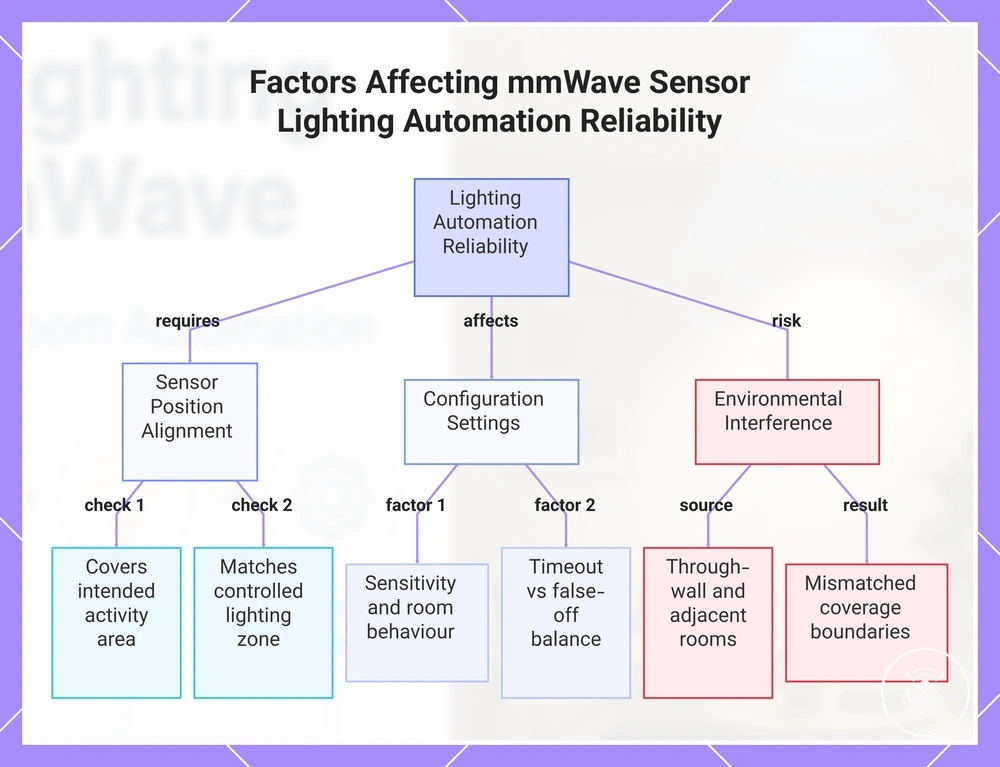
Placement and settings affect lighting automation reliability by influencing how a mmWave presence sensor relates detected conditions to the controlled lighting area. Reliable automation depends on matching sensor position, detection boundaries, and room conditions with the intended lighting behaviour.
A desk, sofa, or doorway can create different detection requirements because occupancy patterns and movement areas vary by room use. When the sensor position aligns with the area where lighting is controlled, the automation rule may better reflect the expected presence conditions.
Placement and settings should be evaluated through factors such as detection zones, sensitivity, timeout, and interference. These variables can affect reliability depending on room behaviour, sensor configuration, and the conditions used by the lighting automation rule.
Detection boundaries also need consideration when nearby spaces may influence the result. Through-wall risk, adjacent rooms, and the relationship between the sensor and the controlled lighting area can affect how accurately the automation matches the intended room condition.
- Sensor position: Check whether the sensor position covers the intended activity area. The effect depends on how well the detection area aligns with the controlled lighting area.
- Room coverage: Consider whether the coverage area matches where occupancy is expected. Mismatched coverage may affect lighting automation reliability.
- Detection zones: Review whether detection zones separate relevant areas from unwanted boundaries. The effect depends on room layout and automation conditions.
- Sensitivity: Consider whether sensitivity settings match the expected room behaviour. The effect depends on how the system handles presence and movement conditions.
- Timeout: Check whether timeout behaviour matches occupancy patterns. The effect depends on room behaviour and the balance between false-off events and continued lighting response.
- Interference: Consider whether surrounding conditions may influence detection interpretation. The impact depends on the environment and sensor settings.
- Through-wall risk: Consider whether nearby spaces could affect detection boundaries. The effect depends on wall conditions, adjacent rooms, and the chosen settings.
- Controlled lighting area: Verify that the detected area relates to the lights being controlled. Reliability depends on matching sensor input with the intended lighting outcome.
For deeper guidance, placement for automation reliability helps connect sensor position and settings with real room conditions.
This chart shows the key placement and configuration factors that affect how reliably a mmWave presence sensor triggers lighting automation based on room conditions.
Common problems in mmWave lighting automation
Common problems in mmWave lighting automation can often be traced to signal conditions, automation rules, placement factors, or compatibility limits. A symptom-based check helps separate possible causes related to presence detection, rule logic, room conditions, and the connected ecosystem.
The best diagnostic approach is to review the symptom first, then check the likely cause before changing the setup. The table below connects each issue with a possible cause group, a diagnostic check, and a suitable next action.
These troubleshooting examples organize common lighting issues without assuming a guaranteed fix. The result depends on the sensor configuration, automation rule, placement conditions, and connected devices.
| Symptom | Likely cause | What to check | Next action |
|---|---|---|---|
| Lights turn off while occupied | Presence loss, timeout settings, or automation conditions may not match the room behaviour | Check presence detection, timeout values, and the rule conditions | Review the automation logic and adjust conditions if appropriate |
| Lights stay on in empty rooms | False trigger, sensitivity settings, or adjacent room detection may influence the response | Check detection boundaries, sensitivity, and nearby conditions | Review the detection settings and automation rule behaviour |
| Delayed response | Control path latency or platform processing may affect the lighting response | Check the sensor connection, platform state, and device response path | Review the communication path and automation conditions |
| False triggers | Placement conditions, interference, or detection boundaries may affect the signal interpretation | Check the sensor position, surrounding conditions, and rule logic | Refine the conditions that influence the lighting automation |
| Platform disconnection | Exposed entities, platform state, or connection dependencies may interrupt the automation rule | Check device availability and whether required entities are accessible | Review the platform connection and automation setup |
| Manual override conflicts | User control and automation rules may create competing lighting actions | Check manual override behaviour and rule priorities | Review how manual actions interact with automated lighting |
For additional diagnostic guidance, automation troubleshooting can help connect symptoms with broader checks. Hardware fit may also become a consideration when the sensor, control path, or ecosystem does not match the intended use case. A mmWave presence sensor hub can be part of that evaluation when reviewing the overall system boundary.
Here are product examples that may make comparison easier. Before buying, always review the compatibility criteria, essential features, and product details.