
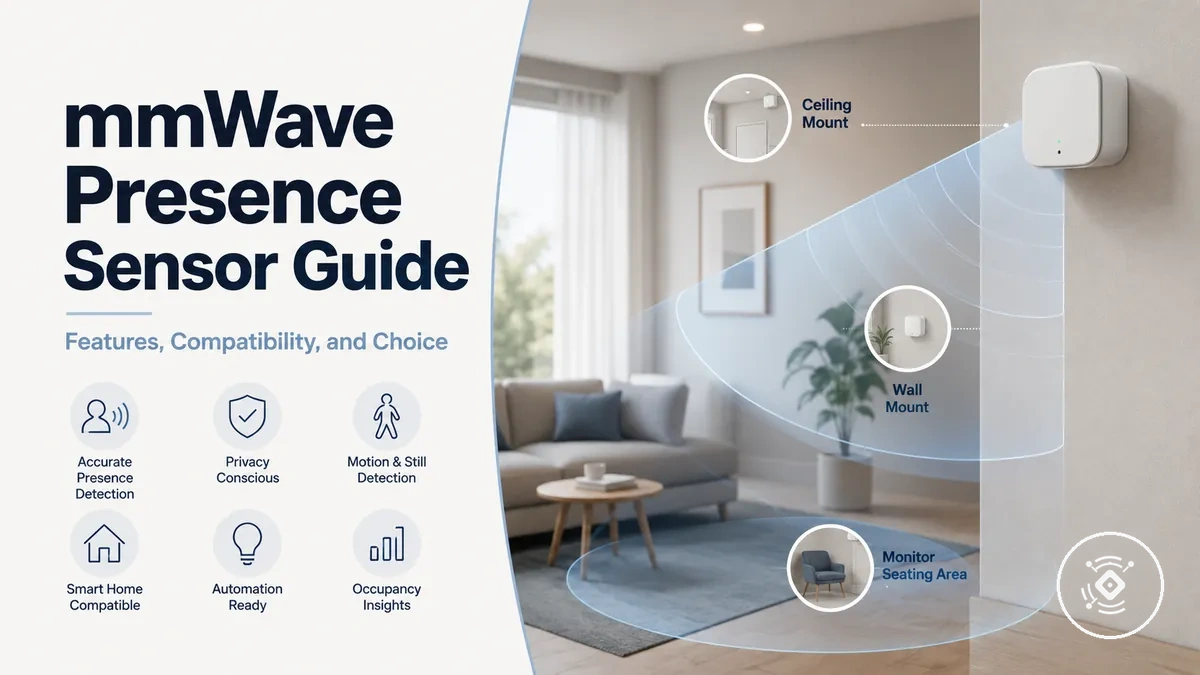
mmWave Presence Sensor Guide for Smart-Home Decision Support
A mmWave presence sensor is a smart-home sensor that uses radar-based detection to support room occupancy awareness and automation. It can help a smart home respond to human presence rather than relying only on obvious movement. Its practical value depends on how well the sensor suits the room, the automation goal, and the wider system. This guide frames those decision factors before examining individual features or setup details.
In a bedroom, office, hallway, or open-plan space, the same occupancy sensor may behave differently because room layout, placement, sensitivity, and nearby movement can affect reliability. Compatibility with Zigbee, WiFi, or another smart-home platform may also depend on the model, protocol, power type, and available controls. Presence detection can respond to smaller signs of occupancy, while basic motion detection usually depends on clearer movement events. These conditions can create uncertainty when comparing options, interpreting price, or planning an automation.
A suitable mmWave presence sensor depends on the room, system, and configuration rather than one universal specification. Understanding what the sensor is and how it supports occupancy sensing provides the foundation for evaluating compatibility, placement, performance, and value.
What a mmWave Presence Sensor Is
A mmWave presence sensor is a radar-based device that detects human presence or occupancy and provides an automation signal for a smart home or similar environment. It uses a radar-based sensing method to monitor activity within a room rather than depending only on obvious movement. Detection quality, compatibility, and reliability can vary with the sensor model, room setting, and installation conditions.
What a mmWave Presence Sensor Is becomes clearer by seeing how the sensing method relates to room detection and occupancy. The diagram below labels the sensor, its detection area, and the automation signal to explain the basic sensing process without implying personal identification.
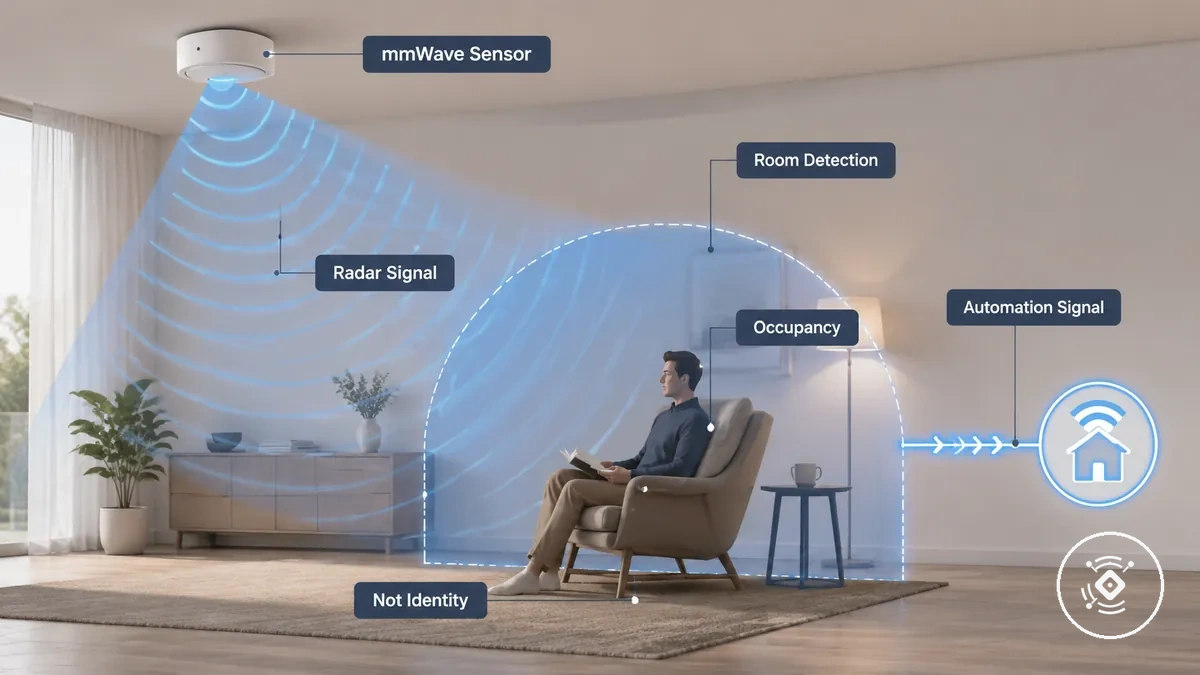
what a mmWave presence sensor means is that it functions as a radar presence sensor that interprets reflected signals to indicate whether human presence may exist within a monitored space. It supports occupancy-based automation, but it does not identify an individual. Behaviour such as detecting very still occupants, operation through barriers, or compatibility with a specific smart-home system depends on the sensor design and the surrounding environment.
Understanding the role of a mmWave presence sensor creates a practical foundation for later decisions about automation and system selection. The most useful interpretation comes from considering the sensing method, room context, and intended application together rather than expecting identical behaviour from every device.
Presence Detection Compared With Basic Motion Detection
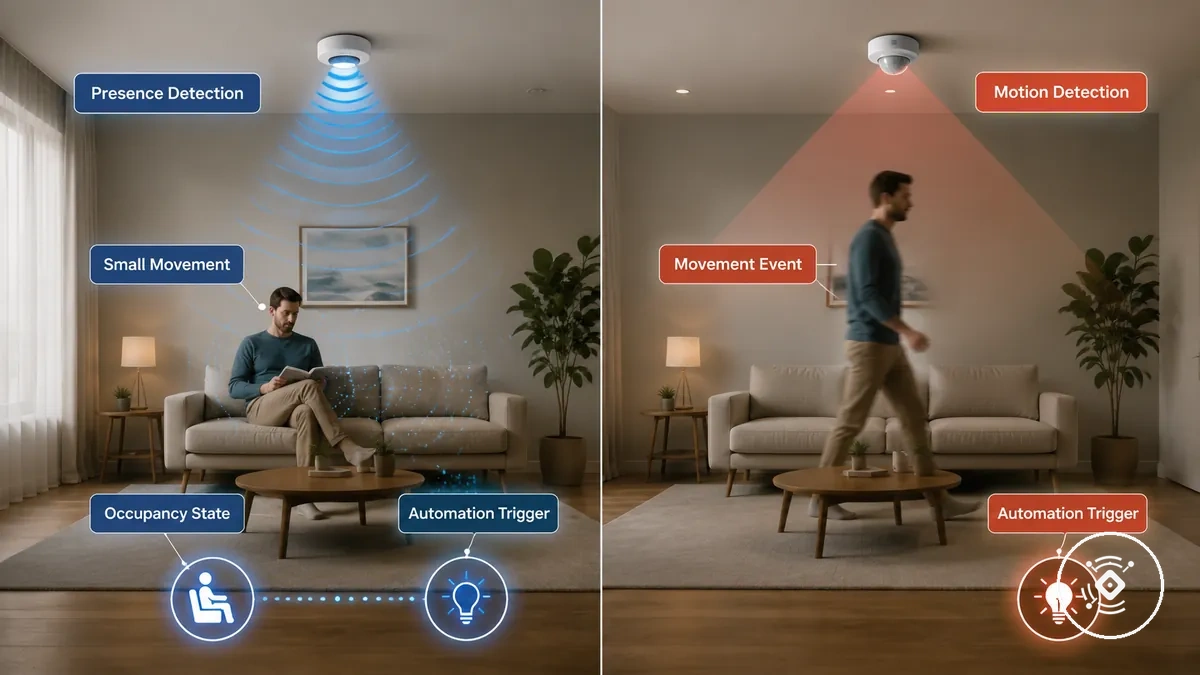
Presence detection is designed to maintain occupancy awareness from smaller movements, while basic motion detection usually depends on clearer movement events to create an automation trigger. This comparison focuses on how each detection behaviour responds within a room rather than suggesting one approach is universally better. Actual performance can vary with sensor type, sensitivity, placement, and automation configuration.
Presence Detection Compared With Basic Motion Detection becomes easier to understand by comparing how each method affects occupancy state and automation decisions in everyday situations.
| Feature | Presence detection | Basic motion detection | Decision effect |
|---|---|---|---|
| Sensor type | Often uses radar detection to monitor occupancy. | Usually relies on motion sensing to detect movement events. | Detection behaviour differs by sensing method. |
| Detection trigger | May respond to smaller movement changes that indicate occupancy state. | Usually requires a clearer movement event. | Automation trigger timing can vary. |
| Stillness tolerance | May continue recognising occupancy with limited movement. | May stop detecting when movement is no longer observed. | False state risk depends on the room and sensor setting. |
| Automation effect | Can help maintain room automation while occupancy continues. | Often waits for another movement event before triggering again. | Lighting behaviour depends on automation configuration. |
A seated person may remain within the occupancy state when presence detection continues sensing small movements, while basic motion detection may wait for another movement event. An empty room may eventually be recognised by either approach according to its configuration, and lighting automation can respond differently because timing and sensitivity vary. For a broader explanation, see presence detection versus motion detection.
The most appropriate approach depends on the intended automation outcome rather than a universal ranking. Comparing occupancy awareness, movement detection behaviour, and false state risk provides a more practical basis for selecting the sensing method.
Core Detection Features That Affect Performance
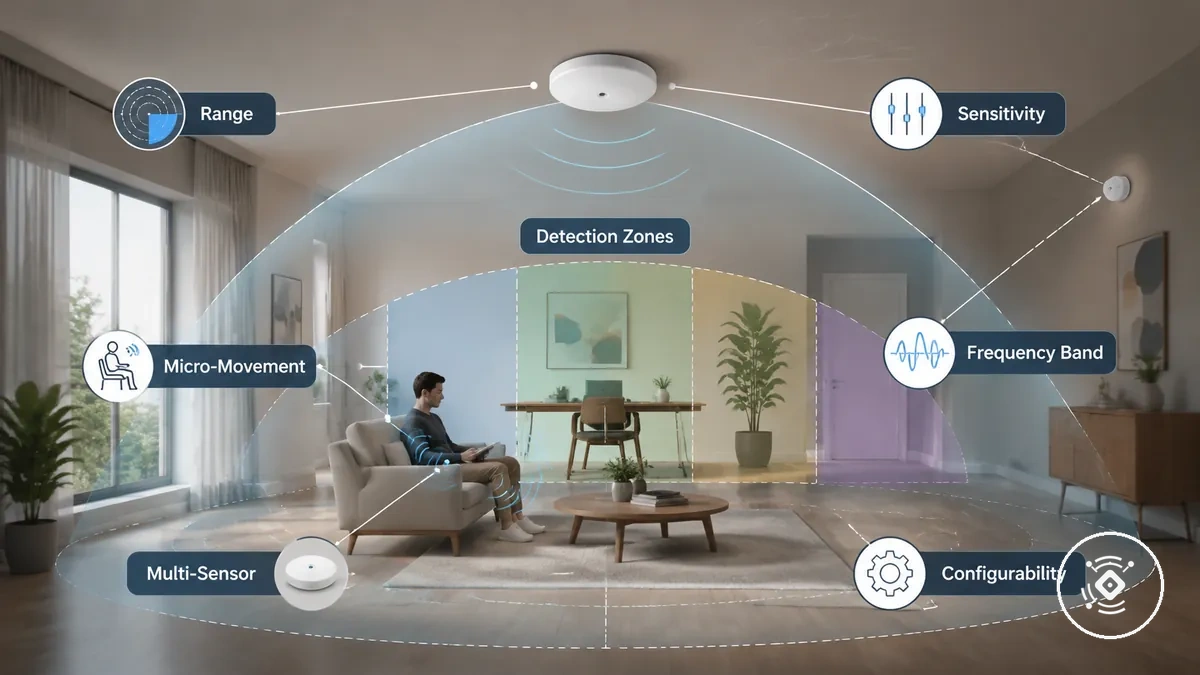
A mmWave presence sensor may behave differently in the same room because its core detection features influence how reliably it responds under real conditions. Range, detection zones, sensitivity, frequency band, configurability, and multi-sensor support can each affect detection behaviour depending on the room layout, mounting position, and automation requirements. Their value should be considered together rather than as isolated specifications.
Core Detection Features That Affect Performance becomes easier to understand by connecting each feature group with its practical effect on room detection and automation decisions. The diagram below highlights the main attributes that commonly influence reliability under different conditions.
| Feature | How it can affect performance |
|---|---|
| Range | Coverage may vary with room size, placement, and surrounding conditions. |
| Detection zones | Zone detection can focus presence sensing on selected areas within a room. |
| Sensitivity | Higher sensitivity may improve response to micro-movement but can require careful adjustment to maintain reliability. |
| Frequency band | Operating characteristics may influence detection behaviour depending on the sensor design. |
| Multi-sensor support | Multiple sensors may improve room coverage when the platform supports coordinated operation. |
| Configurability | Adjustable settings can help align detection behaviour with the intended automation outcome. |
No single feature determines overall reliability on its own. Evaluating range, detection zones, sensitivity, frequency band, configurability, and multi-sensor support together provides a more practical basis for later compatibility and selection decisions because performance depends on the room, installation, and intended use.
Range, Zones, and Sensitivity
Range, detection zones, and sensitivity work together to determine how a sensor responds in different room layouts. A setting that suits a small room may require different configurability in an open-plan space because coverage, micro-movement detection, and reliability can vary with the environment. These attributes are most useful when evaluated together rather than as separate specifications.
Range, Zones, and Sensitivity become easier to assess by connecting each attribute with its effect on coverage and response under different conditions.
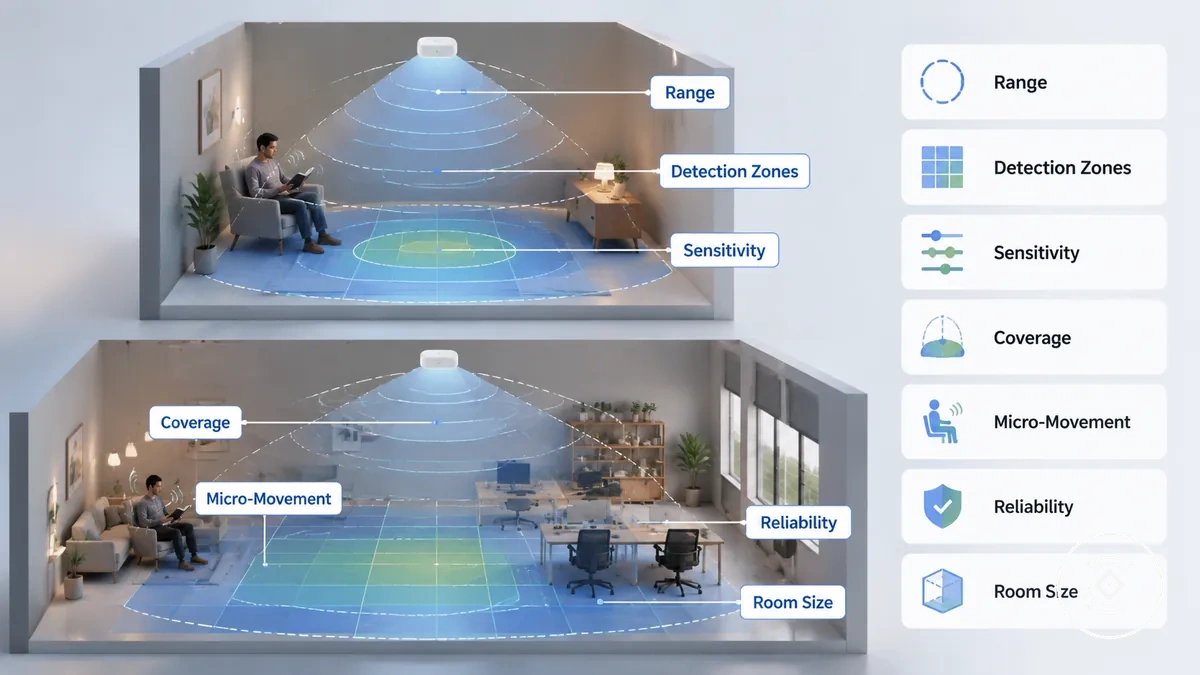
| Attribute | Decision cue |
|---|---|
| Range | Coverage should match the room size and intended detection area. |
| Detection zones | Zone detection can focus presence sensing on selected parts of a room, depending on the available zone count. |
| Sensitivity | Higher sensitivity may respond to micro-movement but can increase false detection risk if not adjusted carefully. |
| Reliability | Detection stability depends on room conditions, frequency band, and configurability. |
A small room may need less coverage than an open-plan room, while the appropriate sensitivity level depends on expected occupancy patterns and the intended automation outcome. For more detailed evaluation criteria, see range, zones, and sensitivity. Considering these attributes together usually provides a more reliable basis for configuration than adjusting any single setting in isolation.
Frequency, Micro-Movement, and Still-Presence Detection
Frequency band, micro-movement detection, and still-presence reliability work together to influence how a mmWave presence sensor responds when movement is limited. A sensor may detect subtle movement that supports presence sensing, but the result depends on the sensor design, sensitivity, configurability, room conditions, and placement rather than on frequency band alone. Reliability can therefore vary between installations.
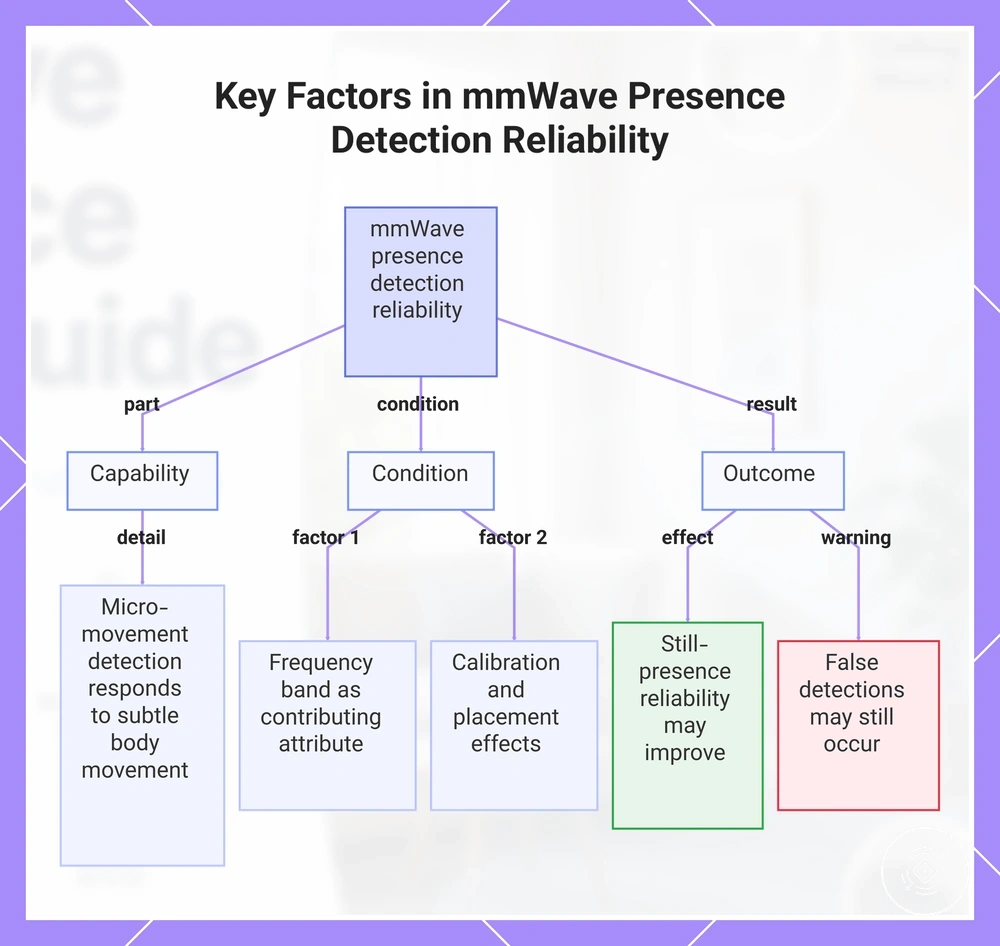
The relationship between signal behaviour and detection outcome becomes clearer when capability, operating conditions, and practical results are considered separately.
- Capability: Micro-movement detection may respond to subtle body movement that helps maintain presence sensing.
- Condition: Detection behaviour depends on frequency band together with sensitivity, range, detection zones, configurability, calibration, and room conditions.
- Outcome: Still-presence reliability may improve under suitable conditions, but calibration and sensor placement can change the result, and false detections may still occur.
Frequency band should be viewed as one contributing attribute rather than the sole reason for detection performance. Evaluating micro-movement detection together with sensitivity, calibration, placement, and installation conditions provides a more reliable basis for understanding how a sensor may respond when occupants remain relatively still.
This chart shows how capability, condition, and outcome interact to determine mmWave presence detection reliability, emphasizing that frequency band is only one contributing factor.
PIR, Light, and Multi-Sensor Support
PIR, light sensor, and other supporting sensor inputs can complement the main mmWave presence sensor when automation decisions depend on more than presence detection alone. Their contribution depends on the automation rules, device configuration, and room conditions rather than replacing mmWave detection. A combined approach may improve reliability in suitable situations, but the automation effect varies by configuration.
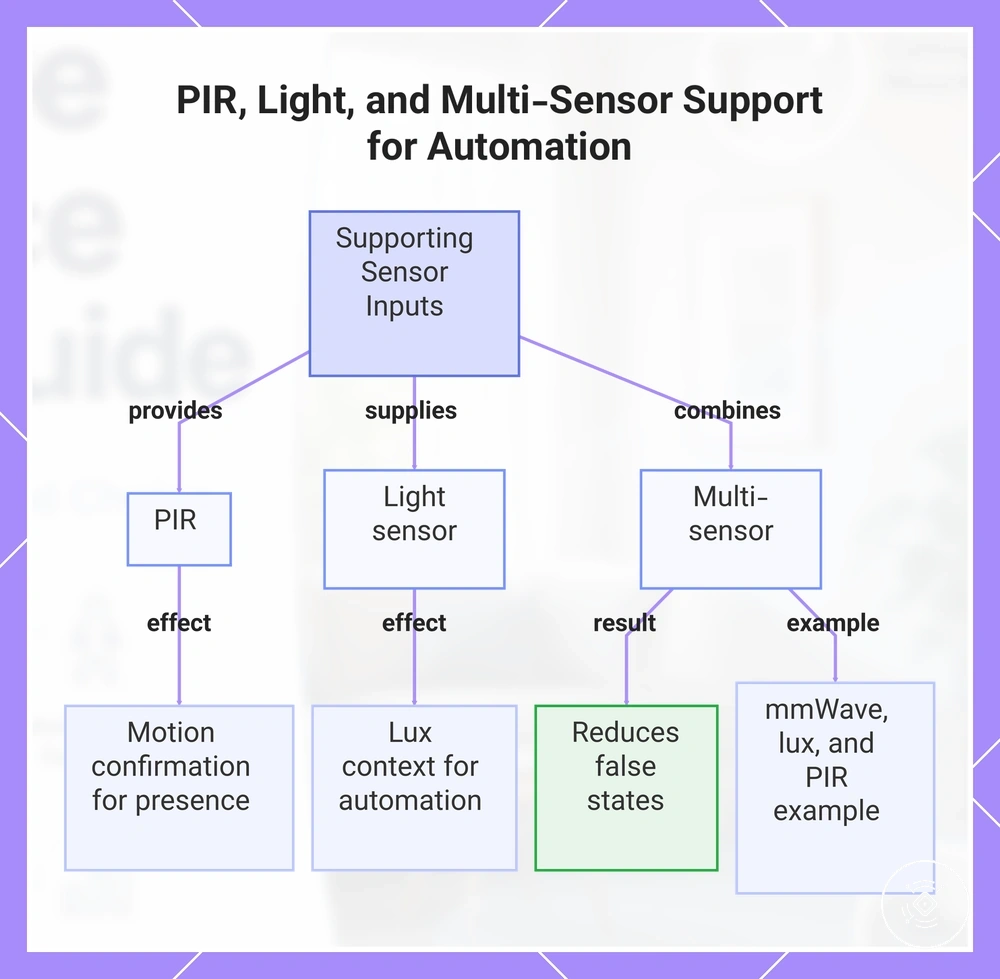
Supporting sensor inputs become easier to understand by separating each one according to its role in the automation process.
- PIR: Can provide motion confirmation that supports presence detection during automation decisions.
- Light sensor: Supplies lux context so automation can respond differently under changing light-level conditions.
- Multi-sensor: Combines supporting sensor inputs to help reduce automation error when the configuration, sensor exposure, and environment are suitable.
For example, a combined sensor may use mmWave presence detection together with lux context before activating room lighting, while PIR provides motion confirmation when movement is detected. This arrangement can help reduce false states in some automation scenarios, but the outcome depends on the automation rules, sensor placement, and device configuration rather than on the number of sensors alone.
This chart shows how PIR, light sensor, and multi-sensor inputs complement mmWave presence detection in automation, each with a specific role.
Smart-Home Compatibility and Protocol Fit
Smart-home compatibility depends on matching the sensor's protocol, hub requirement, app ecosystem, platform support, and control exposure with the existing system. A mmWave presence sensor may use Zigbee, WiFi, Matter, or another protocol, but compatibility should be verified for the specific device and automation platform rather than assumed. Firmware support and power type can also affect which controls and automation features are available.
Checking compatibility before installation can reveal integration limits that a protocol name alone may not show. For a broader evaluation of smart-home compatibility, confirm both the communication method and how the sensor exposes its controls to the intended automation platform.
| Compatibility factor | What to check | Why it matters |
|---|---|---|
| Protocol | Verify whether the sensor uses Zigbee, WiFi, Matter, or another protocol supported by the existing system. | A matching protocol may be required for communication with the smart home. |
| Hub | Check whether a compatible hub is required for the selected protocol. | Some integrations may depend on a hub before automation can operate. |
| App ecosystem | Confirm that the device can be managed within the intended app ecosystem. | Configuration options and firmware support may depend on the available application. |
| Platform support | Verify support for the intended automation platform and the available control exposure. | Exposed controls can determine which triggers and conditions are available for automation. |
| Power type | Confirm that the planned installation matches the required power source. | Power requirements can influence placement and ongoing operation. |
| Firmware support | Check whether firmware updates are available through the supported ecosystem. | Firmware may affect compatibility and feature availability over time. |
Required compatibility factors should be verified before convenience features. A matching protocol, suitable hub, supported app ecosystem, and appropriate control exposure provide a stronger basis for integration, while additional platform features depend on the specific device, firmware, and automation environment.
Zigbee, WiFi, Matter, and Wired Options
Protocol choice affects how a mmWave presence sensor connects, receives power, and exposes controls to an automation platform. Zigbee, WiFi, Matter, and wired options may each suit different conditions, so the stronger fit depends on the existing hub, available power, app ecosystem, and automation needs. Latency expectations and reliability can also vary with the network, device design, and installation environment.
The comparison below focuses on connection type, hub dependency, power requirements, local control, platform support, and integration risk rather than ranking one option as universally preferable.
| Option | Connection and dependency | Setup and reliability tradeoff |
|---|---|---|
| Zigbee | Usually depends on a compatible hub or coordinator and the control exposure available through that integration. | May suit an existing Zigbee system, but platform support and app controls can vary by device and hub. |
| WiFi | Connects through the local WiFi network and may depend on a device app or linked app ecosystem. | May reduce the need for a separate protocol hub, while network conditions and platform integration can affect response and reliability. |
| Matter | Requires compatible Matter support within the intended smart-home environment and may still rely on suitable network infrastructure. | May support broader integration in suitable setups, but control exposure can differ between devices and automation platforms. |
| Wired | Uses a fixed power and connection arrangement that depends on available wiring and installation conditions. | May suit locations with reliable power access, while installation effort and integration risk depend on the physical setup and exposed controls. |
An existing Zigbee hub may make a Zigbee sensor easier to integrate, while WiFi or Matter may suit a system built around those connection types. A wired option may be more practical where stable power access matters. The appropriate choice depends on hub availability, power access, local-control preferences, latency expectations, and the automation features exposed by the specific device.
Home Assistant, HomeKit, Alexa, and Automation Platform Support
Platform support determines which presence attributes, triggers, and controls a mmWave presence sensor can expose to an automation platform. Home Assistant, HomeKit, Alexa, or another app ecosystem may recognise the device differently depending on the protocol, hub, firmware, and integration method. A successful connection does not always provide full control exposure.
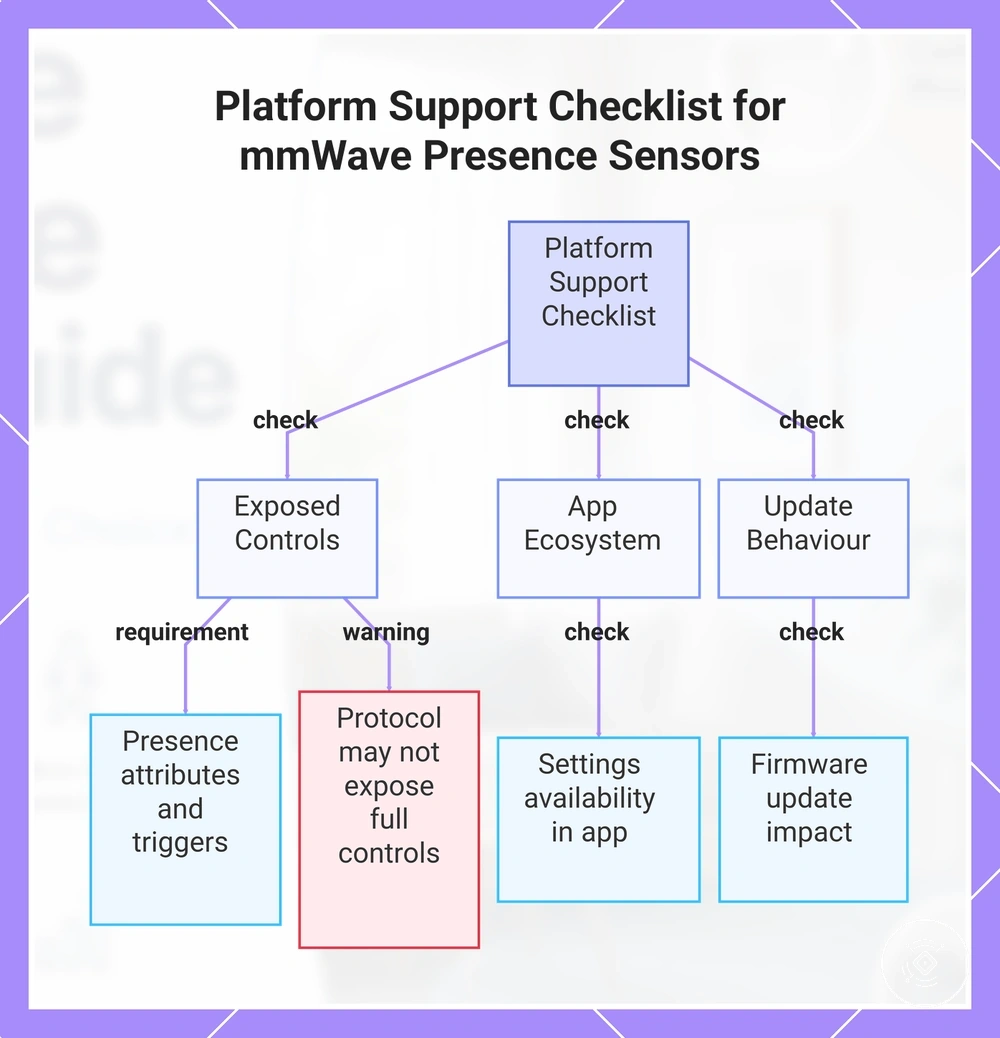
The checklist below separates basic connection from the controls needed for practical automation.
- Exposed entities: Check whether occupancy, presence state, sensitivity, zones, or other relevant controls appear in the platform.
- Automation triggers: Confirm which exposed attributes can start or modify an automation.
- App controls: Verify whether important settings remain available in the intended app ecosystem or only through another application.
- Update behaviour: Check how firmware updates may affect platform support, control exposure, and integration stability.
Protocol compatibility through Zigbee, WiFi, Matter, or a hub may establish communication without exposing every control. Practical smart-home fit depends on which entities and settings the specific model provides, how the platform handles them, and whether later updates preserve the required automation outcome.
This chart summarizes the key verification areas for evaluating mmWave sensor platform support, covering exposed controls, app ecosystem, and update behavior.
How to Choose a mmWave Presence Sensor
The right mmWave presence sensor depends on the room type, detection need, mounting options, power access, protocol, feature priority, and budget rather than a universal product ranking. Each selection criterion should connect a user need with a sensor attribute and a clear fit condition. The buying outcome is stronger when those conditions match the intended smart-home automation.
A practical way to assess how to choose a mmWave presence sensor is to verify the main fit factors before comparing convenience features or price differences.
| Selection criterion | Fit condition | Decision effect |
|---|---|---|
| Room type | Match the sensor's coverage and detection behaviour to a small room, open-plan area, hallway, or another intended space. | A closer room fit may support more reliable occupancy automation. |
| Detection need | Decide whether the priority is seated occupancy, room entry, lighting automation, or difficult coverage conditions. | The use case helps determine which detection attributes should carry more weight. |
| Mounting | Check whether the available wall, ceiling, or other mounting position suits the room layout and intended detection area. | Mounting fit can affect placement options and detection stability. |
| Power | Confirm that the required power type suits the installation, especially where permanent wiring or frequent relocation may be difficult. | Renters may prefer a less permanent setup, while fixed installations may support different power choices. |
| Protocol | Verify that the sensor can integrate with the existing hub, app ecosystem, and automation platform. | Home Assistant users and other platform users should prioritise the controls and entities exposed by the specific integration. |
| Feature priority | Choose features according to the main automation outcome rather than the longest specification list. | Lighting automation may place more value on occupancy state, response controls, and supporting light-level input. |
| Budget | Compare cost with the required fit, controls, and installation conditions rather than price alone. | A lower-cost option may be less suitable if it omits a required protocol, power type, or detection feature. |
Rooms with difficult coverage may require more attention to range, zones, placement, or multi-sensor support, while simpler rooms may need fewer controls. The most suitable buying outcome comes from matching the room, protocol, mounting, power, and feature priority to the intended automation before treating budget or convenience features as deciding factors.
Room Type, Detection Need, and Coverage Area
Room type changes which detection need and coverage area should carry the most weight when choosing a mmWave presence sensor. A bedroom or office may place more value on seated presence, while a hallway or bathroom may depend more on clear entry and exit detection. An open-plan area may require a broader coverage strategy because room complexity can matter more than a headline range claim.
The matrix below connects room use, likely detection conditions, and the intended automation outcome without assuming one setup fits every space.
| Room type | Detection need | Fit condition | Automation outcome |
|---|---|---|---|
| Bedroom | Seated or resting presence | The coverage area should include the main occupied zones while fitting the available mounting format and power type. | Automation may remain active when limited movement is present. |
| Office | Desk-based seated presence | The setup condition should support the desk area without making unrelated movement the main trigger. | Lighting or climate automation may respond more consistently to occupancy. |
| Hallway | Short movement through a narrow area | The coverage area should match the route of travel and the available mounting format. | Automation may respond to entry and movement through the space. |
| Bathroom | Presence within a compact room | The setup condition should account for room boundaries, power type, and a suitable mounting format. | Automation may remain active while the room is occupied. |
| Open-plan area | Mixed occupancy across multiple zones | The fit limitation may come from room complexity, furniture, and zone coverage rather than distance alone. | Automation may need more selective zone logic or additional sensing support. |
A suitable decision should balance room type, coverage area, mounting format, power type, and setup condition against the required automation outcome. In more complex rooms, fit limitations and zone behaviour may matter more than a broad range claim.
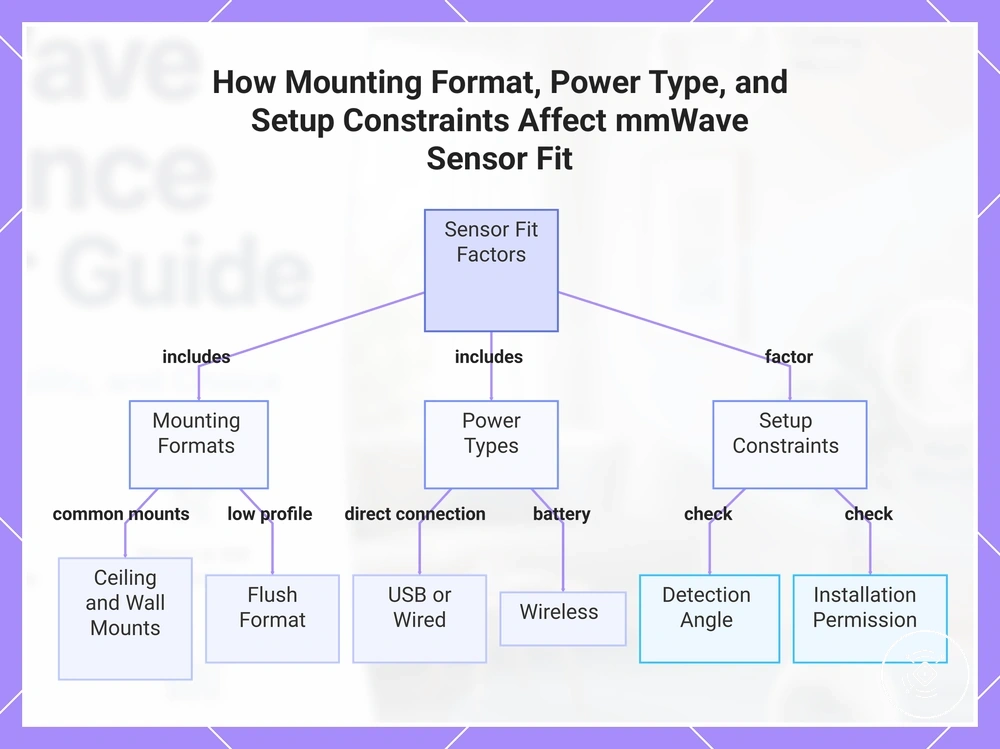
Mounting Format, Power Type, and Setup Constraints
Mounting format and power type narrow which mmWave presence sensors can fit a room before features are compared. A ceiling mount, wall mount, flush format, USB-powered design, wired connection, or wireless option may suit different setup conditions. The practical choice depends on power access, installation permission, detection angle, and the physical limits of the space.
The checklist below connects each physical format with its setup condition and likely fit limitation.
- Ceiling mount: May suit broad room coverage when the ceiling position supports the required detection angle and installation permission is available.
- Wall mount: Can fit rooms where a side-facing detection angle is appropriate and a suitable wall position is accessible.
- Flush format: May provide a lower-profile installation, but the setup condition can require more permanent fitting and suitable space behind the surface.
- USB power: Can simplify power access when a nearby outlet or cable route is available, though visible cabling may create a fit limitation.
- Wired: May support a fixed installation where permanent power and permission for wiring are available.
- Wireless: Can reduce wiring constraints, but suitability depends on the device's power requirement, maintenance needs, and available mounting format.
Form factor should be chosen by checking both the required detection angle and what the property allows. Renters may need a less permanent setup condition, while owners with suitable wiring may have more wired or flush options. The more suitable fit is the format that meets the room's physical limits without assuming that one mounting or power type suits every installation.
This chart shows the three main factors that determine which mmWave presence sensor format fits a given room: mounting format, power type, and setup constraints.
Feature Priority and Value Tradeoffs
Feature value depends on how well a mmWave presence sensor matches the intended use, not on the total number of features. Price tier should be considered after room fit, protocol, and core detection needs because the most useful features vary by setup condition and budget. A higher feature count adds value only when those features support the intended automation outcome.
The table below connects common features with their buying value and decision tradeoff.
| Value factor | Condition | Effect on price or fit | Decision cue |
|---|---|---|---|
| Multi-zone detection | Useful when different parts of a room require separate occupancy logic. | May increase feature value in more complex spaces. | Prioritise when zone-based automation is needed. |
| Sensitivity control | Useful when detection behaviour needs adjustment for the room. | Can improve buying value when calibration flexibility is important. | Consider it when default behaviour may not suit the environment. |
| App support | Useful when app configuration and ongoing adjustments are expected. | Value depends on the available controls and ease of management. | Prioritise it when regular setting changes are likely. |
| Protocol support | Should match the intended smart-home ecosystem. | A compatible protocol may provide more feature value than additional hardware features. | Confirm protocol fit before comparing price tier. |
| Lux sensor | Useful when lighting automation depends on ambient light. | May add value for light-aware automation but not for every installation. | Select it when light level is part of the automation decision. |
| Mounting design | Should suit the available installation space. | Physical fit can outweigh additional features. | Check mounting design before paying for extra capability. |
| Price tier | Should reflect required functionality rather than feature count. | Higher cost does not automatically provide greater buying value. | Match the budget to the features that support the intended use case. |
Feature priority should remain focused on practical usefulness rather than specification length. When compatibility and room fit are already resolved, a simpler sensor may provide better value than a higher price tier with features that are unlikely to be used.
Placement Factors That Shape Reliable Detection
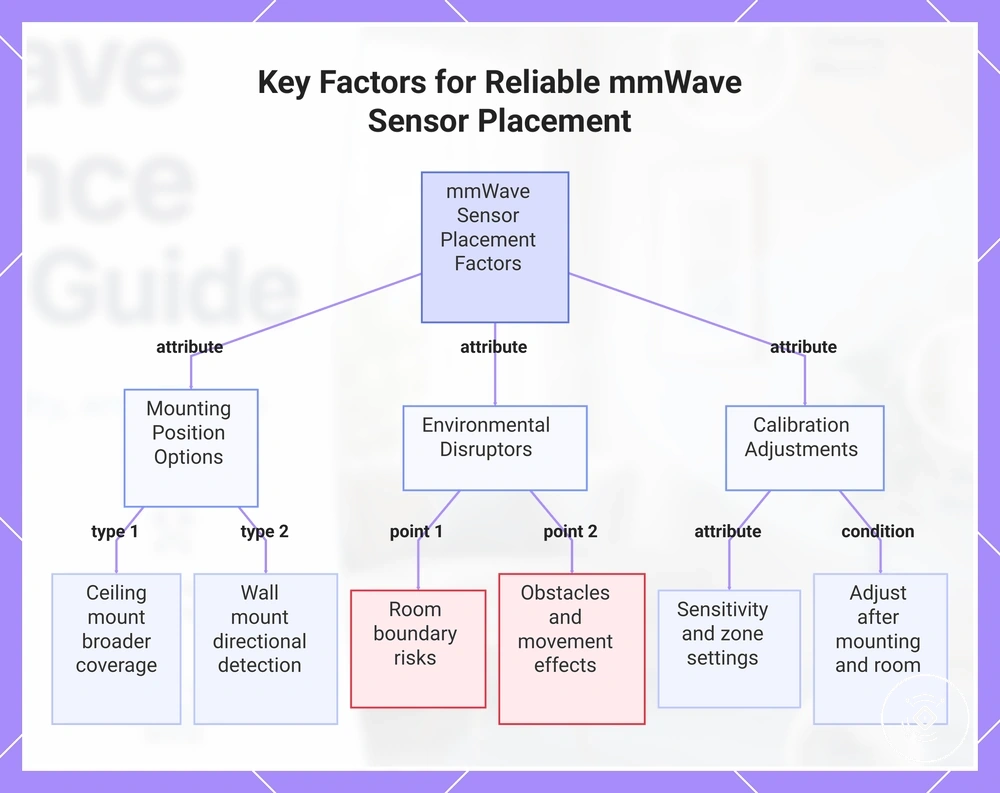
Placement influences how reliably a mmWave presence sensor responds within a room. The outcome depends on the mounting position, room layout, sensor model, coverage angle, and calibration rather than one universal location. Obstacles and nearby movement sources can also affect reliability.
A useful placement check should review the sensor position, detection line, room boundary, obstacles, reflective movement, and calibration needs before judging performance.
- Mounting position: A ceiling mount may support broader downward coverage, while a wall mount may suit a more directional detection layout.
- Room boundary: Sensitivity near walls or adjoining spaces may increase through-wall detection risk under certain conditions.
- Obstacles: Furniture, partitions, and other objects may interrupt or reshape the intended detection line.
- Movement source: Fans, curtains, reflective surfaces, or activity outside the target area may contribute to false triggers depending on the room and settings.
- Calibration: Sensitivity, zones, and related settings may require adjustment after the mounting position and room conditions are known.
For a ceiling-mounted sensor, the coverage angle should include the main occupied area without extending unnecessarily beyond the room boundary. For a wall-mounted sensor, placement and mounting should preserve a clear detection line while limiting exposure to unrelated movement where possible.
In an open-plan space, one position may not cover every activity zone with the same reliability. Reflective movement, furniture, and distant room sections can affect the result, so zone settings or additional sensing support may be more useful than relying on headline range alone.
The more suitable placement is the position that balances coverage, boundaries, obstacles, movement sources, and calibration for the specific room and sensor. Reliable detection may require testing and adjustment because ceiling mounting, wall mounting, and open-plan layouts create different conditions.
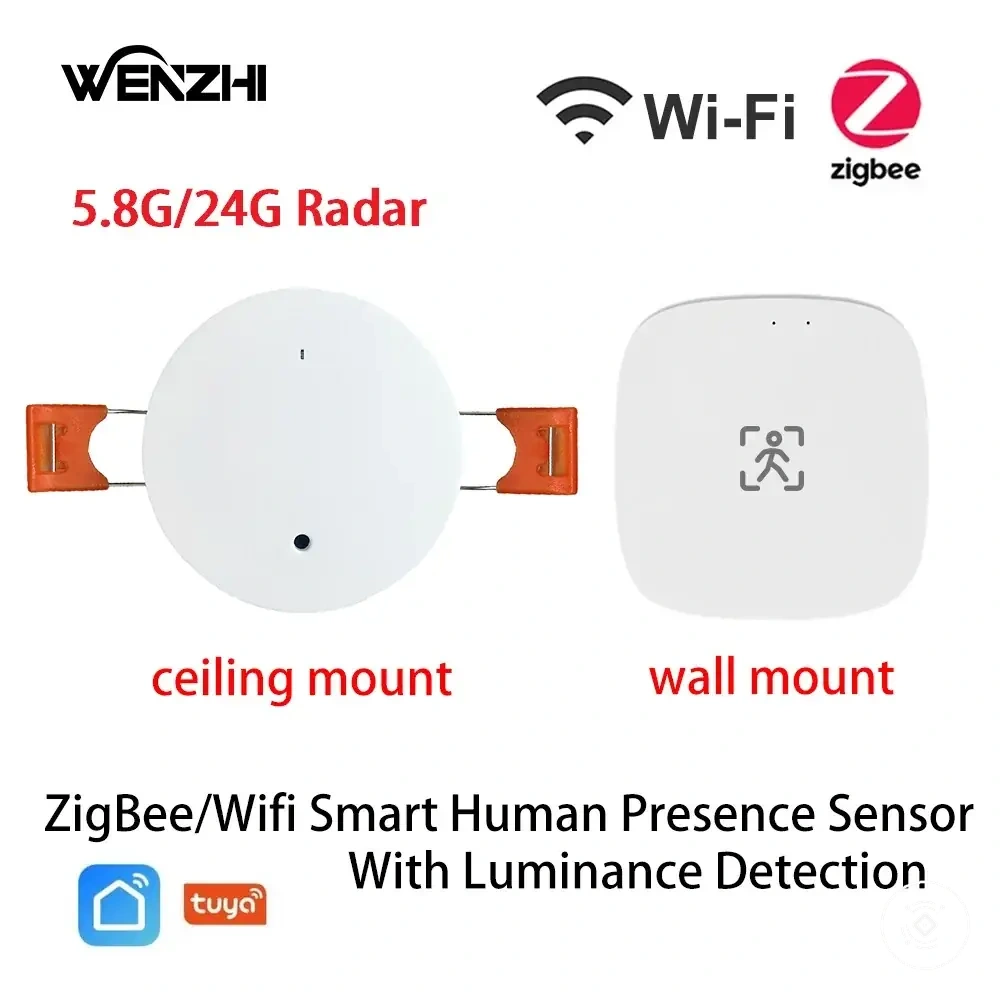
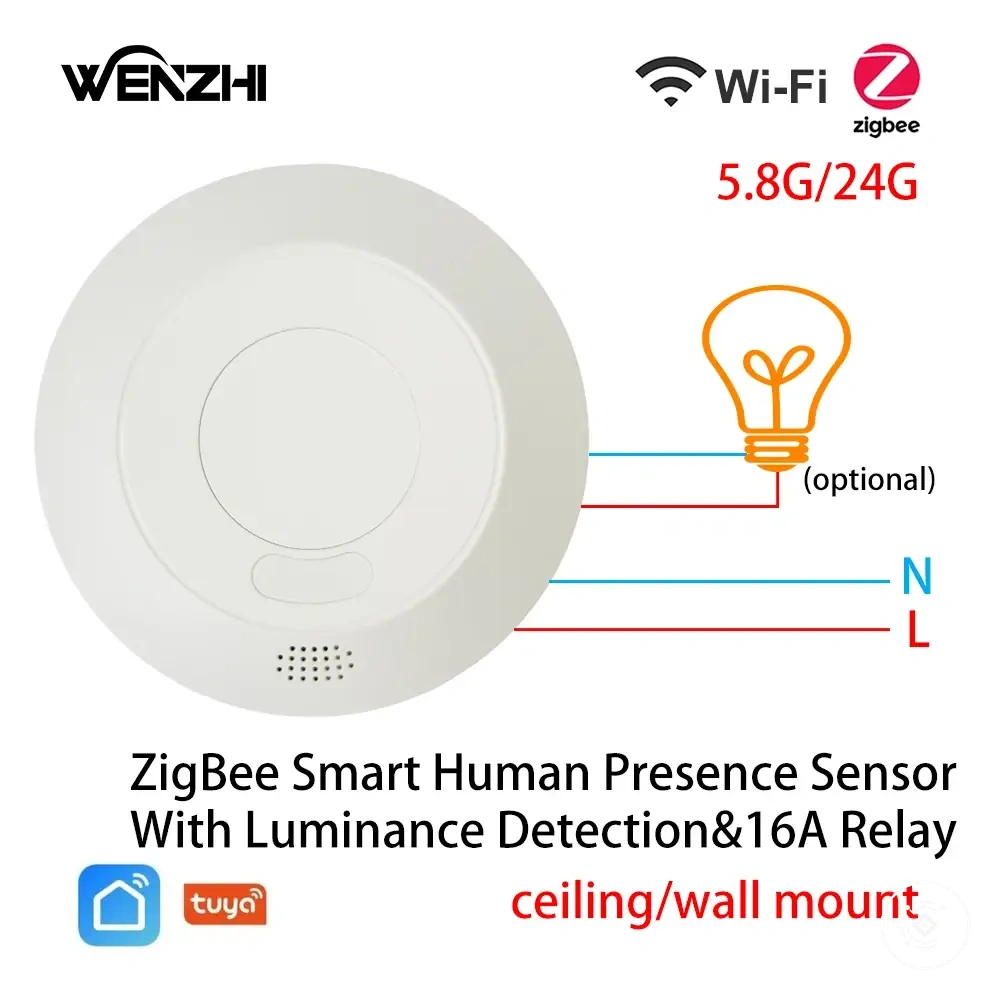
The products below are useful examples for comparing available options. Before buying, check that the compatibility criteria, key features, and product details match your needs.
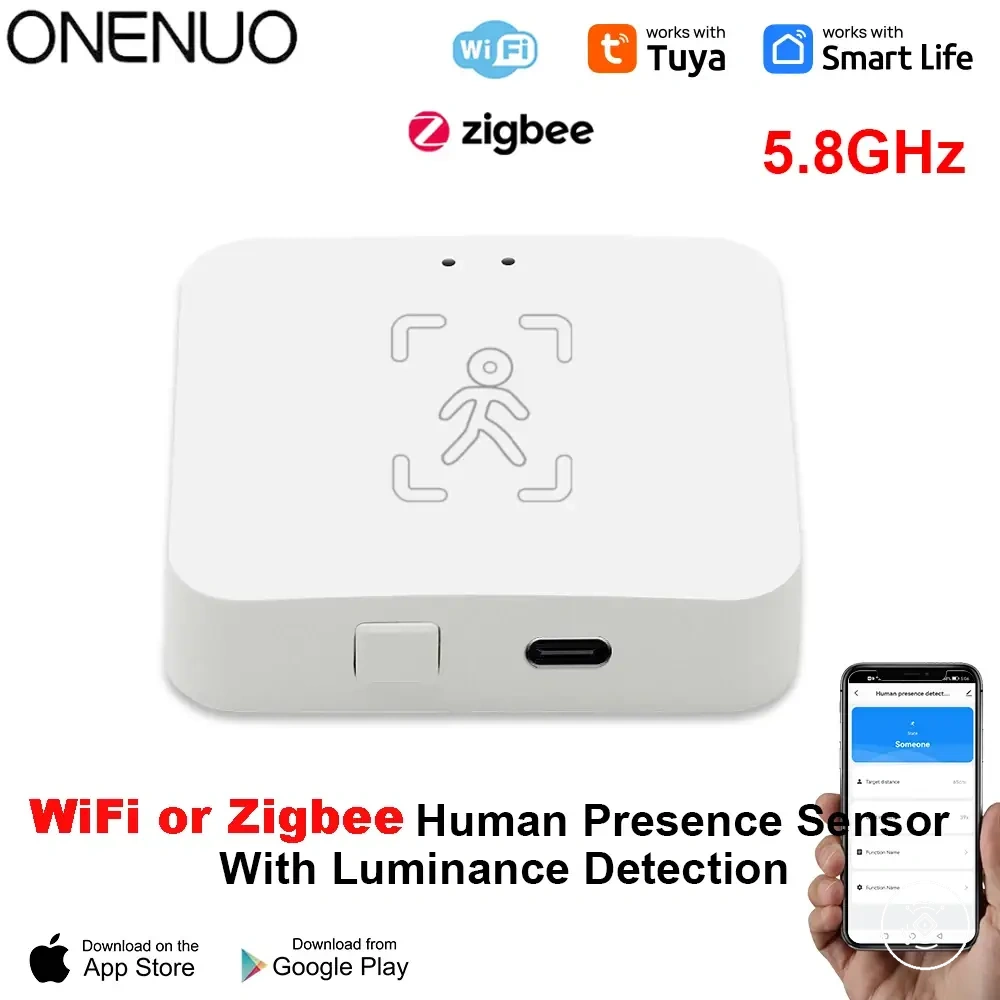
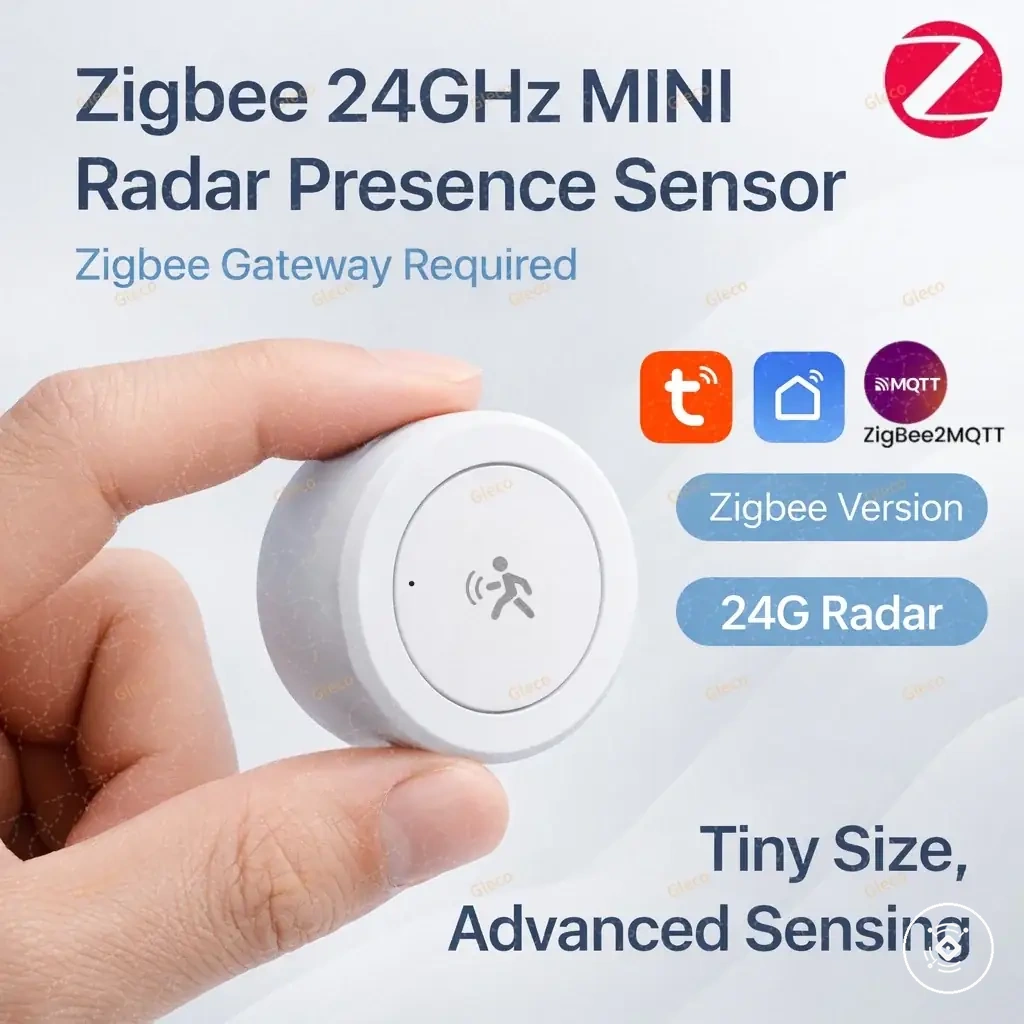
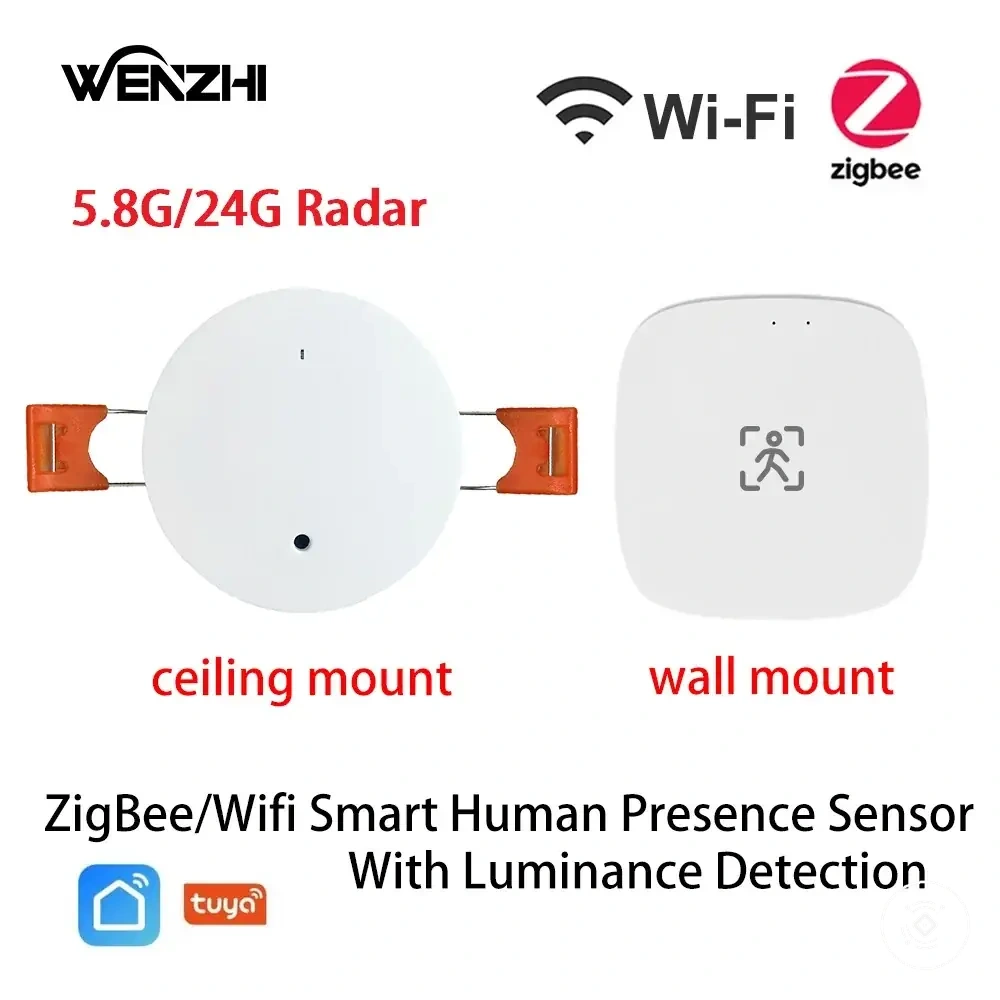
This chart shows the main factors that affect reliable detection placement for mmWave presence sensors, including mounting options, environmental disruptors, and calibration adjustments.
Common Problems That Affect Buying Confidence
When a mmWave presence sensor shows false triggers, delayed responses, missed presence, or unstable automation, the likely cause may involve sensitivity, placement, power, platform behaviour, or configuration rather than a product defect. Each symptom should be treated as a risk signal that needs context. The effect on buying confidence depends on whether the likely condition can be managed within the intended room and smart-home setup.
The diagnostic table below connects common symptoms with likely conditions, practical checks, and their buying or setup implications.
| Symptom | Likely condition | Risk level | Buying or setup implication |
|---|---|---|---|
| False trigger | Sensitivity may be too high, or placement may expose the sensor to movement outside the intended area. | May be more significant when the room has complex boundaries or nearby movement sources. | Check whether sensitivity control, detection zones, and placement options suit the room. |
| Missed still presence | The configuration, mounting position, or room conditions may limit detection of small movement. | May carry greater risk when seated or low-motion occupancy is the main use case. | Prioritise adjustable settings and a setup that matches the intended occupied area. |
| Delayed response | Platform behaviour, automation rules, network conditions, or device settings may affect timing. | Depends on the required automation outcome and acceptable response time. | Confirm that the intended platform exposes suitable triggers and response controls. |
| Unstable operation | Power delivery, connectivity, firmware, or configuration may be inconsistent. | May be more significant when reliable continuous operation is important. | Verify the power type, connection method, and update path before selection. |
| Detection beyond the room | Placement, sensitivity, or room boundaries may allow unwanted detection under certain conditions. | May carry greater risk when adjoining spaces contain frequent movement. | Consider whether zone control and calibration can limit the risk for the intended setup. |
Risk should be interpreted against the intended use rather than the symptom alone. A response issue may matter more for lighting automation than for a non-critical occupancy indicator, while false triggers may carry more weight in rooms with nearby movement or weak boundaries.
Many common problems depend on configuration, environment, placement, power, or platform behaviour and do not by themselves prove that mmWave sensing is unsuitable. A fuller mmWave sensor troubleshooting review can help separate manageable setup conditions from limitations that may affect the buying decision.
False Triggers and Environmental Movement
When a mmWave presence sensor reports occupancy in an empty room, the likely cause may be environmental movement that the sensor interprets as a presence signal. The symptom can depend on sensitivity, placement, configuration, room conditions, and nearby movement sources. A false trigger does not by itself show that the sensor is unsuitable.
The symptom-cause patterns below show where environmental movement may increase false occupancy risk.
- Curtains: Moving fabric may create a changing signal when airflow reaches the detection area.
- Fans: Rotating or oscillating movement may contribute to false triggers when the sensor includes the fan within its active zone.
- Pets: Animal movement may be interpreted as occupancy depending on sensitivity, zone coverage, and room layout.
- Adjacent rooms: Movement beyond a room boundary may affect sensor interpretation when placement and sensitivity expose adjoining spaces.
- Reflective surfaces: Reflected movement may alter the detection pattern under certain room and placement conditions.
For example, moving the active zone away from a curtain or fan and narrowing zone control around the intended occupied area may reduce risk, although the outcome depends on the sensor and room. Sensitivity changes should remain part of a broader diagnostic check because power, platform behaviour, and configuration may also influence the reported occupancy state.
Power, Configuration, and Response Issues
When a mmWave presence sensor shows an unstable connection, delayed automation, or missing controls, the likely cause may involve power, configuration, firmware, hub connection, or platform behaviour rather than the sensor alone. Each symptom should be treated as a local reliability risk that depends on the device condition and smart-home setup. Placement and sensitivity may also affect the reported outcome in certain cases.
The checklist below connects each response issue with the condition that may influence it.
- Power source: An inconsistent or unsuitable power condition may cause restarts, missed events, or unstable operation.
- Firmware: Firmware condition may affect available features, configuration behaviour, or communication with the platform.
- Hub connection: A weak or interrupted hub connection may contribute to delayed updates or missing automation events.
- App configuration: Incorrect settings or unavailable controls may limit sensitivity adjustment, zone control, or other expected functions.
- Automation delay: A response issue may come from platform behaviour, network conditions, automation rules, or device settings, so the delay should not be attributed to the sensor without a broader diagnostic check.
Buyers should check whether the selected device and platform expose the controls they expect to adjust after purchase. The practical risk may be lower when power requirements, firmware support, hub connection, app configuration, and automation behaviour match the intended use, but the final outcome can still vary by model and environment.
Price and Value Signals Before Buying
The value of a mmWave presence sensor depends on fit and useful features rather than price alone. Price tier may rise with added detection controls, protocol support, mounting design, app support, or build complexity, but those attributes add feature value only when they match the intended room and automation need. Budget should therefore be judged against the functions that affect the expected outcome.
A practical review of price and value factors should compare each included attribute with a clear fit condition. This approach separates a useful cost factor from a feature that increases complexity without improving the intended setup.
| Value factor | Condition | Effect on price or fit | Decision cue |
|---|---|---|---|
| Detection features | Multi-zone control or sensitivity adjustment is relevant to the room and automation goal. | May justify a higher price tier when those controls address a real detection need. | Pay more only when the added control supports the intended outcome. |
| Protocol | The sensor must fit the existing hub, network, or automation platform. | Compatible protocol support may provide more buying value than extra unrelated features. | Prioritise integration fit before comparing feature count. |
| Mounting design | The physical format suits the available position, power access, and installation limits. | A specialised mounting design may affect cost but can reduce fit limitations. | Pay more when the format solves a necessary setup constraint. |
| App support | The user expects to adjust zones, sensitivity, or automation settings through an app. | App configuration may add feature value when ongoing control is required. | Stay with simpler controls when regular adjustment is unlikely. |
| Build complexity | The device combines additional sensors, controls, or installation requirements. | Greater complexity may increase the price tier without improving every use case. | Choose the added complexity only when its function is relevant. |
A higher price tier may be reasonable when advanced controls, a required protocol, or a specific mounting design solves a confirmed fit problem. A mid-range option may offer a useful tradeoff when core detection, app support, and integration needs are covered without unnecessary complexity.
A basic option may be enough when the room is simple, compatibility is confirmed, and the automation requires only a limited presence signal. The stronger buying value comes from matching the budget to required attributes rather than treating a higher price as proof of a better outcome.
The products below are useful examples for comparing available options. Before buying, check that the compatibility criteria, key features, and product details match your needs.
Budget, Mid-Range, and Premium Price Expectations
Budget, mid-range, and premium price expectations are broad value tiers rather than fixed price rules. Each price tier may reflect different feature value, protocol options, mounting design, app support, setup complexity, and tradeoff. The suitable tier depends on the required fit and budget, not on the assumption that a higher tier is always better.
The table below maps each broad tier to likely features, compatibility conditions, setup complexity, and value risk.
| Price tier | Likely features | Compatibility condition | Setup complexity | Value risk |
|---|---|---|---|---|
| Budget | May focus on core presence detection with fewer adjustment or zone controls. | Can provide good buying value when the protocol, app support, and required controls already match the system. | May be simpler when the mounting design and power requirements suit the room. | The main risk is selecting a sensor that omits a required control or integration feature. |
| Mid-range | May add sensitivity controls, broader app configuration, or more flexible detection features. | Can suit users who need a balance between platform fit and useful controls without added complexity. | Setup may require more configuration when extra zones or settings are available. | The tradeoff is paying for features that may not improve the intended automation. |
| Premium | May include advanced zone control, additional sensors, specialised mounting design, or wider configuration options. | Feature value depends on whether the protocol, app support, and exposed controls meet a specific need. | Greater capability may bring more setup decisions and calibration requirements. | The value risk is assuming added complexity will produce a better outcome in every room. |
The right price tier can change when a compatible hub is already available or when a specific mounting format solves an installation constraint. A budget option may be enough for a simple, confirmed fit, while mid-range or premium capability may be reasonable when extra controls address a defined automation need. The stronger decision matches the budget to useful features and acceptable setup complexity.