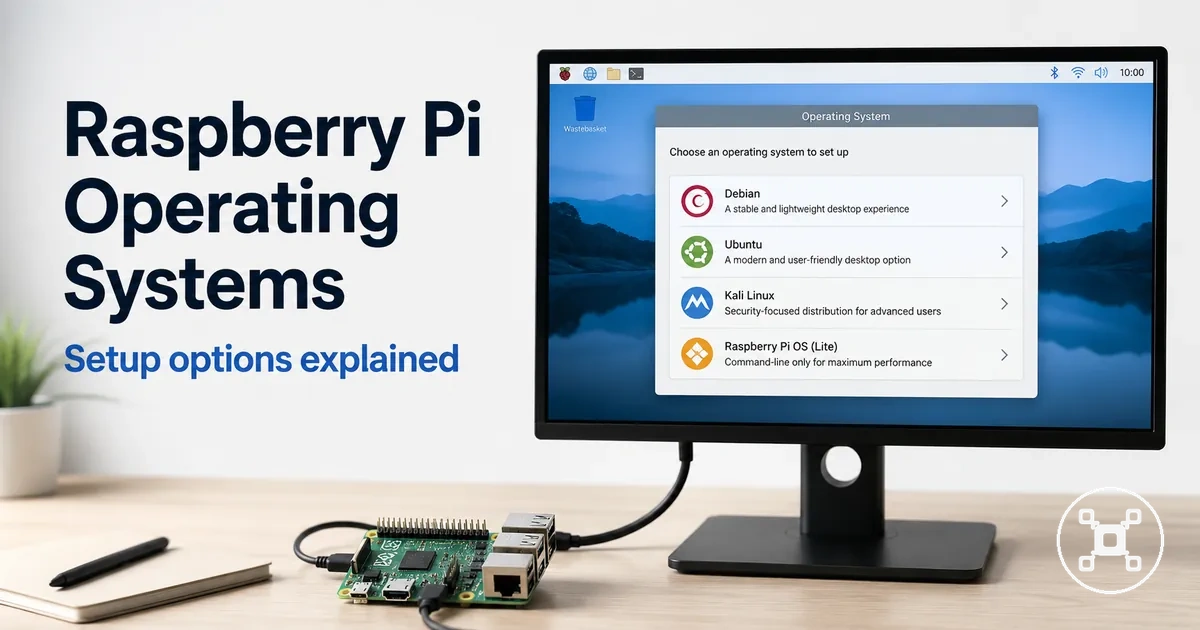
Raspberry Pi operating systems: compatibility, OS types, and use-case fit
A Raspberry Pi operating system is a system image that provides the software environment for a Raspberry Pi board, from a graphical desktop to a lightweight server interface. The suitable choice is the OS image that matches the hardware and intended project, making compatibility the main decision lens.
These categories prepare the decision around OS type differences rather than installation alone.
Raspberry Pi OS is a Debian-based Linux distribution available in 32-bit and 64-bit editions, with desktop, Full, and Lite image types for different interface and software requirements. The Raspberry Pi hub provides the broader hardware context for comparing boards and planning a complete setup. These categories prepare the decision around OS type differences rather than installation alone.
The Raspberry Pi hub provides the broader hardware context for comparing boards and planning a complete setup.
The board model sets the supported architecture: listed 64-bit-capable boards can use a compatible 64-bit image, while the 32-bit edition covers a broader range of Raspberry Pi hardware. Memory and use case determine the practical image category, with desktop images providing a graphical interface and Lite images providing a command-line environment for server-focused projects. Storage must meet the requirement stated for the selected image, and the boot image can be written to a microSD card or a supported USB device when the board and boot configuration allow it. Checking the board model, 32-bit or 64-bit architecture, interface requirement, storage capacity, and project purpose closes the main compatibility decision before setup begins.
Raspberry Pi OS is tailored to Raspberry Pi hardware, while other Linux distros provide different software environments and support scopes.
Raspberry Pi OS is tailored to Raspberry Pi hardware, while other Linux distros provide different software environments and support scopes. Windows-style expectations should be treated separately because the available interface, application support, and hardware compatibility remain tied to the specific board, OS image, and use case.
Table of Contents
What a Raspberry Pi operating system does
A Raspberry Pi operating system is the software layer that allows a Raspberry Pi board to boot, manage hardware resources, run applications, and receive software updates. It provides the operating environment that connects the board's hardware with the software people use. This software layer links the boot process with hardware control so the Raspberry Pi can operate as a complete computer.
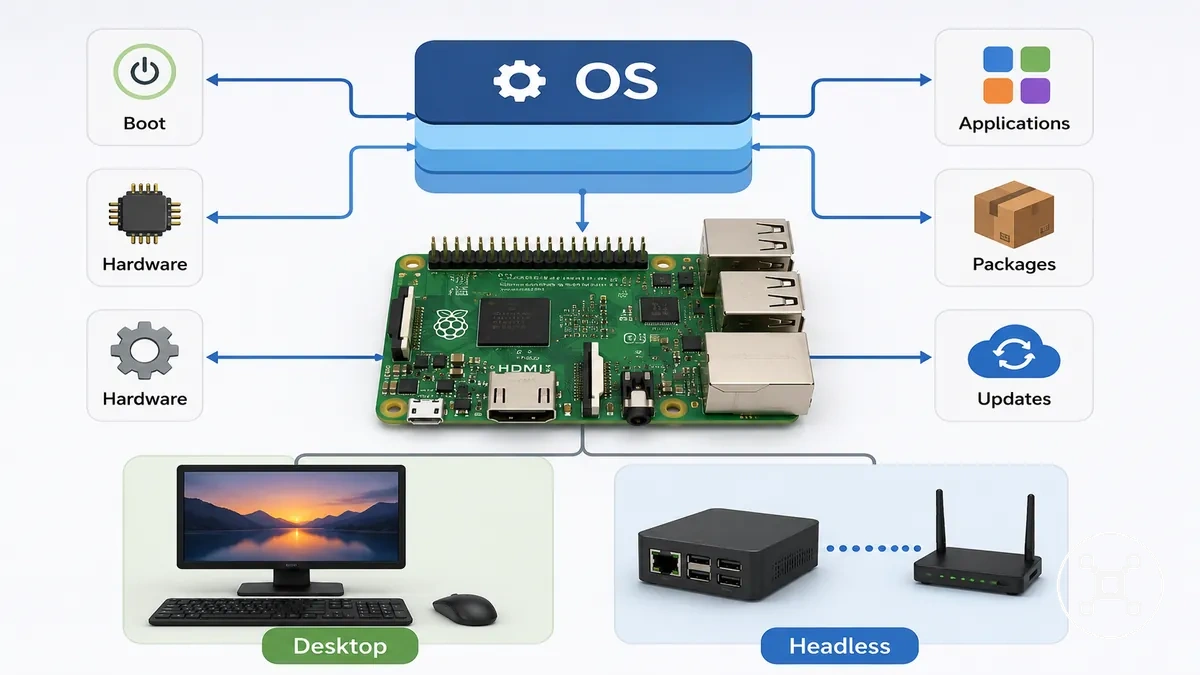
The Raspberry Pi operating system manages the boot sequence, controls hardware devices, provides software packages, and supplies the user interface for interacting with the system. Applications run through operating system services rather than communicating directly with hardware, while updates keep installed packages and system software current. The user interface may be a graphical desktop for direct interaction with a keyboard and mouse or a command-line environment for headless operation, depending on the selected OS image and intended use.
A desktop configuration displays graphical windows, menus, and applications on a connected screen.
A desktop configuration displays graphical windows, menus, and applications on a connected screen. A headless configuration operates without a local display and is typically managed through a network session, making it suitable for server tasks and remote administration.
Raspberry Pi OS, Linux, and common naming confusion
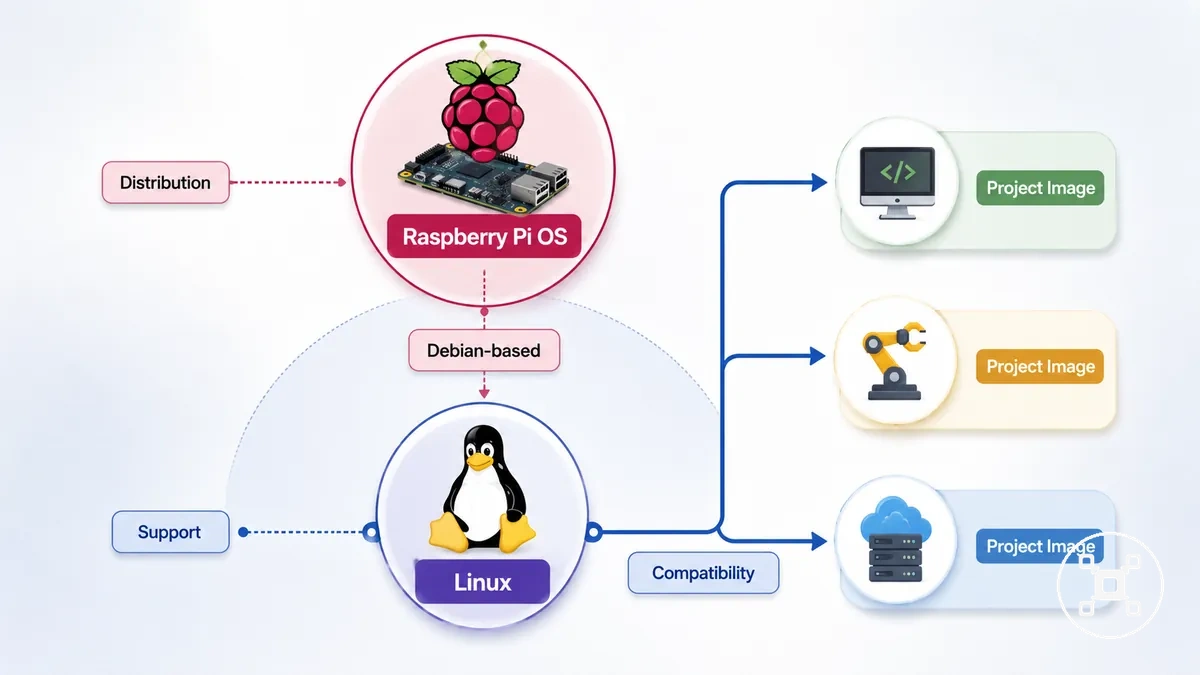
Raspberry Pi OS is one operating system option for Raspberry Pi boards, while Linux is the broader operating system family that includes many distributions. This distinction matters because Raspberry Pi OS is a Debian-based Linux distribution designed as the official option for Raspberry Pi hardware, whereas other Linux distributions and project-specific images are separate operating system options with different purposes, support, and compatibility.
| Type | Scope | Typical use |
|---|---|---|
| Raspberry Pi OS | Debian-based official option | General-purpose Raspberry Pi computing with Raspberry Pi-focused support |
| Linux distribution | Broader Linux distribution family | Alternative operating environments with their own package ecosystem and maintenance approach |
| Project-specific image | Purpose-built system image | Specialised workloads where compatibility and available support are defined by the selected image and target board |
A common misconception is that Raspberry Pi OS and Linux are interchangeable names. Raspberry Pi OS is one Debian-based Linux distribution rather than the Linux platform itself. Other Linux distributions, including Debian-based alternatives and project-specific images, remain separate operating system choices with their own package ecosystem, release cycle, and support model.
A common misconception is that Raspberry Pi OS and Linux are interchangeable names.
Support and compatibility are not identical across all Linux distributions or project-specific images. An operating system image may target specific Raspberry Pi models, processor architectures, or intended workloads, so the appropriate choice depends on whether the selected image supports the board and use case.
Raspberry Pi OS as the official Debian-based option
Raspberry Pi OS is the official Debian-based operating system developed for Raspberry Pi boards and is the standard option supported by Raspberry Pi documentation and software resources. The image below identifies the official option and its available variants. Its official support and Debian-based foundation provide a predictable starting point for many beginner projects using a Raspberry Pi board.
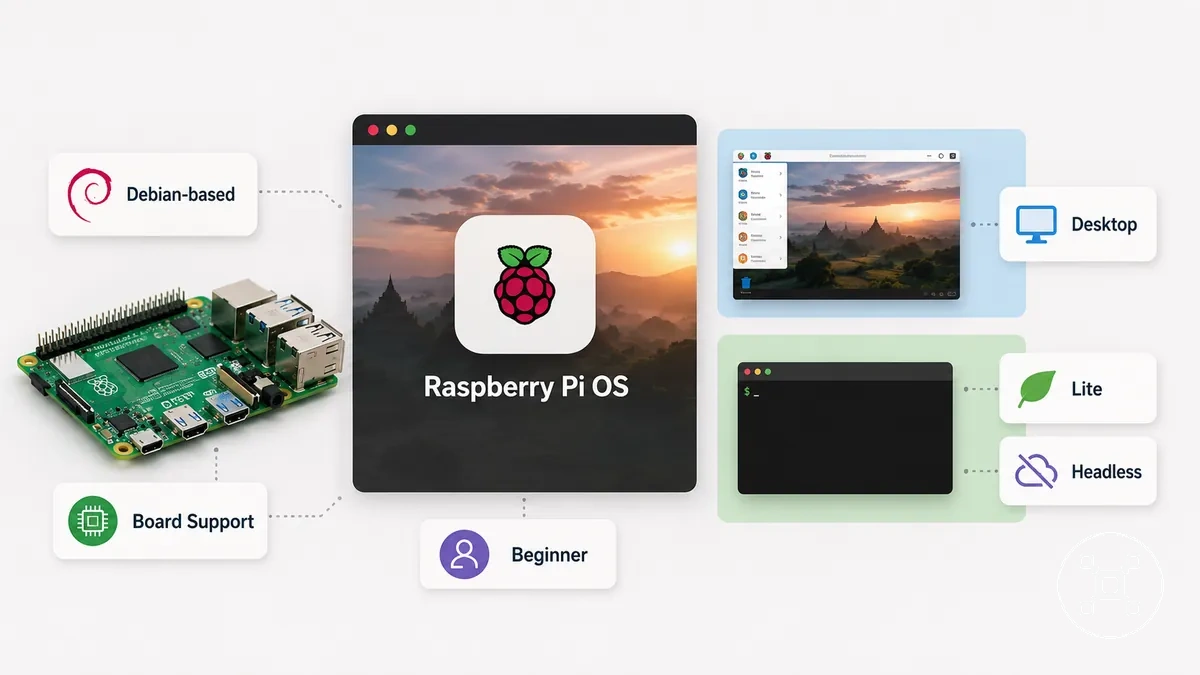
For a beginner setting up a typical Raspberry Pi board, the Desktop variant provides a graphical interface, while the Lite image is intended for command-line and headless workloads such as remote servers. Official documentation and board-focused support apply to Raspberry Pi OS, while compatibility should still be confirmed for the selected board model and OS image before use.
Linux distributions that can run on Raspberry Pi
Linux distributions are alternative operating systems that can run on Raspberry Pi when the distribution's architecture and support status match the target board. Different Linux distributions provide distinct package ecosystems, interfaces, and intended use cases, making them suitable for different workloads rather than interchangeable choices.
Before choosing an alternative OS, verify support for your Raspberry Pi model, processor architecture, and the specific OS image to confirm compatibility.
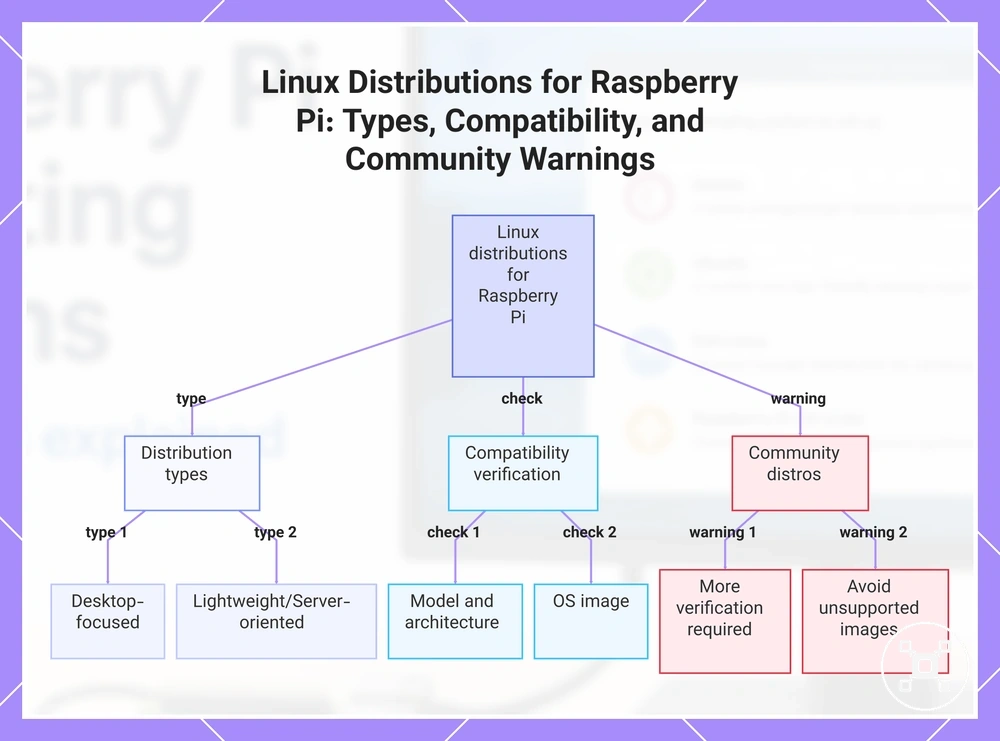
Desktop-focused distributions prioritise a graphical interface, while lightweight or server-oriented distributions emphasise command-line and headless operation through their own package ecosystem and software selection. Before choosing an alternative OS, verify support for your Raspberry Pi model, processor architecture, and the specific OS image to confirm compatibility. Community-supported or experimental Linux distributions may require more verification than the official Raspberry Pi OS, so confirming compatibility before installation helps avoid using an unsupported image.
This chart shows the main types of Linux distributions for Raspberry Pi, the compatibility checks required before installation, and a warning about community-supported distros.
This chart shows the main types of Linux distributions for Raspberry Pi, the compatibility checks required before installation, and a warning about community-supported distros.
Main operating system options for Raspberry Pi
Raspberry Pi operating system options are best understood as use-based categories rather than a list of individual names. These categories differ by interface, resource demand, intended project, support expectation, and setup complexity, helping match an operating system to a specific Raspberry Pi workload.
Raspberry Pi operating system options are best understood as use-based categories rather than a list of individual names.
The table below summarises the main OS categories by their typical purpose instead of ranking individual operating systems. Support and compatibility may differ between board models, processor architecture, and OS images, so each category should be viewed as a starting point for selection.
| OS category | Interface style | Typical project | Support expectation | Setup complexity |
|---|---|---|---|---|
| Desktop | Graphical desktop interface | General computing, learning, and development | Ranges from official board support to distribution-specific community support | Usually guided with desktop applications included |
| Lite/server | Command-line or headless interface | Server, networking, and automation projects | Depends on support for the selected Raspberry Pi board, architecture, and OS image | Requires more command-line configuration |
| Media center | TV-friendly media interface | Media playback and home entertainment | Typically maintained as a specialist image with its own support scope | Focused setup for media functions |
| Gaming | Game library interface | Retro gaming and emulation | Usually community or project-based support | Requires controller and game configuration |
| Appliance-focused | Minimal task-specific interface | Dedicated services, storage, or automation | Limited to the appliance image and its documented board support | Project-specific configuration |
Verify compatibility between the selected operating system image, Raspberry Pi model, processor architecture, and intended project before installation.
Desktop operating systems for general computing
For a beginner or classroom setup, a desktop operating system suits Raspberry Pi use that requires a graphical interface, browser access, coding tools, and direct interaction through a display, keyboard, and mouse. This desktop OS format supports general computing through visible menus, windows, and applications rather than command-line-only control.
Performance expectations should remain tied to the board, available memory, storage, software load, and browser workload.
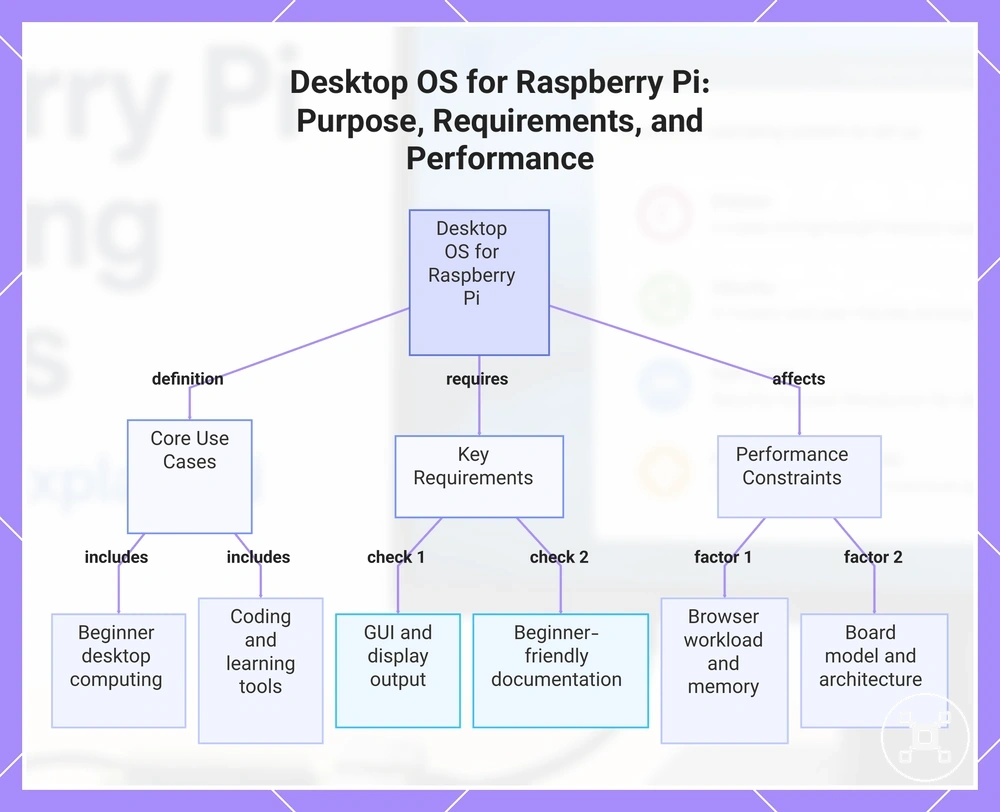
A suitable desktop operating system should provide a GUI, supported display output, and a beginner friendly software environment with accessible documentation. Browser responsiveness is better suited to light browsing and fewer active applications, while heavier websites and multitasking increase memory demand. Coding tools fit learning and development use when the selected OS image supports the Raspberry Pi model and processor architecture. Performance expectations should remain tied to the board, available memory, storage, software load, and browser workload.
Coding tools fit learning and development use when the selected OS image supports the Raspberry Pi model and processor architecture.
This chart outlines what a desktop operating system for Raspberry Pi provides, what it requires for a beginner-friendly setup, and what factors affect its performance.
Lite and server-focused operating systems
Lite and server-focused operating systems fit headless, always-on, or network-based Raspberry Pi projects that do not require a graphical desktop. A Lite image uses a command-line setup and SSH access, reducing graphical overhead so more memory remains available for the service workload.
Package support should cover the applications and dependencies required by the project.
Package support should cover the applications and dependencies required by the project. Memory efficiency improves when graphical components and unnecessary background services are absent, while storage writes should match the expected logging, updates, and application-data activity. Network reliability requires stable connectivity and support for the selected Raspberry Pi board, architecture, and network hardware. For example, a small network service managed through SSH can use a Lite image because a desktop interface would add resource demand without supporting the intended task.
Network reliability requires stable connectivity and support for the selected Raspberry Pi board, architecture, and network hardware.
Choose a Lite or server OS when these conditions apply:
- A graphical desktop is unnecessary because administration will use a command line or web interface.
- SSH access is available for remote management of the headless system.
- Package support includes the software and dependencies required by the service workload.
- Memory efficiency is prioritised by excluding graphical components and non-essential background services.
- Storage writes are suitable for the expected logging, update, and application-data workload.
- Network reliability is sufficient for remote access and the intended service role.
Media, gaming, and appliance-focused systems
Media center, gaming, and appliance-focused operating systems use a specialized image built around a single-purpose role rather than general desktop use. A media center system prioritises a display and remote-style interface, a gaming system prioritises controller input, and an appliance-focused system presents only the controls required for its dedicated function.
This specialization can improve task-focused simplicity while reducing flexibility when broader software or general computing features are needed.
Compatibility requires the selected image to support the Raspberry Pi board, processor architecture, display connection, and intended controller or input device. A mature image for the target hardware can provide a simpler interface and lower setup complexity because unrelated desktop applications are excluded. This specialization can improve task-focused simplicity while reducing flexibility when broader software or general computing features are needed.
A mature image for the target hardware can provide a simpler interface and lower setup complexity because unrelated desktop applications are excluded.
The contrast between a specialized image and a general desktop OS is:
- Scope: A specialized image supports a defined media, gaming, or appliance role, while a general desktop OS supports a broader range of applications.
- Flexibility: A specialist OS limits unrelated functions, while a desktop system permits more software and workflow changes.
- Setup complexity: A dedicated system can reduce configuration for its primary function when the image, display, controller, and Raspberry Pi model are compatible.
Compatibility factors that affect OS choice
Compatibility factors are the main decision filter because an OS image must match the Raspberry Pi board model, processor architecture, and intended configuration before it can run as expected. Compatibility should be evaluated against the board model, release version, and hardware configuration rather than assumed from the operating system name alone.
Compatibility should be evaluated against the board model, release version, and hardware configuration rather than assumed from the operating system name alone.
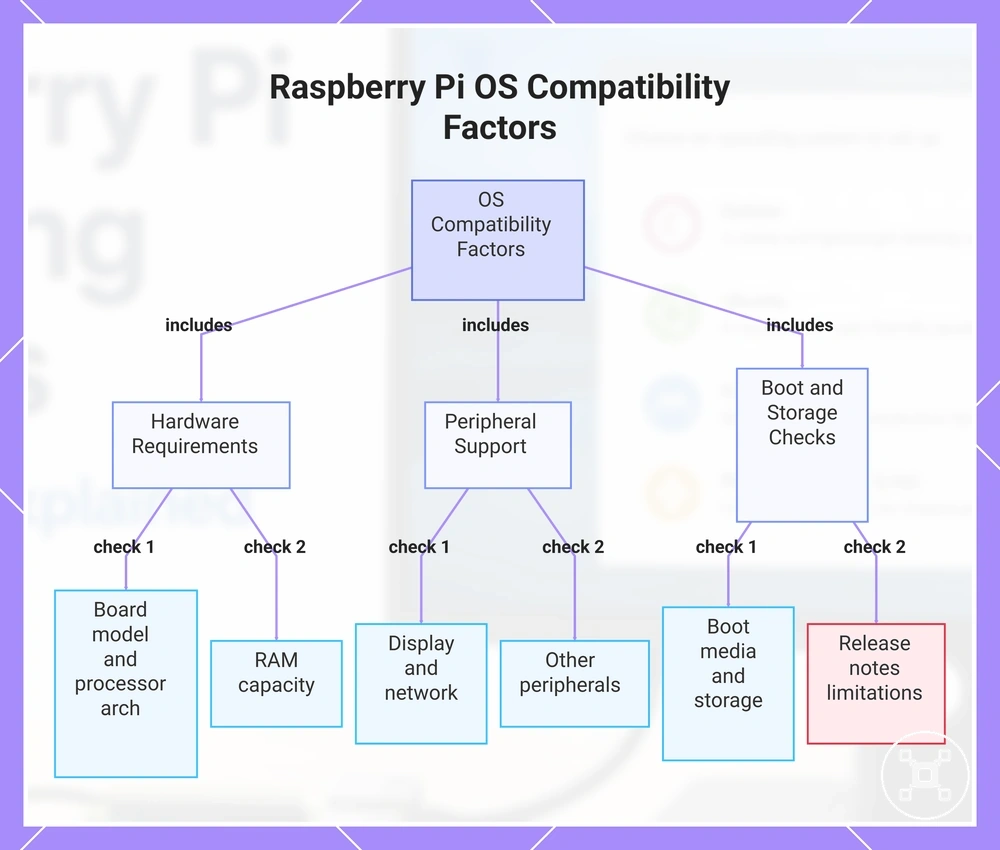
The board model and processor architecture determine which OS image is suitable, while RAM influences whether a lightweight interface or a fuller desktop environment is the more responsive choice. Boot media and storage should be supported by both the selected image and the Raspberry Pi configuration, and display, network, and peripherals should have compatible interfaces and available driver support. Before downloading an image, compare its release notes with the exact board, processor architecture, RAM, boot media, storage, display, network requirements, and connected accessories.
Before downloading an image, compare its release notes with the exact board, processor architecture, RAM, boot media, storage, display, network requirements, and connected accessories.
Use these compatibility checks before choosing an OS image:
- Board model: Confirm that the OS image supports the specific Raspberry Pi board generation or family in use.
- Processor architecture: Match the image build to the processor architecture supported by the board.
- RAM: Select an image and desktop environment whose memory requirements leave sufficient RAM for the intended workload.
- Boot media and storage: Verify support for the intended boot method, storage device, filesystem requirements, and available capacity.
- Display: Check that the release version supports the required display interface and intended display configuration.
- Network: Confirm support for the required wired or wireless networking hardware used by the project.
- Peripherals: Verify compatibility with connected keyboards, controllers, cameras, audio devices, and other required accessories.
- Release notes: Review model-specific support conditions, known limitations, and configuration requirements before downloading the OS image.
This chart shows the main compatibility factors to verify before selecting a Raspberry Pi OS image, including hardware specifications, peripheral support, and boot media checks.
Board model and processor architecture
Board model and processor architecture are the first compatibility checkpoint because an OS image must support both before installation is likely to succeed. The board model identifies the Raspberry Pi hardware generation, while the processor architecture determines whether a 32-bit or 64-bit OS image is suitable for that board.
Board model and processor architecture are the first compatibility checkpoint because an OS image must support both before installation is likely to succeed.
ARM hardware generation influences image availability because OS releases may provide different builds or support conditions for different processor architectures. Older boards are commonly limited to 32-bit OS images, while newer 64-bit-capable boards can support either 32-bit or 64-bit images when the selected release version includes board support. Use these architecture checks before selecting an OS image:
- Board model: Confirm that the OS image explicitly supports the Raspberry Pi hardware generation in use.
- Processor architecture: Match the OS image to the board's supported ARM architecture and select the appropriate 32-bit or 64-bit build.
- Older boards: Check for 32-bit limitations when the hardware generation does not support 64-bit operation or the selected release version does not include 64-bit board support.
- Image availability: Verify that the required OS image is available for the chosen board model and release version before downloading.
32-bit and 64-bit support
32-bit and 64-bit support determines whether an OS image matches the Raspberry Pi board capability and whether its architecture suits the intended applications. The distinction also affects memory access, software package support, and compatibility, so the appropriate choice depends on the board, the available OS image, and application needs rather than a fixed preference.
Compare the architecture choice with board capability and software requirements before selecting an image.
A 32-bit image can remain the practical option for older-board support when the hardware or required software is designed for that architecture. A 64-bit image can be the better fit when the board supports 64-bit operation and the selected OS image provides compatible packages that benefit from expanded memory access. Compare the architecture choice with board capability and software requirements before selecting an image.
The main differences are:
| 32-bit support | 64-bit support |
|---|---|
| Support: Compatible with boards and OS images that provide 32-bit architecture support, including many older-board configurations. | Support: Compatible with boards that support 64-bit architecture and have an available 64-bit OS image. |
| Memory access: Uses a 32-bit memory-addressing environment that can suit lighter application needs. | Memory access: Uses a larger memory-addressing environment when supported by the board and operating system. |
| Package support: Requires software packages and dependencies built for the 32-bit architecture. | Package support: Requires packages and dependencies built for the 64-bit architecture. |
| Practical fit: Suitable when compatibility with older boards or existing 32-bit software is the priority. | Practical fit: Suitable when newer 64-bit-capable boards and applications benefit from a 64-bit environment. |
Memory, desktop environment, and Lite version fit
Memory, desktop environment, and Lite version fit determine whether a Raspberry Pi operating system matches the available resources and intended workload. RAM, graphical desktop load, and the selected OS image together influence responsiveness and stability, so the most suitable choice depends on resource fit rather than a single configuration.
Match the desktop environment or Lite image to the available RAM and intended workload to maintain responsive and stable operation.
A graphical desktop uses memory for the interface, background services, and browser use, which can increase resource demand during interactive workloads. A Lite version removes the graphical desktop and is better suited to headless service use when administration is performed through the command line or remote access. Match the desktop environment or Lite image to the available RAM and intended workload to maintain responsive and stable operation.
Use this resource-matching checklist:
- RAM: Select an OS image whose memory requirements leave sufficient RAM for the intended applications.
- Desktop environment: A heavier graphical desktop increases interface weight and background resource use, while a lighter desktop environment reduces that load.
- Browser use: Frequent browser use increases memory demand and may reduce responsiveness when available RAM is limited.
- Background services: Running additional services uses memory even without active desktop applications, so enable only the services required for the workload.
- Lite version: Choose a Lite image for headless service use when a graphical desktop is unnecessary and lower background resource use is preferred.
- Stability: Match the OS image, available memory, and workload to reduce resource pressure during normal operation.
Boot media and storage support
Boot media is compatible when the selected microSD, USB drive, or SSD can accept the OS image and the Raspberry Pi model supports booting from that storage type. This compatibility affects image writing, startup, updates, and ongoing system use.
This compatibility affects image writing, startup, updates, and ongoing system use.
A microSD setup requires a working card reader for image writing, while a USB drive or SSD setup requires boot support and suitable adapter compatibility for the board configuration. Storage endurance matters more when updates, logs, or application data create frequent writes, and a backup provides a recovery copy if the installation storage becomes corrupted or unavailable. Detailed comparisons of capacity, speed, and storage formats belong in the guide to Raspberry Pi storage options rather than this local OS compatibility check.
Detailed comparisons of capacity, speed, and storage formats belong in the guide to Raspberry Pi storage options rather than this local OS compatibility check.
Check these conditions before selecting boot storage:
- Image writing: The microSD, USB drive, or SSD must be writable through a compatible card reader, USB connection, or storage adapter.
- Boot support: The Raspberry Pi model and its current configuration must support startup from the selected storage media.
- Storage endurance: Media intended for frequent updates, logging, or application writes should be suited to repeated write activity.
- Adapter compatibility: A USB drive or SSD must use an adapter and connection method recognised by the board and selected OS setup.
- Backup: Keep a separate copy of important files or a restorable system image because the boot media also contains the operating system installation.
- Model dependency: Confirm boot support for the exact Raspberry Pi model because supported storage methods and setup requirements can differ by board generation and configuration.
Choosing a Raspberry Pi OS by use case
A Raspberry Pi OS should be selected by use case rather than treated as a universal choice for every project. The suitable OS category changes with the interface need, required software role, compatibility checks, and acceptable setup complexity.
A Raspberry Pi OS should be selected by use case rather than treated as a universal choice for every project.
A beginner or desktop project usually benefits from a graphical interface, while a server may fit a Lite and headless configuration. Media center, retro gaming, and appliance build scenarios require more specialised OS categories, so the table compares each project type with its main selection criteria.
| Use case | Suitable OS category | Interface need | Key compatibility check | Setup complexity |
|---|---|---|---|---|
| Beginner learning | Beginner-oriented general-purpose OS | Graphical desktop with accessible menus and learning tools | Confirm support for the Raspberry Pi model, processor architecture, and required educational software | Lower when the OS image includes a ready-to-use desktop environment |
| Desktop use | General-purpose desktop OS | Full graphical interface for browser use and desktop applications | Check board support, available RAM, display support, and application compatibility | Moderate when desktop configuration and software installation are required |
| Server use | Lite or server-focused OS | Command-line or headless access instead of a graphical desktop | Confirm network support, required packages, processor architecture, and boot-storage compatibility | Moderate when remote access, services, and security settings require configuration |
| Media center | Media-focused appliance OS | Display-led interface designed for remote or simplified navigation | Check display output, audio support, media format support, and controller compatibility | Lower for a dedicated media image and higher when extra services require configuration |
| Retro gaming | Gaming-focused appliance OS | Controller-led interface with game-library navigation | Confirm Raspberry Pi model support, controller support, display output, and software compatibility | Moderate when controller mapping, storage, and game configuration are required |
| Appliance build | Minimal or specialised single-purpose OS | Limited local interface, web interface, or headless control according to the appliance role | Check support for required peripherals, background services, boot method, and application dependencies | Higher when custom services, automatic startup, or restricted user access require configuration |
Beginner learning and everyday desktop tasks
A beginner learning setup usually fits a supported desktop operating system when the intended desktop tasks include browsing, coding, file management, and direct use with a display, keyboard, and mouse. A classroom or first Raspberry Pi coding project can benefit from a familiar interface that lets the learner open applications and manage files without relying only on command-line control.
Browser expectations should remain limited to workloads that suit the board, available memory, and selected desktop environment.
Beginner fit is stronger when the OS image supports the Raspberry Pi model, provides clear documentation, recognises the required display and input devices, and offers a straightforward update process. Browser expectations should remain limited to workloads that suit the board, available memory, and selected desktop environment. Use these criteria to identify a suitable learning setup rather than assuming that one image fits every beginner:
- Familiar interface: Choose a supported desktop with visible menus, windows, and application controls when graphical interaction is part of the learning goal.
- Documentation: Prefer an OS category with beginner-friendly installation, configuration, and troubleshooting guidance for the intended project.
- Display support: Confirm that the OS image supports the Raspberry Pi model and the display connection required for desktop tasks.
- Keyboard and mouse: Check that the selected setup supports the required wired or wireless input devices before installation.
- Updates: Prefer an update process that can be completed through documented desktop or command-line tools, with sufficient storage available for downloaded packages and system changes.
Home server, NAS, and self-hosted services
A home server, NAS, or self-hosted services project usually fits a Lite or server-focused operating system when reliability, network access, and background services matter more than a graphical desktop. For example, a Raspberry Pi dedicated to file sharing or connected services can use a headless OS when local desktop access is not required.
For example, a Raspberry Pi dedicated to file sharing or connected services can use a headless OS when local desktop access is not required.
Reliable operation requires package support for the intended services, stable network access, storage suited to the expected pattern of storage writes, and regular security maintenance through updates. Backup planning should cover both application data and configuration files so the server project can be restored after storage failure or an unsuccessful system change. These criteria indicate when a Lite or server image is a better fit than a desktop image:
- Headless access: Choose a headless setup when administration will occur remotely and a local graphical desktop is unnecessary.
- Package support: Confirm that the operating system provides the service packages and dependencies required for the intended network service.
- Network stability: Select an OS image that supports the Raspberry Pi model, processor architecture, and required network hardware.
- Storage writes: Match the storage device to the expected workload, including logging, file transfers, updates, and application data writes.
- Backup and security maintenance: Keep current backups of important data and configuration files, and apply documented security updates for connected services.
Retro gaming, media center, and single-purpose builds
A retro gaming system, media center, or single-purpose build can suit a specialized image when the Raspberry Pi board, display output, and required accessories are supported. A dedicated image can reduce setup friction by providing a focused media interface or controller-led environment instead of a general desktop.
Choose the specialized image for a compatible project rather than treating it as universally better than a general OS.
Suitability should be checked through controller support for retro gaming, display output and media interface support for a media center, and image maturity for the selected board and project scope. A general operating system provides broader application flexibility, while a specialized image provides a narrower setup focused on one appliance build. Choose the specialized image for a compatible project rather than treating it as universally better than a general OS.
A general operating system provides broader application flexibility, while a specialized image provides a narrower setup focused on one appliance build.
The main trade-off is general OS flexibility versus dedicated appliance simplicity:
| General OS | Specialized image |
|---|---|
| Flexibility: Supports broader desktop, application, and project changes beyond the initial use case. | Flexibility: Prioritises retro gaming, media center, or another defined single-purpose build. |
| Setup focus: Requires the user to select and organise the applications needed for the project. | Setup focus: Provides a dedicated media interface or controller-focused environment when those features are included by the image. |
| Accessory needs: Accessory support must be checked through the operating system and selected applications. | Accessory needs: Controller support and display output must match the specialized image, Raspberry Pi board, and intended connection method. |
| Compatibility checks: Confirm board architecture, application availability, and hardware support for the intended tasks. | Compatibility checks: Confirm board support, image maturity, required accessories, and alignment with the defined project scope. |
Raspberry Pi OS and Windows-style expectations
Windows-style expectations should be limited to interface familiarity rather than assumed software compatibility. Raspberry Pi OS and other Linux-based alternatives can provide a Windows-like interface with familiar menus, windows, and desktop controls, but visual similarity does not make the operating system equivalent to Windows.
Windows-style expectations should be limited to interface familiarity rather than assumed software compatibility.
Application compatibility requires software that supports the selected Linux distribution and the Raspberry Pi board’s ARM architecture. Programs built only for another operating system or processor architecture do not become compatible because the desktop looks familiar. Hardware support also requires suitable drivers for the operating system, board model, and connected device, while performance limits reflect the workload and available hardware resources.
The comparison below separates a familiar interface from actual app support, driver availability, and hardware capability.
The comparison below separates a familiar interface from actual app support, driver availability, and hardware capability. A practical expectation is to choose Raspberry Pi OS or another supported alternative for applications and accessories that explicitly match its operating system and ARM support.
| Expectation | What may feel familiar | What may not carry over | Why it matters |
|---|---|---|---|
| Desktop experience | A Windows-like desktop may provide menus, taskbars, icons, and window controls with a familiar layout. | Windows-specific system behaviour, settings, and services are not implied by visual familiarity. | Interface familiarity can reduce navigation friction, but it does not establish operating-system equivalence. |
| Application compatibility | Linux-based alternatives may offer applications for browsing, documents, media, coding, and general desktop tasks. | Software without a compatible Linux and ARM version may not run on Raspberry Pi OS. | App support should be verified by operating system and processor architecture rather than appearance. |
| Hardware and drivers | Supported displays, input devices, and accessories can operate through available Raspberry Pi OS drivers. | An accessory that relies on an unavailable operating-system or architecture-specific driver may remain unsupported. | Driver availability determines whether the operating system can communicate with the connected hardware. |
| Performance limits | A lightweight Windows-like interface may remain suitable for everyday tasks that fit the selected board’s resources. | Workloads designed for more powerful desktop hardware may deliver lower responsiveness or remain impractical. | Expected performance should match the Raspberry Pi model, memory, storage, applications, and workload. |
Windows on Raspberry Pi versus Windows-like alternatives
Windows on Raspberry Pi should be viewed as a limited Windows path rather than the default choice for everyday Raspberry Pi use. Windows-like alternatives based on a Linux desktop provide a familiar interface, but visual similarity does not provide full Windows application compatibility.
Windows on Raspberry Pi should be viewed as a limited Windows path rather than the default choice for everyday Raspberry Pi use.
Support and usability differ because application compatibility, driver support, and performance are influenced by the operating system, ARM architecture, and the software being used. A Linux desktop can offer a familiar desktop experience while relying on Linux-compatible applications and available ARM driver support instead of Windows software. If standard Windows application support is a requirement, a Windows-like interface is not an equivalent substitute for a conventional Windows system.
If standard Windows application support is a requirement, a Windows-like interface is not an equivalent substitute for a conventional Windows system.
The comparison below highlights the practical differences between the two approaches:
| Windows path | Windows-like alternative |
|---|---|
| Support: Windows on Raspberry Pi follows a limited Windows path and may not provide broad hardware or software support across Raspberry Pi models. | Support: Linux desktop distributions are designed for Raspberry Pi and typically provide support through compatible Linux software and available drivers. |
| Usability: The interface is Windows-based, but usability depends on available driver support, ARM compatibility, and the selected workload. | Usability: A familiar interface can reduce the learning curve while remaining a Linux-based environment. |
| Application compatibility: Standard Windows applications require compatible ARM support and suitable software versions when available. | Application compatibility: Linux-compatible applications are the expected software choice, even when the desktop resembles Windows. |
| Performance: Performance depends on Raspberry Pi hardware resources, operating system support, and the selected workload. | Performance: Linux-based alternatives are generally intended to match Raspberry Pi hardware and supported drivers for everyday use. |
Raspberry Pi Desktop on PC or Mac versus Raspberry Pi OS on a board
Raspberry Pi Desktop is a desktop environment intended for compatible PC or Mac hardware, while Raspberry Pi OS is an OS image intended for a Raspberry Pi board. The similar names can cause confusion because the target hardware and platform purpose are different.
The contrast below separates learning value from platform-specific hardware control.
Raspberry Pi Desktop provides a learning environment for practising Linux navigation, coding, and software workflows on a PC or Mac. For example, a learner can prepare code in that desktop environment, but hardware control through Raspberry Pi board interfaces still requires a compatible board setup. The contrast below separates learning value from platform-specific hardware control.
| PC or Mac Desktop | Raspberry Pi board OS |
|---|---|
| Target hardware: Raspberry Pi Desktop is intended for compatible PC or Mac hardware rather than Raspberry Pi board hardware. | Target hardware: Raspberry Pi OS is intended for supported Raspberry Pi board hardware. |
| OS image purpose: Raspberry Pi Desktop provides a Raspberry Pi-style learning desktop for general computer use and software practice. | OS image purpose: Raspberry Pi OS provides the board operating system and software environment for Raspberry Pi use. |
| Learning environment: Users can practise desktop navigation, programming, and Linux workflows without connecting a Raspberry Pi board. | Learning environment: Users can combine software learning with projects that require the board’s physical hardware. |
| Hardware control: A PC or Mac does not gain Raspberry Pi board interfaces by using Raspberry Pi Desktop. | Hardware control: Raspberry Pi OS can control supported board interfaces and connected components when the board model, OS image, drivers, and project software provide the required support. |
OS installation requirements and setup boundaries
OS installation requirements begin with a compatible OS image, a computer that can write it, and suitable boot storage for the selected Raspberry Pi board. Choosing an operating system identifies the software platform, while installation prepares the microSD or USB storage from which the board will boot.
A card reader is required when the computer has no suitable slot or connection for the selected microSD card.
Boot preparation requires access to a computer, Raspberry Pi Imager or another compatible image writer, and installation storage supported by the board and OS image. A card reader is required when the computer has no suitable slot or connection for the selected microSD card. The intended first boot also requires either a connected display and input devices or a headless setup configured for remote access.
- Computer: Use a computer that can run the selected OS writing tool and connect to the installation storage.
- Writing tool: Use Raspberry Pi Imager or a compatible image writer to place the selected OS image on the storage device.
- Storage: Choose microSD or USB storage only when the Raspberry Pi board and selected OS image support that boot method.
- Reader: Use a card reader or suitable USB connection that matches the storage format and the computer’s available ports.
- Startup path: Prepare a display, keyboard, and mouse for local setup, or configure a headless setup when the OS image and network plan support remote access.
- First boot: Expect initial configuration tasks before the operating system is ready for normal use.
- Setup boundary: Treat these items as prerequisites rather than a detailed install guide or troubleshooting sequence.
The detailed process for writing the image, connecting hardware, and completing first boot belongs in the guide to set up a Raspberry Pi; this section stops at the setup boundary.
Select a card reader, display equipment, or headless-access accessories only when the computer connections and planned setup require them.
Choose installation storage by matching the Raspberry Pi board’s supported boot method, the OS image, and the capacity needed for the intended use. Select a card reader, display equipment, or headless-access accessories only when the computer connections and planned setup require them.
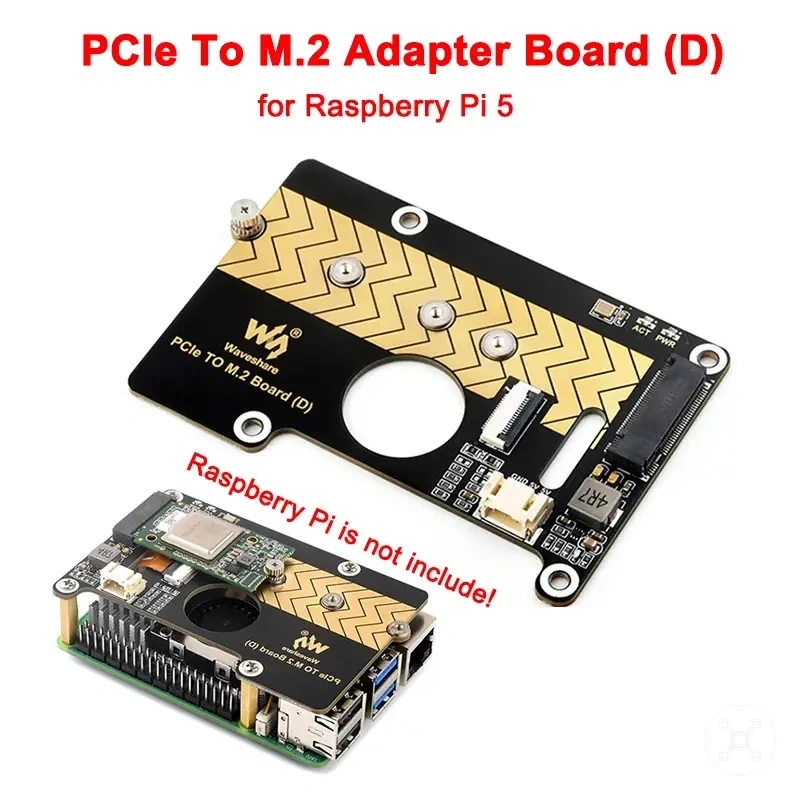
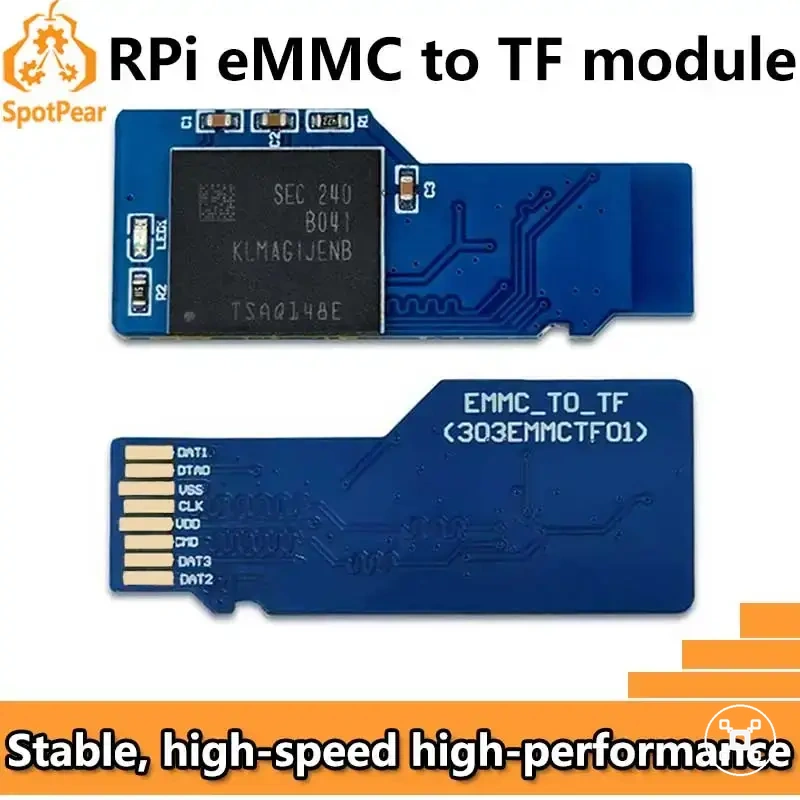
Here are product examples that may make comparison easier.
Here are product examples that may make comparison easier. Before buying, always review the compatibility criteria, essential features, and product details.
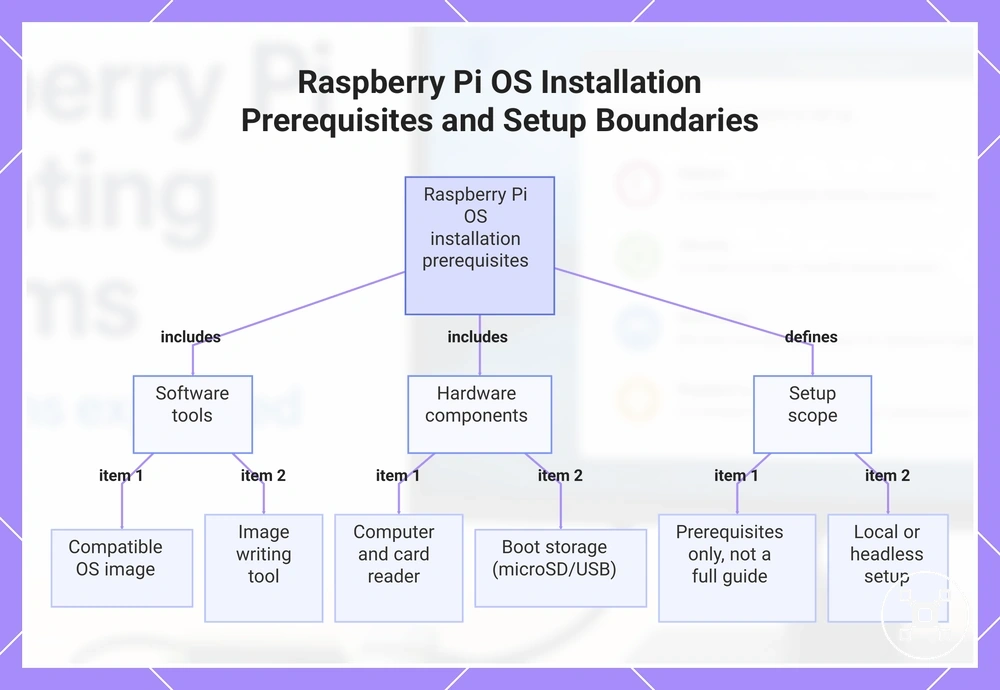
This chart shows the essential prerequisites for installing a Raspberry Pi OS, including software tools, hardware components, and the setup scope.
Imager, microSD cards, USB drives, and card readers
Raspberry Pi Imager, microSD cards, USB drives, and card readers each support a specific part of OS installation and boot preparation. Raspberry Pi Imager performs image writing, while the selected storage device holds the OS image used during boot. The correct combination depends on the Raspberry Pi board's supported boot method and the selected OS image.
The components below contribute to installation readiness without changing the installation process itself.
The components below contribute to installation readiness without changing the installation process itself. Storage capacity should match the selected operating system and intended use, while reliable storage devices and readers help reduce the risk of image-writing problems. If a computer does not include an SD card slot, an external USB card reader with suitable adapter compatibility provides access to the microSD card.
If a computer does not include an SD card slot, an external USB card reader with suitable adapter compatibility provides access to the microSD card.
The checklist below summarises the installation role of each component:
- Raspberry Pi Imager: Writes the selected OS image to the installation media.
- microSD card: Provides boot storage for Raspberry Pi boards that support microSD boot, with storage capacity selected for the operating system and planned workload.
- USB drive: Provides installation media for Raspberry Pi boards and OS images that support USB boot.
- Card reader: Connects the microSD card to the computer for image writing when built-in card access is unavailable.
- Adapter compatibility: Match adapters and reader connections to the microSD card format and the computer's available ports.
- Reliability: Choose dependable storage devices and card readers to help reduce image-writing errors and boot preparation issues.
When detailed installation belongs in the Raspberry Pi OS install guide
Detailed installation belongs in the Raspberry Pi OS install guide when the reader needs step-by-step flashing, first boot, or configuration instructions. This page separates OS selection from installation execution and first setup so it can remain focused on operating-system compatibility.
This page separates OS selection from installation execution and first setup so it can remain focused on operating-system compatibility.
When the next task is writing the OS image, completing first setup, or changing configuration after installation, use the guide to install Raspberry Pi OS. The install guide covers execution and setup, while this compatibility guide remains focused on choosing an appropriate operating system.
Updates, package support, and long-term OS maintenance
Updates, package support, and long-term maintenance influence whether a Raspberry Pi operating system remains practical after installation. A consistent maintenance path improves reliability by keeping software current and preserving access to supported packages. Long-term maintenance should be considered during OS selection rather than after setup.
Long-term maintenance should be considered during OS selection rather than after setup.
Update cadence determines how regularly fixes and software improvements become available, while package repositories determine which software remains available for installation and updates. Package support is strongest when the operating system continues to receive repository updates throughout its support lifecycle. Review the maintenance criteria below before choosing an operating system for long-term use.
Review the maintenance criteria below before choosing an operating system for long-term use.
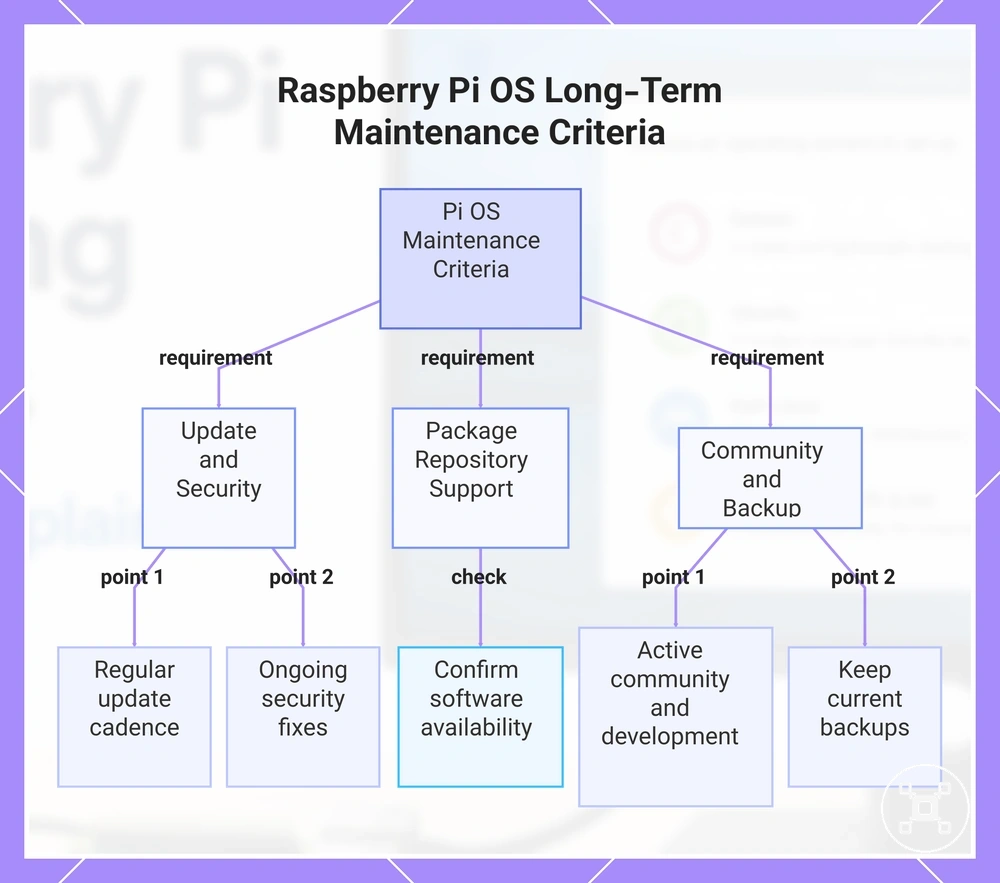
The following maintenance criteria help evaluate long-term reliability and security:
- Updates: Prefer an operating system with a regular update cadence.
- Package repositories: Confirm that required software remains available through supported repositories.
- Security fixes: Choose an operating system that continues to receive security fixes during its supported maintenance period.
- Community support: Active community support helps maintain access to current documentation and practical guidance.
- Backup expectations: Keep current backups because updates and storage changes are ongoing parts of long-term maintenance.
- Project continuity: Continued development and maintenance improve the likelihood of reliable long-term use.
Security fixes, community support, and realistic backup expectations all contribute to dependable long-term maintenance without requiring advanced hardening or backup workflows. For broader guidance on protecting a Raspberry Pi after installation, see Raspberry Pi security basics.
Before buying, always review the compatibility criteria, essential features, and product details.
Here are product examples that may make comparison easier. Before buying, always review the compatibility criteria, essential features, and product details.
This chart summarizes the key maintenance criteria to consider when choosing a Raspberry Pi operating system for long-term use.