Raspberry Pi vs Mini PC for Small Computer Use Cases
Raspberry Pi and Mini PC serve different small computer use cases rather than acting as universal replacements for each other. Raspberry Pi is suited to learning, projects, low-power tinkering, and flexible hardware exploration, while a Mini PC is suited to stronger general computing needs such as desktop use and heavier multitasking. The right choice depends on the use case, because each device category solves different user requirements.
Direct comparison requires criteria because both are small computers with different design purposes.
Raspberry Pi is a single-board computer that places computing components on a compact board, while a Mini PC is a compact desktop-class computer built around an enclosed computer format. Raspberry Pi setups often require selecting supporting accessories such as storage, a case, power supply, and peripherals, while Mini PC systems follow a more traditional desktop-style configuration. Direct comparison requires criteria because both are small computers with different design purposes.

Small computer choices change based on where the device will be used. Raspberry Pi fits learning projects, electronics work, low-power applications, and always-on device scenarios where flexibility and accessories are important. Mini PC systems fit desktop use, application workloads, multitasking, and situations where storage, RAM, and software compatibility are stronger priorities. These contexts create different trade-offs for performance, power use, setup requirements, and long-term suitability.
Small computer choices change based on where the device will be used.
A Raspberry Pi can support desktop-like use in limited conditions, but it is not a universal desktop replacement for every workload. Browser use, applications, storage choice, operating system compatibility, accessories, and user tolerance influence whether the experience matches desktop expectations. A Mini PC may be a suitable fit when the priority is a compact computer experience closer to traditional desktop use.
A Mini PC may be a suitable fit when the priority is a compact computer experience closer to traditional desktop use.
This comparison evaluates Raspberry Pi and Mini PC through purpose, performance, total setup cost, power use, storage, operating systems, upgrade limits, desktop suitability, and use-case fit. The goal is not to rank one option above the other, but to clarify which small computer characteristics align with different user needs.
| Option | Stronger fit | Main limitation | Best use case |
|---|---|---|---|
| Raspberry Pi | Learning, projects, low-power flexibility, and hardware-focused experimentation | Desktop suitability depends on workload, accessories, storage, and software compatibility | Project platforms, electronics learning, and lightweight computing tasks |
| Mini PC | Desktop use, multitasking, broader applications, and compact general computing | Less focused on board-level experimentation and hardware projects | Everyday computing, desktop workloads, and applications needing more computing headroom |
Table of Contents
How Raspberry Pi and Mini PCs Differ in Purpose
Raspberry Pi and Mini PC are different small-computer categories with different design roles, operating environments, and user needs. Raspberry Pi is a single-board computer built around a board-centered platform, while a Mini PC is a compact desktop-class computer built around an enclosed computer design. This purpose difference affects how each option should be evaluated for later comparisons involving performance, cost, compatibility, and setup requirements.
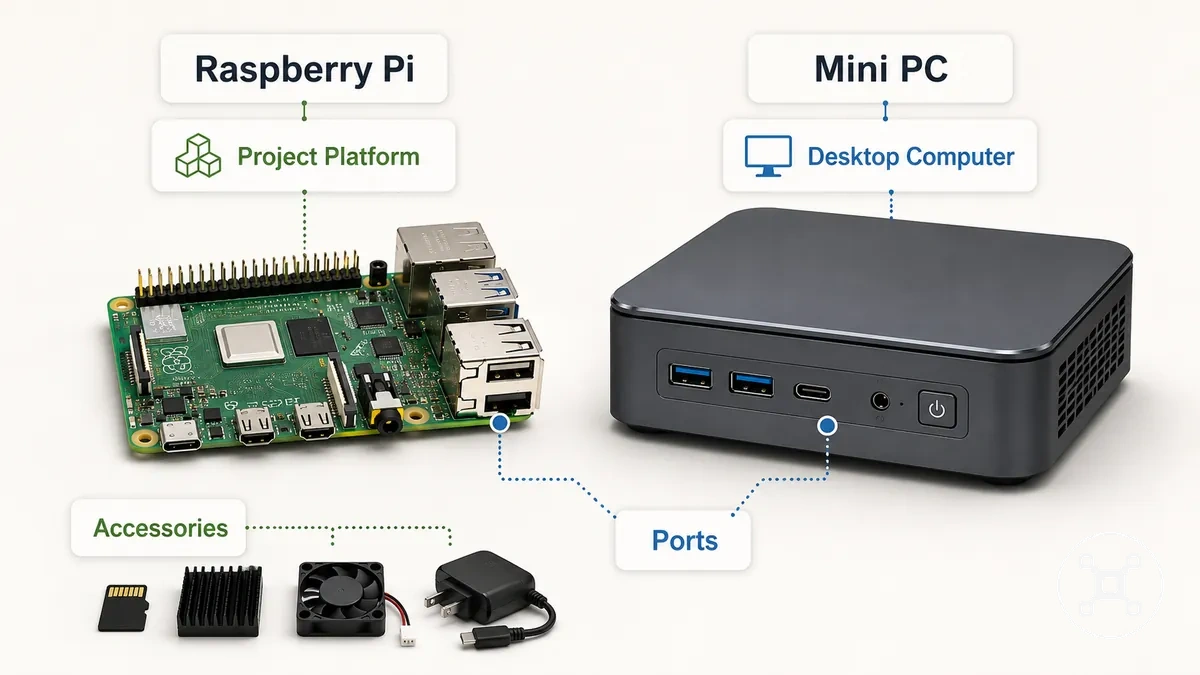
Raspberry Pi uses a project platform approach where the board, accessories, ports, and expansion possibilities are part of the overall design. The broader Raspberry Pi hub context shows how Raspberry Pi connects with different learning, project, and usage scenarios. Mini PC systems use a compact desktop computer approach where the enclosure, processor class, storage, and operating environment are organized around general computing needs.
These differences create the foundation for workload-based performance comparisons.
A small computer form factor does not mean Raspberry Pi and Mini PC serve the same purpose. Raspberry Pi and Mini PC follow different assumptions about accessories, ports, software, and user expectations. Raspberry Pi is oriented toward flexible projects and hardware interaction, while Mini PC systems are oriented toward desktop-style computing and application use. These differences create the foundation for workload-based performance comparisons.
| Design purpose | Raspberry Pi | Mini PC |
|---|---|---|
| Design role | Single-board computer and project platform | Compact desktop-class computer |
| Typical setup | Board-centered setup with selected accessories and connected components | Enclosed computer setup designed for desktop-oriented use |
| Software assumption | Software use connected to the board environment and supported operating systems | Software use aligned with compact PC and desktop computing requirements |
| User expectation | Learning, projects, experimentation, and flexible configurations | General computing, applications, and desktop-oriented tasks |
Performance Differences for Desktop and Server Workloads
Raspberry Pi and Mini PC performance depends on workload type and configuration rather than the device category alone. Raspberry Pi can fit lighter desktop workloads and project-focused tasks, while Mini PC systems can fit broader desktop and server workloads when additional computing capacity is required. The comparison depends on how each small computer handles desktop workload and server workload demands.
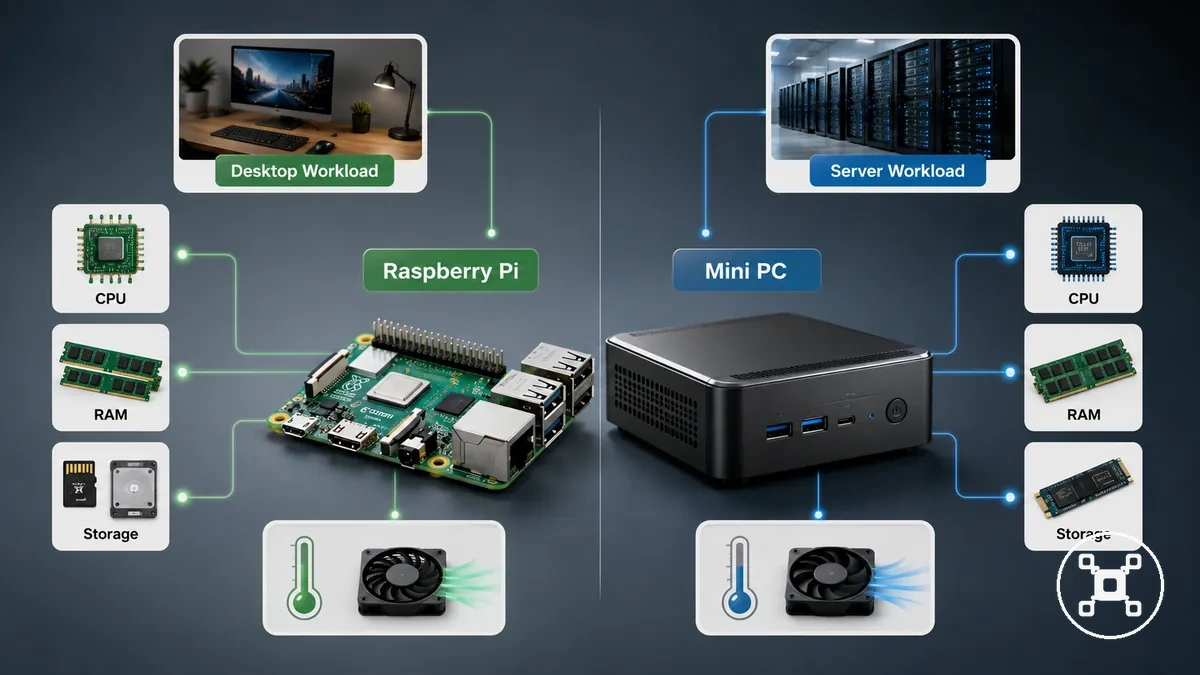
Performance differences come from attributes such as CPU, RAM, storage speed, software architecture, and thermal behavior. CPU capability affects processing tasks, RAM affects multitasking capacity, storage speed affects data access responsiveness, and software architecture affects compatibility between ARM and x86 environments. These attributes influence outcomes across browser load, media playback, background services, and virtualization workloads.
Performance differences come from attributes such as CPU, RAM, storage speed, software architecture, and thermal behavior.
For lighter desktop workloads, Raspberry Pi can support browser use, document tasks, and media playback when the software environment and system configuration match the workload. Browser load increases with additional tabs and applications, while RAM and storage speed influence responsiveness during use. Under heavier multitasking, the workload requires more compute headroom because more simultaneous processes increase resource demand.
Browser load increases with additional tabs and applications, while RAM and storage speed influence responsiveness during use.
Server workload scenarios introduce different requirements because background services, containers, virtualization, storage reliability, and sustained load become important factors. Raspberry Pi can fit lightweight always-on services where project flexibility is important, while Mini PC systems can provide more performance headroom for workloads requiring additional resources. Raspberry Pi capabilities also differ between boards, so comparing specific boards through Raspberry Pi model comparison helps identify relevant differences.
| Workload | Key attribute | Raspberry Pi condition | Mini PC condition | Decision effect |
|---|---|---|---|---|
| Browser use | RAM and responsiveness | Fits lighter browsing workloads where browser tabs and application load remain within system capability | Fits broader desktop browsing workloads with higher multitasking requirements | Workload demand determines the required level of computing headroom |
| Media playback | CPU, software support, and storage speed | Suitability depends on workload requirements and supported software environment | Uses a compact PC design approach for desktop-oriented media and applications | Software compatibility and workload demand affect practical suitability |
| Background services | CPU, RAM, and storage reliability | Fits lightweight always-on services and project-based service workloads | Fits broader service workloads requiring additional computing resources | Service complexity determines suitable hardware requirements |
| Containers or virtualization | CPU, RAM, and software architecture | Capability is limited by board configuration and workload requirements | Provides more capacity for workloads needing additional resources | Virtualization demand determines the required system capability |
| Storage-heavy tasks | Storage speed and storage configuration | Storage configuration affects responsiveness for the intended workload | Storage options support compact desktop computing requirements | Storage demand influences practical device fit |
Everyday Desktop Tasks and Browser Use
Raspberry Pi and Mini PC can support everyday desktop tasks when the workload matches the system setup and user expectations. Browser use, documents, and video playback are practical areas to evaluate because responsiveness changes with tabs, applications, storage, and configuration. Workload intensity determines whether a setup feels suitable for daily desktop use.
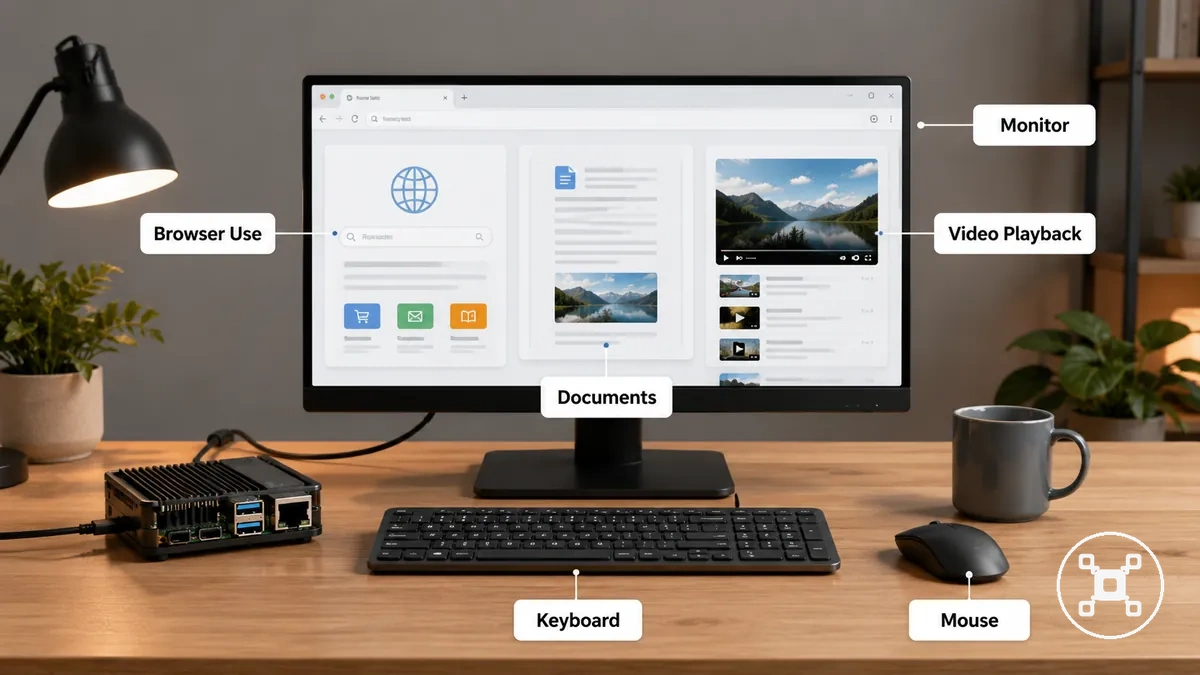
Everyday desktop tasks include browser use, documents, video playback, monitor connection, and keyboard and mouse setup. Raspberry Pi can fit lighter desktop tasks when accessories and software compatibility match the intended use, while Mini PC systems can fit broader desktop expectations when higher multitasking capability is needed. Checking these conditions helps clarify practical desktop suitability without treating either device as a universal replacement.
Desktop usability is not the same as desktop comfort under every workload.
Desktop usability is not the same as desktop comfort under every workload. A small computer may handle common tasks while having limits during heavier browser loads, multiple applications, or more demanding software. The main conditions to check before daily use include:
- Browser tabs: Check expected tab count and active applications because higher browser load increases the need for responsiveness.
- Video playback: Review video requirements and software compatibility because playback depends on workload and system configuration.
- Document work: Consider document editing needs because basic text tasks and heavier applications create different workload demands.
- Monitor setup: Check display connection compatibility because the monitor setup affects practical desktop use.
- Keyboard and mouse: Review peripheral setup because input devices are part of everyday desktop interaction.
- App compatibility: Check whether required applications match the operating system and software environment.
- Response tolerance: Consider whether slower response during heavier workloads is acceptable for the intended use.
Home Server, Homelab, and Self-Hosted Services
Raspberry Pi can fit lightweight always-on services, while Mini PC systems can fit heavier homelab workloads when service demand requires more computing resources. The suitable option depends on self-hosted services, background workload, storage requirements, and expected usage conditions. Service workload is the deciding factor when comparing small computers for home server and homelab use.
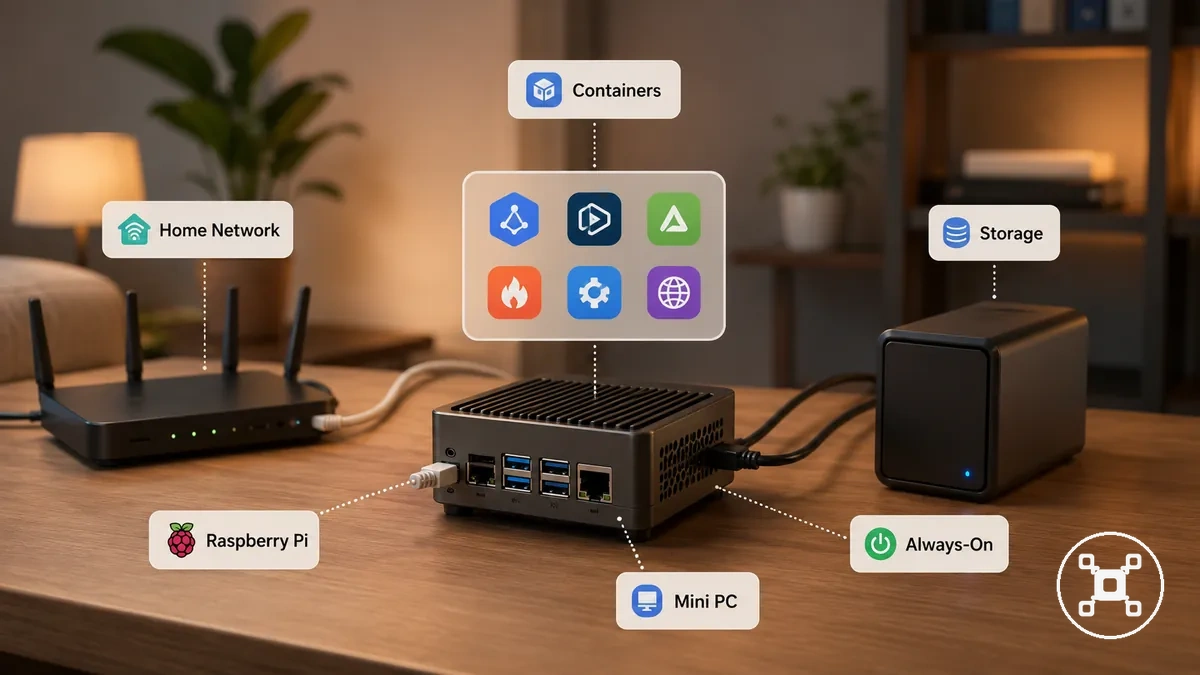
Home server and homelab scenarios include self-hosted services such as Pi-hole, Home Assistant, small web services, file sharing, containers, and virtualization. Raspberry Pi can support lightweight service workloads where low-power operation and project flexibility are priorities, while Mini PC systems can provide additional capacity for heavier workloads that require more CPU, RAM, or storage resources. The suitability changes with the number of services, workload complexity, and scaling requirements.
Storage reliability and uptime expectations influence self-hosted service decisions.
Storage reliability and uptime expectations influence self-hosted service decisions. File sharing workloads require appropriate storage configuration, while container and virtualization workloads require suitable system resources for the intended service load. The broader Raspberry Pi uses context shows how Raspberry Pi connects with different project and usage scenarios.
The broader Raspberry Pi uses context shows how Raspberry Pi connects with different project and usage scenarios.
Service workload suitability can be evaluated through these conditions:
- Service type: Check whether the workload involves lightweight services, background services, containers, or virtualization because each service type creates different resource demands.
- Number of services: Consider how many self-hosted services run together because additional services increase CPU and RAM requirements.
- Storage need: Review storage requirements because file sharing and data-focused workloads require suitable storage reliability.
- Uptime expectation: Consider the intended always-on usage pattern because long-running services require appropriate hardware and storage choices.
- Container use: Check whether containers are part of the workload because container workloads require suitable system resources.
- Virtualization need: Evaluate virtualization requirements because virtual environments increase computing resource demand.
- Power sensitivity: Consider power use priorities because low-power operation can influence the choice for always-on services.
Cost, Accessories, and Real Setup Value
Raspberry Pi and Mini PC total setup cost depends on the parts already available and the intended use of the final configuration. A Raspberry Pi board price alone does not represent the complete setup cost, and a Mini PC unit comparison needs to consider included components and desktop readiness. Real setup value comes from comparing the complete configuration rather than a single purchase component.
Real setup value comes from comparing the complete configuration rather than a single purchase component.
Accessories can change the cost balance between Raspberry Pi and Mini PC setups because different components are needed to create a usable system. Raspberry Pi configurations may involve a case, cooling, power supply, storage, HDMI connection, and keyboard and mouse, while Mini PC systems commonly include an enclosure and core desktop-oriented components. These setup parts influence the total setup cost and explain why a component-based comparison provides a clearer value assessment.
| Component | Raspberry Pi consideration | Mini PC consideration | Value effect |
|---|---|---|---|
| Case | May require a separate case based on the intended configuration | Uses an included enclosure as part of the compact computer design | Existing parts or included components affect complete setup cost |
| Cooling | Cooling requirements depend on workload and configuration | Cooling is integrated into the compact PC design | Workload demand influences required cooling components |
| Power supply | Requires a suitable power supply for the selected setup | Uses a system-specific power adapter | Available power components affect additional setup requirements |
| Storage | Storage choice depends on the intended use and configuration | Storage is part of the computer setup configuration | Storage requirements affect usability and setup value |
| HDMI | May require a suitable display connection for the monitor setup | Uses available display connections within the system configuration | Existing display accessories can reduce additional component needs |
| Keyboard and mouse | Can use existing peripherals or separately selected accessories | Uses standard desktop peripherals for user interaction | Reuse changes the complete setup cost |
| Operating system readiness | Setup depends on the selected operating system and intended use | Designed around desktop computing environments | Software preparation affects convenience and real setup value |
Raspberry Pi value can improve when existing accessories are already available or when project flexibility is an important requirement. A complete Raspberry Pi setup should be evaluated through Raspberry Pi cost and value factors rather than board price alone. A Mini PC setup may offer value when included components and desktop readiness reduce the need for additional setup parts.
A lower initial purchase price does not automatically create higher real setup value.
A lower initial purchase price does not automatically create higher real setup value. The better fit depends on accessories, reuse, desktop readiness, and project requirements rather than a universal cheaper option.
Power Use, Cooling, Noise, and Always-On Operation
Raspberry Pi and Mini PC operational behavior involves a trade-off between lower power use and additional performance headroom. Raspberry Pi can suit always-on operation where compact placement and lower energy use are priorities, while Mini PC systems can suit workloads where higher computing capacity and different cooling approaches are needed. The intended always-on operation condition determines which operational attributes matter most.
These attributes affect physical placement, everyday comfort, and long-running use decisions.
Power use, cooling, noise, and enclosure design interact because workload demand affects heat, airflow, and sustained operation. Idle power and load power change with the device configuration and workload, while cooling method and enclosure airflow influence heat control and fan behavior. These attributes affect physical placement, everyday comfort, and long-running use decisions.
| Attribute | Raspberry Pi condition | Mini PC condition | Practical effect |
|---|---|---|---|
| Power use | Often suited to lower-power tasks and lightweight always-on operation | Uses power according to broader computing workloads and system configuration | Workload demand affects energy use during operation |
| Cooling | Cooling method depends on workload, case design, and airflow | Cooling uses an enclosure-based design matched to compact PC operation | Heat control affects sustained workload behavior |
| Noise | Noise levels depend on the selected cooling approach and configuration | Fan noise depends on fan operation, workload, and enclosure design | Placement environment affects perceived operating comfort |
| Physical footprint | Uses a small-form design suitable for compact placement | Uses an enclosed compact PC format with a different physical layout | Desk placement and available space influence usability |
| Cable clutter | Additional accessories can increase connected cables in some setups | Integrated components can reduce some external setup requirements | Setup design affects everyday convenience |
| Always-on suitability | Fits lightweight long-running tasks when workload requirements match the configuration | Fits longer-running workloads that require additional performance capacity | Service demand determines suitable operational characteristics |
For quiet placement, compact spaces, and long-running use, physical footprint, cable arrangement, noise, and cooling method influence the overall experience. Raspberry Pi may fit situations where lower power use and compact placement are important, while Mini PC systems may fit situations where higher performance headroom is required. These trade-offs depend on workload, enclosure design, cooling method, and intended operating conditions.
Storage, Ports, Operating Systems, and Upgrade Limits
Storage, ports, operating systems, and upgrade limits determine the long-term compatibility and flexibility of Raspberry Pi and Mini PC setups. Raspberry Pi and Mini PC can support different practical needs because storage options, connectivity, software architecture, and upgrade paths create different boundaries. Software architecture is a key compatibility factor because ARM and x86 environments can support different software options.
Storage and ports influence how each device connects to peripherals and adapts to future requirements.
Storage and ports influence how each device connects to peripherals and adapts to future requirements. Raspberry Pi setups commonly use storage options such as microSD or SSD configurations, along with USB and display ports for connected devices. Mini PC systems commonly use internal storage options, desktop-oriented ports, and operating system support designed around broader desktop software compatibility.
| Entity or part | Attribute or criterion | Value or condition | Effect or decision |
|---|---|---|---|
| Storage medium | Storage option | Raspberry Pi can use microSD or SSD-based storage configurations; Mini PC systems commonly use internal storage configurations | Storage choice affects setup flexibility and future expansion options |
| Display output | Display ports | Display support depends on the device configuration and available output connections | Monitor compatibility depends on matching display requirements |
| USB ports | Peripheral connectivity | USB availability depends on the selected Raspberry Pi or Mini PC configuration | Connected peripherals require suitable port availability |
| Network connectivity | Networking | Networking capability depends on device hardware and configuration | Network requirements influence practical setup fit |
| Operating systems | OS support | Raspberry Pi commonly uses Linux-based environments, while Mini PC systems commonly support desktop operating systems including Windows and Linux options | Operating system choice affects available software compatibility |
| Software architecture | Architecture compatibility | Raspberry Pi commonly uses ARM architecture, while many Mini PC systems use x86 architecture | Software availability can differ between ARM and x86 environments |
| RAM | Memory limitation | RAM capacity depends on the specific device configuration and upgrade design | Memory limits affect future workload flexibility |
| Upgrade path | Internal expansion | Upgrade options depend on the device design and available components | Expansion needs influence long-term suitability |
Software compatibility is a key boundary when comparing these devices because software available on a Mini PC may not behave the same on a Raspberry Pi. ARM and x86 architectures support different software environments, so operating system support, application availability, and peripheral compatibility should be checked for the intended use.
Future flexibility depends on upgrade limits and the design of each platform.
Future flexibility depends on upgrade limits and the design of each platform. Raspberry Pi can provide flexibility through project-focused configurations and external accessories, while Mini PC systems can provide a different upgrade path through compact desktop hardware designs. The practical selection depends on storage needs, software compatibility, connectivity requirements, and expected future changes.
Desktop Replacement Limits for Raspberry Pi
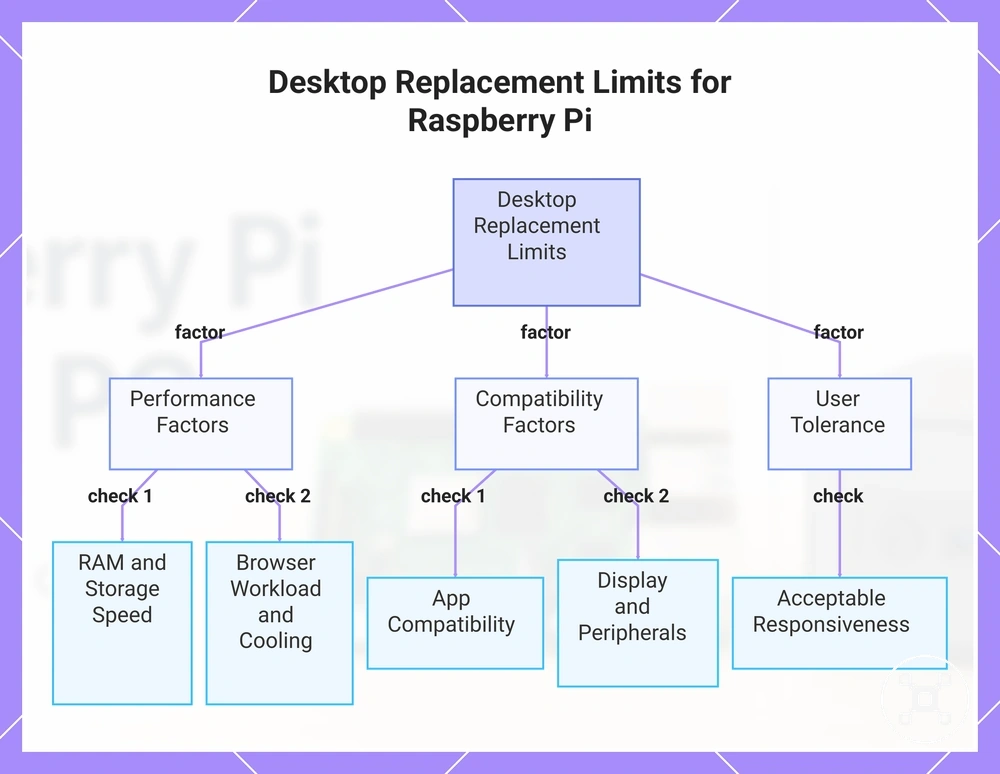
Raspberry Pi can act as a desktop replacement for light or web-first use when the workload, software needs, and user expectations match the setup. Browser workload, RAM, storage speed, display setup, and app compatibility influence whether Raspberry Pi fits as a daily computer. Desktop replacement expectations are the controlling condition because different users require different levels of multitasking and responsiveness.
Desktop replacement limits are shaped by several practical variables rather than a single device capability.
Desktop replacement limits are shaped by several practical variables rather than a single device capability. RAM affects multitasking, storage speed affects responsiveness, app compatibility affects available software choices, peripherals affect interaction, and cooling affects sustained use conditions. These factors determine whether Raspberry Pi provides a comfortable desktop experience for the intended workload.
These factors determine whether Raspberry Pi provides a comfortable desktop experience for the intended workload.
Desktop use is possible, but possible desktop use is not always the same as a comfortable daily desktop replacement. A Raspberry Pi setup may fit browser-based tasks and lighter applications, while heavier desktop expectations require careful consideration of software needs, multitasking demands, and user tolerance. The following checks help identify where the replacement boundary applies:
- Browser workload: Check browser tabs and active applications because higher browser load increases the need for responsiveness.
- App compatibility: Check whether required applications support the operating system and software architecture because availability affects desktop suitability.
- RAM: Consider memory capacity because multitasking with multiple applications increases resource demand.
- Storage speed: Check the storage configuration because storage performance can affect everyday responsiveness.
- Display setup: Verify monitor support because display connections influence the desktop experience.
- Peripherals: Check keyboard and mouse support because input devices affect practical daily use.
- Cooling: Consider the cooling method and sustained workload because heat management influences long-running operation.
- User tolerance: Evaluate whether slower response during heavier tasks is acceptable for the intended desktop use.
This chart groups the key factors and checks that help identify whether a Raspberry Pi can serve as a comfortable daily desktop replacement.
Which Option Fits Each Use Case
Raspberry Pi and Mini PC selection depends on the use case, workload, software needs, and practical constraints rather than a universal choice. Raspberry Pi can fit scenarios focused on learning, electronics projects, flexibility, and low-power operation, while Mini PC systems can fit scenarios requiring desktop use, multitasking, or broader software compatibility. The main decision frame is the trade-off between flexibility, capability, and setup requirements.
The main decision frame is the trade-off between flexibility, capability, and setup requirements.
Learning, electronics projects, and low-power operation often prioritize flexibility and experimentation. Raspberry Pi supports project-focused scenarios where GPIO access, hardware interaction, and customization are important considerations. These conditions make Raspberry Pi a practical fit when learning goals, electronics projects, and project flexibility are the main requirements.
Desktop use, multitasking, and software compatibility create different selection conditions.
Desktop use, multitasking, and software compatibility create different selection conditions. Mini PC systems can fit scenarios where desktop applications, x86 software support, higher multitasking demands, or virtualization requirements are important factors. These conditions make Mini PC a practical fit when broader desktop expectations and application support are the priority.
The decision matrix below organizes common use cases by fit, reason, and limitation.
Mixed cases require matching the device to the specific constraint rather than choosing based on category alone. Readers focused on selecting a Raspberry Pi can choose a Raspberry Pi by comparing their intended use, storage needs, software compatibility, and project requirements. The decision matrix below organizes common use cases by fit, reason, and limitation.
| Use case | Better fit | Why it fits | Watch-out |
|---|---|---|---|
| Learning | Raspberry Pi | Fits scenarios focused on learning and hardware experimentation | Software and workload requirements can limit advanced computing needs |
| Electronics projects | Raspberry Pi | Fits scenarios where hardware interaction and project flexibility matter | Component choices should match the project requirements |
| Light desktop use | Raspberry Pi | Can fit lighter browsing and basic computing scenarios | Heavier multitasking and software needs can change suitability |
| Heavy desktop use | Mini PC | Fits workloads requiring broader software compatibility and multitasking capacity | Suitability depends on applications and system configuration |
| Home server | Raspberry Pi or Mini PC | Choice depends on service workload, storage needs, and always-on requirements | More demanding services require additional resources |
| Homelab | Mini PC | Fits scenarios involving higher workload demands and virtualization needs | Workload complexity determines required capacity |
| Low-power always-on use | Raspberry Pi | Fits scenarios where compact operation and lower power use are priorities | Resource-intensive workloads may require a different fit |
| Storage-heavy use | Mini PC | Fits scenarios where storage needs and broader system flexibility are important | Storage requirements should match the intended workload |
The right choice depends on matching the computer to the user's actual scenario rather than ranking one platform above the other. Raspberry Pi provides value where learning, electronics projects, flexibility, and low-power operation are central, while Mini PC systems provide value where desktop use, software compatibility, and higher workload demands are more important. The final decision comes from balancing capability, flexibility, storage needs, and practical constraints.
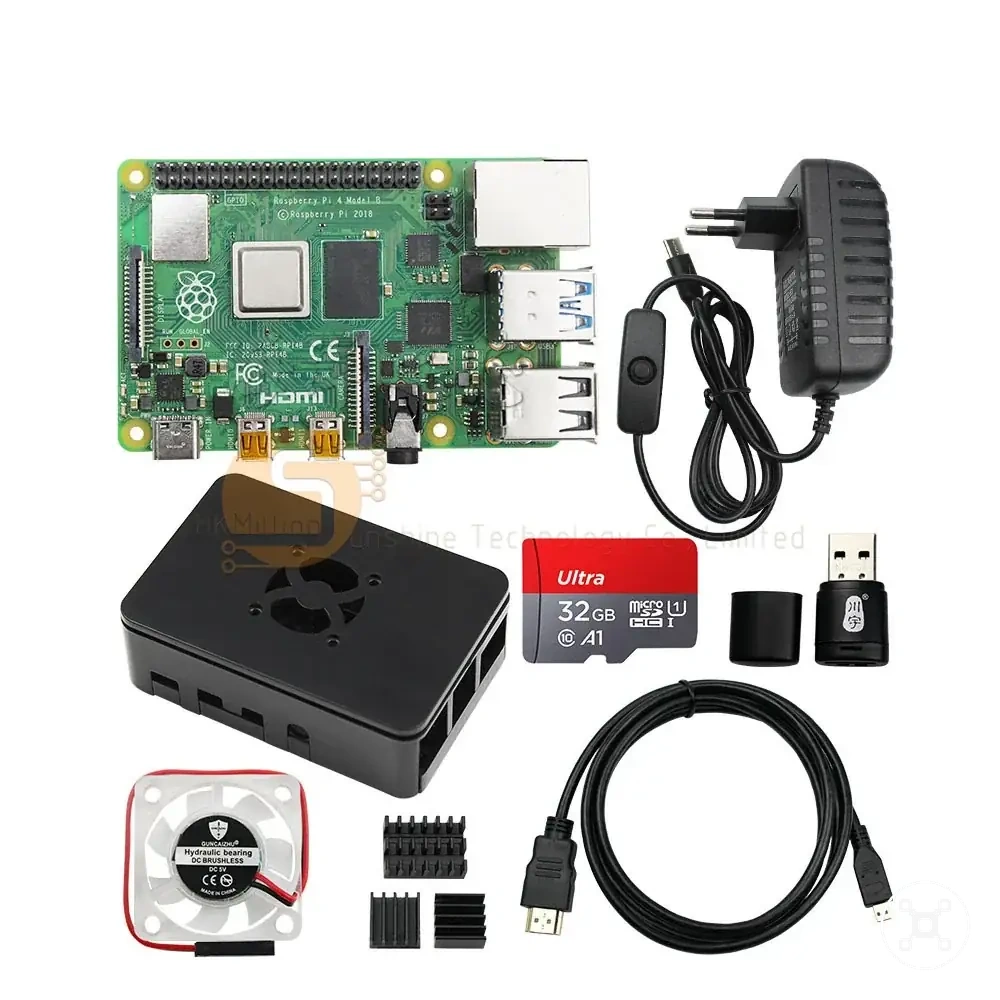
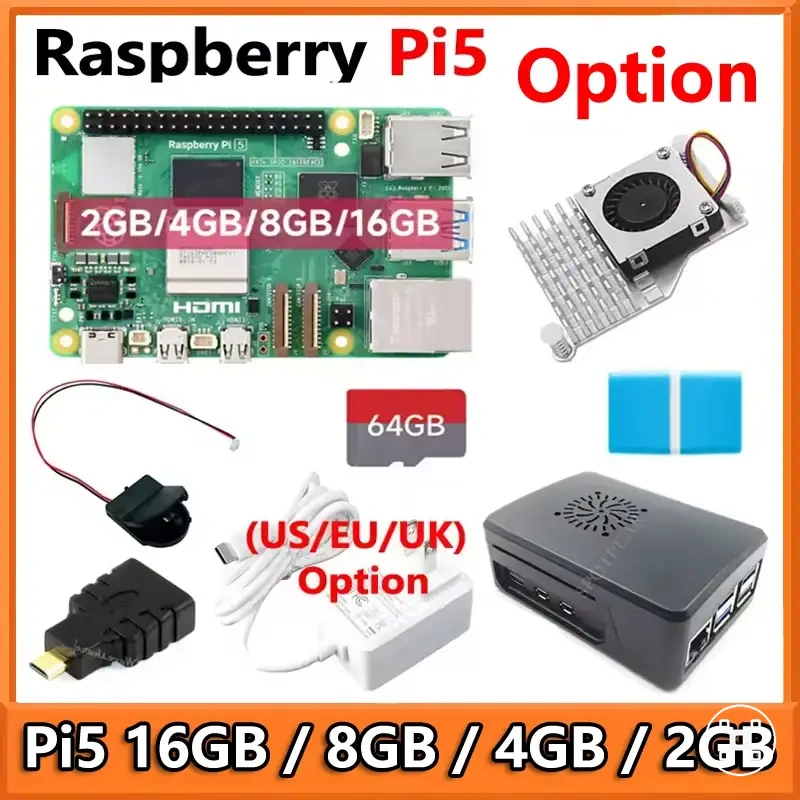
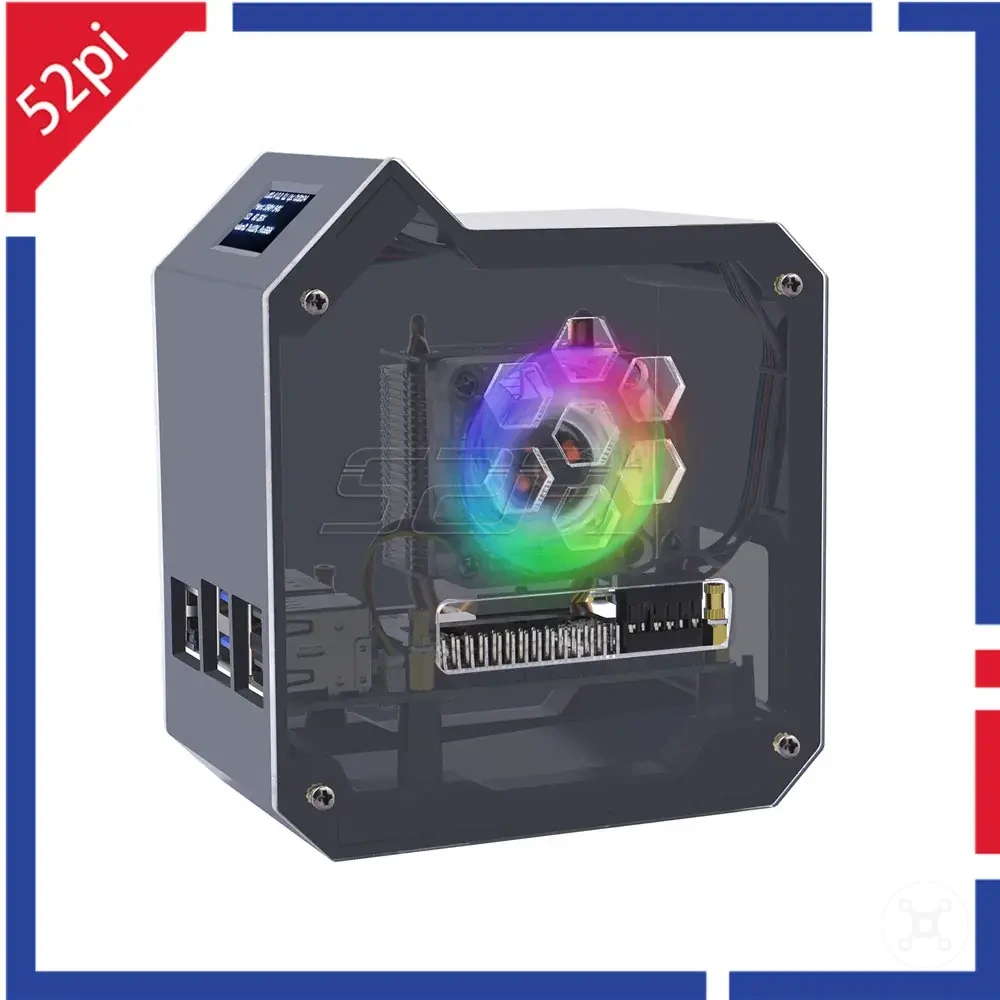
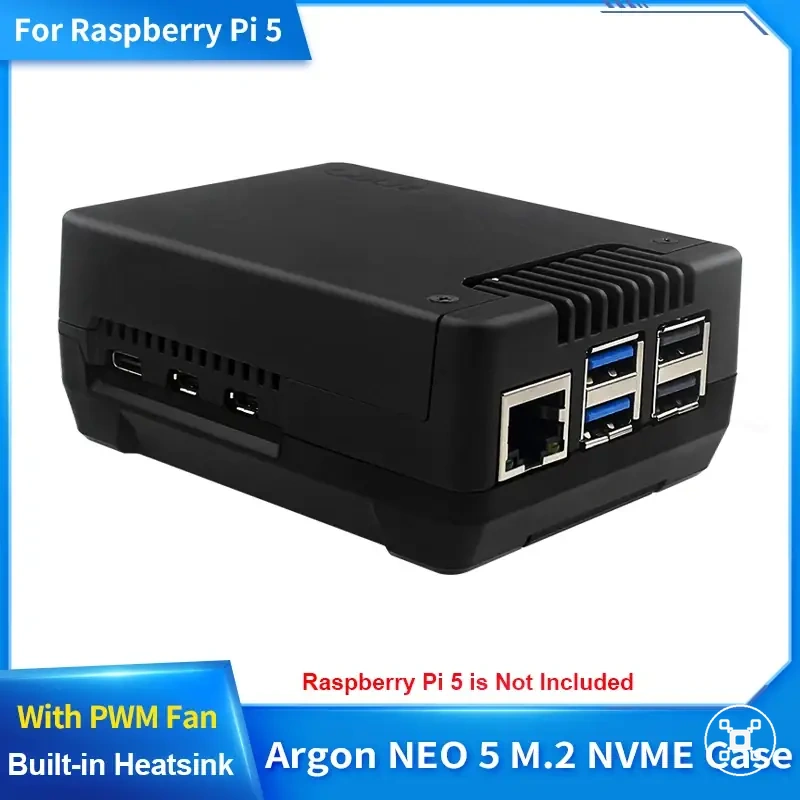
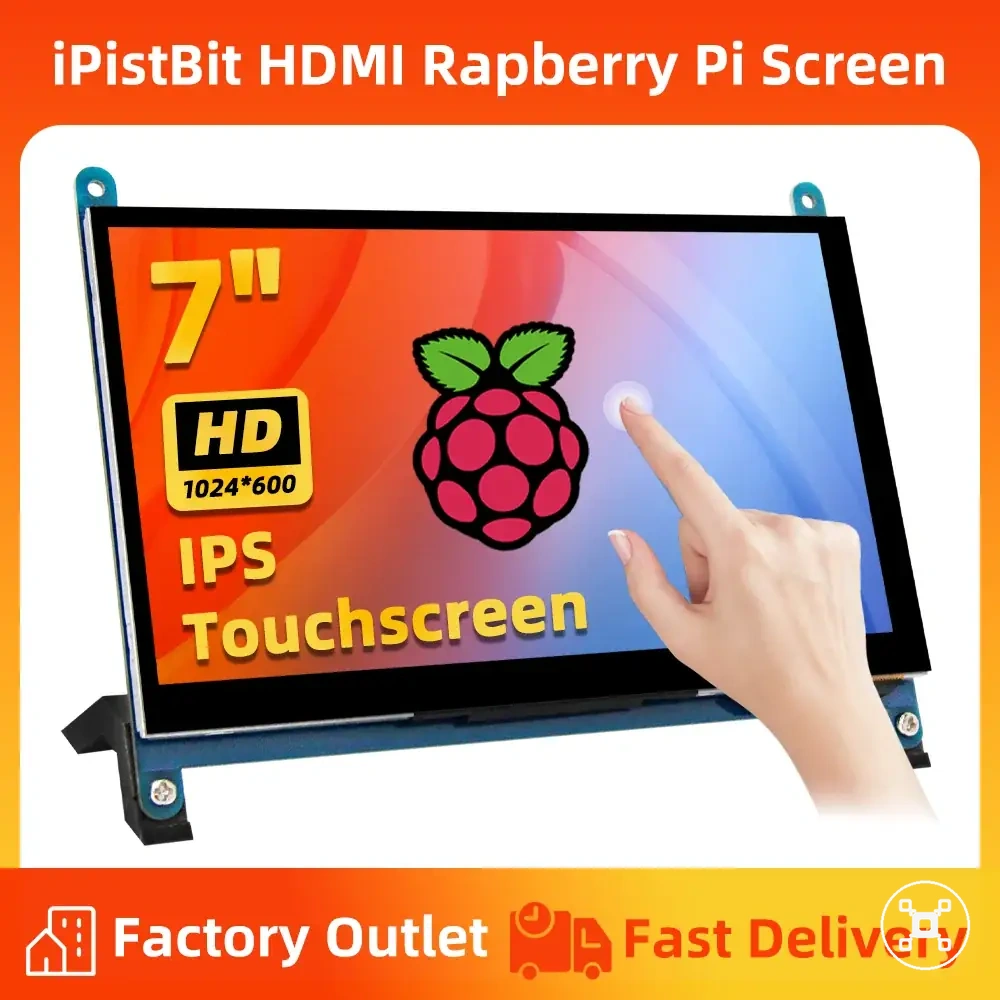
The products below are useful examples for comparing available options.
The products below are useful examples for comparing available options. Before buying, check that the compatibility criteria, key features, and product details match your needs.
When Raspberry Pi Makes More Sense
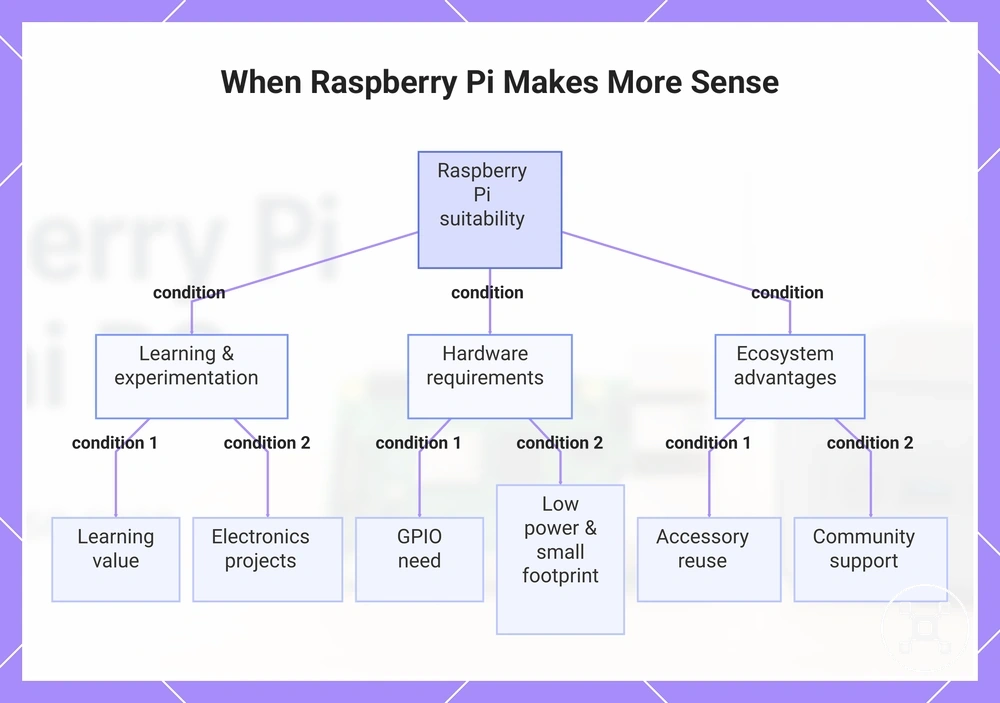
Raspberry Pi can make more sense when the goal is learning, electronics projects, and low-power flexible setups rather than desktop-focused computing. Raspberry Pi fits conditions where GPIO access, small footprint, accessory reuse, and project flexibility are important parts of the decision. These conditions can make Raspberry Pi a suitable fit for users prioritizing customization and experimentation.
These conditions can make Raspberry Pi a suitable fit for users prioritizing customization and experimentation.
Raspberry Pi also fits project-oriented scenarios where a compact always-on device or maker project is the main requirement. A sensor-based electronics project or lightweight background service can benefit from the platform's flexibility and community support. The following conditions show where Raspberry Pi aligns with specific user needs:
- Learning value: Raspberry Pi fits when learning programming, hardware interaction, or computing concepts is the main goal because hands-on experimentation is part of the use case.
- GPIO need: Raspberry Pi fits when electronics projects require GPIO connections because direct hardware interaction is a project requirement.
- Electronics projects: Raspberry Pi fits maker projects involving sensors, components, and custom builds where project flexibility matters.
- Low power: Raspberry Pi fits low-power operation scenarios where compact, efficient long-running use is a priority.
- Small footprint: Raspberry Pi fits setups where limited physical space makes a compact device more practical.
- Accessory reuse: Raspberry Pi fits when reusable accessories and existing components are available because reuse can improve setup value.
- Community support: Raspberry Pi fits users who benefit from shared project knowledge, learning resources, and community-driven guidance.
- Project flexibility: Raspberry Pi fits when adapting the setup for a specific project is more important than desktop-oriented requirements.
This chart shows the key conditions where Raspberry Pi is a suitable choice for learning, electronics projects, and low-power flexible setups.
When a Mini PC Makes More Sense
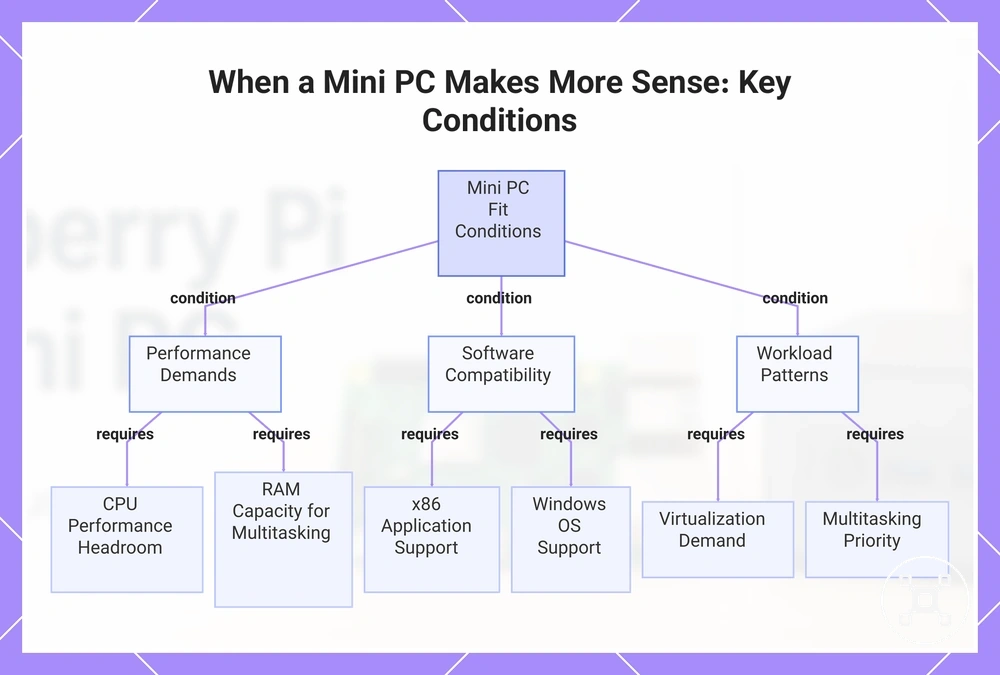
Mini PC systems can make more sense when the goal is stronger desktop use, multitasking, virtualization, and x86 software compatibility. A Mini PC fits conditions where CPU performance, RAM capacity, faster storage, and desktop replacement expectations are important factors. These conditions create a different selection path from project-focused use cases.
These conditions create a different selection path from project-focused use cases.
Mini PC systems also fit heavier workload scenarios where desktop applications, virtual environments, or broader software needs are part of the intended use. A workload involving multiple applications, x86 software, or virtualization may require additional performance headroom and memory capacity. The following conditions show where a Mini PC aligns with specific user needs:
- CPU performance: Mini PC systems fit when higher processing capability is required because heavier workloads need additional performance headroom.
- RAM: Mini PC systems fit when multitasking requires more memory capacity because running multiple applications increases memory demand.
- Faster storage: Mini PC systems fit when storage responsiveness and broader storage options are important for the intended workload.
- x86 software compatibility: Mini PC systems fit when required applications target x86 environments because software architecture affects application availability.
- Windows support: Mini PC systems fit when Windows-based applications are required because operating system support influences software compatibility.
- Virtualization: Mini PC systems fit when virtual machines or container workloads require additional resources because virtualization increases hardware demands.
- Multitasking: Mini PC systems fit when running multiple applications together is a priority because workload requirements increase resource needs.
- Desktop replacement: Mini PC systems fit when a simpler desktop-oriented setup is preferred because fewer project-focused configuration decisions are needed.
This chart shows the main conditions where a Mini PC aligns with specific user needs, grouped by performance, software, and workload requirements.