
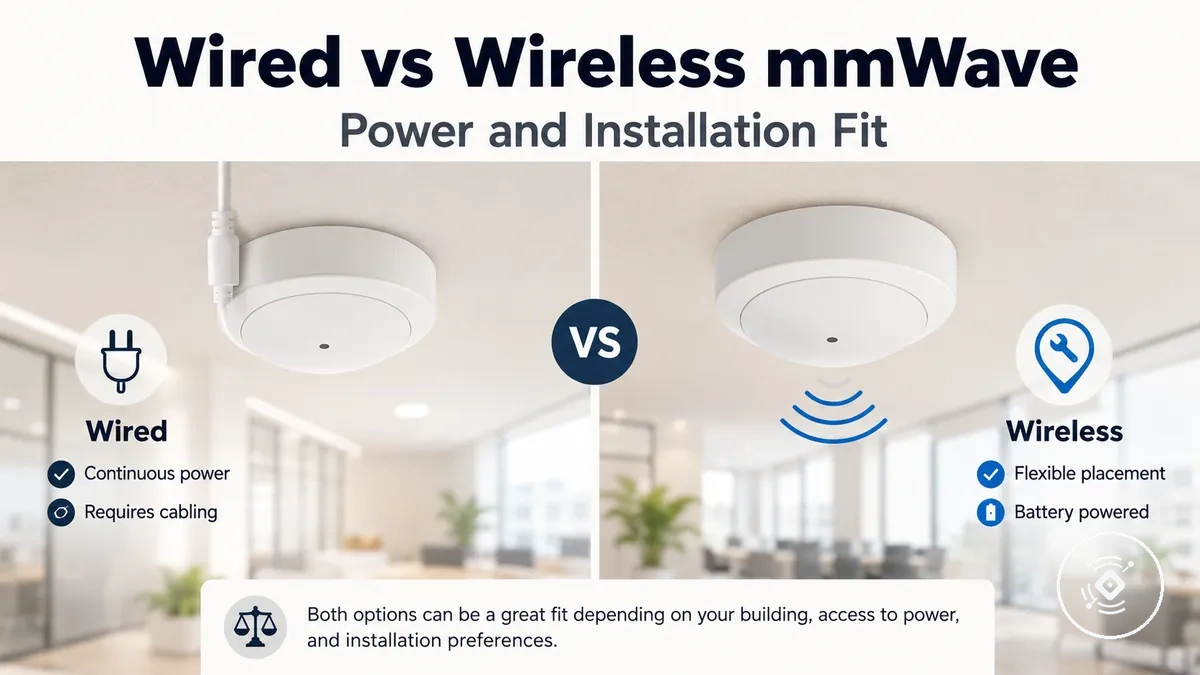
Wired vs wireless mmWave presence sensors
A wired mmWave presence sensor or wireless mmWave presence sensor may fit better depending on power access, automation needs, maintenance tolerance, and installation constraints. Wired sensors use a more fixed power approach, while wireless sensors can offer placement flexibility depending on their power source and communication method. The right choice depends on the room environment, smart-home setup, and how the sensor will be used over time.
Permanent rooms with accessible power points may suit a wired sensor approach when consistent availability and fixed installation are priorities. Rental spaces or changing room layouts may benefit from a wireless sensor where easier placement is more important than reducing maintenance needs. Automation-focused rooms may require closer consideration of reliability, protocol fit, and configuration. Wired and wireless options describe power and communication choices rather than a universal quality ranking, and the wider mmWave presence sensor hub context helps compare where each option fits.
The main difference starts with power source and communication path. A wired mmWave presence sensor can involve constant power and a more fixed installation approach, while a wireless mmWave presence sensor may involve battery powered operation, USB powered options, Zigbee, or WiFi connections depending on the sensor design. Understanding these differences creates a foundation for comparing reliability, installation effort, room fit, and long-term value.
What wired and wireless mean for mmWave presence sensors
Wired and wireless mmWave presence sensors are defined by their power delivery and communication path. A wired sensor uses a connected power approach, while a wireless sensor uses a wireless communication method with a power source that depends on its design. This distinction helps explain how each sensor type connects, receives power, and fits into a smart-home environment.
Wired sensors may use USB powered or mains powered delivery, while wireless sensors may use battery powered operation with communication methods such as Zigbee or WiFi. A wireless protocol can involve a hub, router, or smart-home platform depending on the setup. Wireless communication does not always mean battery power, because power delivery and communication path describe separate parts of the sensor configuration.
Wired and wireless do not mean that one option is automatically better. A cable-powered sensor and a wireless sensor address different power and connection requirements. The key distinction is whether the sensor uses wired power delivery, wireless communication, or a combination of these choices.
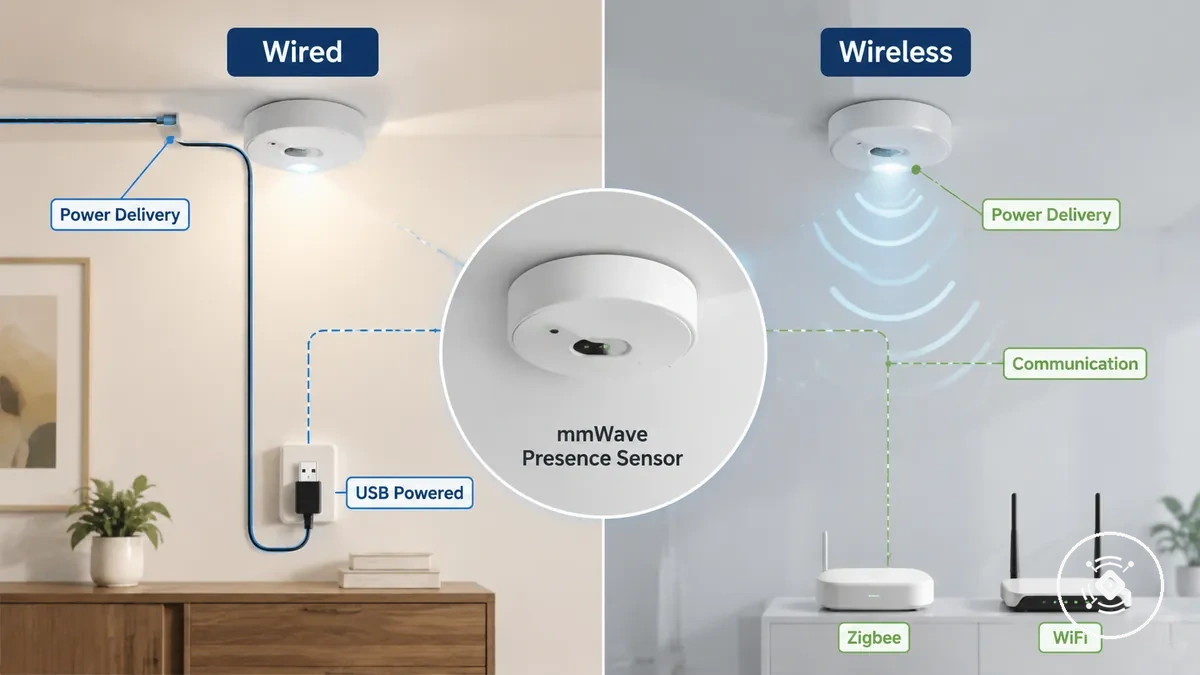
Power type and communication type:
| Power type | Communication type |
|---|---|
| Wired: USB powered or mains powered delivery | Wireless: Zigbee or WiFi communication path |
| Wireless: battery powered operation may require maintenance based on device settings | Wired: communication method depends on sensor configuration |
Power source differences between wired and wireless sensors
Power source mainly affects power continuity, placement freedom, maintenance needs, and setup constraints when comparing wired and wireless sensors. A wired sensor can provide a more fixed power path through USB power or mains power, while a wireless sensor can offer more flexible placement through battery operation or low-power designs. The better fit depends on outlet access, mounting position, automation needs, and maintenance tolerance.
Locations with available power points may suit a wired sensor when a fixed installation and stable power supply are preferred. Wireless sensors may fit spaces where cable visibility, outlet access, or changing placement needs make flexibility more valuable. Battery tolerance, replacement interval considerations, and reporting needs can influence whether a wireless approach fits the intended use. The following comparison separates power continuity from placement flexibility.
| Power source | Tradeoff |
|---|---|
| Wired sensor: USB power or mains power | Power continuity with a more fixed setup constraint related to placement and cable requirements |
| Wireless sensor: battery or low-power operation | Placement freedom with maintenance considerations related to battery management |
Wired and wireless sensors involve different tradeoffs after the power source is selected. A wired sensor may reduce reliance on battery replacement, while a wireless sensor may simplify placement where power access is limited. Neither option is universally better because the suitable choice depends on room conditions and automation requirements.
The power source decision connects to reliability and maintenance expectations. Power continuity can support fixed sensor locations, while battery-powered choices can provide flexibility when ongoing maintenance is acceptable.
USB powered and mains powered mmWave sensors
USB powered and mains powered mmWave sensors are wired power variants that differ in power method, cable visibility, and how the connection affects placement. USB powered sensors use a cable-powered approach that may allow more flexible placement, while mains powered sensors are designed around a more fixed power path. The main tradeoff is flexibility versus permanent mounting requirements.
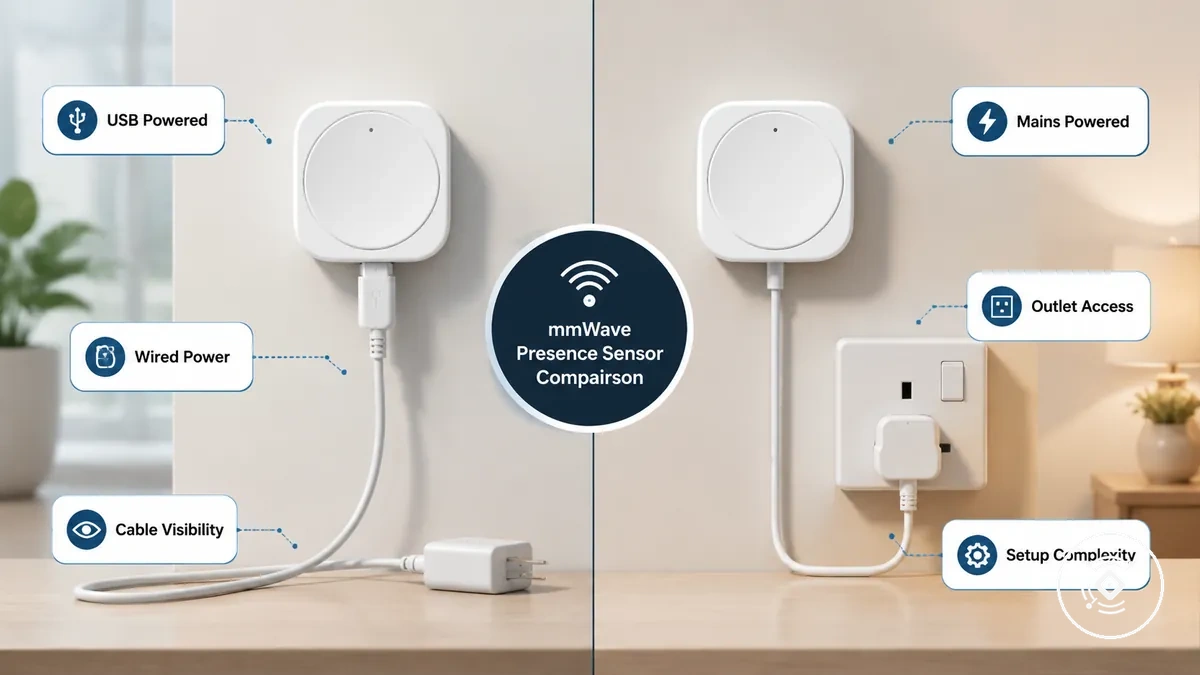
The suitable wired power option can depend on the room layout and the intended sensor location.
- USB powered: Uses USB power with flexible placement options, while cable visibility and outlet dependency may affect where the sensor can be positioned.
- Mains powered: Uses mains power for a more fixed setup, while permanent mounting and setup complexity may influence installation requirements.
- Wired power: Provides a direct power path where uptime depends on the available power supply and room arrangement.
Desk, wall, and ceiling placements can create different power access needs. When planning the relationship between sensor location and power method, review installation and setup considerations to understand the wider setup requirements.
Battery powered mmWave presence sensors
Battery powered mmWave presence sensors are wireless sensor variants that use battery power instead of a fixed wired connection. They can provide placement flexibility where power access is limited, while battery life depends on factors such as device settings, room activity, and usage conditions. The main tradeoff is easier placement with ongoing maintenance considerations.
Battery life can vary based on reporting frequency, protocol choice, room activity, and detection settings. A wireless sensor using Zigbee or another low-power communication method may use different power-saving behavior depending on its configuration and smart-home setup. The checklist below highlights conditions that can influence maintenance and replacement planning.
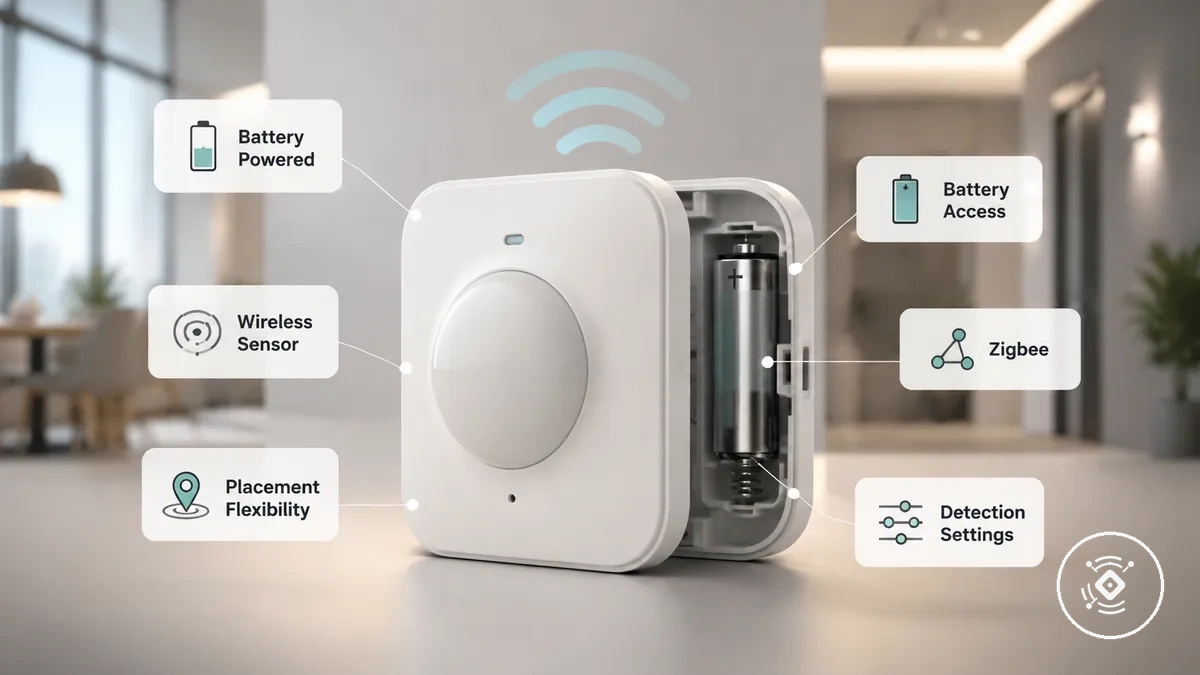
- Battery access: Check whether the sensor location allows practical access for battery replacement.
- Room activity: Consider how occupancy patterns may influence sensor operation and upkeep needs.
- Reporting frequency: Review communication settings that may affect power usage and maintenance requirements.
- Protocol: Consider Zigbee or other wireless protocols when evaluating wireless fit and power considerations.
- Detection settings: Review configuration choices that may influence power-saving behavior and sensor maintenance.
Battery powered sensors can suit high-traffic or hard-to-access locations when placement flexibility is important. In these cases, replacement tolerance and maintenance planning become part of choosing a suitable wireless sensor approach.
Reliability, response time, and battery maintenance tradeoffs
Reliability depends on power continuity, protocol behavior, signal strength, and configuration rather than on whether a sensor is wired or wireless. A wired sensor may provide stable availability through consistent power, while a wireless sensor may involve battery maintenance or connection conditions that influence reporting behavior. These factors describe operational tradeoffs and do not indicate a universal quality ranking.
Power continuity can reduce battery-related maintenance needs, while wireless operation can introduce considerations around power-saving behavior and upkeep. A wireless sensor may experience different response time or reporting behavior depending on protocol behavior, signal strength, and configuration. The effect depends on the automation context and the conditions where the sensor is used.
Automation-critical rooms may require closer attention to delayed reporting because occupancy automation depends on timely sensor information. Locations with lower automation demands may place more importance on maintenance tolerance and setup conditions. Reliability decisions depend on balancing availability, response behavior, and upkeep requirements.
Reliability factors depend on conditions:
- Power continuity: A wired sensor can support stable availability when consistent power access is available, while a wireless sensor may require battery management.
- Battery maintenance: Battery-powered operation can provide placement flexibility, but replacement needs may become part of ongoing upkeep.
- Protocol behavior: Wireless communication methods can influence how a sensor communicates within an automation setup.
- Signal strength: Wireless sensor behavior may depend on surrounding conditions and connection quality.
This chart shows the key factors influencing sensor reliability tradeoffs between wired and wireless sensors, including power continuity, communication variables, and context-dependent conditions.

Installation and placement constraints for wired and wireless sensors
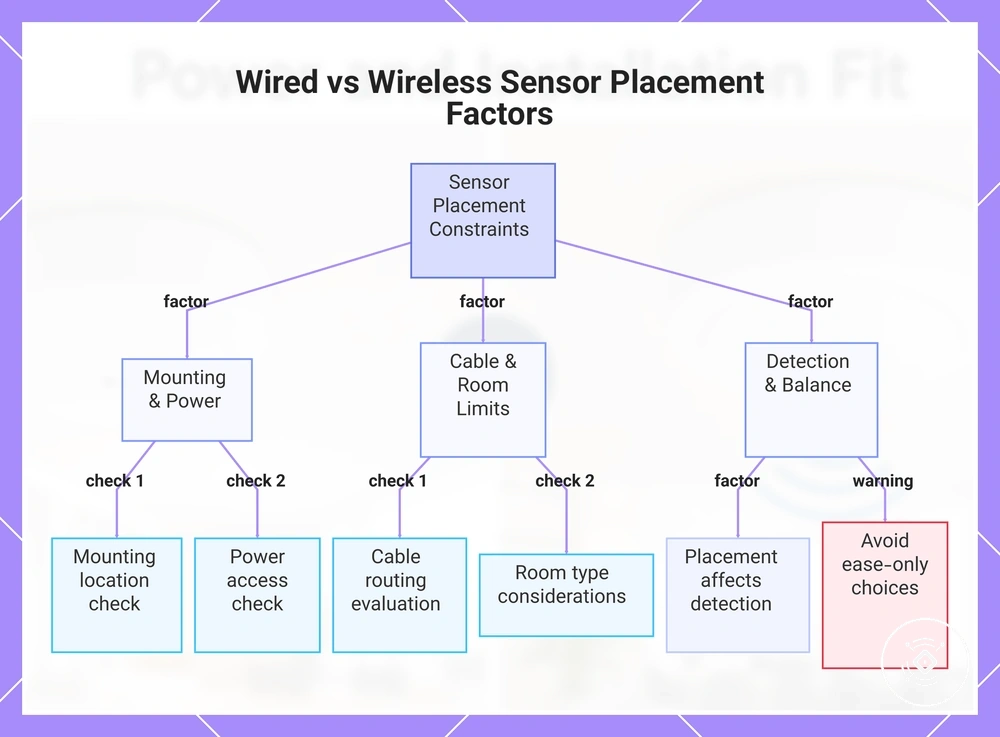
Installation and placement constraints can influence whether a wired or wireless sensor is the better fit for a specific environment. The mounting location, power access, cable routing, and available space can affect how a sensor is positioned and how it supports detection quality. A suitable mounting position matters because sensor placement interacts with room layout and the intended use conditions.
Renters may prefer a wireless sensor when cable visibility or fixed installation limits available options. Permanent rooms may allow a wired sensor where stable placement and accessible power are easier to manage. Hard-to-wire spaces may benefit from wireless flexibility when adding a cable path would change the practical mounting point.
Cable routing and outlet distance can affect realistic placement options for wired sensors. A wireless sensor may reduce cable path constraints, but placement still depends on the mounting location, room surface, and detection conditions. Review installation and setup considerations when connecting power access, sensor placement, and setup requirements.
Choosing a sensor only because it appears easier to place can create limitations later. A workable installation approach should balance convenience with the power source, mounting location, and conditions needed for reliable detection.
Placement factors to consider:
- Mounting location: Check whether the intended wall or ceiling position supports the required sensor placement.
- Power access: Consider outlet availability and how it influences wired or wireless suitability.
- Cable routing: Evaluate cable paths and visibility when selecting a wired power approach.
- Room type: Consider rental limits, permanent rooms, and fixed installation requirements.
- Detection quality: Review how placement choices may influence the sensor’s detection conditions.
This chart shows the key placement constraints that influence the choice between wired and wireless sensors, including mounting, power, cable routing, room type, and detection quality.
Smart-home protocol fit for wired and wireless options
Protocol fit affects hub dependency, router reliance, responsiveness, automation reliability, setup complexity, and battery suitability when connecting wired and wireless mmWave sensors to a smart-home platform. A communication protocol helps determine how a sensor exchanges data within a system, while the network path can influence how the sensor is configured. The suitable option depends on the platform, automation requirements, and power approach.
Power type and communication protocol are separate factors. A powered sensor can still use a wireless protocol, so wired power does not automatically define the connection method. Review smart-home compatibility considerations when evaluating how protocol choices affect sensor fit.
Zigbee and WiFi can create different setup conditions depending on the hub, router, app ecosystem, and sensor configuration. Zigbee setups may involve hub-based communication and low-power operation considerations, while WiFi setups may depend on router connection and power draw factors. The suitable protocol depends on the automation environment rather than a universal ranking.
Protocol selection should match the smart-home platform, maintenance tolerance, and automation reliability needs. Hub-based fit, router dependency, and battery operation requirements can help determine which communication approach is more suitable.
Protocol fit criteria:
| Criteria | What to consider |
|---|---|
| Hub-based fit | Zigbee setups may depend on a compatible hub and network configuration. |
| Router-based fit | WiFi setups may depend on router connection and app ecosystem requirements. |
| Battery suitability | Protocol choice can influence power considerations for wireless sensor operation. |
Zigbee wireless presence sensors
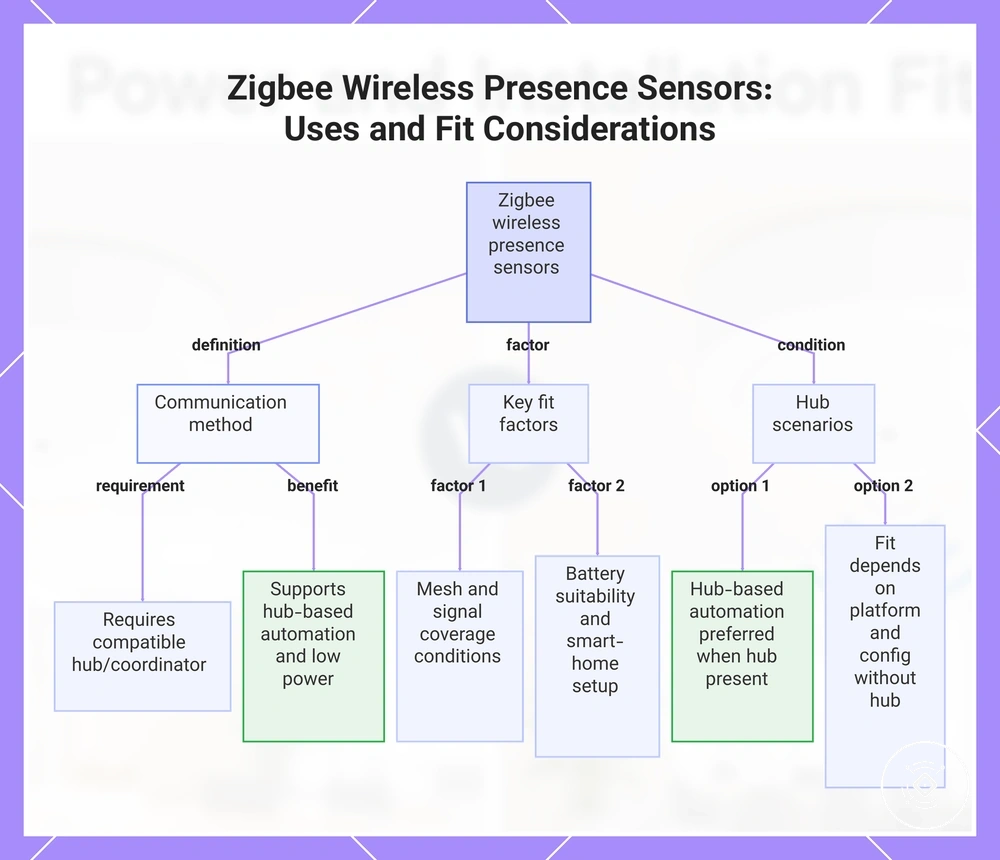
Zigbee wireless presence sensors are wireless sensor variants that use Zigbee communication through a compatible hub or coordinator where required. They are a local compatibility option where hub-based automation and lower-power communication may be important considerations. Their wireless fit depends on factors such as mesh conditions, signal coverage, battery suitability, and the surrounding smart-home setup.
Homes with a suitable hub may use Zigbee sensors when hub-based automation is preferred. Locations with weaker mesh conditions or greater room distance may require closer attention to signal coverage and hub placement. In environments without a suitable hub, the fit of a Zigbee wireless presence sensor depends on the available smart-home platform, configuration, and wireless requirements.
This chart explains what Zigbee wireless presence sensors are, how they communicate, and what factors and hub scenarios affect their suitability.
WiFi wireless presence sensors
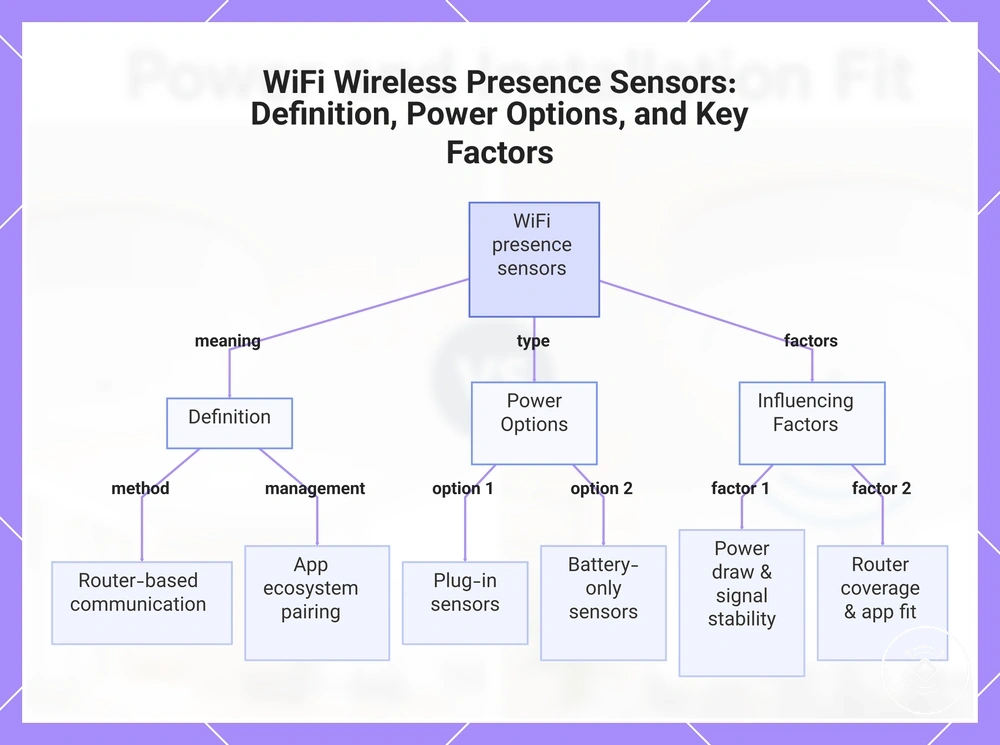
WiFi wireless presence sensors are wireless sensor variants that use router-based communication to connect with a smart-home system. They can rely on an app ecosystem for pairing and management, while power draw and signal stability can influence responsiveness and maintenance considerations. The suitable fit depends on the router environment, platform requirements, and the sensor’s power approach.
Plug-in WiFi sensors may suit locations where continuous power access is available, while battery-only sensors may require closer consideration of power draw and maintenance needs. Router coverage, app ecosystem fit, and setup complexity can influence how a WiFi wireless presence sensor performs within an automation environment. The right choice depends on network conditions, smart-home requirements, and the intended use context.
This chart explains what WiFi wireless presence sensors are, their main power options, and the factors that influence their performance.
Room and automation fit by sensor type
Room fit and automation requirements depend on reliability needs, placement freedom, and maintenance tolerance rather than a universal sensor choice. A wired sensor may suit environments where power access and a fixed mounting point support stable placement, while a wireless sensor may suit locations where placement limits require more flexibility. The suitable sensor type depends on the room conditions, automation importance, and practical setup requirements.
High-reliability lighting automation may place more importance on stable availability and suitable mounting conditions. Occupancy automation can require closer attention to response needs, placement, and maintenance tolerance. Temporary rooms and rental spaces may benefit from wireless flexibility when permanent installation options are limited.
Room constraints can influence whether a wired sensor or wireless sensor is a more practical choice. Limited power access, difficult mounting points, or placement limits can affect which sensor type fits the environment. Matching the sensor choice to the room layout can help avoid selecting a setup that creates unnecessary limitations.
The selection checklist approach can help compare power access, mounting point, occupancy pattern, automation need, and maintenance tolerance. These criteria provide a structured way to evaluate room fit without assuming one sensor type suits every situation.
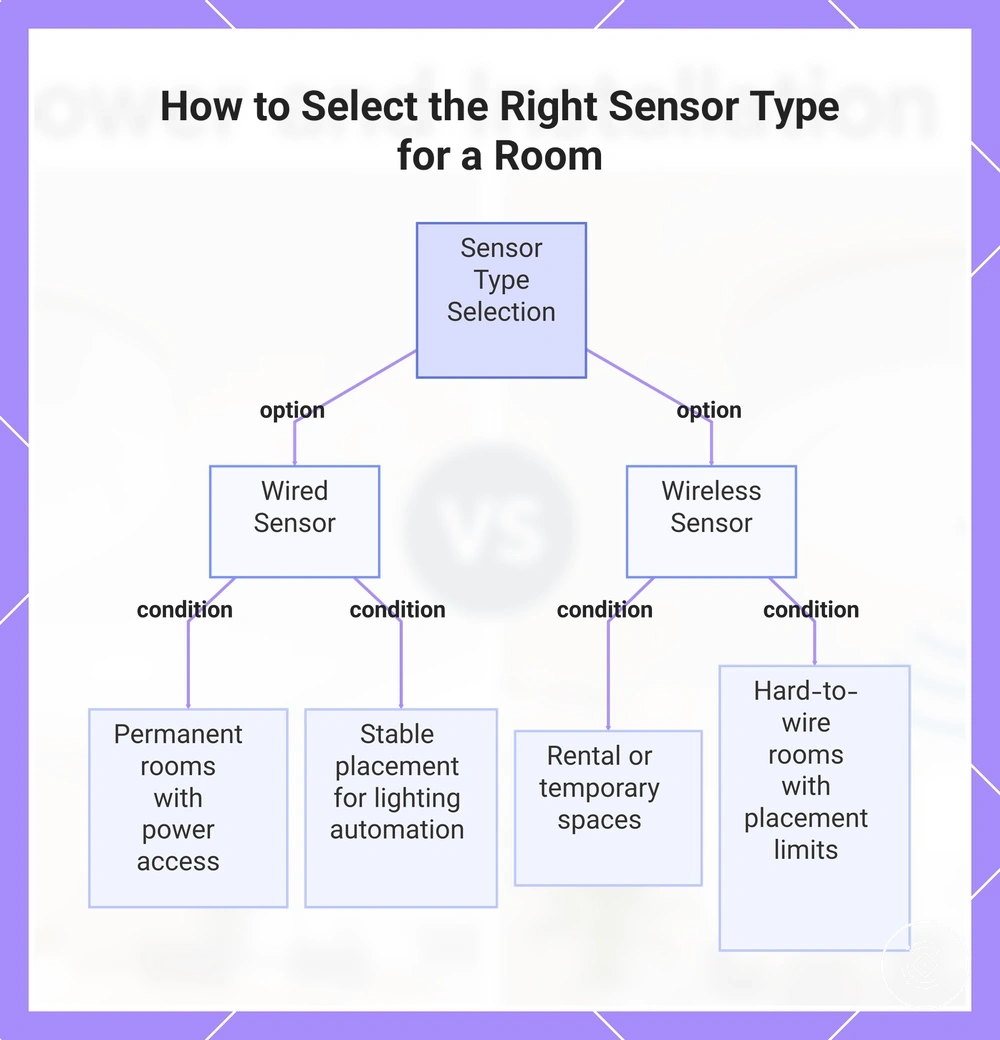
Permanent rooms with accessible power may suit a wired sensor when stable placement supports lighting automation needs. Rental spaces, temporary placements, or hard-to-wire rooms may require caution because wireless flexibility and maintenance considerations can become more important.
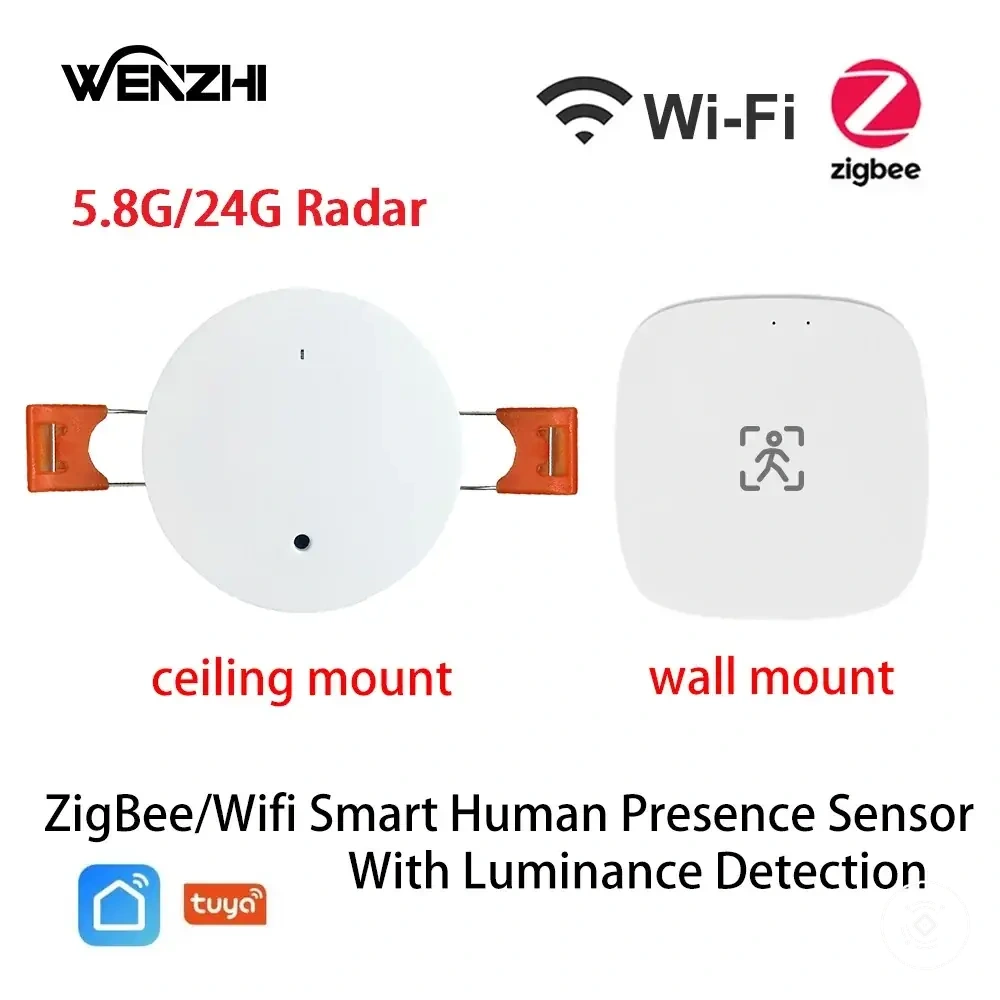
Here are product examples that may make comparison easier. Before buying, always review the compatibility criteria, essential features, and product details.
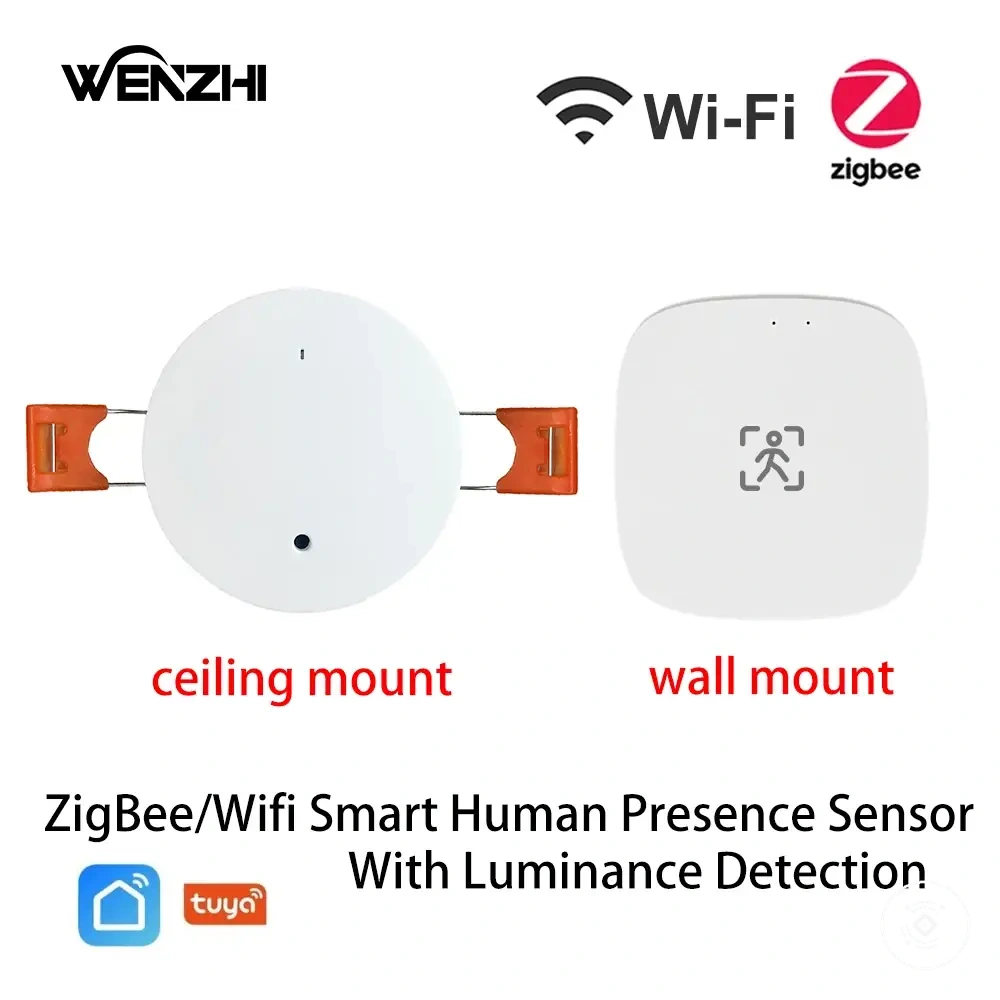
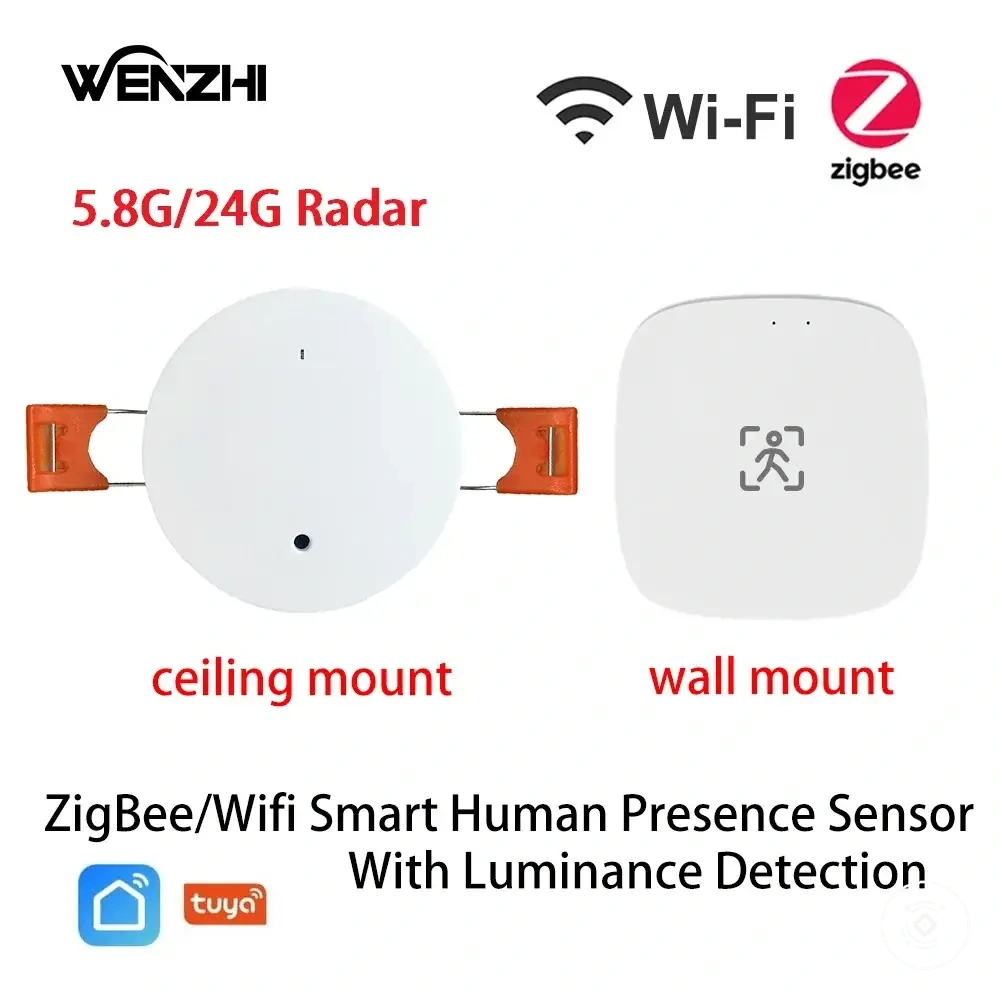
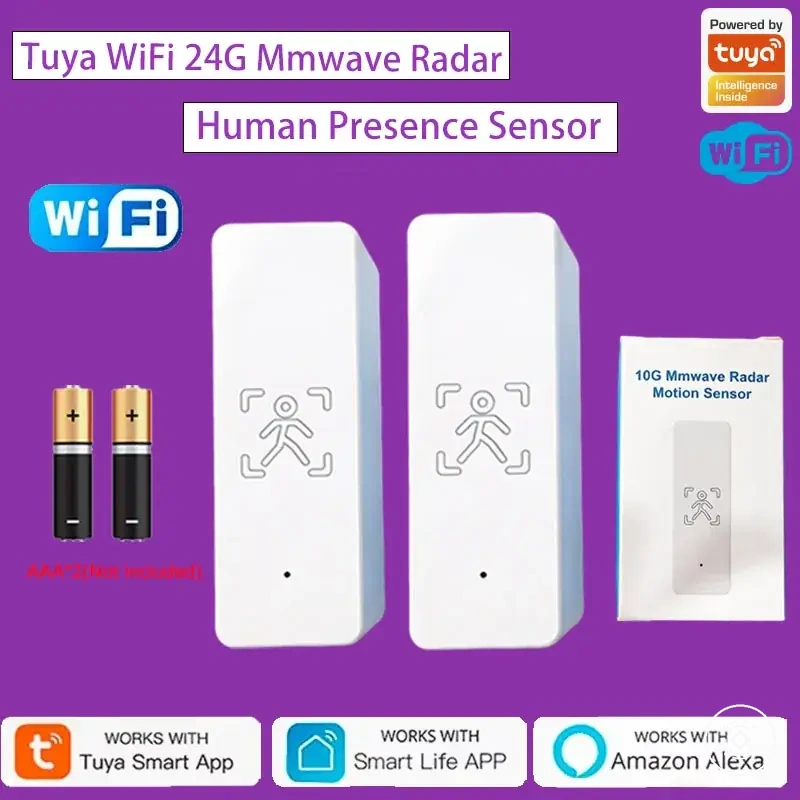

Sensor choice criteria:
- Power access: Consider whether the room supports a wired sensor connection or benefits from wireless placement flexibility.
- Mounting point: Review whether the intended ceiling or wall location supports the sensor position.
- Occupancy pattern: Match the sensor approach to how automation responds to room activity.
- Automation need: Consider reliability requirements for lighting automation and occupancy-based uses.
- Maintenance tolerance: Evaluate whether ongoing upkeep fits the chosen sensor type.
- Placement limits: Consider rental restrictions, temporary placement needs, and cable visibility concerns.
This chart shows the key conditions that determine whether a wired or wireless sensor fits a room based on power access, placement, and automation needs.
Cost, maintenance, and long-term value differences
Long-term value depends on setup cost, maintenance needs, reliability risk, and flexibility rather than upfront cost alone. A wired sensor may involve higher installation effort or cable needs, while a wireless sensor may involve battery replacement, hub needs, or other ongoing considerations. The suitable option depends on how the sensor is used, the room conditions, and the expected maintenance tolerance.
Total cost includes more than the initial sensor cost. Consider cost and value factors such as installation effort, cable needs, battery upkeep, protocol fit, and replacement risk when comparing wired and wireless choices. These factors can influence whether stable power or easier placement provides stronger long-term value.
Permanent installations may place more value on stable power and reduced battery replacement needs, while flexible placements may benefit from easier positioning. Wireless options can involve battery upkeep or hub needs depending on the setup. The overall value depends on balancing upfront cost, maintenance, and future flexibility.
Value decisions should consider the full ownership context rather than a single cost factor. A setup with higher installation effort may be suitable when reliability needs are important, while a flexible option may be more practical when placement limits are the main concern.
Value criteria:
| Cost factor | Condition and value effect |
|---|---|
| Upfront cost | Initial sensor cost can vary depending on the power approach and required setup components. |
| Installation effort | Cable needs, mounting requirements, and setup complexity can influence overall value. |
| Maintenance cost | Battery replacement and ongoing upkeep can affect long-term value for wireless options. |
| Reliability risk | Power continuity, hub needs, and replacement risk can influence automation suitability over time. |
When a wired or wireless mmWave presence sensor fits better
A wired mmWave presence sensor or wireless mmWave presence sensor fits better depending on reliability needs, placement freedom, power access, and maintenance tolerance. A wired sensor may suit permanent placements where stable power and consistent setup conditions are important, while a wireless sensor may suit locations where easier setup and flexible placement are more valuable. The recommendation depends on room permanence, automation sensitivity, protocol fit, battery tolerance, and value expectations.
Permanent rooms with fixed automation needs may align with a wired sensor when power access and stable placement are available. Reliability-critical automation may place more importance on consistent availability, while rental spaces or temporary placements may benefit from wireless flexibility. Hard-to-wire rooms may require a balance between easier setup and ongoing maintenance considerations.
Matching the use case to the sensor type can simplify the decision process. Review the selection checklist approach by comparing mounting point, automation sensitivity, protocol fit, battery tolerance, and value expectations. These criteria help connect room conditions with a suitable sensor choice.
The recommendation matrix below compares common conditions without selecting one universal option. A wired mmWave presence sensor may fit stable, permanent placements, while a wireless mmWave presence sensor may fit flexible locations when battery tolerance and maintenance expectations are acceptable.
Here are product examples that may make comparison easier. Before buying, always review the compatibility criteria, essential features, and product details.
| Use case | Deciding attribute | Recommended direction |
|---|---|---|
| Permanent room | Power access and room permanence | Wired sensor may fit when stable power and fixed placement are priorities. |
| Reliability-critical automation | Automation sensitivity and reliability needs | Wired sensor may be suitable when consistent availability is important. |
| Rental space or temporary placement | Placement limits and setup flexibility | Wireless sensor may fit when easier setup is valued and maintenance tradeoffs are acceptable. |
| Flexible smart-home use | Protocol fit and battery tolerance | Wireless sensor may fit when placement freedom and platform requirements align. |