
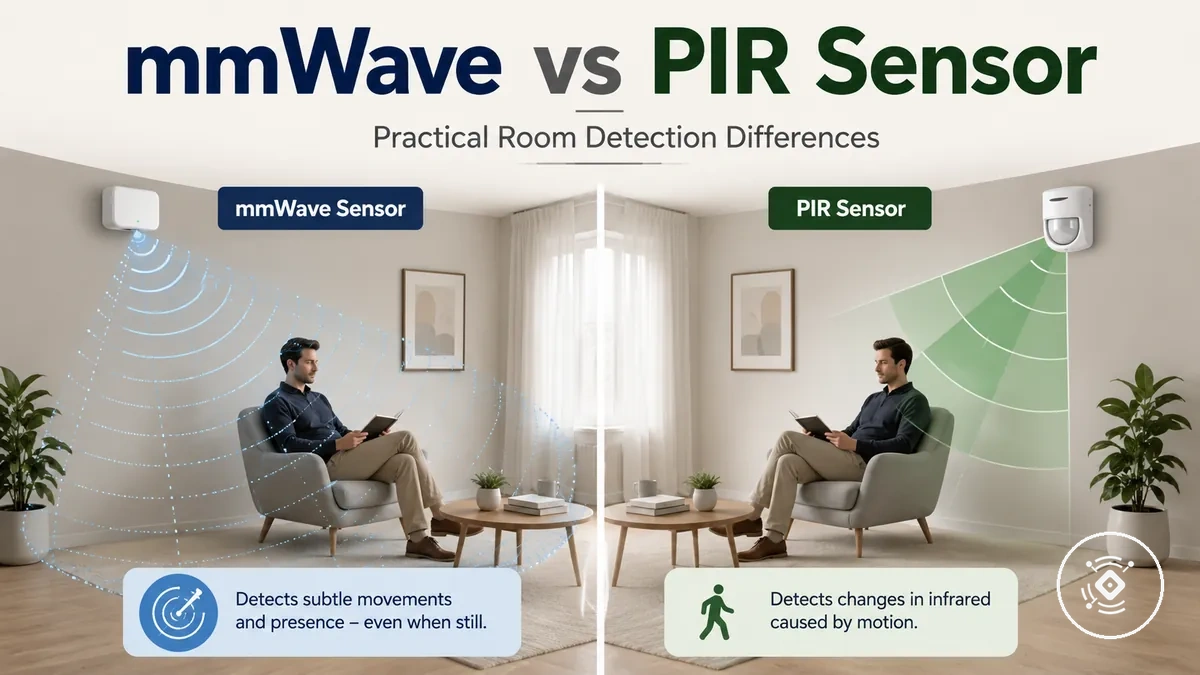
mmWave Presence Sensor vs PIR Sensor for Occupancy Detection
A mmWave presence sensor and a PIR motion sensor differ mainly by how they detect occupancy, so the better fit depends on room conditions, automation goals, and setup preferences. A mmWave presence sensor focuses on presence sensing, while a PIR motion sensor focuses on motion sensing. The main practical tradeoff is between supporting still occupancy awareness and relying on visible movement changes.
A mmWave presence sensor uses radar-based sensing to identify occupancy-related signals, while a PIR motion sensor uses passive infrared sensing based on heat change and movement. For a broader category overview, see the main mmWave presence sensor guide. The difference matters when comparing still occupancy, micro-movement, timeout behaviour, false triggers, and how smart lighting responds after an initial motion event.

A sensor used in a room with a seated person may have different requirements from one used in a walk-through area. Room layout, placement, sensitivity settings, power source, and the intended automation routine can influence the comparison. These conditions affect occupancy detection, reliability expectations, setup tradeoff, and value.
The comparison below explains how a mmWave Presence Sensor vs PIR Sensor for Occupancy Detection differs across detection method, occupancy behaviour, reliability considerations, automation fit, setup burden, and value. It focuses on category-level decision support rather than a universal winner.
| Comparison factor | mmWave presence sensor | PIR motion sensor |
|---|---|---|
| Detection method | Uses radar-based sensing to interpret occupancy-related movement and presence signals. | Uses passive infrared sensing to detect heat changes associated with movement. |
| Occupancy behaviour | May suit situations where still occupancy and small movements are important considerations, depending on settings and conditions. | Typically relies on visible movement events and may depend on timeout settings after a trigger. |
| Reliability considerations | Performance can vary with room layout, placement, sensitivity settings, and environmental conditions. | Performance can vary with detection angle, movement patterns, and surrounding heat changes. |
| Smart lighting fit | May suit automation goals that require continued occupancy awareness. | May suit simpler motion-triggered lighting routines where movement detection is the main requirement. |
| Setup tradeoff | May require attention to configuration and sensitivity adjustment. | May provide a simpler setup approach for basic motion-based automation needs. |
| Value | Value depends on whether presence sensing capability matches the intended use case. | Value depends on whether motion sensing satisfies the room’s automation requirements. |
How mmWave and PIR Sensors Detect Occupancy
A mmWave sensor uses radar-based sensing, while a PIR sensor uses passive infrared sensing to detect occupancy in different ways. A mmWave sensor interprets radar signals related to movement and presence, while a PIR sensor responds to heat change associated with movement. The main distinction is radar-based sensing compared with passive infrared sensing.
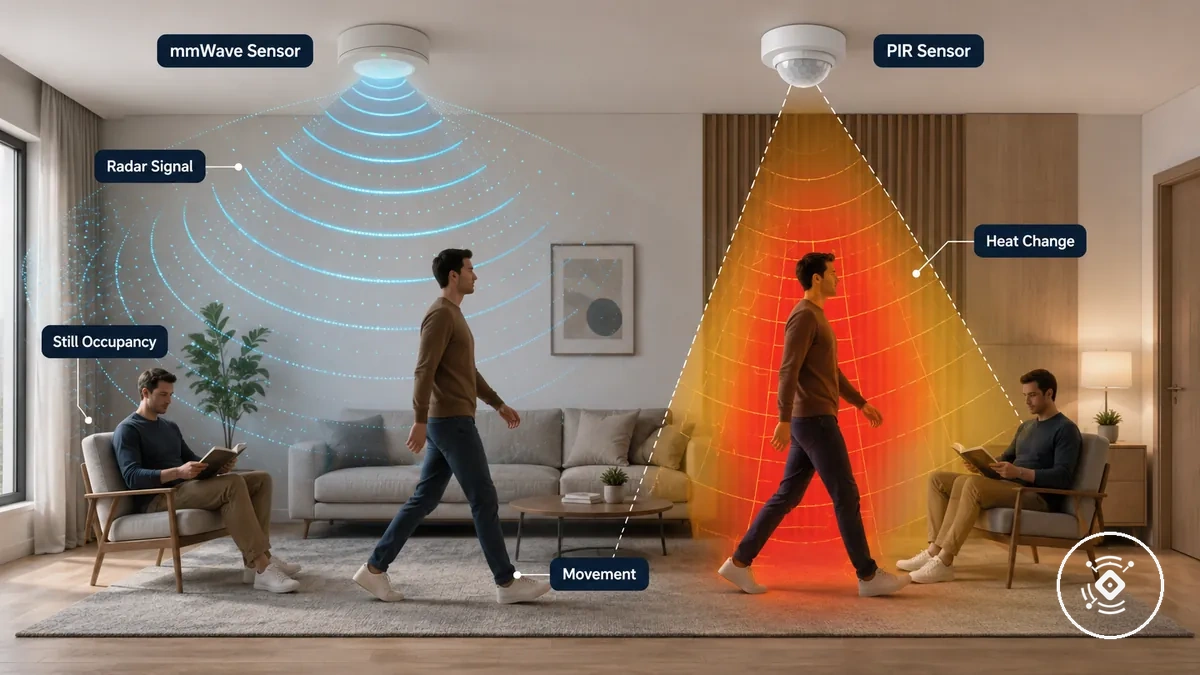
mmWave sensor and PIR sensor behaviour depends on the trigger condition, room layout, placement, sensitivity settings, and environmental conditions. A mmWave sensor may support detection of micro-movement and still occupancy, while a PIR sensor typically relies on movement and infrared energy changes. The sensing method influences detection behavior because occupancy states can change after a person stops moving.
The comparison below shows how mmWave and PIR sensors detect occupancy by focusing on what each sensor detects, stronger conditions, and common limitations. This comparison applies to practical home occupancy sensing rather than every possible sensor application.
| Sensor type | What it detects | Stronger condition | Common limitation |
|---|---|---|---|
| mmWave sensor | Radar signals related to movement, micro-movement, and occupancy changes. | Situations where still occupancy and small movement are relevant considerations. | Detection behavior can vary with placement, sensitivity settings, room layout, and environmental conditions. |
| PIR sensor | Infrared energy changes associated with movement and heat change. | Situations where visible movement creates a clear trigger condition. | Detection behavior can vary with movement patterns, sensor position, and surrounding heat conditions. |
Active Radar Presence Sensing vs Passive Infrared Motion Sensing
Active radar presence sensing and passive infrared sensing differ by how they create an occupancy signal. Active radar sensing uses an emitted signal to interpret reflected movement, while passive infrared sensing uses heat-change detection linked to movement. The mechanism difference helps explain why a seated person and a moving occupant may produce different response patterns.
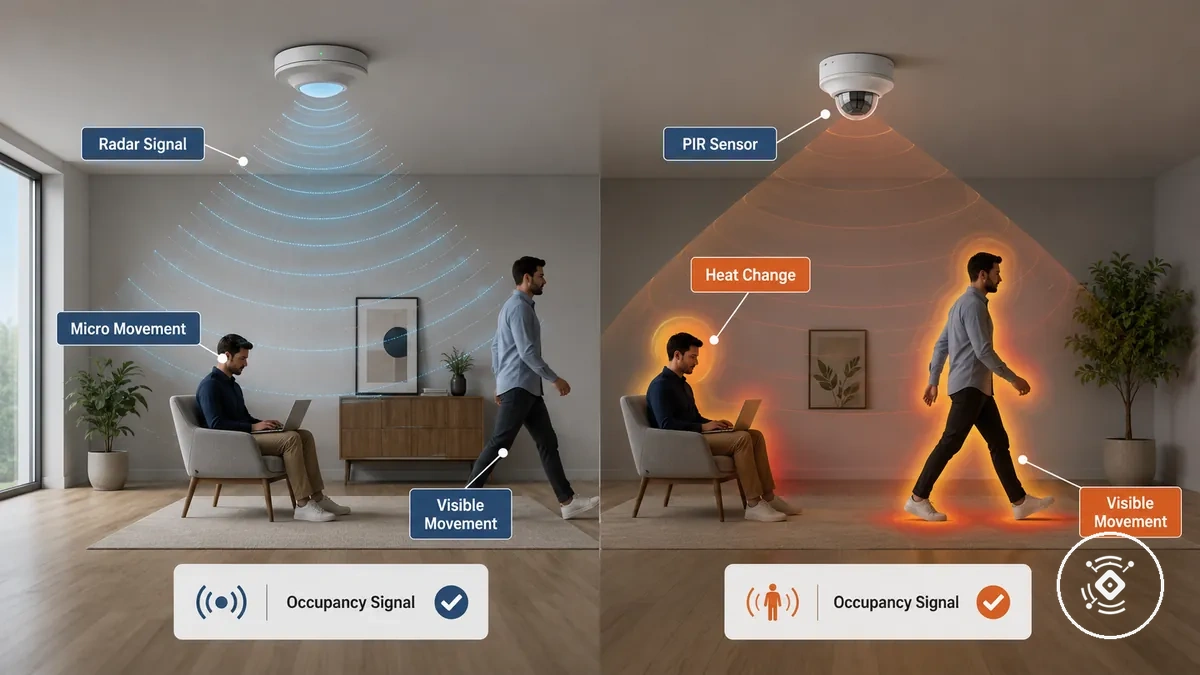
Active radar sensing and passive infrared sensing create different detection conditions. Active radar sensing may respond to micro-movement considerations, while passive infrared sensing depends on infrared energy changes and visible movement. Line of sight, environment, placement, and sensor settings can influence the resulting occupancy signal.
The active radar versus passive infrared contrast can be summarized through the main mechanism-to-effect differences:
- Emitted signal: Active radar sensing uses an emitted signal that interacts with movement and can contribute to a presence signal.
- Heat-change detection: Passive infrared sensing responds to heat changes associated with movement.
- Still occupant behavior: A seated person with limited movement may create a different response pattern from an actively moving occupant.
- Moving occupant behavior: Visible movement may create a clearer motion trigger condition for passive infrared sensing.
Presence Detection and Motion Detection Boundaries
Presence detection and motion detection describe different sensing capabilities, even though both can support occupancy-related automation. Presence detection focuses on identifying an occupied state, while motion detection focuses on movement events. The boundary between them is the difference between detecting continued occupancy and detecting a change caused by movement.
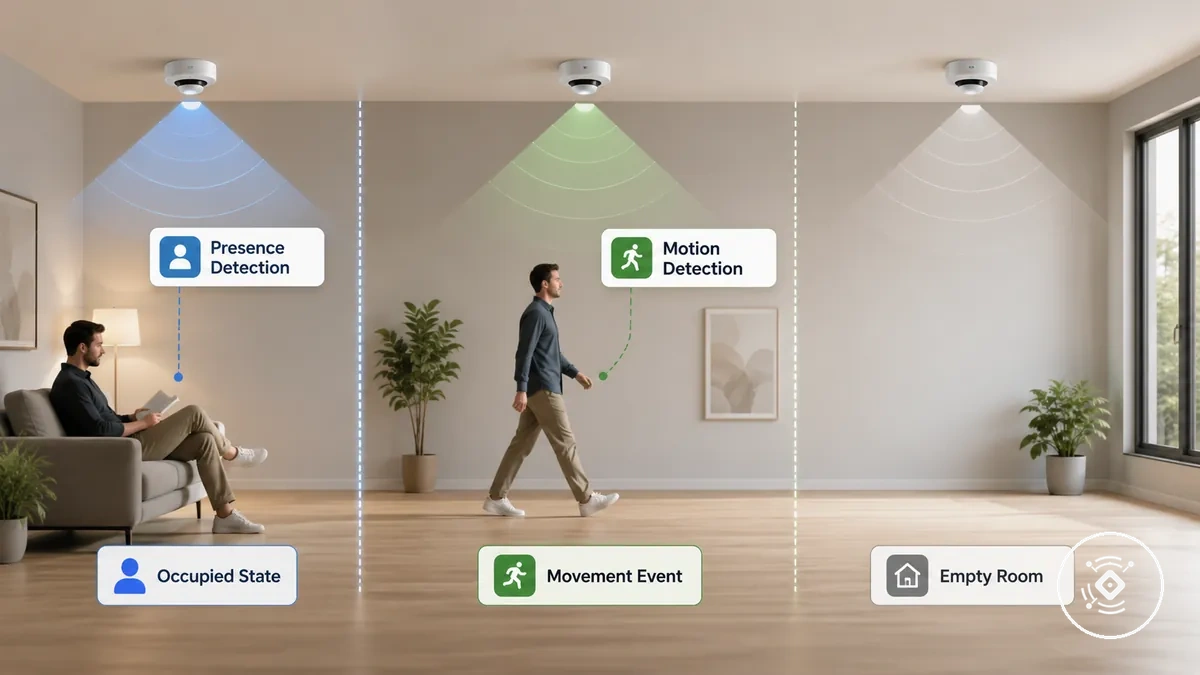
Presence detection and motion detection differ through trigger condition, trigger persistence, and automation behavior. A seated person may create a different occupancy state from a walking person because stillness and movement can produce different detection conditions. In an empty room, the sensor state may change based on how the detection method interprets occupancy and movement.
The difference becomes clearer when comparing scope and outcome:
| Capability | Outcome |
|---|---|
| Presence detection | Focuses on an occupied state where continued presence may influence automation behavior. |
| Motion detection | Focuses on movement events that can trigger a change in the sensor state. |
This boundary helps separate the two concepts without treating them as the same capability. For a deeper explanation, see presence detection versus motion detection.
Detection Speed, Still Occupancy, and Small Movement
Detection speed and stay-on behavior are different evaluation factors when comparing mmWave and PIR sensors. A PIR motion sensor may respond to visible movement events, while a mmWave presence sensor may support still occupancy considerations when small movement is relevant. The key distinction is between an initial entry trigger and maintaining an occupied state.
A person entering a hallway creates a different condition from a person sitting at a desk or on a sofa. Entry trigger behavior depends on movement, mounting, sensitivity, and room conditions, while still occupancy depends on how the sensor handles small movement and occupancy persistence. In spaces such as bathrooms, timeout settings and automation goals can influence whether the sensor behaviour matches the intended use.
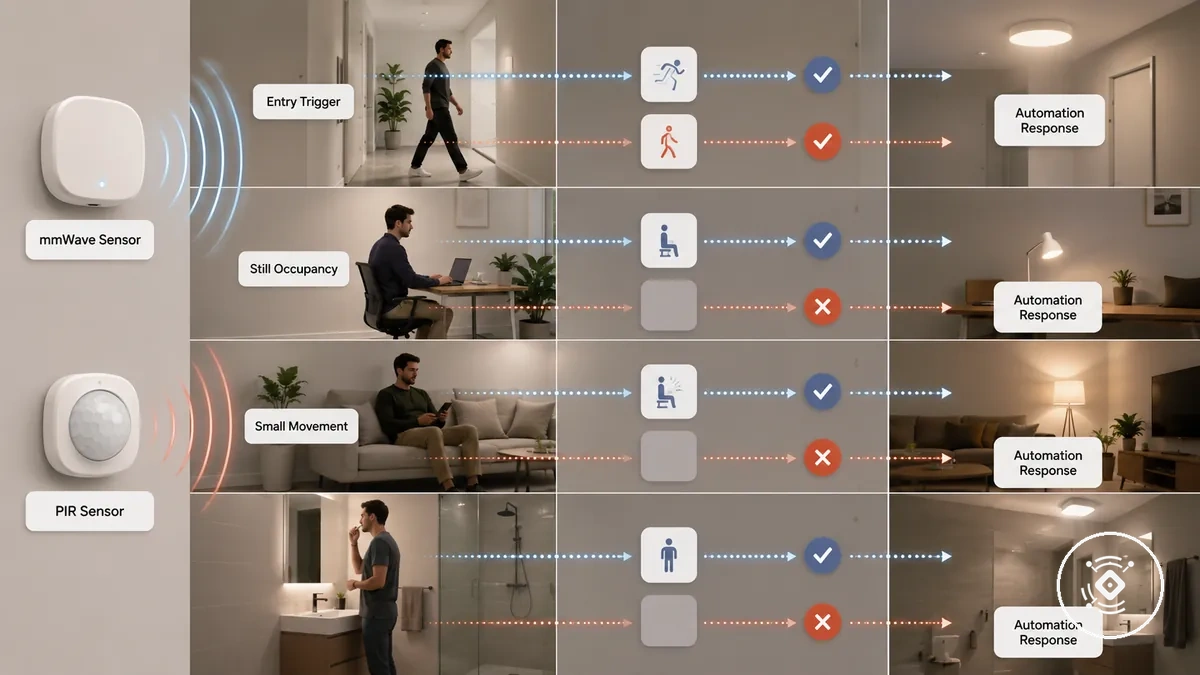
The comparison below shows how different scenarios can influence response timing, hold behavior, and likely automation outcomes. It focuses on practical room conditions rather than fixed performance results because sensor settings, mounting, and environment can change the outcome.
| Scenario | PIR behavior | mmWave behavior | Decision implication |
|---|---|---|---|
| Hallway entry | May respond to visible movement that creates an entry trigger. | May interpret movement and occupancy signals depending on conditions. | Initial trigger and ongoing occupancy are separate considerations. |
| Desk sitting | May depend on movement events and timeout settings after a trigger. | May support still occupancy considerations when small movement is relevant. | Seated users require attention to stay-on behavior. |
| Sofa sitting | May rely on movement events and timeout settings to maintain an occupied state. | May consider small movement when determining occupancy state. | Room use and sensitivity settings influence automation reliability. |
| Bathroom occupancy | May depend on movement patterns and timeout settings. | May suit situations where continued occupancy is an important consideration. | Automation outcome depends on room conditions and sensor setup. |
Fast Entry Triggers
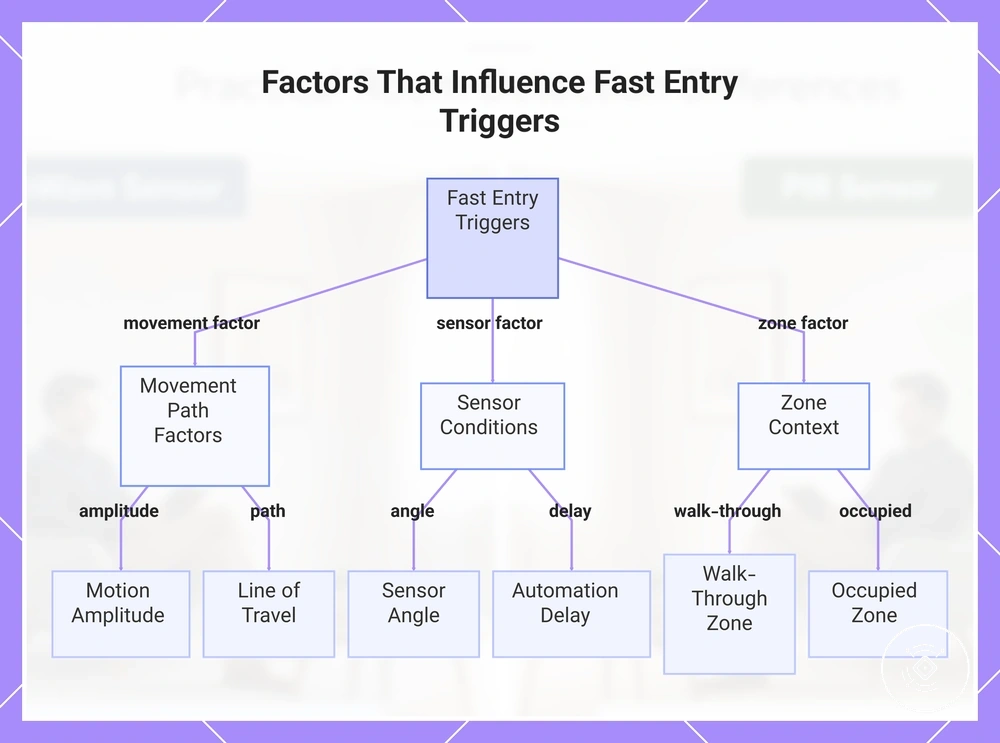
A person entering a room creates an entry condition that depends on how a sensor responds to movement in its detection area. A fast entry trigger can vary with motion amplitude, sensor angle, and line of travel. These factors influence the initial response before considering longer occupancy behavior.
The entry trigger depends on the movement path and the sensor conditions rather than a fixed response pattern. A PIR motion sensor may respond to visible movement through a detection area, while a mmWave presence sensor may interpret movement signals based on the environment and settings. A walk-through zone usually has different needs from an occupied zone because automation delay and room behavior can affect the expected outcome.
- Trigger speed: Entry detection can depend on movement, sensor conditions, and how a person crosses the detection area.
- Sensor angle: The angle between the sensor and the movement path can influence the trigger response.
- Motion amplitude: Larger or smaller movements may create different response patterns.
- Line of travel: A person moving through a detection area may create different trigger conditions depending on the path.
- Automation delay: The delay before an automation action occurs can vary with settings and the intended routine.
This chart shows the key factors affecting fast entry triggers from motion sensors, including movement path, sensor conditions, and zone type.
Stay-On Detection for Seated or Still Occupants
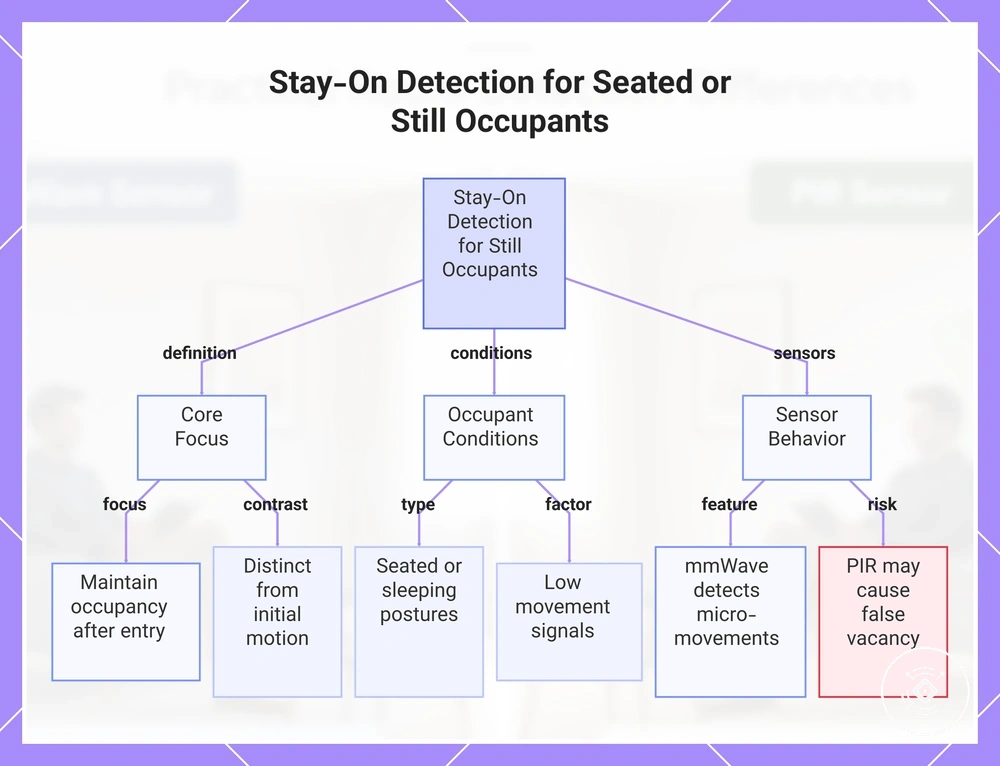
Stay-on detection focuses on maintaining an occupied state after a person is already in the room, while initial motion detection focuses on the first movement event. A seated occupant or still occupant may create fewer movement signals than a walking person, which makes still occupancy a separate consideration. This difference is why motion-led sensing may require different evaluation for low-movement situations.
A seated occupant working at a desk, reading, sleeping, or sitting on a sofa can create different conditions based on posture, micro-movement, sensitivity, and room behavior. A mmWave presence sensor may support stay-on detection by considering small movements, while a PIR sensor may depend more on movement events and timeout settings. If lights turn off too early while a person remains present, the situation may indicate a false vacancy risk influenced by sensor settings and the occupied state conditions.
This chart explains the concept of stay-on detection for seated or still occupants, including its core focus, occupant conditions, and sensor behavior with false vacancy risk.
Range, Coverage, and Room Conditions
Range and coverage depend on room conditions, including room size, layout, mounting position, and environmental factors. Sensor suitability can change because detection angle, line of sight, obstacles, and sensitivity settings influence how occupancy detection behaves in a space. Range should be treated as a model- and room-dependent factor rather than a fixed capability.
A small room, a large room, and a room with obstacles can create different sensing conditions. Room layout can affect how a PIR motion sensor interprets movement through its detection area, while a mmWave sensor may respond differently to reflective surfaces, moving objects, zones, and sensitivity settings. The main compatibility criteria are room size, coverage needs, detection angle, line of sight, and environmental conditions.
The criteria table below organizes the room and coverage conditions that can influence sensor suitability. These factors should be evaluated according to the specific sensor model, mounting position, sensitivity configuration, and room environment.
| Condition | PIR impact | mmWave impact | Decision note |
|---|---|---|---|
| Room size | Coverage can depend on movement patterns and the detection area. | Coverage can depend on room conditions, settings, and detection zones. | Match coverage expectations to the room size and occupancy needs. |
| Line of sight | Obstacles can affect how movement reaches the detection area. | Room layout and obstacles can influence detection behaviour. | Consider how the room structure affects sensing conditions. |
| Obstacles | Blocked movement paths may affect motion detection. | Objects in the room may influence occupancy signals and zones. | Obstacles can change sensor suitability for a space. |
| Reflective surfaces | Surrounding conditions may influence motion detection behaviour. | Reflective surfaces may affect detection conditions. | Environmental factors should be considered during comparison. |
| Moving objects | Movement can create trigger conditions depending on the environment. | Moving objects can influence occupancy-related signals. | Consider false trigger conditions as part of suitability. |
| Sensitivity zones | Sensitivity settings can influence the detection area. | Sensitivity and zone settings can influence coverage behaviour. | Model settings can affect the final outcome. |
False Triggers, Missed Detection, and Reliability Limits
False triggers and missed detection represent different reliability limits when comparing PIR and mmWave sensors. False triggers occur when a sensor responds to an unintended trigger source, while missed detection occurs when an expected occupancy signal is not identified. Understanding the difference helps separate environmental conditions from sensor suitability.
Reliability limits often depend on placement condition, sensitivity setting, and surrounding conditions rather than indicating that a sensor is defective by default. Pets, HVAC movement, sunlight, curtains, and adjacent-room detection can create different conditions that affect sensor behaviour. Still occupants and room layout can also influence how detection problems should be interpreted.
The diagnostic table below compares common reliability risks by issue, signal source, condition, and decision impact. False triggers and missed detection should be evaluated according to the sensor type, environment, and settings rather than treated as guaranteed outcomes.
| Issue | More likely signal | Common condition | Decision impact |
|---|---|---|---|
| Pets | Pet movement may contribute to false occupancy signals. | Pets moving near the detection area can influence the trigger source. | Consider whether room activity may create unwanted triggers. |
| HVAC movement | Air movement or fan activity may create an unintended signal. | HVAC movement, fans, or airflow can affect detection conditions. | Environmental conditions can influence reliability expectations. |
| Sunlight or heat shifts | Heat changes may influence PIR trigger conditions. | Sunlight changes or temperature shifts can affect the sensing environment. | Consider the room environment when comparing sensor suitability. |
| Curtains or moving objects | Movement near the detection area may create unexpected signals. | Curtains or objects moving within the area can influence detection. | Room conditions and sensitivity settings can affect outcomes. |
| Still occupants | Limited movement may reduce motion-based detection opportunities. | Seated or still occupants may create different occupancy conditions. | Consider how the sensor handles low-movement states. |
| Adjacent-room detection | Signals from nearby areas may influence detection in some conditions. | Walls, sensitivity settings, and room layout can affect detection zones. | Evaluate the intended detection area before choosing a sensor. |
Smart Lighting and Automation Fit
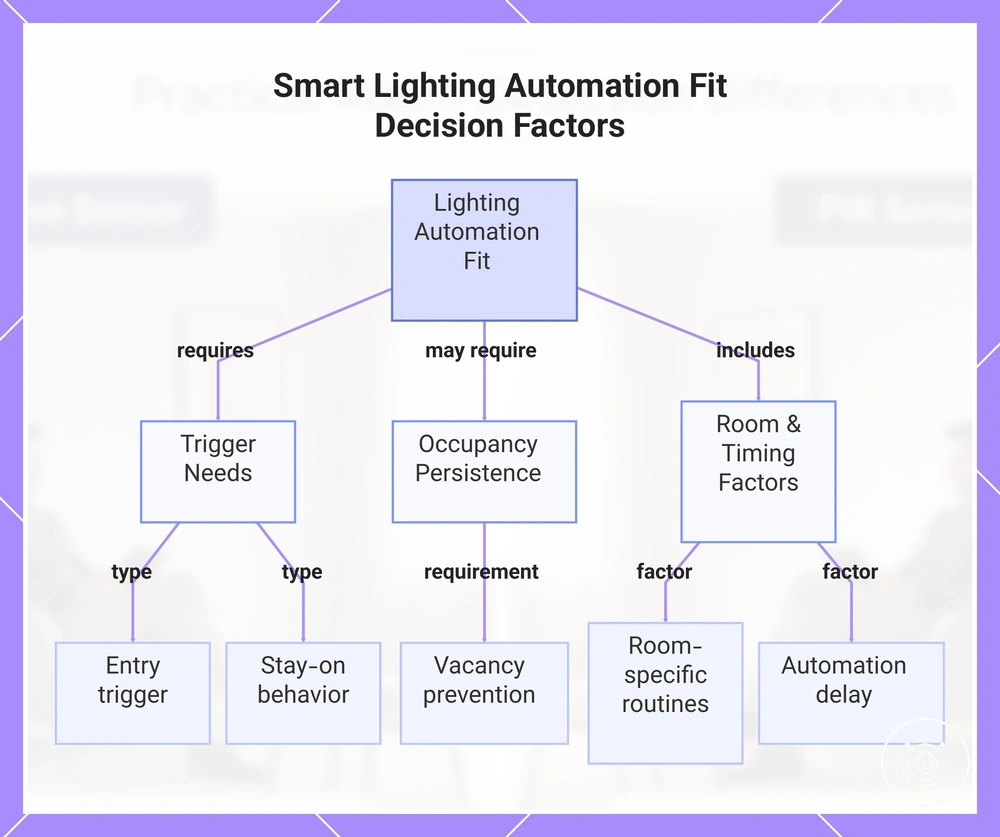
Smart lighting and occupancy automation fit depends on whether the routine needs an entry trigger, stay-on behavior, or both. A motion trigger may suit entry-focused lighting, while occupancy persistence may suit routines where vacancy prevention is important. The main decision factor is how the sensor state supports the intended automation behavior.
A hallway light that activates when someone enters has different needs from a workspace or living area where a person may remain still. A PIR motion sensor may suit entry-only lighting where visible movement creates the trigger, while a mmWave presence sensor may suit routines that consider continued occupancy. Room-specific routines, automation delay, and platform expectations can influence the final automation fit.
The checklist below helps identify the type of occupancy automation needed. Smart Lighting and Automation Fit decisions depend on the desired routine outcome and the conditions of the space.
- Entry trigger: The routine mainly needs a motion trigger when someone enters or passes through an area.
- Vacancy prevention: The routine needs to reduce the chance of lights changing state while a room remains occupied.
- Room-specific routines: The sensor choice should match how the room is used, such as working, relaxing, or moving through.
- Stay-on behavior: The routine may depend on maintaining an occupancy state after the initial movement event.
- Automation delay: The expected timing of lighting actions can depend on sensor settings and the intended routine.
- Platform expectations: Smart-home behaviour can vary depending on the sensor, system setup, and automation environment.
This chart shows the main factors that determine whether a smart lighting and occupancy automation setup fits a given routine, including trigger needs, occupancy persistence, and room-specific timings.
Cost, Power, and Setup Tradeoffs
Cost and value depend on how occupancy accuracy, practical benefit, and setup effort match the intended use case. A PIR sensor may provide a simpler value option for motion-based needs, while a mmWave sensor may be considered when higher capability and still occupancy support are important. The main value tradeoff is balancing cost against occupancy accuracy.
A sensor choice can involve different power requirements, configuration burden, and tuning effort. Wired sensor and wireless sensor options may have different setup considerations depending on the environment and installation needs. The overall value outcome depends on whether the added capability justifies the power and setup tradeoff.
The table below compares the main cost and setup factors that influence sensor value. For a broader comparison of these criteria, see price and value tradeoffs. Cost, Power, and Setup Tradeoffs should be evaluated alongside the intended automation goal rather than as a simple price comparison.
| Factor | PIR tradeoff | mmWave tradeoff | Value signal |
|---|---|---|---|
| Cost tier | May suit users looking for a simpler cost option for motion-based routines. | May involve a higher cost tier when additional occupancy capability is needed. | Value depends on whether the added capability matches the use case. |
| Power requirement | Power needs can vary by sensor design and installation method. | Power requirements can vary by features and configuration. | Power needs should be considered with the intended automation goal. |
| Setup complexity | May involve a simpler setup tradeoff for basic motion triggers. | May involve additional configuration burden for occupancy features. | Setup complexity should match the expected practical benefit. |
| Tuning effort | Sensitivity settings may influence motion detection behaviour. | Tuning effort and configuration may influence occupancy behaviour. | Stability expectations can depend on configuration choices. |
| Practical benefit | May be sufficient when simple motion automation meets the requirement. | May provide additional value when still occupancy is an important factor. | The value outcome depends on the user’s automation needs. |
A higher cost mmWave option may be justified when still occupancy, occupancy persistence, or additional sensing capability provides a practical benefit for the routine. A PIR sensor may remain sufficient when a simple motion trigger meets the use case and a lower setup burden is preferred. The decision depends on the required capability, environment, and expected value outcome.
The products below are useful examples for comparing available options. Before buying, check that the compatibility criteria, key features, and product details match your needs.
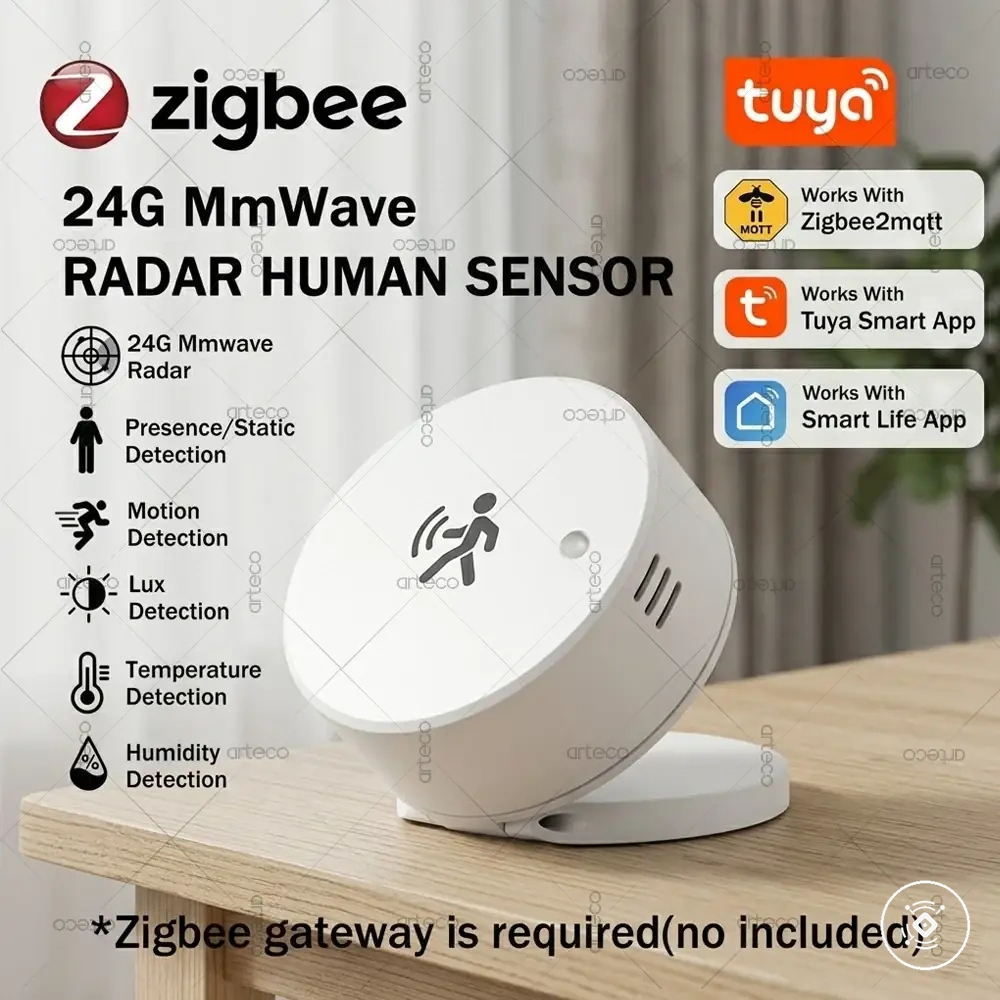
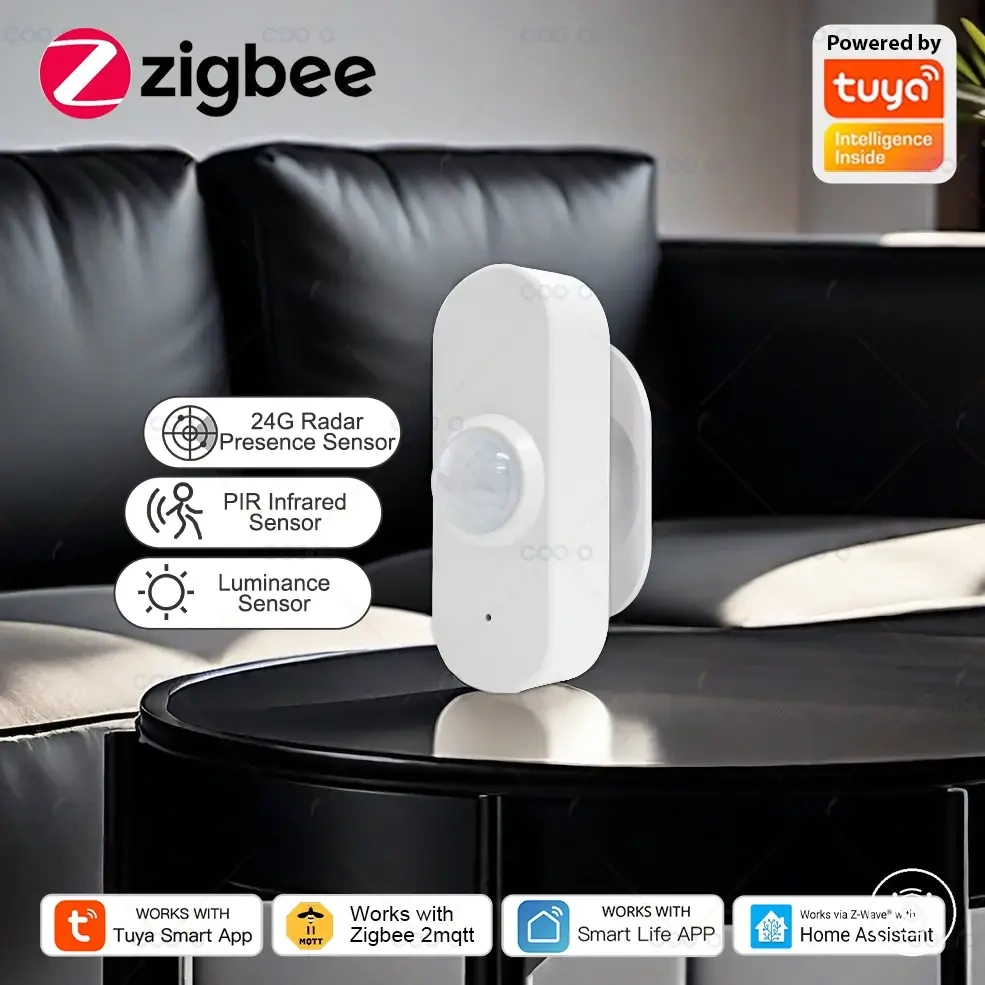
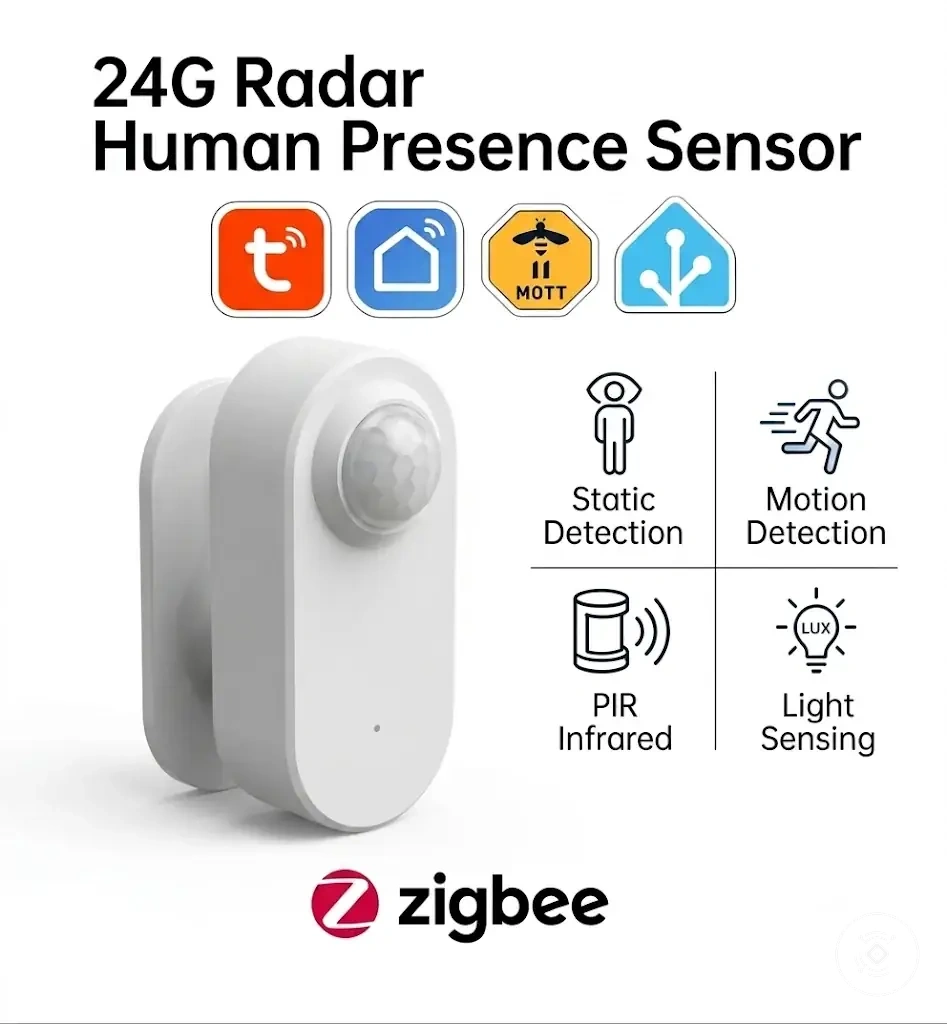

Which Sensor Fits Each Occupancy Use Case
The right sensor choice depends on the occupancy use case, room behavior, accuracy need, and setup effort. A PIR sensor may suit spaces where a simple motion trigger is enough, while a mmWave sensor may suit spaces where still occupancy and occupancy persistence are more important. The better fit depends on room behavior and accuracy need.
A bedroom, office, bathroom, hallway, kitchen, or multi-purpose room can create different sensing requirements. A bedroom may require attention to still occupancy, while a hallway may mainly need visible movement detection. An office with a seated occupant may place more value on occupancy persistence, while a bathroom may require a balance between vacancy prevention and false-trigger tolerance. These scenarios create different use-case groups.
The table below maps common occupancy use cases to sensor direction using room behavior, movement pattern, and selection criteria. Which Sensor Fits Each Occupancy Use Case depends on the required accuracy, setup effort, and expected automation outcome.
| Use case | Occupant behavior | Main risk | Better fit direction |
|---|---|---|---|
| Bedroom | Still occupancy with limited movement during rest. | Reduced occupancy persistence during low movement periods. | Consider mmWave when stay-on reliability is important; PIR may suit simpler needs. |
| Office | Seated occupant with periods of low movement. | Accuracy need and tuning tolerance can affect the experience. | Consider the sensor direction that matches occupancy persistence needs. |
| Bathroom | Changing movement patterns with periods of stillness. | Vacancy prevention and false-trigger tolerance can influence suitability. | Choose based on the balance between occupancy needs and room behavior. |
| Hallway | Visible movement through a short-use area. | Additional sensing capability may not be necessary for simple triggers. | PIR may suit entry-focused routines where a simple trigger is sufficient. |
| Kitchen | Mixed movement patterns during different activities. | Room behavior can change throughout use. | Compare trigger needs and occupancy requirements before choosing a direction. |
| Multi-purpose room | Combination of seated, standing, and moving occupants. | Balancing setup effort, budget, and accuracy need. | Select the sensor direction that matches the main room activities. |
When deeper mmWave selection checks are needed, you can choose the right mmWave presence sensor by reviewing the room conditions, accuracy requirements, and expected routine behavior.
A PIR sensor may remain sufficient when a room mainly needs simple movement detection and lower setup effort. A mmWave sensor may be considered when still occupancy, occupancy persistence, or higher accuracy needs create a practical benefit. The recommended sensor direction depends on the room type, false-trigger tolerance, budget, and desired automation outcome.
The products below are useful examples for comparing available options. Before buying, check that the compatibility criteria, key features, and product details match your needs.
When a PIR Motion Sensor Is Usually Enough
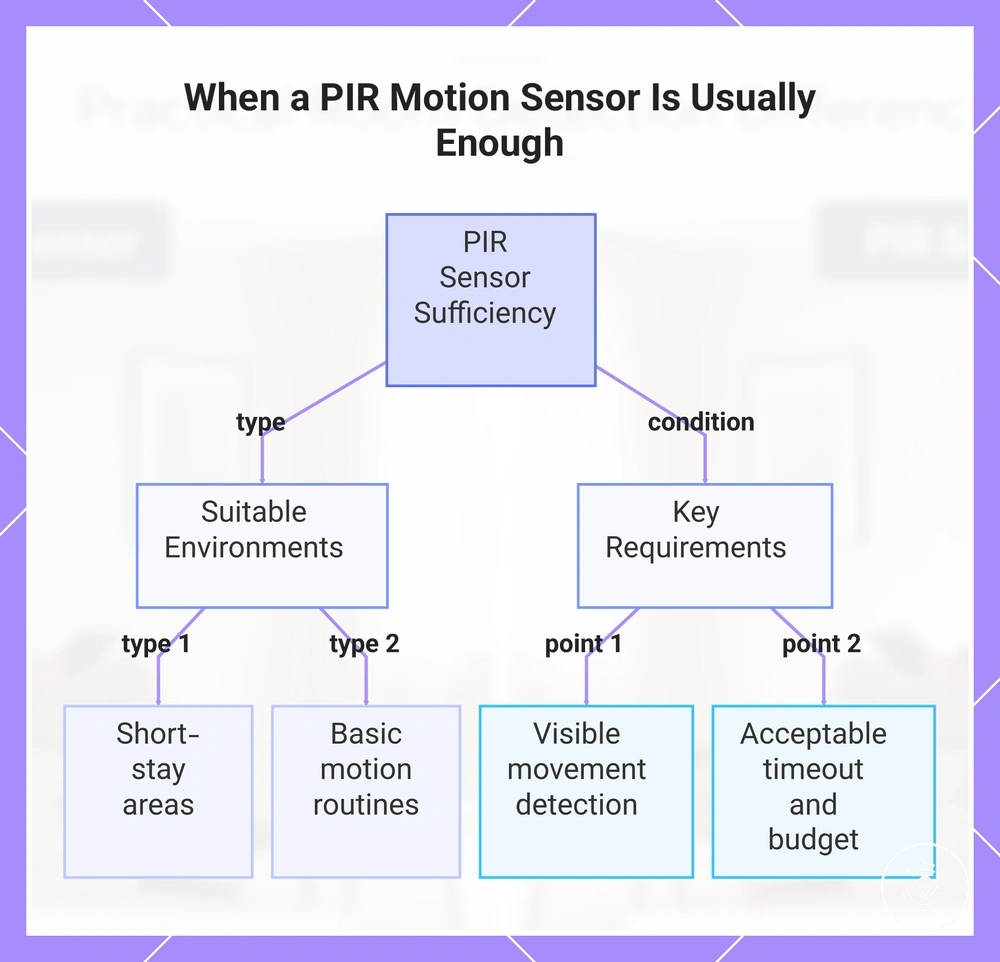
A PIR motion sensor is usually enough when a room mainly needs simple motion-triggered lighting, visible movement detection, and a straightforward automation routine. It can suit spaces where a short-stay area does not require continuous occupancy awareness. The main PIR-fit conditions are visible movement, low setup tolerance, lower budget considerations, and acceptable timeout behavior.
A hallway, storage room, entryway, or basic motion-triggered routine can match the typical use case for a PIR motion sensor. These areas often focus on detecting movement rather than maintaining occupancy after a person becomes still. A PIR sensor may be a sufficient fit when the user accepts a simpler routine, lower setup effort, and timeout behavior that matches the room activity.
This chart shows the key conditions and typical environments where a PIR motion sensor is sufficient, helping decide if it fits the application.
When a mmWave Presence Sensor Is Usually Stronger
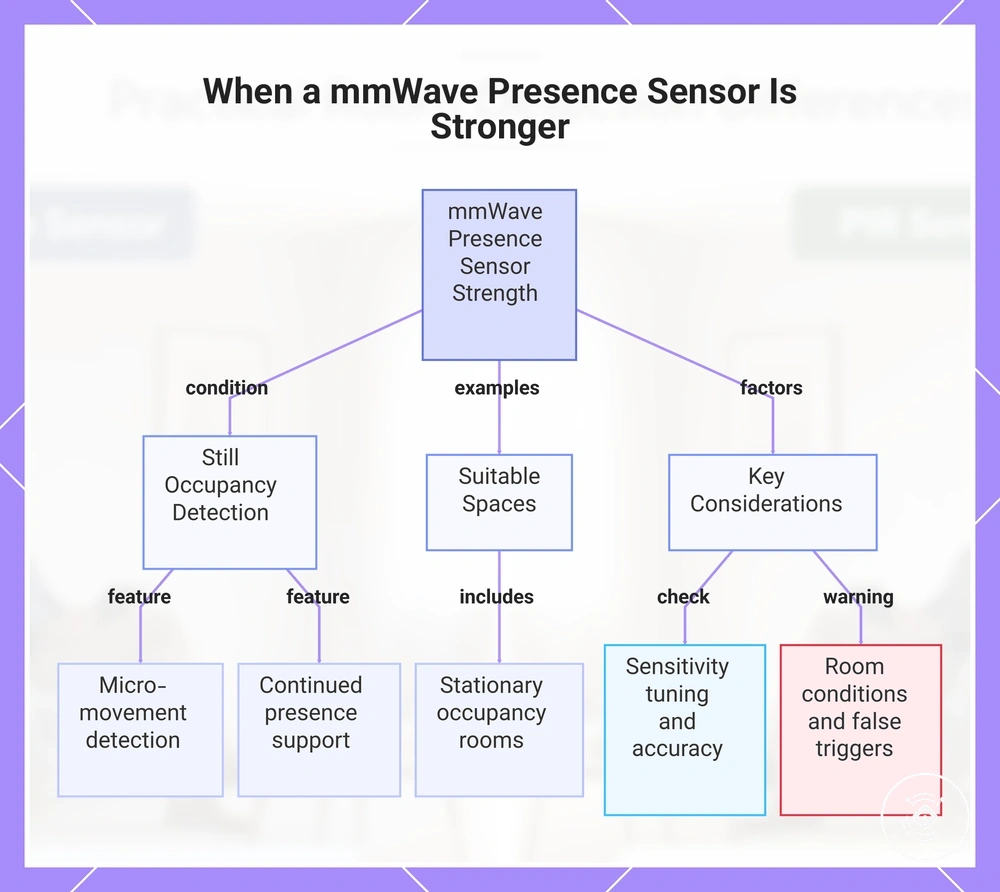
A mmWave presence sensor is usually stronger when a room requires still occupancy awareness, micro-movement detection, and continued presence support. It can suit spaces where visible movement alone may not represent the full occupancy state. Still occupancy is the key advantage condition when considering a mmWave presence sensor.
An office with a seated occupant, a bedroom, a living room, a bathroom, or a desk area can create conditions where continued occupancy awareness may be valuable. A mmWave presence sensor may support room-level automation through micro-movement detection and configurable zones when the routine depends on more than a simple motion trigger. Sensitivity tuning and accuracy expectations should still be considered because room conditions, configuration, and false-trigger factors can influence the final result.
This chart shows the key condition, suitable spaces, and important considerations for using a mmWave presence sensor effectively.
When Combining PIR and mmWave Improves Reliability
Combining PIR and mmWave can improve reliability when an automation condition needs two different signal roles rather than one sensing method. PIR can provide a fast motion signal, while mmWave can provide a presence persistence signal for continued occupancy awareness. Combined sensing is useful only when two signal roles are needed.
A dual-sensor setup may help when an entry trigger and still occupancy awareness are both important for the room need. PIR can support quick movement detection, while mmWave can support presence persistence and fallback logic when maintaining the occupancy state matters. This approach may contribute to false-trigger reduction in some conditions, but the result depends on the environment, configuration, and automation conditions.
When Combining PIR and mmWave Improves Reliability depends on how each signal supports the automation decision:
- Entry trigger: PIR may act as a fast motion signal when visible movement starts a routine.
- Presence persistence: mmWave may support continued occupancy awareness when still occupancy is important.
- Fallback logic: Combined occupancy sensing may provide an additional decision path when one signal alone is less suitable.
- Single sensor: A simpler setup may be sufficient when the room need does not require two different signal roles.